
Upgrading your gaming space often comes down to a choice between high-energy, dynamic color patterns and a clean, premium glow. Chip on Board (COB) LED lights have emerged as a compelling option for those seeking the latter. If your goal is to eliminate the harsh, dotted look of traditional LED strips and achieve a seamless, neon-like wash of light behind your desk or monitor, COB technology is an exceptional choice. However, if your dream setup relies on rapid, multi-colored chasing effects that sync with your gameplay, standard addressable LED strips remain the better fit.
Evaluating your room’s layout, your primary gaming genres, and your tolerance for eye strain will help determine whether this lighting style suits your needs. While COB strips offer unmatched visual smoothness, they come with unique thermal profiles and installation requirements that differ from older lighting generations. Understanding these technical and practical nuances ensures you create a visually stunning gaming environment without compromising on safety or performance.
Understanding COB LED Technology: Beyond Standard Strip Lights
To appreciate what Chip on Board (COB) technology brings to a gaming setup, it helps to look at how traditional strip lights are built. Standard Surface Mount Device (SMD) strips feature individual LED diodes soldered at set intervals along a flexible circuit board. Because these light sources are spaced apart, they project distinct points of light. When mounted against a wall or reflected on a glossy desk, this spacing creates a highly visible “dotted” pattern or uneven hotspots that can detract from a clean, modern aesthetic.
Products mentioned in this guide
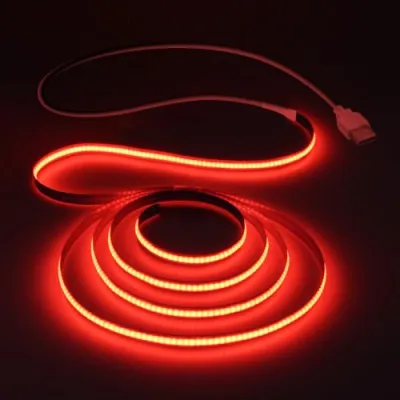
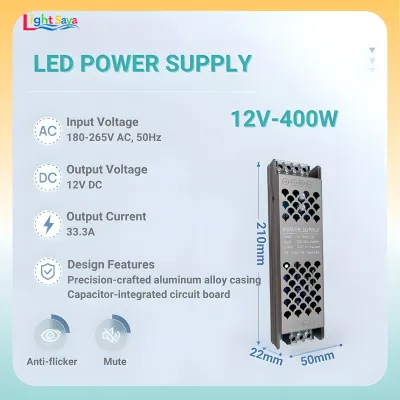
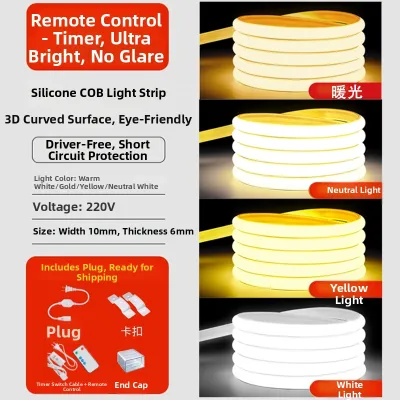
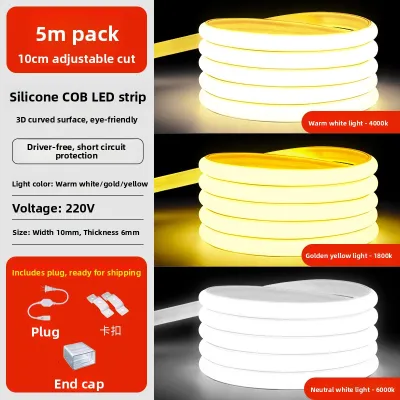
Prices are valid at publication and may change. Please refer to the product page for the latest price.
COB technology solves this visual issue through a fundamentally different manufacturing process. Instead of packaging individual diodes separately, manufacturers place hundreds of tiny LED chips directly onto a single flexible substrate. The entire assembly is then covered with a continuous, yellow phosphor transition layer. This design allows the light-emitting elements to sit incredibly close together, often exceeding 300 to 512 chips per meter. When powered on, the phosphor coating diffuses the light instantly, creating a single, unbroken line of uniform illumination.
While this high chip density delivers an incredibly smooth aesthetic, it also alters the physical behavior of the strip. Packing hundreds of miniature light sources into a tight space concentrates thermal energy along the circuit board. Unlike SMD strips, which distribute heat across widely spaced diodes, COB strips generate a steady, localized warmth. Managing this heat is a critical factor in how these lights must be installed, as prolonged thermal stress can degrade the phosphor coating and shorten the lifespan of the LEDs.
For a gaming room, this means COB lights are best used where their seamless output can shine. They are ideal for direct-view installations, such as exposed shelving, under-desk rims, or accent lines where a traditional dotted strip would look messy. They also excel at casting a perfectly even gradient of light across matte walls, providing a sophisticated backdrop that mimics premium architectural lighting.
Diagnosing Your Gaming Room Lighting Needs
Before purchasing any new fixtures, it is essential to analyze how you use your space. A lighting setup that works perfectly for a dedicated content creator might cause unnecessary distraction for a competitive player. Taking the time to diagnose your environment prevents buyer’s remorse and ensures your investment actively improves your gaming experience.

Identifying Your Primary Gaming Activities
Your preferred gaming genres dictate how much ambient light your eyes require. If you primarily play fast-paced, competitive first-person shooters, your focus needs to remain entirely on the screen. In these scenarios, high-intensity or highly dynamic lighting can be a major distraction. Competitive players generally benefit from low, controlled ambient light that maximizes screen contrast and helps maintain concentration during intense matches.
Conversely, if your gaming sessions lean toward casual role-playing games, simulation titles, or cooperative console play with friends, a more relaxed environment is ideal. These activities benefit from soft, even ambient light that fills the room without creating harsh shadows. If your gaming desk also serves as a home office for remote work, transition-friendly lighting is a necessity. A multi-purpose space requires versatile illumination that can shift from a bright, focus-boosting daylight tone during the day to a soft, calming glow at night.
Assessing Screen Glare and Eye Strain Risks
Staring at a bright monitor in a pitch-black room is a primary cause of eye fatigue and headaches. When the contrast between your screen and the surrounding wall is too extreme, your pupils must constantly dilate and constrict to adjust to the shifting brightness. Placing a soft light source directly behind your monitor—a technique known as bias lighting—balances this contrast. This simple addition significantly reduces visual fatigue during long late-night sessions.
However, the quality of that bias light matters. Harsh, directional light sources or poorly diffused LED strips can bounce off glossy screen bezels, causing distracting reflections and screen glare. If your current setup suffers from multiple overlapping shadows or uneven pools of light, your eyes are likely working harder than they need to. A continuous, dot-free light source like a COB strip resolves these issues by casting a perfectly uniform wash of light that softens the transition between your screen and the dark wall behind it.
The Reality of COB LEDs in Gaming Setups: Pros and Limitations
Integrating COB LED strips into a gaming setup offers distinct visual advantages, but it also comes with clear trade-offs. Understanding these pros and limitations prevents unrealistic expectations and helps you choose the right product for your specific design goals.
On the positive side, COB lights deliver an incredibly premium, neon-like glow that elevates the overall look of your room. For streamers and content creators, this seamless output is particularly valuable. Camera sensors often struggle with the high-contrast hotspots of traditional SMD strips, resulting in overexposed flares on video. A COB strip provides a smooth, flattering background glow that looks professional on stream. Additionally, high-quality COB lights typically feature a high Color Rendering Index (CRI), meaning they reveal the true colors of your room decor, PC components, and collectibles far better than cheap, low-CRI alternatives.
Despite these aesthetic benefits, COB technology has notable limitations when it comes to dynamic gaming effects. The vast majority of COB strips available are designed for static white, tunable white, or single-color applications. While RGB COB strips do exist, they generally operate as a single zone. This means the entire strip changes to one color at a time. They lack the individual chip control—often referred to as addressable RGB or RGBIC—that allows standard gaming strips to display multiple colors simultaneously, create chasing patterns, or sync directly with in-game actions and music.
This technical limitation leads to a clear conditional verdict. If you prefer a clean, minimalist, or professional-looking setup characterized by elegant, solid-color ambient washes, COB lighting is an outstanding choice. It provides a level of sophistication that traditional strips simply cannot match. However, if your goal is to build a high-energy, reactive “cyberpunk” gaming cave with shifting rainbow patterns and active screen-mirroring effects, standard SMD RGBIC strips remain the superior option.
COB vs. SMD RGB Strips: Making the Right Choice for Your Desk
Choosing between COB and SMD strips requires comparing them across the practical dimensions of daily use, visual performance, and installation complexity. The table below outlines the core differences to help guide your decision.
| Decision Dimension | COB LED Strips | SMD RGB / RGBIC Strips |
|---|---|---|
| Visual Effect | Seamless, dot-free, uniform linear glow; excellent for direct viewing. | Distinct visible dots of light; best hidden behind furniture or in diffusers. |
| Dynamic Features | Primarily static colors or single-zone color changes; limited chasing effects. | Advanced multi-color zones, chasing patterns, music sync, and game integration. |
| Thermal Output | High concentrated heat; requires dedicated aluminum channels for cooling. | Low to moderate heat; can often be mounted directly to most flat surfaces. |
| Best Use Cases | Desk edges, exposed shelving, monitor bias lighting, and minimalist setups. | Hidden under-glow, ceiling coves, and highly active, reactive gaming themes. |
| Average Cost | Generally higher per meter due to dense chip packaging and mounting needs. | Highly affordable to premium, with options matching almost any budget level. |
Your final choice should align with your aesthetic priorities. If you want a clean, eye-comforting background glow that looks like a built-in architectural feature, COB is the correct path. The investment in the strip and its mounting hardware pays off in visual smoothness. On the other hand, if you want your lights to dance to your game’s audio or flash red when your character takes damage, you should opt for an addressable SMD RGBIC strip. Recognizing these differences saves you from buying a product that cannot support your desired smart home integrations.
Safe Selection and Installation Guidelines for COB Lighting
Because COB LED strips operate differently than standard low-power decorative lights, safety and proper planning are essential during installation. Following manufacturer guidelines ensures your setup remains safe, reliable, and durable over years of use.
First, always verify your electrical specifications before making a purchase. COB strips typically run on 12V or 24V direct current (DC). You must pair them with a compatible power supply (driver) that matches the strip’s voltage and can handle its total wattage. In the Philippines, where the standard home electrical grid runs at 220V alternating current (AC), plugging a low-voltage strip directly into the wall without a proper transformer will instantly destroy the hardware and pose a severe electrical hazard. Look for power adapters with recognized safety certifications to ensure stable power delivery.
Thermal management is the most critical safety boundary when working with COB lighting. Because these strips pack hundreds of miniature chips into a tight space, they generate significant concentrated heat. You should never stick high-density COB strips directly onto wood, painted drywall, plastic, or acrylic surfaces. Doing so traps the heat, which can degrade the adhesive, warp your furniture, damage your walls, or even create a fire hazard. Instead, always install COB strips inside dedicated aluminum extrusion channels. These metal profiles act as a heatsink, drawing warmth away from the LEDs and dissipating it safely into the air.
[Wall / Desk Surface]
       │
[Aluminum Channel]  <-- Acts as a heatsink to dissipate concentrated heat
       │
[COB LED Strip]     <-- Dense chips generate localized warmth
       │
[Diffuser Cover]    <-- Protects the phosphor and softens the glow
Lastly, ensure the installation environment matches the product’s ratings. If you live in a highly humid tropical environment or plan to mount lights near liquid-cooling PC setups, verify the strip’s IP (Ingress Protection) rating. An IP20-rated strip is strictly for dry, indoor areas, while an IP65 or IP67 rating offers resistance to moisture and dust.
Always isolate the main power source before attempting any electrical installations. For fixed wiring, mounting in damp areas, or working with complex concealed transformers, read the product label and the manufacturer’s instructions. If instructions conflict, or if you are unsure of the electrical load, stop and consult a qualified professional. Taking these precautions protects both your equipment and your home.
Frequently Asked Questions (FAQ)
Can COB LED strips produce dynamic RGB gaming effects?
While some RGB COB strips are available on online marketplaces, they generally operate on a single-channel system. This means the entire strip changes to one solid color at a time. They cannot display multiple colors simultaneously along a single line, nor can they produce the complex chasing or rainbow waves common in gaming rooms. For highly dynamic, multi-zone effects, standard addressable SMD RGBIC strips remain the correct choice.
Is an aluminum channel mandatory for COB LED strip installation?
Yes, installing COB LED strips inside an aluminum channel is highly recommended and often required by manufacturers. Because COB strips feature a very high density of light-emitting chips, they generate concentrated heat. An aluminum channel acts as an essential heatsink that dissipates this thermal energy. Without it, the excess heat can cause the adhesive backing to fail, damage the mounting surface, degrade the protective phosphor coating, and significantly shorten the lifespan of your lights.
Community discussion
Share your experience or ask a question. Comments are reviewed before publication.