
Choosing the ideal lighting for a study or work-from-home (WFH) workspace is essential for maintaining focus and preventing eye strain, yet desk space in many Philippine homes is often limited. Whether you are setting up a workstation in a compact condominium in Metro Manila, a shared bedroom, or a dedicated home office, a clip lamp offers a highly practical, space-saving solution. By securing directly to the edge of a desk, shelf, or headboard, these versatile fixtures eliminate the need for a bulky base, freeing up valuable real estate for laptops, notebooks, and monitors. Selecting the right model requires looking closely at brightness levels, power configurations, and structural adjustability to ensure it meets your specific working habits.
Core Criteria for Choosing a WFH and Study Clip Lamp
Selecting a clip lamp involves evaluating several technical and physical specifications to ensure it provides adequate illumination without causing discomfort. A common mistake is choosing a lamp based solely on its aesthetic appeal, which can lead to insufficient lighting or rapid eye fatigue during long hours of focus.
Brightness and Color Temperature
When evaluating light output, it is essential to distinguish between wattage and lumens. Wattage measures electrical power consumption, whereas lumens indicate the actual volume of visible light emitted by the bulb or integrated LED panel. For a dedicated study or WFH desk, look for a lamp that delivers at least 300 to 500 lumens of brightness to ensure clear visibility.
Products mentioned in this guide
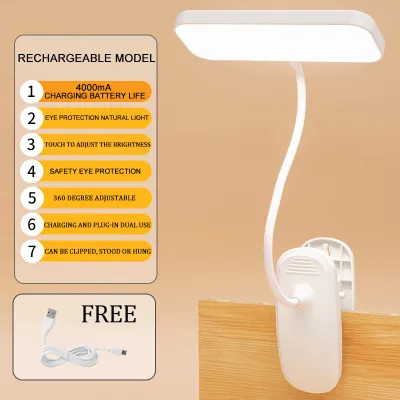
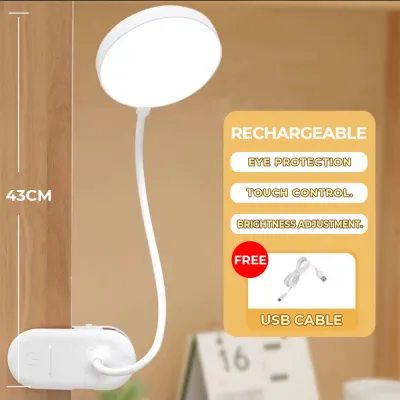
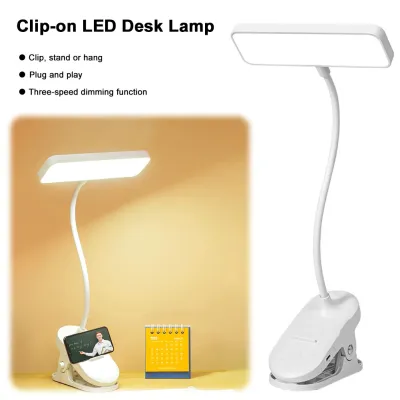
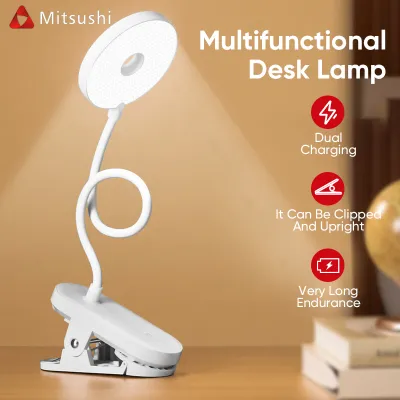
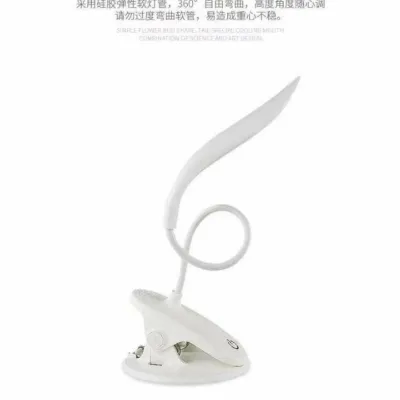
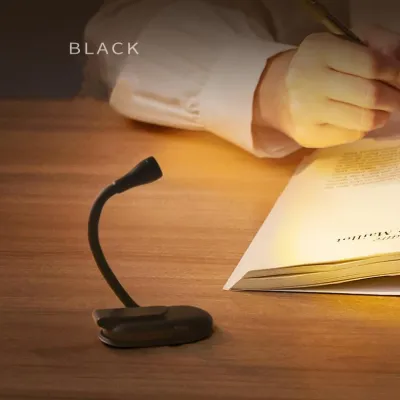
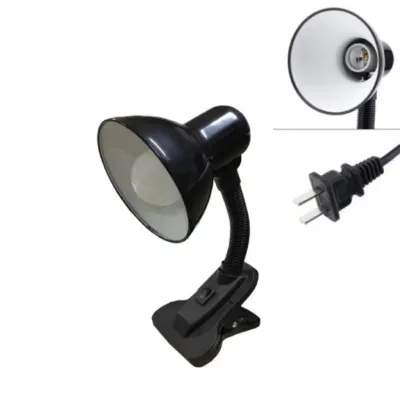
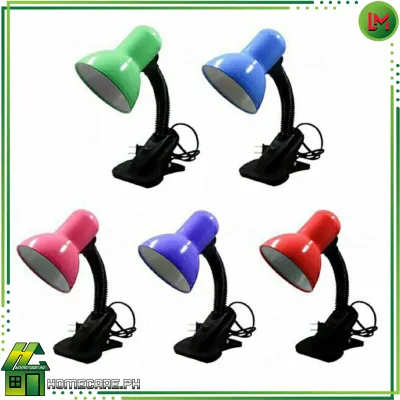
Prices are valid at publication and may change. Please refer to the product page for the latest price.
Color temperature, measured in Kelvins (K), plays a critical role in productivity and sleep hygiene. Modern LED clip lamps often feature adjustable color temperatures, typically spanning three main modes:
- Cool White (5000K – 6500K): This crisp, blue-toned light mimics daylight, which helps suppress melatonin production, increases alertness, and reduces eye strain during intense focus sessions or detailed work.
- Neutral White (3500K – 4500K): Ideal for general reading and computer work, this balanced light provides clear visibility without the harshness of high-Kelvin options.
- Warm White (2700K – 3000K): Emitting a soft, yellowish glow, this setting is perfect for late-night reading or winding down, as it minimizes blue light exposure that can disrupt your circadian rhythm.
Adjustability and Reach
The physical structure of the lamp determines how effectively you can direct light where it is needed most. Two primary designs dominate the market:
- Flexible Goosenecks: Constructed from silicone, plastic-coated metal, or ribbed metal hoses, gooseneck lamps offer seamless, multi-directional bending. They are highly portable and allow for quick, incremental adjustments, making them excellent for compact desks where you need to redirect light frequently. However, their total length is often limited, which may restrict their reach over large monitors.
- Articulated Tension Arms: Utilizing metal segments connected by spring-loaded joints and thumbscrews, articulated arms offer a much longer reach. They allow you to position the light source high above your workspace, casting a wider pool of light and minimizing harsh shadows. The trade-off is that they require more physical clearance and are heavier, necessitating a stronger clamp.
Clamp Design and Desk Compatibility
The clamp is the foundation of any clip lamp, and its design determines whether the lamp will remain securely mounted or slip off. Before purchasing, measure the thickness of your desk or shelf edge. Standard spring-loaded clamps typically accommodate surfaces up to 1.5 inches (approx. 3.8 cm) thick, while heavy-duty screw-on C-clamps can often grip surfaces up to 2.5 inches (approx. 6.3 cm) or more. Look for clamps lined with thick rubber, EVA foam, or felt padding. This internal padding increases friction to prevent the lamp from sliding under its own weight and protects delicate wood, laminate, or glass surfaces from deep scratches.
Power Sources
Clip lamps are generally powered by either a direct AC wall adapter or a USB cable. USB-powered models offer incredible flexibility, as they can run off a laptop port, a monitor’s USB hub, or a portable power bank, making them highly resilient during occasional power interruptions. However, AC-powered lamps generally support higher wattage and lumen outputs, providing more consistent brightness for large workspaces.
Best Clip Lamp Types for Different Desk Setups
Different desk configurations and daily routines require distinct lighting configurations. Matching your specific workspace layout to the correct style of clip lamp ensures optimal light distribution and a comfortable working environment.

Best for Compact Desks and Dorm Rooms
In compact spaces, such as a small study desk in a student dormitory or a corner of a studio apartment, every square inch of desk space matters. For these setups, a lightweight, USB-powered clip lamp with a flexible gooseneck is highly effective. These lamps typically feature a smaller, high-tension spring clamp that can easily attach to the side of a thin desk, a floating wall shelf, or even the frame of a bed.
When shopping for a compact setup, verify the following physical dimensions and specifications:
- Clamp Opening Capacity: Ensure the clamp can open wide enough to grasp your specific mounting surface. For thin laminate desks, a 1-inch to 1.5-inch opening is usually sufficient.
- Gooseneck Length: Look for a neck length of at least 12 to 15 inches (30 to 38 cm) to ensure the light head can clear the top of an open laptop screen.
- Power Requirements: Opt for a 5V/1A or 5V/2A USB interface, which allows the lamp to run efficiently off standard USB ports without requiring a dedicated wall outlet.
- Weight: Keep the total weight under 500 grams to prevent the lamp from tipping over or sagging when the neck is fully extended.
Best for Dual-Monitor and Deep Workstations
If your WFH setup features a deep desk, a dual-monitor configuration, or a large drawing tablet, a standard short gooseneck lamp will struggle to provide adequate coverage. Instead, choose a heavy-duty clip lamp equipped with an articulated metal arm. These models are designed to mount at the back of the desk and reach over the top of your monitors, casting an even sheet of light across your entire keyboard and document area.
Using a short-necked lamp on a deep desk often forces you to position the light at a low angle, which can cause severe screen glare or cast distracting shadows across your keyboard. An articulated arm allows you to raise the light source well above eye level. Look for models with a total arm reach of 24 to 36 inches (60 to 90 cm) and a robust metal C-clamp that secures via a screw mechanism rather than a simple spring. Because these lamps are heavier, a screw-clamp provides the necessary stability to prevent the arm from sagging or pulling the clamp off the desk edge when fully extended.
Best for Late-Night Reading and Eye Comfort
For those who study or work late into the night, particularly in shared bedrooms or quiet households, eye comfort and minimizing disturbance to others are top priorities. The ideal lamp for this scenario features stepless dimming and a highly focused beam angle. Stepless dimming allows you to adjust the brightness smoothly from 10% to 100%, rather than being limited to three pre-set levels, letting you dial in the exact amount of light needed to match the ambient darkness of the room.
To protect your eyes during late-night sessions, prioritize lamps that offer a warm color temperature setting below 3000K. Warm light is gentler on the eyes and does not interfere with your body’s natural sleep preparation. Additionally, look for lamps with asymmetric optical designs or deep-set hoods. Asymmetric lighting projects light forward at an angle rather than spreading it in a wide cone, illuminating your physical documents or keyboard while keeping the light source completely out of your direct line of sight and off your computer screen, thereby preventing glare and reducing eye strain.
Power Options and Electrical Safety for Philippine Homes
Operating electrical appliances safely in the Philippines requires understanding local power standards and ensuring your lighting equipment is compatible with your home’s electrical infrastructure.
Voltage and Plugs
The standard electrical system in the Philippines operates at 220V/60Hz. When purchasing a clip lamp, especially those imported from overseas through online marketplaces, always check the input voltage specifications printed on the power adapter or the product box.
- AC-Powered Lamps: Ensure the adapter is rated for "Input: 100-240V ~ 50/60Hz" (often referred to as a universal voltage adapter) or specifically "220V ~ 60Hz". Connecting a lamp rated strictly for 110V directly to a Philippine wall outlet will cause immediate electrical damage and poses a severe fire hazard.
- USB-Powered Lamps: While USB cables themselves do not carry high voltage, the charging brick or wall adapter you plug them into does. If you are using an old smartphone charger or a third-party USB wall adapter to power your lamp, verify that the adapter is compatible with 220V/60Hz and matches the voltage and amperage requirements of the lamp (typically 5V/1A or 5V/2A).
USB vs. Wall Outlet
Both power configurations have distinct advantages and operational trade-offs:
- USB-Powered Lamps: These are highly convenient and safe, as the low-voltage DC power minimizes electrical shock risks. They generate very little heat at the lamp head, making them comfortable to use in warm, humid tropical climates. Their ability to run off power banks also makes them invaluable during seasonal typhoons or local power outages.
- Wall-Outlet (AC) Lamps: These lamps provide a more stable and powerful current, allowing for higher lumen outputs and more advanced features like wireless charging bases built into the clamp or complex dimming memory. They do not rely on your computer's power supply, meaning they will not drain your laptop battery during portable use.
Safety Boundaries
To maintain a safe home office environment, avoid overloading extension cords or power strips with too many high-wattage devices. While LED clip lamps typically consume very little power (often between 5W and 12W), plugging them into cheap, unbranded multi-outlet adapters alongside high-draw appliances like air conditioners or electric fans can lead to overheating. Always inspect the power cord of your clip lamp for signs of wear, fraying, or damage from tight bends. Choose products that clearly state conformity with international or local safety standards, and avoid unusually cheap, unbranded power adapters that feel extremely light or lack clear manufacturer labeling.
How to Mount and Position Your Clip Lamp for Maximum Comfort
Proper installation and positioning of your clip lamp are crucial for protecting your furniture, reducing physical fatigue, and extending the lifespan of the lamp’s components.
Surface Protection
High-tension spring clamps and metal C-clamps exert significant pressure on narrow surface areas. Over time, this concentrated pressure can dent soft woods (like pine), crack laminate veneers, or scratch painted surfaces. To protect your desk:
- Inspect the Clamp Padding: Before mounting, ensure the factory-installed rubber or foam pads are intact and cover all contact points.
- Add a Protective Buffer: If the clamp lacks adequate padding, or if you are mounting the lamp on a delicate surface like polished hardwood, acrylic, or glass, place a small buffer between the clamp and the desk. A thin cork coaster, a folded piece of microfiber cloth, or a felt furniture pad works exceptionally well to distribute the clamping force evenly and prevent direct friction.
Glare and Shadow Management
To minimize eye strain, the light from your clip lamp should illuminate your workspace without reflecting off your computer screen or shining directly into your eyes.
- Positioning Relative to Your Dominant Hand: If you write or take physical notes while working, mount the lamp on the opposite side of your dominant hand (e.g., on the left side if you are right-handed). This prevents your hand and arm from casting distracting shadows across your paper.
- Avoiding Screen Glare: Position the lamp head slightly to the side and angled downward, rather than directly in front of or behind your monitor. The light source should always remain below eye level to prevent direct glare, and the beam should be directed away from the monitor screen to avoid washing out the display contrast.
Cable Management
A hanging or tangled power cable is not only unsightly but also presents a physical hazard. An accidental tug on a loose cable can easily pull a clip lamp off its mounting point, potentially damaging the lamp, your monitor, or your desk.
Route the power cable neatly along the frame of the lamp arm using small plastic cable clips, hook-and-loop straps, or simple twist ties. Ensure you leave a small amount of slack at the joints of articulated arms or goosenecks so the cable does not pinch or stretch taut when you adjust the lamp’s position. Secure the remaining length of the cable to the back of your desk frame, keeping it clear of footpaths and under-desk storage areas.
Frequently Asked Questions (FAQ)
Can I use a clip lamp on a glass desk?
Clamping a lamp directly onto a glass desk carries a risk of cracking or shattering the glass due to concentrated point pressure. Standard tempered glass desks are highly sensitive to uneven clamping forces and vibrations. If you must use a clip lamp on a glass surface, always use a wide-jaw screw clamp rather than a high-tension spring clamp, and insert thick, soft rubber or silicone pads on both the top and bottom contact points to distribute the pressure. If the glass is thin (under 6mm), it is highly recommended to clamp the lamp to an adjacent wooden shelf or opt for a freestanding desk lamp instead.
Is a higher wattage always better for studying?
No, a higher wattage does not necessarily mean a better study light. Wattage only measures energy consumption, whereas lumens measure actual brightness. With modern LED technology, highly efficient lamps can produce bright, clear light (400 lumens) while consuming as little as 5 watts of power. Furthermore, excessive brightness in a dark room creates a harsh contrast between your illuminated desk and the dark surroundings, leading to severe contrast glare and eye fatigue. For studying, look for adjustable lumen settings and color temperatures rather than focusing on high wattage.
How do I prevent my clip lamp from slipping?
If your clip lamp is slipping or sagging, first check if your desk thickness falls within the clamp’s rated opening capacity; clamping onto a surface that is too thick forces the clamp jaws to sit at an angle, reducing grip. Next, thoroughly clean the clamp pads and the desk surface with a damp cloth to remove any accumulated dust, oils, or polish that reduce friction. If the clamp’s spring tension has weakened over time, or if the desk surface is extremely slick, placing a thin piece of high-friction material, such as a silicone jar opener or a textured rubber pad, between the clamp and the desk will dramatically improve stability. Avoid over-tightening screw-type clamps, as this can strip the threads or damage the clamp housing.
Community discussion
Share your experience or ask a question. Comments are reviewed before publication.