
Choosing the right clip-on reading lamp can instantly transform a cramped desk, a shared bedroom, or a cozy bedside into an efficient study or work-from-home station. In many Philippine households, where desk space is at a premium and rooms are often shared with family members, a bulky traditional desk lamp is not always practical. A compact book lamp reading clip solves this issue by securing directly to shelves, headboards, or the edges of your desk, casting light exactly where you need it without occupying valuable surface area.
Finding the ideal model requires looking beyond basic aesthetics. Because studying and remote work demand long hours of concentration, your choice of lighting directly impacts your comfort, focus, and overall eye health. Evaluating the mechanical, electrical, and optical features of these portable devices ensures you select a reliable tool that fits your daily routine and withstands local environmental conditions.
Key Features to Evaluate Before Buying
When browsing online marketplaces, the sheer variety of clip-on lamps can be overwhelming. To find a model that supports prolonged daily use, you must look closely at the technical specifications provided by the manufacturer.
Products mentioned in this guide
![[Ready Stock+COD] Portable Clip Desk Lamp Eyes Protection Clamp Clip Light Bendable USB Reading Lamp Desk Bedroom](https://img.lazcdn.com/g/p/fe3ecec97a78b930c65c5dda67f67fbd.png_400x400q80.png_.webp)
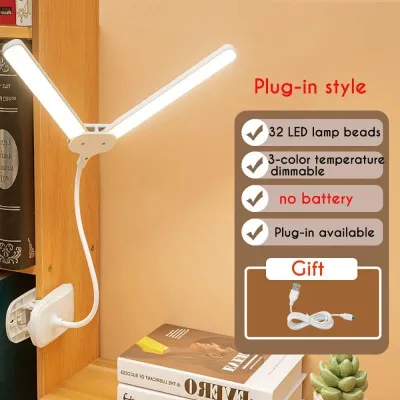
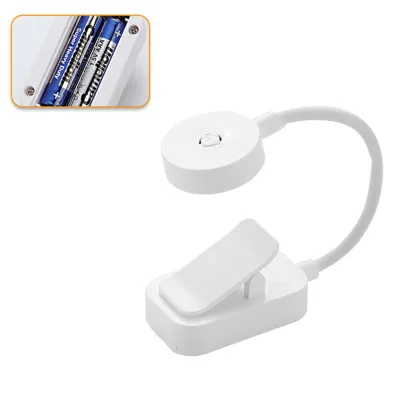
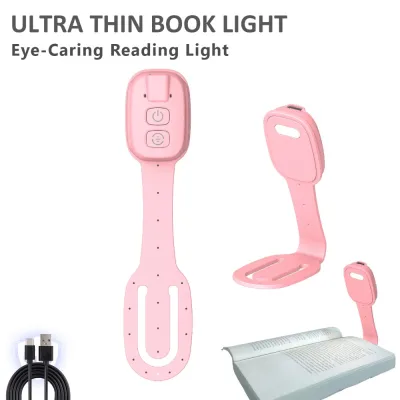
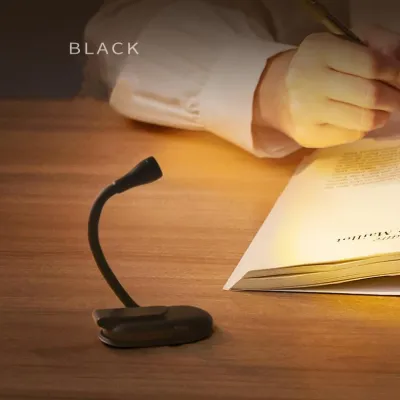
Prices are valid at publication and may change. Please refer to the product page for the latest price.
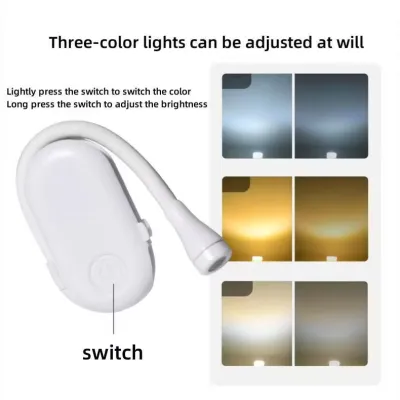
First, prioritize brightness and color temperature adjustability. A high-quality clip-on lamp should offer multiple brightness levels or, ideally, stepless dimming, which allows you to fine-tune the light output to match the ambient light in your room. Color temperature adjustability is equally critical. Look for lamps that let you switch between warm white, neutral white, and cool white light. This flexibility allows you to transition from high-focus study sessions during the day to relaxed reading at night without straining your eyes.
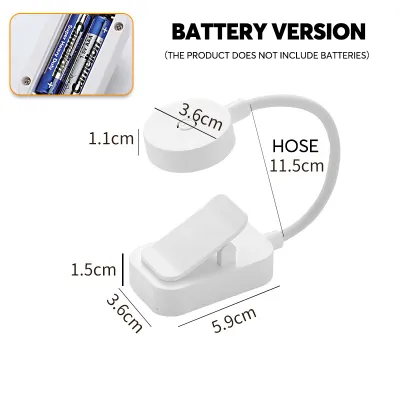
Next, examine the clamp design, specifically the jaw width and the quality of the grip padding. The clamp must open wide enough to accommodate the thickness of your desk, shelf, or headboard. A clamp with a maximum opening of at least 5 to 6 centimeters is generally versatile enough for most household furniture. Additionally, ensure the inside of the clamp is lined with thick, non-slip padding, such as silicone or high-density EVA foam. This padding serves a dual purpose: it prevents the lamp from slipping off smooth surfaces and protects your furniture from scratches, dents, or laminate peeling.
Finally, assess the flexibility and reach of the lamp’s neck. Most clip-on lamps utilize a flexible gooseneck design. A high-quality gooseneck should bend easily in any direction and, more importantly, hold its position without drooping over time. In the humid tropical climate of the Philippines, bare metal goosenecks can be prone to rust or squeaking. Choosing a neck encased in a protective silicone or plastic sleeve not only prevents moisture damage but also makes the surface easier to wipe clean.
Recommended Light Profiles for Different Tasks
Not all reading tasks require the same type of light. Matching your lamp’s output to your specific activity can significantly reduce eye fatigue and improve your productivity.

For deep reading, document review, and writing, you need a light profile that mimics natural daylight. This requires a neutral white light, typically around 4000K to 5000K. This color temperature keeps you alert and makes black text stand out sharply against white paper. When reviewing physical documents, look for a lamp that boasts a high Color Rendering Index (CRI). While budget-friendly lamps may not always list this specification, checking user reviews or product labels for a CRI of Ra 80 or higher is a good benchmark. High CRI lighting ensures colors appear accurate and vibrant, which is especially helpful for design students or professionals working with physical color proofs.
For screen-heavy work-from-home tasks, the primary goal is to minimize screen glare and contrast strain. Placing a bright light directly in front of your computer screen can cause distracting reflections. Instead, use your clip-on lamp as a bias light. By clipping the lamp to a shelf behind your monitor or angling it to wash light gently over the wall behind your desk, you reduce the harsh contrast between a bright screen and a dark room. For this setup, a moderate brightness level and a neutral or cool white setting help maintain focus while keeping your eyes relaxed during long video calls and spreadsheet sessions.
For late-night casual reading or studying in bed, transition your lamp to a warm white setting, ideally between 2700K and 3000K. Warm, amber-toned light minimizes exposure to blue light wavelengths, which are known to disrupt your body’s natural sleep cycle. Keep the brightness low to create a relaxing environment that signals to your brain that it is time to wind down. A lamp with a dedicated low-brightness nightlight mode is highly beneficial for this purpose, allowing you to read comfortably without disturbing a sleeping partner or roommate.
Power Options: Rechargeable vs. Plug-In
Deciding between a rechargeable battery-operated lamp and a traditional plug-in model depends heavily on your workspace layout, mobility needs, and local power reliability.
Rechargeable clip-on lamps offer unmatched portability. They allow you to study or work anywhere—on the bed, at the dining table, or even outdoors on a balcony—without worrying about the proximity of a wall outlet. In the Philippines, where seasonal typhoons and maintenance work can cause rotational brownouts, a rechargeable lamp serves as an excellent emergency light source. When evaluating rechargeable models, check the battery capacity, which is measured in milliampere-hours (mAh). A larger capacity, such as 1800mAh or 2000mAh, generally provides longer runtimes on a single charge. Keep in mind, however, that lithium-ion batteries degrade faster when exposed to high ambient temperatures, so avoid leaving a rechargeable lamp in hot, unventilated spaces or direct sunlight.
Plug-in models, on the other hand, provide continuous, uninterrupted power. If your study desk is a permanent fixture next to a wall outlet, a wired lamp eliminates the hassle of recharging and ensures the light never dims mid-session. Many modern plug-in clip-on lamps are powered via a USB cable. This design is highly convenient because it allows you to power the lamp directly from your laptop, a desktop computer, or a standard USB wall adapter.
When using USB-powered lamps, it is crucial to verify the power delivery standards. Most standard clip-on lamps require a 5V/1A or 5V/2A power input. Avoid plugging these lamps into high-wattage fast-charging adapters meant for modern smartphones unless the lamp’s manual explicitly states it supports smart power negotiation. Using an incompatible adapter can cause the lamp’s internal circuitry to overheat, shortening the lifespan of the LEDs or posing a fire hazard.
Installation and Safety Checks for Desk Setup
Proper installation and regular safety checks are essential to prevent accidents, protect your equipment, and ensure a safe working environment.
Before clamping your lamp to any surface, inspect the material and thickness of the mounting edge. Avoid clamping heavy lamps onto thin plastic edges, fragile glass shelves, or hollow-core doors, as the concentrated pressure can cause these materials to crack or warp. If you must mount the lamp on a smooth or slippery surface, check that the clamp’s rubber grips are clean and free of dust. A dusty grip reduces friction, which can cause the lamp to slide off and fall, potentially damaging the LED panel or injuring your hands.
Cable management is another critical safety consideration for wired setups. Ensure the power cable has enough slack to accommodate the full range of motion of the flexible neck. If the cable is pulled too taut when you adjust the lamp, it can strain the USB port or pull the plug out of the wall. Route the cable along the back of your desk or shelf, securing it with cable clips or reusable ties to prevent it from dangling. A loose, hanging cable is a tripping hazard that could easily pull the entire lamp—and whatever it is clamped to—down onto the floor.
Finally, always prioritize electrical safety. If you are using a USB wall adapter, ensure it carries local safety certifications, such as the Philippine Standard (PS) mark or the Import Commodity Clearance (ICC) sticker. These marks indicate that the adapter has undergone rigorous testing for voltage stability and short-circuit protection. If you notice the adapter or the lamp’s base becoming unusually hot to the touch during use, immediately unplug the device and consult the manufacturer’s guidelines or a qualified professional. Never operate a clip-on lamp near open windows during heavy rain, as moisture can easily penetrate the USB ports or control buttons, leading to electrical shorts.
Frequently Asked Questions (FAQ)
Can I use a clip-on lamp on a glass desk?
Clamping a lamp directly onto a glass desk is generally not recommended due to the high risk of localized pressure cracking the glass. Glass surfaces are also highly slippery, which can cause the clamp to lose its grip and slide off. If you must use a clip-on lamp on a glass desk, place a thick piece of rubber, silicone, or wood coaster on both the top and bottom of the glass edge before attaching the clamp. This helps distribute the clamping force evenly and provides a non-slip surface. Alternatively, consider clipping the lamp to an adjacent wooden shelf, a nearby wall-mounted bracket, or a sturdy metal monitor stand instead of the glass surface itself.
How do I clean the LED panel and flexible neck?
To clean your clip-on lamp safely, always unplug it from the power source or turn off the battery switch first. Use a dry, soft microfiber cloth to gently wipe away dust from the LED panel and the outer casing. Avoid using wet cloths, glass cleaners, or harsh chemical solvents, as liquid can easily seep into the seams of the LED housing and damage the internal circuitry. For the flexible gooseneck, a slightly damp cloth with a drop of mild dish soap can be used to remove stubborn dirt or oils from fingers, but make sure to dry the surface completely immediately afterward. Regular dusting prevents buildup that can dim the light output and keeps the flexible joints moving smoothly.
Community discussion
Share your experience or ask a question. Comments are reviewed before publication.