
Finding a reliable desk lamp in the Philippines for under ₱1,000 is entirely feasible, but it requires navigating a crowded market of generic imports and flashy marketing claims. For students pulling all-nighters or remote workers managing night shifts, a good lamp is not just about illuminating a keyboard; it is a vital tool for preventing eye strain and maintaining focus. To make the most of a three-to-four-digit budget, you must prioritize optical safety, physical durability, and electrical compatibility over smart home gimmicks or premium aesthetic finishes.
An affordable budget does not mean you have to settle for a poor-quality light that flickers or overheats. By focusing on essential specifications like color rendering, stable voltage compliance, and robust joint construction, you can secure a high-performing task light that fits your desk and your wallet. This guide outlines exactly what to expect from a sub-₱1,000 budget, the technical specifications that protect your eyes, and how to spot hidden costs before completing your purchase.
What You Can Realistically Get for Under ₱1,000
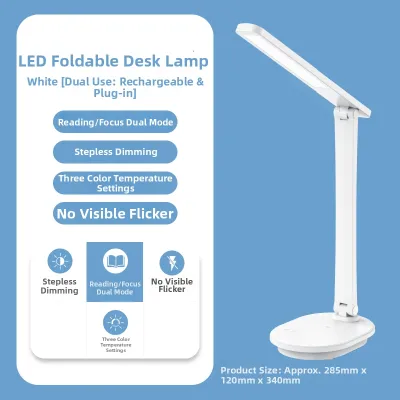
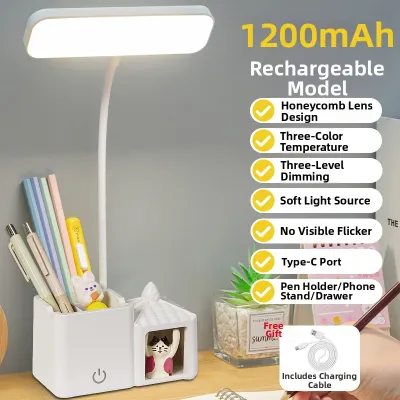
In the Philippine market, a budget of ₱1,000 or less generally divides desk lamps into two main categories: basic integrated LED models and traditional socket-based lamps with adjustable arms. Integrated LED models at this price point are highly common on local e-commerce platforms, often featuring touch-sensitive controls, multiple brightness levels, and flexible silicone goosenecks. Socket lamps, such as classic architect-style swing-arm designs, rely on user-installable bulbs (typically E27 screw bases) and offer a more utilitarian, mechanical aesthetic.
Products mentioned in this guide
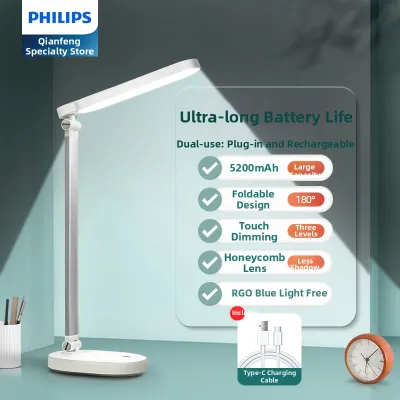
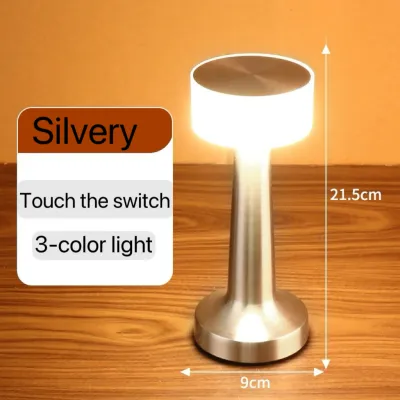
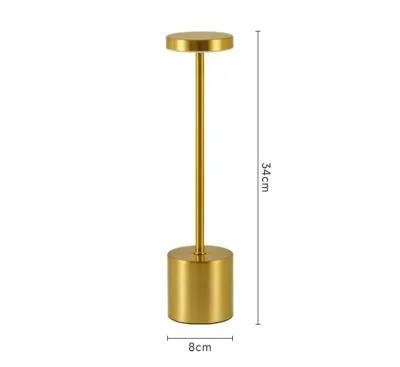
Prices are valid at publication and may change. Please refer to the product page for the latest price.
When shopping within this price range, it is essential to distinguish between must-have functional features and premium add-ons that are often compromised in quality to meet the low price. Must-have features include a stable, non-slip base, flicker-free light output, safe electrical wiring, and a reliable dimming mechanism. On the other hand, features like built-in wireless charging pads, app-controlled smart integration, or heavy-duty brushed metal finishes are rarely found under ₱1,000; if they are advertised, they are often prone to early failure or slow performance.
A major decision point is the trade-off between integrated LED designs and socket-based lamps. Integrated LED lamps are often cheaper upfront and offer sleek, compact profiles, but because the light source is permanently soldered to the internal circuit board, the entire unit must be discarded if a single diode fails. Socket-based lamps require you to purchase a separate bulb, which might slightly increase your initial investment, but they offer superior long-term value because you can easily replace or upgrade the bulb if it burns out or if your lighting needs change.
Essential Lighting Specs for Long Study and WFH Sessions
Evaluating a desk lamp requires looking past cosmetic designs and focusing on the actual quality of the light emitted. The right specifications prevent eye fatigue during long hours of reading, writing, or typing.

Brightness and Dimming Mechanisms
When assessing brightness, look at the lumen output rather than the wattage. Wattage only measures power consumption, whereas lumens indicate the actual volume of light produced; a task lamp for close-up reading or writing typically requires between 300 and 500 lumens. Multi-level or stepless dimming is highly beneficial because it allows you to adjust the light output to match changing ambient conditions, preventing high contrast between a bright screen and a dark room.
Color Temperature and Mood
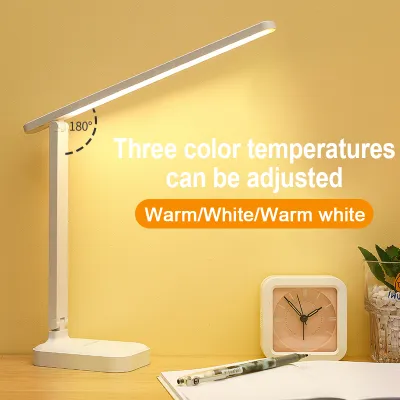
Color temperature, measured in Kelvin (K), significantly influences cognitive focus and eye relaxation. Cool white light (5000K to 6500K) is highly stimulating and excellent for detailed, high-focus tasks, but it can cause sleep disruption if used late at night. Warm white light (2700K to 3000K) is relaxing and gentle on the eyes but may cause drowsiness during active study sessions. For a versatile WFH or study setup, look for a lamp that offers a neutral white setting of around 4000K, or one with adjustable color temperatures that let you switch modes depending on the time of day.
Flicker and Glare Reduction
Substandard LED drivers often produce high-frequency flicker that, while invisible to the naked eye, can cause headaches, dizziness, and severe eye strain over several hours of exposure. You can perform a quick, low-risk test for visible flicker by holding your smartphone camera up to the light source; if dark, moving bands appear on your screen, the lamp has a high flicker rate and should be avoided. Additionally, ensure the lamp features a frosted diffuser cover or a honeycomb grid over the LEDs to scatter the light evenly, which prevents harsh, direct glare from bouncing off your textbook pages or computer screen.
Color Rendering Index (CRI)
The Color Rendering Index (CRI) measures how accurately a light source reveals the true colors of objects compared to natural sunlight, rated on a scale up to 100. For studying textbook diagrams, proofreading printed documents, or performing design work, look for a lamp with a CRI rating of 80 or higher (Ra ≥ 80). Lower CRI values make colors look muddy or distorted, forcing your eyes to work harder to distinguish fine details and leading to faster fatigue during extended sessions.
Electrical Safety and Desk Compatibility in the Philippines
Using electrical appliances in the Philippines requires careful attention to local power grid specifications and physical safety standards, especially when dealing with budget-friendly imports.
Voltage and Plug Types
Standard household power in the Philippines operates at 220V at a frequency of 60Hz. Before purchasing, verify that the lamp’s power adapter or integrated plug is explicitly rated for 220V; using a 110V lamp designed for other regions will cause immediate electrical failure and pose a fire hazard. Additionally, check the plug configuration to ensure it matches standard local outlets (typically Type A flat two-pin or Type C round two-pin) so you do not have to rely on loose, unsafe universal adapters.
Cord Length and Routing
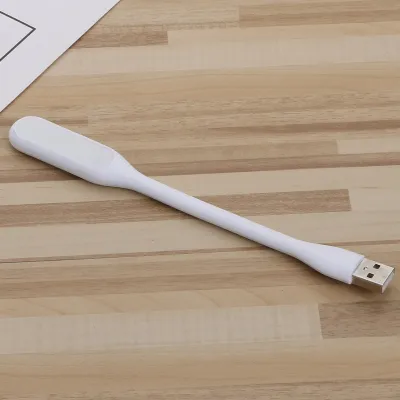
A desk lamp’s usability is heavily restricted by its power cord. Check the product specifications for the exact cord length, ensuring it can reach your wall outlet or extension cord comfortably without being stretched tight or draped across walkways where it could become a tripping hazard. If a lamp uses a USB power cable, confirm whether a compatible 5V wall adapter is included in the package, as plugging a USB lamp into a low-power computer port may result in dim or flickering light.
Heat Management and Materials
Extended work or study sessions mean your lamp will remain illuminated for hours at a time, generating heat that must escape safely. Examine the design of the lamp head; while aluminum provides excellent thermal dissipation, budget lamps often use plastic. If the head is plastic, ensure it has visible ventilation slots or uses low-wattage LEDs that do not generate high surface temperatures, reducing the risk of plastic warping, emitting chemical odors, or causing accidental burns when adjusted.
Safety Marks and Certifications
Do not rely solely on bold marketing claims of safety. Look for physical certification marks printed on the lamp body, power adapter, or cord, such as the Philippine Standard (PS) mark, the Import Commodity Clearance (ICC) sticker, or recognized international safety standards like CE, RoHS, or UL. These markings indicate that the electrical components have undergone basic testing for insulation, short-circuit protection, and flame resistance.
How to Check Desk Lamp Build Quality and Adjustability Before Buying
A cheap lamp is no bargain if it breaks, droops, or tips over within a few weeks of daily use. Evaluating structural design details through product descriptions and user feedback is essential before committing to a purchase.
Joints and Arms
Budget lamps generally feature either a flexible silicone gooseneck or a series of mechanical hinges. Goosenecks offer seamless, multi-directional adjustment but can lose their internal structural tension over time, causing the lamp head to droop. Mechanical hinges provide precise positioning but rely on plastic or metal screws that can strip or crack if adjusted frequently. Read user reviews specifically searching for mentions of “drooping,” “sagging,” or “loose joints” to gauge how well the lamp maintains its position over months of use.
Base Weight and Stability
A stable base is critical, particularly if you have a compact desk or frequently adjust the lamp’s angle. Ensure the product specifications list a substantial base weight, or look for designs with wide, flat footprints that distribute weight evenly. If the base is too light, extending the lamp arm forward will cause the unit to tip over, potentially damaging the light source or other items on your desk.
Material Feel and Finish
At the sub-₱1,000 price point, high-grade metals are rare, so you will primarily encounter ABS plastic or thin sheet metal. When reading product descriptions, prioritize matte or textured ABS plastics over high-gloss finishes, as high-gloss budget plastic scratches easily, attracts dust, and often feels brittle. Look for structural reinforcements, such as metal-reinforced joints or rubberized non-slip pads on the bottom of the base, which indicate a design focused on durability rather than superficial aesthetics.
Hidden Costs and Marketing Traps to Avoid
Navigating online marketplaces requires a critical eye to ensure your total expenditure remains strictly below your ₱1,000 limit.
Shipping and Return Fees
The price displayed on a product listing is rarely the final price you pay at checkout. Desk lamps with heavy metal bases or long, non-collapsible arms require larger, heavier packaging, which can significantly drive up shipping fees within the Philippines, especially if shipping from overseas warehouses or to provinces outside Metro Manila. Always calculate the total checkout cost, including shipping and potential return fees, to ensure the purchase fits your budget.
Non-Replaceable LED Modules
Many modern budget lamps utilize integrated LED chips soldered directly to the internal circuitry. While these offer energy efficiency and slim profiles, they represent a long-term cost trap; if a single diode or the internal driver fails, the entire lamp becomes electronic waste. If you prefer a sustainable, long-term investment, opt for a socket-based lamp where a failed light source can be resolved by simply screwing in a new bulb.
"Eye-Protection" Gimmicks
Many budget listings use unverified buzzwords like “medical-grade eye protection,” “zero radiation,” or “natural light simulation” to justify higher prices. Ignore these vague marketing labels if the seller cannot provide concrete, verifiable specifications such as a high CRI rating (80+), a specific Kelvin temperature range, or certified flicker-free operation. True eye safety comes from proper optical engineering, not decorative branding.
Missing Bulbs in Socket Lamps
If you decide on an architect-style swing-arm lamp or a basic ceramic socket lamp, read the product description carefully to see if a bulb is included. Many manufacturers ship socket lamps without a light bulb to keep the initial price low. Purchasing a high-quality, flicker-free LED bulb separately can add ₱150 to ₱300 to your total cost, which might push an otherwise cheap lamp frame over your ₱1,000 budget limit.
Frequently Asked Questions (FAQ)
Is a budget desk lamp bright enough for reading small text?
Yes, a budget desk lamp can easily provide sufficient brightness for reading small text, provided you look at the lumen output rather than the price tag. For comfortable reading, aim for a lamp that delivers at least 300 to 500 lumens of focused light on your workspace. To maximize the illumination, position the lamp head approximately 30 to 40 centimeters above your desk surface and angle it slightly away from your eyes to prevent direct glare from reflecting off the paper.
Can I upgrade a basic desk lamp with a smart bulb?
You can upgrade any basic desk lamp with a smart bulb, provided the lamp uses a standard screw-in socket (such as an E27 or E14 base) rather than an integrated LED panel. Before purchasing a smart bulb, measure the physical dimensions of the lamp’s shade to ensure the larger body of a smart bulb will fit inside without protruding or touching the edges. Additionally, remember to isolate the electrical power by unplugging the lamp before installing or replacing any bulb, and factor the cost of the smart bulb into your overall budget.
Are rechargeable battery lamps practical for daily WFH use?
Rechargeable battery-operated lamps are highly convenient during typical Philippine power outages or for temporary study setups, but they are generally impractical for continuous, daily WFH use. Most budget rechargeable lamps only offer peak brightness for two to four hours before the light begins to dim significantly, and keeping them constantly plugged into a charger can degrade the internal lithium-ion battery over time. For a primary home office or study desk, a dedicated corded lamp plugged directly into a wall outlet is a much more reliable and durable option.
Community discussion
Share your experience or ask a question. Comments are reviewed before publication.