
Finding the ideal desk lamp for study table setups in the Philippines is essential for maintaining focus, productivity, and eye health. Whether you are a student preparing for major exams or a remote professional managing a demanding work-from-home (WFH) schedule, the quality of your workspace lighting directly impacts your cognitive performance and visual comfort. Poor lighting can lead to headaches, eye strain, and fatigue, while the right light source can enhance alertness and keep you comfortable during long hours of focused work.
In the Philippine market, selecting the right lighting fixture requires looking beyond aesthetic appeal. With a wide variety of options available on online marketplaces—ranging from classic architect lamps to modern monitor light bars—making an informed decision involves understanding technical specifications, physical compatibility, and local environmental factors. This comprehensive guide outlines the critical criteria for selecting a high-quality desk lamp and provides tailored recommendations to suit different desk configurations and study habits.
What to Look for in a Desk Lamp for Studying and WFH
When evaluating a desk lamp for study table configurations, understanding technical specifications helps you look past marketing jargon to find a fixture that truly protects your vision. The primary goal of task lighting is to deliver clear, comfortable illumination directly to your work surface without causing glare or shadows.
Products mentioned in this guide
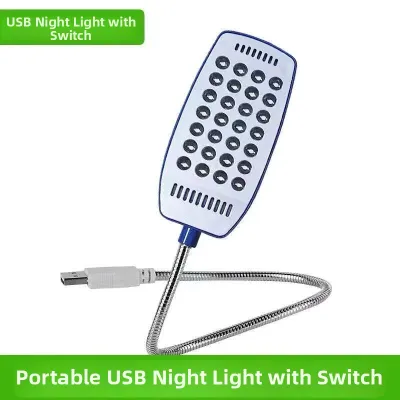
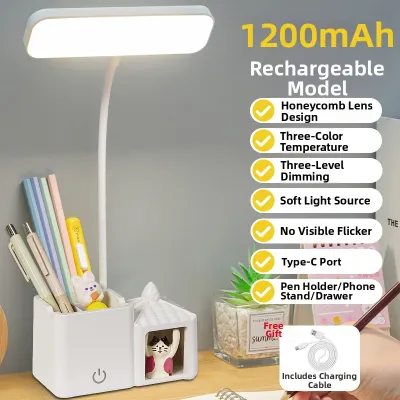
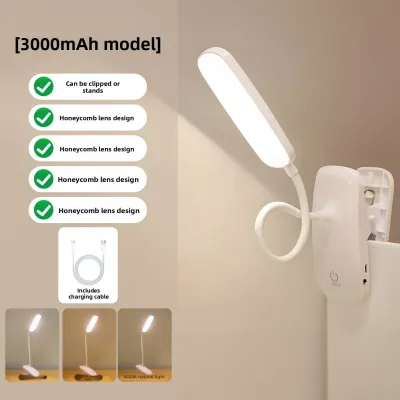
![[CLEARANCE SALE] Firefly LED Tri-color Desk Lamp with Digital Display - FEL720](https://img.lazcdn.com/g/p/13b3822a781ccc4c5a50a2cc19421b0a.jpg_400x400q80.jpg_.webp)
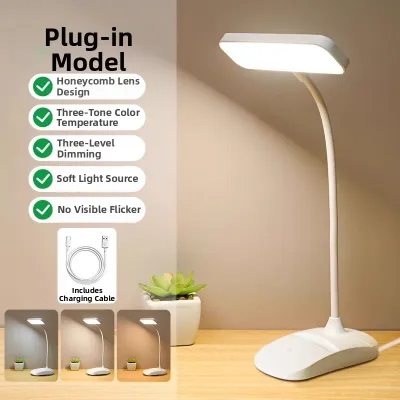
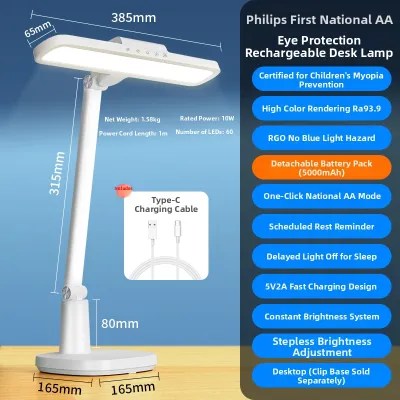
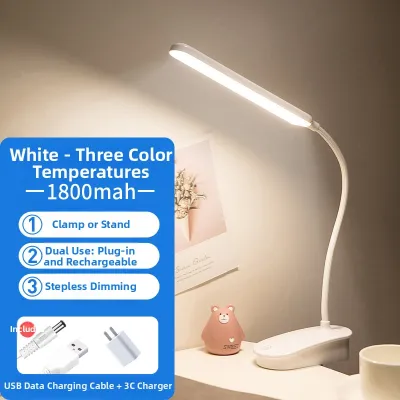
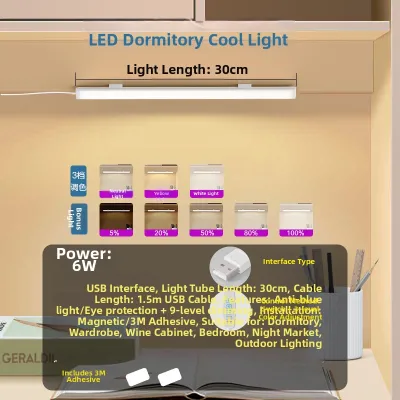
Prices are valid at publication and may change. Please refer to the product page for the latest price.
Illuminance and Uniformity
Illuminance refers to the amount of light that falls on a specific surface, measured in lux. For detailed reading, writing, and screen-based work, your desk surface should ideally receive between 300 and 500 lux of light. However, raw brightness is only half of the equation; light uniformity is equally critical.
Uniformity measures how evenly light is distributed across your work area. If a lamp creates a harsh, bright hotspot directly beneath the bulb while leaving the rest of the desk in deep shadow, your eyes must constantly adjust as you look back and forth between your book, keyboard, and notepad. This continuous pupillary adjustment rapidly fatigues the eye muscles, leading to strain and headaches. Look for lamps with wide, adjustable heads or diffusion panels that spread light evenly across your entire workspace.
Color Temperature (CCT) and CRI
Correlated Color Temperature (CCT) is measured in Kelvin (K) and describes the color appearance of the light. Different color temperatures trigger different biological responses, making CCT a vital consideration for multi-purpose desks:
- Cool White to Daylight (4000K–5000K): This range mimics natural daylight and is highly effective at suppressing melatonin production, which boosts alertness, focus, and cognitive performance. It is ideal for intensive studying, analytical work, and daytime WFH tasks.
- Warm White (2700K–3000K): This range produces a cozy, relaxing glow. While less suitable for high-focus daytime tasks, it is excellent for evening reading, creative brainstorming, or winding down before sleep, as it minimizes disruption to your natural circadian rhythm.
Alongside CCT, pay close attention to the Color Rendering Index (CRI), which measures how accurately a light source reveals the true colors of objects compared to natural sunlight. Measured on a scale up to 100, a high CRI (Ra 90 or above) is essential if your study or work involves color-critical tasks like graphic design, architectural sketching, painting, or even reading color-coded textbooks. Low-CRI lighting can make colors look dull, muddy, or distorted, leading to increased visual fatigue.
Flicker and Blue Light Hazard
Invisible high-frequency flicker is a common issue in low-quality LED desk lamps. Although your brain may not consciously register the flicker, your eye muscles still react to the rapid changes in light output, which can cause severe eye strain, migraines, and general fatigue after just a few hours. When shopping, prioritize lamps that explicitly feature “flicker-free” technology or use constant-current DC dimming circuits rather than cheap Pulse Width Modulation (PWM) dimming.
Additionally, consider blue light safety. While blue light during the day promotes alertness, excessive exposure to high-energy blue wavelengths—especially at night—can strain the retinas and disrupt sleep patterns. Look for fixtures that carry certifications for low blue light emissions (such as TÜV Rheinland certification) to ensure the lamp is safe for extended daily use.
Ergonomics, Adjustability, and Local Electrical Standards
An effective desk lamp must adapt to your physical workspace, not the other way around. Look for lamps with multiple points of articulation, such as a swiveling base, an adjustable neck, and a tilting head. This allows you to position the light source precisely where you need it, directing light onto your documents while keeping the bulb completely out of your direct line of sight to prevent glare.
For users in the Philippines, verifying local electrical and physical compatibility is a crucial step before purchasing:
- Voltage and Frequency: Ensure the lamp is rated for the standard Philippine electrical grid of 220V AC at 60Hz. Many imported lamps designed for 110V markets will fail or present safety hazards if plugged directly into local outlets without a transformer.
- Plug Type: Most Philippine homes use Type A (two-pin flat) or Type C (two-pin round) outlets. Check the lamp's plug configuration to avoid the need for unstable, bulky adapters.
- Base and Interface: Decide whether you prefer an integrated LED fixture (which offers sleek designs and high energy efficiency but cannot be replaced when the LED eventually fails) or a traditional E27 screw-type socket. If choosing an E27 socket, always verify the maximum wattage limit of the fixture and isolate the power before installing or replacing bulbs.
- Environmental Durability: The high humidity and tropical temperatures in the Philippines can accelerate the degradation of cheap plastics and cause low-grade metals to rust. Opt for desk lamps constructed with robust aluminum alloys, high-quality ABS plastics, and effective heat-dissipation channels to ensure a long operational lifespan.
Top Desk Lamp Recommendations for Every Setup
Every study and WFH environment is unique. To help you find the perfect match, we have categorized the top desk lamp designs based on common workspace layouts, user habits, and physical desk constraints.

Best Overall for Long Study Sessions
For dedicated students and professionals who spend consecutive hours at a spacious desk, a traditional, high-performance desk lamp with an articulated arm offers the ultimate lighting experience.
- Target Scenario: This style is designed for large, dedicated study tables that have ample surface area to accommodate a sturdy, weighted base and provide enough clearance for a long, adjustable arm to extend over books and notebooks.
- Core Benefits: These lamps offer unmatched light uniformity and a wide illumination field, easily covering a large desk. High-end models often feature advanced optical designs that direct light at an angle, illuminating your workspace while completely eliminating direct glare. They also typically include dedicated reading modes that optimize CCT and brightness for paper-based studying.
- Limitations: The physical footprint of a weighted base is substantial, which can clutter smaller desks. Additionally, the long, articulated arms can look visually dominant in a compact or multi-purpose room.
- Pre-Purchase Checks: Before buying, measure your study table to ensure the base will not block essential work areas. Always confirm that the product is rated for 220V/60Hz operation and check if the manufacturer includes a local warranty for peace of mind.
Best Space-Saving Option for Compact Desks
When desk space is at a premium, traditional lamps can feel like obstacles. Fortunately, modern space-saving designs allow you to maintain excellent lighting without sacrificing valuable real estate.
- Target Scenario: This option is ideal for small study tables, shared WFH spaces, or minimalist setups dominated by large computer monitors.
- Core Benefits: Clamp-on lamps and monitor light bars (screenbars) clip directly onto the edge of your desk or the top of your monitor, leaving your entire desk surface completely free. High-quality monitor light bars use asymmetrical optical designs that project light downward to illuminate your keyboard and documents while preventing any light from reflecting off the glossy computer screen, effectively eliminating screen glare.
- Limitations: Clamp-on lamps require a sturdy desk edge with sufficient overhang to grip securely, which may not work on desks with built-in drawers or back panels. Monitor light bars, while excellent for screen-based tasks, have a more forward-focused light projection and may not provide wide-reaching light for large physical textbooks or sketching pads placed far to the side.
- Pre-Purchase Checks: For clamp-on models, measure the thickness of your desk edge to ensure it falls within the clamp's operating range. For monitor light bars, check your monitor’s bezel thickness and screen curvature, as highly curved monitors or ultra-thin bezels require specific mounting clips to prevent damage.
Best Cordless Option for Flexible Placement
If you find yourself moving around the house to study or work, a rechargeable, cordless desk lamp offers the ultimate versatility.
- Target Scenario: Perfect for student dormitories, multi-purpose dining tables, cozy reading corners, or as a reliable backup light source during seasonal power interruptions in the Philippines.
- Core Benefits: Complete portability allows you to set up a study station anywhere without worrying about the proximity of wall outlets. The absence of cords creates a clean, clutter-free aesthetic on your desk, and the lightweight design makes it easy to pack into a bag.
- Limitations: Cordless lamps rely on internal lithium-ion batteries. As the battery drains, the maximum brightness level often decreases gradually. You will also need to manage a regular recharging schedule, and the battery's overall capacity will slowly degrade over several years of use.
- Pre-Purchase Checks: Review the battery capacity specified in milliampere-hours (mAh) and look for the expected runtime at maximum brightness (aim for at least 3 to 4 hours of high-output light). Ensure the lamp uses a modern, universal USB-C charging interface so you can easily recharge it using your existing phone charger or a portable power bank.
Best Smart Lamp for Multi-Purpose Use
For tech-savvy professionals and students whose desks serve as a workstation by day, a study area by afternoon, and a relaxation zone by night, a smart desk lamp provides seamless adaptability.
- Target Scenario: Dynamic, modern WFH environments where the room’s lighting needs to transition quickly between focused productivity, video conferencing, and evening relaxation.
- Core Benefits: Smart lamps offer precise, stepless control over both brightness and color temperature. Many models integrate with popular smart home ecosystems (such as Google Home or Apple Home), allowing you to adjust settings via voice commands or smartphone apps. Some advanced models can even sync with your computer screen to create immersive ambient lighting or automatically adjust their brightness based on the ambient light levels in the room.
- Limitations: These lamps carry a higher price tag compared to standard models. Additionally, utilizing their smart capabilities requires a stable home Wi-Fi connection, and setting up the companion app can occasionally be frustrating for less tech-savvy users.
- Pre-Purchase Checks: Verify that the lamp's smart features are compatible with your existing home Wi-Fi frequency (most smart home devices require a 2.4 GHz network, not 5 GHz). Ensure that the lamp also features physical, manual control buttons on the base so you can still operate it easily if your internet connection goes down.
Quick Comparison of Recommended Desk Lamp Types
To help you quickly identify the best lighting solution for your specific workflow, the table below summarizes the key characteristics of each desk lamp category.
| Lamp Type | Best For | Key Feature | Adjustability | Power Source | Price Tier |
|---|---|---|---|---|---|
| Articulated Arm | Large, dedicated desks & paper-based studying | Wide, uniform light coverage | High (multiple joints) | AC Plug (220V) | Mid-range to Premium |
| Monitor Light Bar | Compact desks & screen-centric WFH setups | Zero footprint, zero screen glare | Moderate (tilt angle) | USB-powered | Mid-range to Premium |
| Clamp-On Lamp | Small desks needing flexible task lighting | Secure clamp, clear desk space | High (gooseneck/arm) | AC Plug or USB | Budget to Mid-range |
| Cordless / Portable | Multi-purpose tables & power outage backup | Rechargeable battery, portable | Moderate (foldable) | Internal Battery | Budget to Mid-range |
| Smart Desk Lamp | Tech-integrated, multi-purpose WFH spaces | App control, auto-dimming | High (articulated) | AC Plug (220V) | Premium |
How to Position Your Desk Lamp to Reduce Eye Strain
Even the most advanced desk lamp for study table setups can cause discomfort if it is positioned incorrectly. Proper placement and smart environmental habits are key to maximizing visual comfort and maintaining focus during long study or WFH sessions.
Placement and Angle
To prevent distracting shadows across your work surface, position your desk lamp on the side opposite to your dominant writing hand. If you are right-handed, place the lamp on the left side of your desk; if you are left-handed, place it on the right. This simple adjustment ensures that your hand does not cast a shadow over your notebook or keyboard as you write.
Additionally, adjust the height and angle of the lamp head so that the light source is positioned below your eye level. You should never be able to look directly at the exposed bulb or LED panel while sitting in your normal working posture. Direct exposure to the light source causes intense glare, which fatigues the eyes rapidly. Angle the light downward and slightly away from your face to illuminate your desk evenly.
Ambient Light Balancing
One of the most common lighting mistakes is studying in a pitch-black room with only a single desk lamp illuminating a small patch of your desk. This creates an extreme contrast between the bright work area and the dark surrounding room. Every time you look up from your book or monitor, your pupils must dilate to adjust to the darkness, and then constrict when you look back down at your work. This constant physical adjustment leads to rapid eye fatigue.
To prevent this, always maintain a moderate level of ambient light in the room. Keep your overhead ceiling light on, or use a soft floor lamp to wash the walls with light. Balancing the ambient light levels reduces the contrast ratio in your field of view, making the transition between your desk and the rest of the room much gentler on your eyes.
Cable Management and Safety
Because many desk lamps require continuous AC power, routing cords safely is vital for both physical safety and desk organization. Keep power cords tucked neatly behind your desk using cable clips, zip ties, or dedicated cable management trays.
Avoid leaving cords hanging loosely where they can be snagged by passing pets, vacuum cleaners, or your own feet, as a sudden pull can easily send a heavy lamp crashing off your study table. If you are using a clamp-on or heavy-base lamp near the edge of your desk, double-check that the mounting clamp is tightened securely or that the base sits entirely on a flat, stable surface.
Visual Breaks and the 20-20-20 Rule
While high-quality lighting significantly reduces eye strain, your eyes still need regular recovery periods during extended study or WFH sessions. Incorporate the widely recommended 20-20-20 rule into your daily routine: every 20 minutes, take a 20-second break and look at an object located at least 20 feet (about 6 meters) away. Looking into the distance allows the ciliary muscles inside your eyes to relax completely, preventing accommodation spasms and keeping your eyes feeling fresh throughout the day.
Frequently Asked Questions (FAQ)
Is a warm or cool light better for studying?
For high-focus studying and screen-based WFH tasks, a cool white or neutral light (around 4000K to 5000K) is generally superior. This range mimics daylight, which promotes alertness, improves concentration, and reduces eye strain during detailed tasks. However, if you are reading physical books or studying late in the evening, a warmer light (around 2700K to 3000K) is preferred. Warm light is gentler on the eyes in dark environments and does not disrupt your body’s natural sleep cycle, making it ideal for winding down.
Do I need a special desk lamp if I use a monitor light bar?
It depends entirely on your daily tasks. A monitor light bar is highly effective at illuminating your immediate keyboard area and reducing screen glare, making it perfect for purely digital, screen-based WFH setups. However, because its light projection is focused directly downward in a narrow band, it may not provide enough wide-reaching light to comfortably read thick physical textbooks, write notes on paper, or work on physical crafts. If your workflow involves a mix of screen time and paper-based studying, using a traditional articulated desk lamp alongside your monitor light bar provides the most balanced and versatile lighting setup.
How many lumens should a desk lamp have for reading?
When choosing a desk lamp for reading and studying, focus on the illuminance delivered to your desk surface (measured in lux) rather than just the raw light output of the bulb (measured in lumens). For comfortable reading and writing, your work surface should receive between 300 and 500 lux of light. A desk lamp that outputs roughly 400 to 500 lumens is usually more than sufficient to achieve this level of brightness when positioned at a standard height of 35 to 50 centimeters above your desk. To ensure maximum comfort throughout the day and night, look for a lamp that offers adjustable brightness levels so you can easily customize the light output to match the changing ambient light in your room.

Community discussion
Share your experience or ask a question. Comments are reviewed before publication.