
Why Choose a Hanging Desk Lamp for Your WFH Setup?
Transitioning to a work-from-home (WFH) setup in the Philippines often reveals a common spatial challenge: limited desk real estate. Standard residential rooms or condominium units in urban areas like Metro Manila usually accommodate compact desks. On a small workspace, a traditional table lamp with a heavy base occupies valuable surface area that should otherwise hold a keyboard, mouse, reference documents, or coffee mug. Choosing a hanging desk lamp—whether it clamps to the edge, mounts on a monitor, or suspends from above—instantly reclaims this lost space, allowing for a more organized and productive environment.
Beyond saving physical space, elevated lighting designs significantly improve visual ergonomics. Traditional lamps often sit at an angle that casts harsh reflections directly onto computer screens, leading to glare and subsequent eye strain. Hanging light sources are positioned higher and more strategically, throwing light downward rather than across. This vertical distribution provides a more even, widespread illumination across the entire desk surface, minimizing the dark corners that force your eyes to constantly adjust to varying light levels during long working hours.
There is also a distinct aesthetic benefit to integrating a hanging light fixture into your home office. These designs offer a clean, minimalist profile that instantly modernizes a workspace. Eliminating cluttered cords and bulky bases creates a streamlined visual field, which helps reduce mental clutter and fosters a more professional, focused mindset. It elevates the home office from a temporary makeshift desk to a curated, high-performance workspace.
Products mentioned in this guide
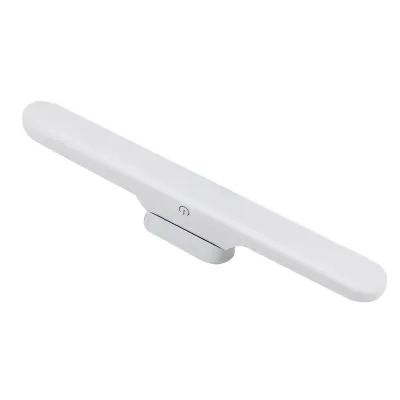
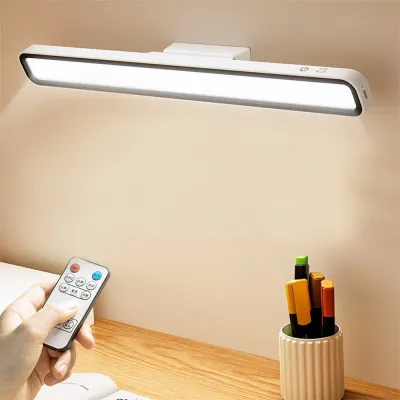
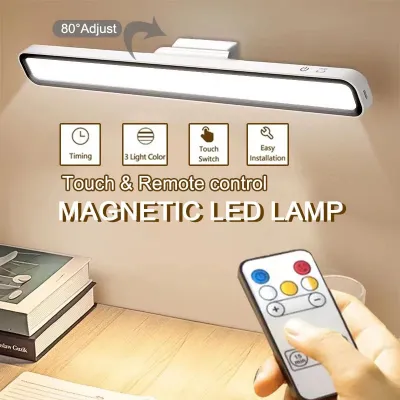
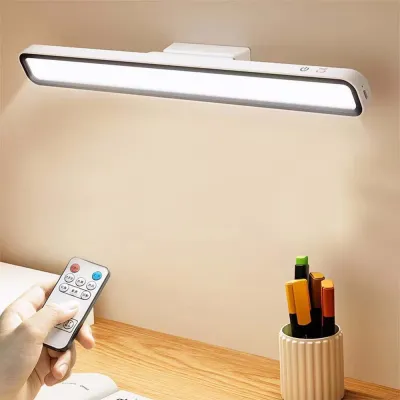
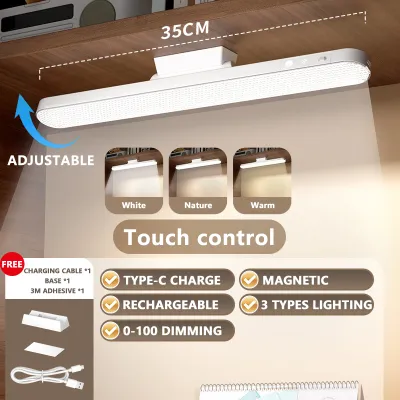
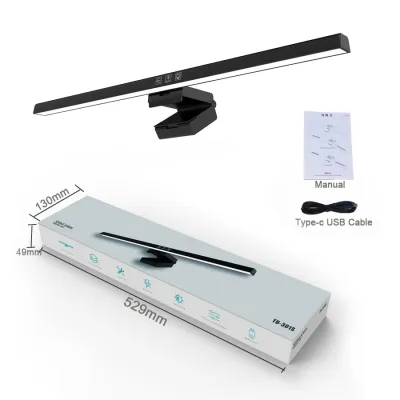
Prices are valid at publication and may change. Please refer to the product page for the latest price.
Key Features to Look for in a Hanging Desk Lamp
Selecting the right hanging desk lamp requires looking beyond simple design aesthetics. Because this light source will illuminate your primary workspace for eight or more hours a day, understanding the underlying technical specifications is essential for protecting your long-term eye health and ensuring daily comfort.

Lighting Quality and Eye Care
When evaluating lighting quality, the ability to adjust color temperature is a vital feature. Color temperature is measured in Kelvin (K) and dictates the warmth or coolness of the light. A high-quality desk lamp should offer a range from warm white (around 2700K to 3000K) to cool daylight (5000K to 6500K). Cool daylight is excellent for boosting alertness and focus during high-concentration daytime tasks, while warm white is much gentler on the eyes during late-night administrative work or evening wind-down sessions.
Equally important is the dimming functionality. Your lamp should feature adjustable brightness levels—either through step-less touch controls or physical dials—to help you match the illumination of your desk with the shifting natural light in your room. This prevents the harsh contrast of a bright light in a dark room, which is a primary driver of digital eye strain. Look for lamps that incorporate frosted diffusers or asymmetric optical designs that direct light away from your eyes and screen, scattering it smoothly across your paperwork instead.
For professionals whose work is color-sensitive, such as graphic designers, photo editors, or architects, the Color Rendering Index (CRI) is a critical specification. CRI measures how accurately a light source reveals the true colors of objects compared to natural sunlight. Look for a lamp with a CRI rating of Ra 90 or higher. Lower-quality lights can make colors look dull or distorted, leading to mistakes in design work and increased visual fatigue as your brain struggles to interpret color accuracy.
Mounting Mechanisms and Adjustability
How a hanging lamp attaches to your workspace dictates its stability and flexibility. The most common mounting style is the C-clamp, which screws tightly onto the back or side edge of your desk. Before purchasing, always measure your desk’s edge thickness and depth to ensure the clamp’s maximum opening can accommodate it. C-clamps are highly stable and ideal for solid wood or thick composite desks, but they require a flat, sturdy surface to grip securely.
If your desk features built-in cable pass-through holes, a grommet mount offers an exceptionally clean and stable alternative. This mechanism bolts directly through the desktop hole, hiding the mounting hardware beneath the surface. For those who want to keep the desk surface completely clear of any mounting hardware, suspended ceiling pendants or wall-mounted swing arms are excellent options. However, these require permanent installation and are less flexible if you decide to rearrange your room layout.
Physical adjustability is the final piece of the ergonomic puzzle. Look for lamps equipped with articulating swing arms, telescopic poles, or rotating heads. High-quality joints should utilize adjustable tension screws so you can tighten the arm to prevent sagging over time. The ability to swing the light source out of your peripheral vision when not in use, or pull it closer for high-precision physical tasks, ensures the lamp adapts to your workflow rather than forcing you to adjust your posture.
Best Types of Hanging Desk Lamps for WFH
Different desk layouts and daily workflows require different lighting structures. Understanding the three primary categories of hanging desk lamps allows you to choose a design that matches your specific physical environment.
Monitor Light Bars (ScreenBars)
Monitor light bars, often referred to as screenbars, are ultra-compact lighting fixtures designed to sit directly on top of your computer monitor’s upper bezel. They utilize a gravity-based counterweight or a gentle, spring-loaded clamp to hang securely over the screen without blocking the display or damaging the bezel. Because they sit directly on the monitor, they require absolutely zero desk space, making them the ultimate space-saving solution for small desks or minimalist setups.
The defining benefit of a high-quality monitor light bar is its asymmetric optical design. Instead of casting light in a wide, circular cone, it projects a precise, directional beam of light downward and forward. This ensures the light covers your keyboard and desk surface while casting absolutely zero light onto the monitor screen itself. This specialized path eliminates screen glare and reflections, which are major contributors to headaches and eye fatigue during long screen sessions.
This style is ideal for users with deep desks, multi-monitor setups, or highly restricted workspace surfaces. Most monitor light bars are powered via a standard USB port, meaning you can plug them directly into your computer, monitor hub, or a local wall adapter. They provide highly focused, localized task lighting exactly where you need it, keeping the rest of your desk clean and uncluttered.
Swing Arm Pendant Lamps
Swing arm pendant lamps combine classic industrial styling with modern mechanical adjustability. These lamps feature a multi-jointed metal arm, often balanced by heavy-duty tension springs, that clamps to the edge of your desk and suspends the light head directly over your workspace. This design provides an exceptional range of motion, allowing you to adjust the height, angle, and lateral position of the light source with a simple push or pull.
The primary advantage of a swing arm lamp is its extensive horizontal and vertical reach. If you work on a wide desk or an L-shaped workstation, you can easily pull the light source close to your workspace for reading, sketching, or soldering, and then push it completely out of your peripheral vision when you are focusing solely on your monitor. This versatility makes it a favorite among creative professionals, engineers, and anyone who alternates between digital and physical tasks.
When choosing a swing arm lamp, pay close attention to the build quality of the joints and the strength of the clamp. The arm should move smoothly without squeaking and hold its position securely without drifting. Because these lamps extend far from their mounting point, ensure your desk is heavy and stable enough to handle the shifting leverage when the arm is fully extended.
Clamp-On Overhead Arch Lamps
Clamp-on overhead arch lamps feature a tall, curved metal rod that rises from the back of the desk and arches forward, suspending a wide light head high above the center of your workspace. Acting like a miniature, elegant streetlamp for your desk, this design provides a broad, elevated light source that covers a massive surface area without any physical obstruction in your immediate working zone.
This elevated position offers a highly balanced, ambient-like task lighting. Because the light source is suspended high above your head, it distributes illumination evenly across the entire desk surface, reducing the harsh, dramatic contrast between a bright screen and a dark room. This wide spread of light is incredibly comfortable for your eyes, as it mimics natural overhead daylight while avoiding the direct downward glare of standard ceiling fixtures.
Overhead arch lamps are ideal for users who prefer a softer, more expansive wash of light over their entire desk rather than a highly focused spotlight. It is also an excellent option for those who find light sources in their immediate peripheral vision distracting, as the high arch keeps the physical lamp head well above your normal line of sight.
Installation and Electrical Safety in the Philippines
Operating electrical appliances safely in the Philippines requires attention to local electrical standards and environmental conditions. Taking a few proactive safety steps during installation protects your equipment, your home, and your personal safety.
First, always verify that the lamp’s power supply is fully compatible with the standard Philippine electrical grid, which operates at 220V at 60Hz. Many hanging desk lamps purchased from international online marketplaces are manufactured for countries using 110V systems. Connecting a 110V-only adapter directly to a 220V outlet can cause immediate electrical failure, ruin the LED driver, or create a fire hazard. Look for power adapters clearly labeled with universal input specifications, such as “100V–240V, 50/60Hz.”
When installing clamp-on lamps, perform a thorough check of your desk’s structural integrity. Avoid clamping heavy, high-leverage swing arms directly onto fragile tempered glass surfaces, hollow-core doors, or lightweight particleboard. The localized pressure from a tightened metal clamp can easily crack glass or crush cheap wood composites over time. If your desk is made of these materials, place a wide, flat protective pad made of rubber, silicone, or solid wood block between the clamp and the desk surface to distribute the clamping force evenly.
Cable management is another critical safety factor, especially in tropical climates where dust and humidity can accumulate quickly in tangled cords. Route all power cables neatly along the frame of the lamp arm using zip ties or hook-and-loop straps. Ensure the power cord has enough slack to accommodate the full range of motion of a swing arm without pulling or pinching the wire at the joints. Keep cables tucked neatly under the desk to prevent tripping hazards, which can pull the lamp off the desk and cause physical damage or injury.
If you decide to install a hardwired ceiling pendant lamp suspended over your desk, safety boundaries must be strictly observed. Always isolate the power by turning off the corresponding circuit breaker at your home’s main panel before touching any wiring. Because many residential ceilings in the Philippines are constructed of solid concrete, mounting a heavy suspended fixture requires drilling with a rotary hammer and using high-quality steel masonry expansion anchors rather than standard plastic wall plugs. If you are unfamiliar with electrical wiring or structural anchoring, hire a qualified local electrician to perform the installation safely and in compliance with the Philippine Electrical Code.
Ergonomic Positioning to Minimize Eye Strain
Owning a high-quality hanging desk lamp is only half the battle; positioning it correctly within your workspace is what truly protects your vision. Proper positioning balances the light levels across your field of view, preventing your eyes from working harder than necessary.
To achieve optimal visual comfort, apply the “balance of light” principle. Your task lighting should illuminate your desk surface to a level that matches or slightly exceeds the brightness of your monitor. A common mistake is working in a pitch-black room with only a bright monitor and a highly focused desk lamp turned to maximum intensity. This creates extreme contrast zones. As your eyes dart between the bright screen, the illuminated desk, and the dark room, your pupils must constantly dilate and constrict, rapidly leading to eye fatigue, dryness, and headaches.
| Lighting Metric | Recommended Setting for WFH | Ergonomic Purpose |
|---|---|---|
| Color Temperature | 3000K (Evening) to 5000K (Daytime) | Matches natural circadian rhythm and reduces blue light exposure at night. |
| Brightness Balance | Equal to or slightly brighter than the screen | Eliminates harsh contrast boundaries that cause pupillary fatigue. |
| Light Placement | Off-center, angled downward | Prevents direct reflection off the monitor glass and keeps glare out of your eyes. |
| Ambient Room Light | Soft, indirect background lighting | Eliminates the "cave effect" and softens the overall visual environment. |
Position your hanging lamp so the light source remains completely out of your direct line of sight. The physical bulb or LED panel should not shine directly into your eyes when you are looking at your screen. For swing arm lamps, position the light head slightly to the side of your dominant hand—to the left if you are right-handed, or to the right if you are left-handed. This simple adjustment prevents your hand and pen from casting distracting shadows across your notebook or keyboard while you work.
To complement excellent physical lighting, integrate healthy visual habits into your daily WFH routine. Practice the 20-20-20 rule: every 20 minutes, take a 20-second break to look at an object at least 20 feet (approximately 6 meters) away. This simple action allows the ciliary muscles inside your eyes to relax, preventing the accommodative spasms that cause temporary blurred vision after hours of close-up screen work.
Finally, eliminate the “cave effect” by maintaining a soft level of ambient light throughout the room. Even with a premium hanging desk lamp illuminating your workspace, keeping a low-intensity floor lamp or a soft LED strip active behind your monitor balances the room’s overall illumination. This creates a smooth, gentle transition of light across your entire visual field, allowing you to work comfortably and productively through the longest WFH shifts.
Frequently Asked Questions (FAQ)
Can I use a hanging desk lamp with a glass desk?
Yes, but you must take specific structural precautions. Standard metal C-clamps can easily crack or shatter tempered glass desks due to highly concentrated pressure. If you must use a clamp-on lamp, place thick rubber, silicone, or wooden protective pads on both the top and bottom surfaces of the glass before tightening the clamp to distribute the pressure. Alternatively, opt for a monitor light bar that rests safely on your screen’s bezel, a freestanding lamp with a heavy weighted base, or a suspended ceiling pendant.
Do hanging desk lamps consume a lot of electricity?
No, modern hanging desk lamps are highly energy-efficient. Because they utilize LED technology, most models consume between 5W and 15W of power even at maximum brightness. Running a 10W LED lamp for 10 hours a day in the Philippines consumes a negligible amount of electricity, adding only a few pesos to your monthly power bill. This makes them incredibly economical compared to older incandescent bulbs or running full-sized overhead room fixtures.
How do I clean and maintain my hanging desk lamp?
Always unplug the lamp from the power outlet before performing any cleaning or maintenance. Use a dry or slightly damp microfiber cloth to gently wipe dust from the lamp body, articulating arms, and diffuser lens. In humid tropical environments, dust can combine with moisture to form a sticky film; a tiny drop of mild dish soap on a damp cloth can help remove this, but never spray liquid cleaners or water directly onto the joints, touch control panels, or LED housings. Allow all parts to dry completely before plugging the lamp back in.
Community discussion
Share your experience or ask a question. Comments are reviewed before publication.