
Selecting the ideal led neon light strip for a gaming setup in the Philippines requires balancing visual performance, smart ecosystem compatibility, and electrical safety. The right choice depends on your primary integration goal: syncing colors directly with your PC screen for deep immersion, reacting dynamically to in-game audio and music, or bending flexible silicone into custom wall art. For local setups, verifying 220V compatibility and choosing condo-friendly, damage-free mounting solutions are essential first steps before purchasing any lighting hardware.
While personal preference dictates the ultimate visual style of your gaming room, understanding the technical specifications of modern LED technology prevents common compatibility issues. By matching the control mechanism of your light strip to your active gaming habits, you can create a highly responsive environment that enhances both casual play and competitive streaming sessions.
Recommended LED Neon Light Strip Categories for Gamers
Not all neon light strips serve the same purpose. To build an effective lighting scheme, you must first categorize these devices by their primary functionality. Modern gaming setups typically rely on three distinct categories of neon strips, each offering unique benefits depending on where they are placed and how they interface with your gaming hardware.
Products mentioned in this guide
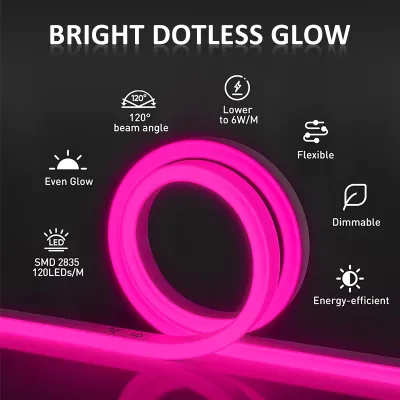
![[Support Lalamove Bulk Order] LED Strip Light High Quality Neon Strip Light Outdoor Waterproof Light Strip Flexible Light Strip Cuttable Every 1Meters Home Ceiling Cove Decoration](https://img.lazcdn.com/g/p/688c50e93f15cf6129b2bd2890c4a90c.jpg_400x400q80.jpg_.webp)
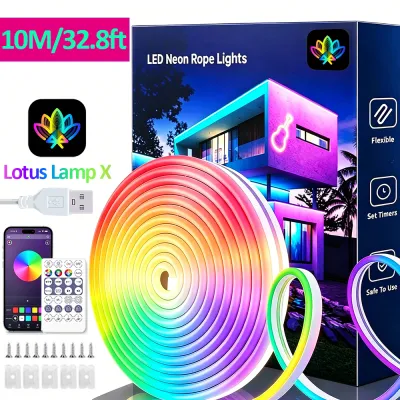
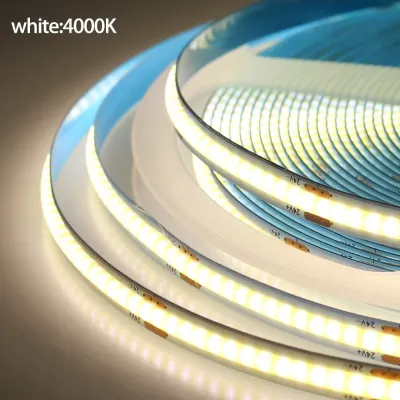
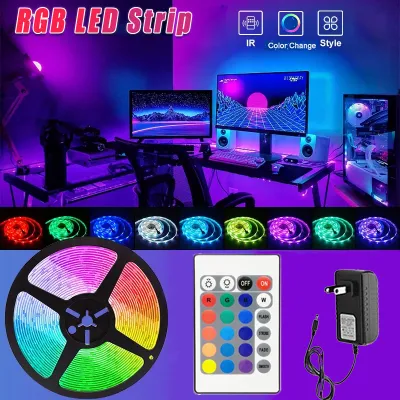
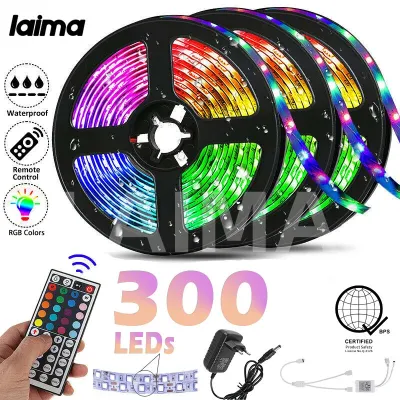
Prices are valid at publication and may change. Please refer to the product page for the latest price.
PC-Syncing and Screen-Mirroring Neon Strips
PC-syncing and screen-mirroring strips are engineered to extend the visual action of your monitor onto the walls behind your desk. This technology works by analyzing the color data displayed on your screen and instantly translating those hues to corresponding sections of the LED strip. There are two primary methods to achieve this: software-based screen capture and camera-based physical scanning.
Software-based systems utilize a dedicated application running on your PC to capture screen pixels and transmit color instructions directly to the light strip via USB or Wi-Fi. This method offers the lowest latency and highest color accuracy, making it ideal for fast-paced action games. However, it requires a compatible operating system—typically Windows 10 or 11—and may consume minor system resources. Before purchasing, verify that the strip’s software integrates cleanly with established lighting ecosystems such as Razer Synapse, Corsair iCUE, or ASUS Aura Sync to coordinate all your peripherals.
Camera-based systems, on the other hand, use a small camera mounted to the top center of your monitor to physically capture the screen’s colors. Because the camera processes the visual data independently, these systems work across any HDMI source, including gaming consoles like the PlayStation 5 or Nintendo Switch, without taxing your PC’s CPU. The trade-off is a slight delay in color transition and potential interference from ambient room light reflecting off the screen.
For optimal placement, mount these strips directly to the back of your monitor frame or along the rear edge of your gaming desk. This positioning projects a diffuse halo of light onto the wall, which helps reduce eye strain during long gaming sessions in dark rooms by softening the harsh contrast of the monitor screen.
Music-Reactive and Audio-Visual Strips
Music-reactive neon strips are designed to synchronize their visual patterns with ambient sound, making them a popular choice for streamers, music producers, or gamers who enjoy high-energy audio. These strips rely on a built-in microphone, usually located within the inline controller box, or an audio-sync feature inside a companion mobile app.
The built-in microphone detects sound waves and translates different frequencies into specific color pulses, chasing patterns, or brightness shifts. For example, low-frequency bass notes might trigger deep blue pulses, while high-frequency treble notes trigger rapid white flashes. To get the best performance, place the physical controller box in an open area where sound waves can reach it unimpeded.
However, audio-reactive strips have practical limitations in a gaming environment. High-sensitivity microphones can easily mistake the click-clack of mechanical keyboards—especially tactile blue or green switches—or the loud hum of high-RPM PC cooling fans for game audio, causing erratic and distracting light patterns. To mitigate this, look for light strips that allow you to adjust microphone sensitivity through their companion app, or choose models that can sync directly with your PC’s internal audio output via software rather than relying on physical microphones.
DIY Custom Shape and Silicone Neon Flex
Silicone neon flex strips are highly flexible, durable lights designed to mimic the continuous, dot-free glow of traditional gas-discharge neon tubes. Unlike standard LED strips, which feature exposed circuit boards and visible light emitting diodes, silicone neon flex wraps high-density LED arrays inside a thick, translucent silicone extrusion. This casing diffuses the light perfectly, presenting a smooth, solid line of color from any angle.
These strips are ideal for creating custom wall art, shaping gaming logos, outlining geometric patterns, or highlighting the architectural edges of your desk. Because the silicone casing is highly flexible, it can be bent laterally to form complex curves. However, you must respect the manufacturer’s specified bending radius limits—typically between 2 to 4 centimeters. Bending the strip too sharply can snap the internal copper traces or detach the surface-mount diodes (SMDs) from the flexible circuit board, causing sections of the strip to fail.
To secure these complex shapes to your walls or furniture, do not rely on standard adhesive backing alone. The weight and natural spring-back tension of thick silicone will pull the strip away from surfaces over time. Instead, use dedicated plastic or aluminum mounting clips screwed into the surface, or heavy-duty, damage-free adhesive mounting brackets designed specifically for flexible silicone profiles.
Crucial Specs to Check for Philippine Homes and Condos
Operating electronic equipment in the Philippines introduces unique environmental and electrical considerations. Before purchasing any led neon light strip, you must evaluate its technical specifications to ensure it can operate safely and reliably within local home and condominium infrastructures.

Voltage Compatibility and Power Adapters (220V)
The standard electrical grid in the Philippines operates at 220V AC with a frequency of 60Hz. This is a critical factor because many smart lighting products sold online are imported from regions that use 110V/50Hz systems, such as North America or Japan. Connecting a dedicated 110V power adapter directly to a 220V Philippine outlet will cause immediate, irreversible damage to the adapter and poses a severe fire hazard.
Always inspect the technical specifications printed on the power adapter or listed in the product description. Look for a universal input range of 100V–240V at 50/60Hz. This range guarantees that the adapter can safely handle local voltage levels and minor fluctuations in the power grid. Additionally, verify the plug type. The Philippines primarily uses Type A (two flat parallel pins) and Type B (two flat pins with a round grounding pin) outlets.
Avoid relying on cheap, loose-fitting universal travel adapters to connect your light strips. In high-humidity tropical environments, loose physical connections inside an adapter can lead to electrical arcing, localized heating, and voltage drops that cause your LEDs to flicker or hum. Instead, select light strips that ship with native Type A or Type B plugs, or purchase high-quality, certified replacement power adapters that match the exact voltage and amperage requirements of your light controller.
Smart Controls and Ecosystem Integration
How you control your lighting directly impacts your daily gaming workflow. Smart led neon light strips generally offer three control methods: physical inline controllers, mobile applications, and smart home voice assistants. When choosing a control method, the primary technical distinction lies between Wi-Fi and Bluetooth connectivity.
Wi-Fi-enabled light strips connect directly to your home’s 2.4GHz wireless router. This connection allows you to integrate the lights into broader smart home ecosystems like Google Home, Amazon Alexa, or Apple Home. With Wi-Fi, you can control your lights from anywhere, program complex automation schedules, and sync the strips with other smart devices in your home. The main drawback is that Wi-Fi control relies on an active internet connection and can suffer from latency if your router is congested or placed far from your gaming room.
Bluetooth-enabled light strips establish a direct, local connection between your smartphone or PC and the light controller. This setup does not require an active internet connection or a home router, resulting in near-instantaneous response times when adjusting colors or brightness. However, Bluetooth control requires you to be within physical proximity of the lights (usually within 10 meters) and prevents you from controlling the setup remotely or linking it to cloud-based smart home scenes.
For the most versatile gaming setup, look for dual-mode controllers that support both Wi-Fi and Bluetooth. This ensures you have high-speed local control during intense gaming sessions while maintaining full smart home integration for everyday automation.
Light Diffusion and RGBIC vs. Standard RGB
The visual quality of your gaming setup depends heavily on how the light is emitted and controlled. When shopping for neon strips, you will encounter two primary lighting technologies: standard RGB and RGBIC (also known as addressable RGB or ARGB).
Standard RGB strips connect all the light-emitting diodes in a single parallel circuit. This means the entire strip can only display one uniform color at any given moment. If you set the strip to blue, every single LED turns blue. While standard RGB is sufficient for simple, single-color ambient backlighting, it cannot produce dynamic moving effects.
RGBIC strips feature independent control chips (ICs) embedded along the length of the flexible circuit board. This technology allows the controller to assign different colors and brightness levels to individual sections of the strip simultaneously. RGBIC enables complex visual effects such as fluid color gradients, chasing rainbows, and localized pulses that mimic movement. For modern gaming aesthetics and screen-mirroring, RGBIC is highly recommended.
In addition to the control chip, pay close attention to light diffusion. To achieve a premium, continuous neon glow, the strip must feature a high LED density—ideally 96 to 120 LEDs per meter—paired with a thick, high-refractive-index silicone sleeve. Low-density strips (such as 30 or 60 LEDs per meter) wrapped in thin plastic will suffer from visible “hotspots” or bright dots. These hotspots look uneven in person and can create distracting, pixelated reflections on glossy monitor screens or camera feeds if you stream your gameplay.
Safe Installation Tips for Renters and Condo Owners
Installing ambient lighting in a rented condominium or apartment in the Philippines requires a careful approach to avoid damaging walls and losing your security deposit. The combination of painted concrete walls, high tropical humidity, and shifting indoor temperatures can make standard adhesives unpredictable.
To prevent damage to painted drywall or concrete, avoid sticking the pre-applied adhesive tape on the back of the light strip directly to the wall. The adhesive used on many budget light strips is incredibly strong and, over time, will bond permanently with the paint. When you eventually attempt to peel the strip off, it will tear away layers of paint and plaster, requiring costly repairs. Instead, use one of the following damage-free mounting methods:
- Painter's Tape Base: Apply a layer of high-quality blue painter's tape to the wall first, pressing it down firmly. Then, stick the light strip's adhesive or mounting clips directly onto the painter's tape. When it is time to move out, the painter's tape will peel away cleanly without damaging the underlying paint.
- Removable Adhesive Strips: Use mounting clips designed for flexible silicone profiles, and secure them to the wall using removable, damage-free adhesive strips (such as Command strips). These adhesives are formulated to hold strong weight but release cleanly when pulled parallel to the wall.
Proper cable management is also vital for both aesthetics and safety. Route all power cords and controller boxes away from heat sources, such as the exhaust vents of your gaming PC or console. Ensure that cables are tucked securely behind desks or run through protective plastic conduits, keeping them completely clear of sharp metal desk frames and the path of moving office chair wheels, which can easily crush or sever thin wires.
During the physical installation process, always isolate the power by completely unplugging the light strip from the wall outlet. Never install, bend, or adjust the strip while it is powered on. Furthermore, never overlap, coil, or bunch the neon flex while it is operating. Overlapping the silicone sleeve traps heat within the material, which can cause the silicone to melt, degrade the LEDs prematurely, or cause an internal short circuit.
Finally, understand the limits of DIY installation. Standard plug-in USB or wall-adapter neon light strips are perfectly safe for self-installation. However, if your lighting plan involves fixed wiring, routing cables inside wall cavities, mounting heavy fixtures to high ceilings, or connecting lights directly to your home’s main electrical panel, you must isolate the power at the circuit breaker and hire a licensed electrician to perform the work in compliance with the Philippine Electrical Code.
Buying Guide: Where to Shop and What to Inspect
To ensure you receive a safe, high-quality product, purchase your led neon light strip from official brand flagship stores on major e-commerce platforms or authorized local lighting and electronics retailers. Buying from official channels ensures you receive authentic components, accurate wattage ratings, and a valid manufacturer’s warranty.
Avoid purchasing unbranded, unusually cheap neon strips from third-party sellers. These low-cost alternatives often cut corners by omitting essential safety components, such as inline resistors or overheat protection chips. Unbranded strips are also prone to poor color rendering indexes (CRI), visible flickering that causes eye strain, and power adapters that fail prematurely or run dangerously hot.
Once your package arrives, perform a thorough unboxing and pre-installation inspection before mounting the lights to your walls or desk:
- Physical Inspection: Carefully examine the entire length of the silicone sleeve. Check for any physical defects, cracks, tears, or yellowing of the material. Inspect the power adapter and controller box for any signs of damage, loose casing, or exposed wiring.
- Flat-Surface Testing: Unroll the light strip completely and lay it flat on a clean, non-flammable surface, such as a tiled floor or a wooden desk. Plug the power adapter into the wall and turn the lights on. Cycle through all primary colors (Red, Green, Blue) and pure white to ensure every LED is functioning correctly and displaying consistent brightness across the entire length. Test all smart features, app connections, and remote control buttons.
- Verify Safety Certifications: Check the power adapter and controller box for recognized international safety certification marks, such as CE, FCC, UL, or RoHS. These marks indicate that the product has undergone rigorous testing for electrical safety, electromagnetic interference, and environmental compliance.
By taking the time to verify these technical specifications and performing a careful pre-installation test, you can build a stunning, responsive, and electrically safe gaming room setup that will perform reliably for years to come.
Frequently Asked Questions (FAQ)
Can I cut flexible neon strips to fit my desk edges?
Yes, but you must only cut the strip at the designated cutting points specified by the manufacturer. These points are typically marked on the back or side of the silicone sleeve with a small scissors icon or a vertical black line, usually spaced every few centimeters. Cutting outside of these designated zones will sever the internal copper traces, breaking the electrical series. This will render the entire remaining section of the strip inoperable and will immediately void your product warranty.
Will mounting clips or adhesive damage my condo walls?
Standard adhesive tape applied directly to painted walls can easily peel away paint and plaster when removed, especially in humid climates. To prevent damage, always test a small, hidden area of your wall first to assess the paint’s bond. For a completely reversible setup, use damage-free hanging strips or apply a base layer of painter’s tape to the wall before securing your mounting clips or light strips.
How do I prevent the neon strip from overheating during long gaming sessions?
To maintain safe operating temperatures, never coil, stack, or overlap the neon flex strip while it is powered on, as this traps heat within the silicone sleeve. Ensure that both the power adapter and the smart controller box are placed in well-ventilated areas with adequate airflow. Keep these components away from direct sunlight, PC exhaust vents, and insulating materials such as blankets, pillows, or thick fabric desk mats.
Community discussion
Share your experience or ask a question. Comments are reviewed before publication.