
Finding the right desk lamp is essential for maintaining focus and reducing eye strain, yet traditional lighting fixtures often struggle to fit into modern, compact work-from-home (WFH) and study setups. In the Philippines, where urban living spaces can be limited and study desks frequently double as dining tables, maximizing every square inch of surface area is a priority. A magnetic led light offers an elegant, highly adaptable solution to this spatial challenge by moving the light source off your desk entirely.
These innovative fixtures utilize strong magnetic mounts and adhesive bases, allowing you to position high-quality task lighting exactly where you need it—whether under a shelf, on a wall, or directly onto your computer monitor. By eliminating bulky bases and messy cords, magnetic LED lights help create a clean, minimalist environment that fosters productivity. This guide explores the core benefits, essential specifications, and top categories of magnetic desk lights available in the Philippine market, helping you choose the perfect model to illuminate your daily tasks.
Why Choose Magnetic LED Lights for Your Desk Setup
Traditional desk lamps require heavy, wide bases to remain stable, which can easily consume up to fifteen percent of a small desk’s surface area. Magnetic LED lights utilize vertical space, mounting directly onto metal shelves, wall brackets, or monitor bezels. This leaves your entire desk free for your laptop, keyboard, mouse, and physical reference materials, making it easier to maintain an organized workspace.
Products mentioned in this guide
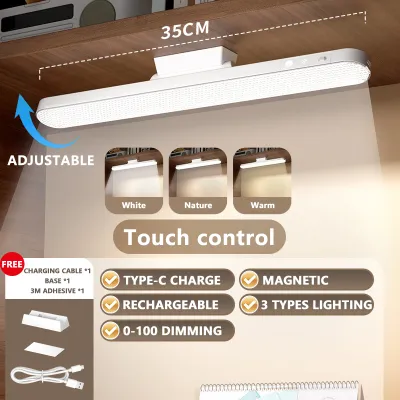
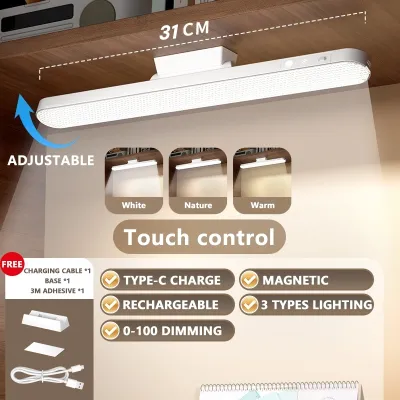
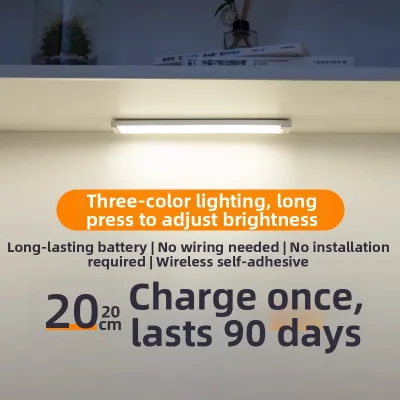
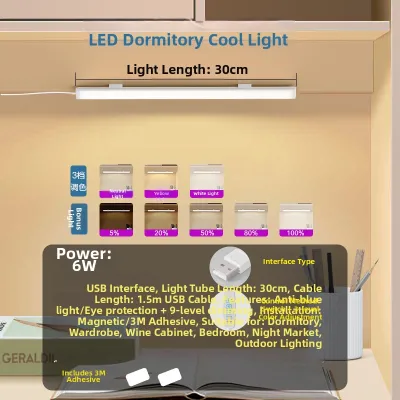
Prices are valid at publication and may change. Please refer to the product page for the latest price.
Unlike fixed desk lamps, a magnetic light can be detached in seconds. This allows you to transition seamlessly from typing on a computer to reading a physical book on your lap or sketching on a drafting board. If you need to inspect something closely or search for a dropped item under your desk, the light bar quickly detaches to become a temporary handheld wand.
For renters in condominiums or students living in dormitories, permanent modifications to walls or furniture are rarely permitted under local lease agreements. Magnetic lights solve this issue by using adhesive-backed metal strike plates. You can establish a secure mounting point on wooden shelves, glass partitions, or plastic surfaces without drilling a single hole or leaving permanent damage.
Cable clutter is a constant battle in minimalist desk setups. Wireless, rechargeable magnetic options completely eliminate the need for permanent power cables running across your workspace, creating a cleaner aesthetic. Additionally, the humid tropical climate of the Philippines can make traditional heavy metal lamps prone to rust over time, whereas modern magnetic light bars typically feature corrosion-resistant anodized aluminum or high-grade ABS plastic housings.
In the Philippines, where seasonal typhoons and localized power interruptions are common, having a rechargeable light source on your desk provides an immediate safety backup. When the mains power fails, you can simply detach the light bar from its mount and use it to navigate your home safely, making it a practical dual-purpose investment.
Essential Specs to Check Before Buying a Magnetic Desk Light
Task lighting requires sufficient illumination to prevent your eyes from working too hard to resolve fine details. When shopping, look for models that deliver between 150 and 500 lumens of brightness. Stepless dimming is highly preferable over fixed brightness levels, as it allows you to adjust the light output smoothly to match the changing ambient light in your room throughout the day.

The color of the light significantly influences your focus and circadian rhythm, measured in Kelvin (K). Cool white light, ranging from 4000K to 5000K, mimics natural daylight and is ideal for morning study sessions or high-focus tasks like coding and drafting. Warm white light, between 2700K to 3000K, is much gentler on the eyes in the evening, helping you wind down before sleep while still providing adequate illumination. Models with adjustable color temperatures are highly recommended.
Color Rendering Index (CRI) measures a light source’s ability to reveal the colors of various objects faithfully in comparison with natural light. For general reading and typing, a CRI of 80 or higher is sufficient. However, if you are a graphic designer, architect, digital artist, or student working on color-critical projects, prioritize lights with a CRI of 90 or above to ensure accurate color representation and reduce cumulative eye strain.
Deciding between a built-in rechargeable battery (typically powered via USB-C) and a direct plug-in model depends on your daily workflow. Rechargeable models offer maximum portability and function during power outages, but they require a regular charging routine. Direct plug-in models offer consistent, uninterrupted brightness without battery anxiety, making them better suited for long, continuous work sessions, though they restrict your desk layout to areas near wall outlets.
A magnetic mount is only as reliable as its physical connection. High-quality fixtures utilize strong neodymium magnets that grip the metal strike plate firmly, resisting accidental bumps or desk vibrations from typing. Ensure the included mounting plates feature high-strength adhesives that can support the weight of the light bar over extended periods, especially in humid conditions which can weaken low-grade glues.
Top Magnetic Light Categories for Work and Study
Rechargeable Magnetic Light Bars
These versatile, self-contained fixtures are the most popular choice for dynamic study and work environments. They typically feature built-in lithium-ion batteries, touch-sensitive control panels, and a sleek, tubular design. Because they do not rely on an active power cord, they can be moved effortlessly from your primary desk to a bedside table, a reading armchair, or even a kitchen counter.
When evaluating these models, look for advanced features such as stepless dimming and a built-in memory function. A memory function ensures that when you turn the light back on, it automatically returns to your last used brightness and color temperature setting, saving you from manual adjustments every session.
The primary limitation of rechargeable light bars is their battery life. While they can run for up to 20 hours on their lowest, warmest settings, operating them at maximum brightness for intense task work will typically deplete the battery in 2 to 4 hours. This necessitates a disciplined charging routine, meaning they may not be the ideal primary light source for grueling, 12-hour study marathons unless kept plugged into a USB charger.
Magnetic Monitor Light Bars
For screen-centric work-from-home professionals, monitor light bars—also known as screen bars—are an exceptional space-saving innovation. These lights utilize a specialized magnetic pivot or counterweight clamp that attaches securely to the top bezel of your computer monitor.
The core benefit of a monitor light bar lies in its asymmetric optical design. Instead of casting light directly onto the screen, which causes distracting glare and reflections, the optical lens directs the light downward at a precise angle to illuminate only your keyboard, notepad, and desk surface. This dramatically improves visual comfort during long nights of screen work.
Before purchasing, it is crucial to perform a compatibility check on your monitor. Measure the thickness of your monitor’s top bezel and inspect the curvature of the back panel. While many magnetic monitor lights are designed with flexible mounts that accommodate standard flat screens, ultra-thin bezels, highly curved gaming monitors, or monitors with integrated webcams may require specialized mounting adapters to sit securely.
Plug-in Magnetic Strip and Puck Lights
If your work-from-home setup is permanent and you regularly pull long hours, plug-in magnetic strip or puck lights are the most dependable option. These fixtures mount underneath overhead shelving, inside desk hutches, or along the frame of a metal drafting table, providing a continuous, high-intensity wash of light.
Because these systems are powered directly from a wall outlet or a dedicated USB power brick, they eliminate battery anxiety entirely. You can run them at maximum brightness for 12 hours straight without worrying about dimming or sudden shutdowns, which is highly beneficial for detailed manual work, architectural modeling, or intensive reading.
The main trade-off with plug-in systems is the necessity of managing physical cords. To maintain a clean, professional workspace, you will need to invest in basic cable management accessories such as adhesive wire clips, cable sleeves, or plastic routing channels to hide the power lines along the underside of your shelves. Additionally, ensure that any included power adapter matches the standard Philippine household voltage of 220V and uses a compatible plug type to prevent the need for loose, unsafe travel adapters.
Installation Tips and Safety Checks for Magnetic Mounts
Magnets require a ferromagnetic metal surface, such as iron or steel, to adhere. Since the vast majority of home office desks are constructed from wood, glass, MDF, or plastic, you must utilize the metal strike plates that come packaged with the light. Before applying these plates, thoroughly clean the target surface with isopropyl alcohol to remove dust, finger oils, and polish residues, ensuring a strong adhesive bond.
The double-sided tape used on metal strike plates is often highly aggressive to ensure the light does not fall. This adhesive can easily peel off delicate wood veneers, paint, or cheap laminate finishes when removed. If you are renting your home or using a premium wooden desk, test the adhesive on a hidden area first, or consider using non-damaging adhesive strips designed for clean removal, or even high-quality mounting putty for lighter fixtures.
Although LED technology is highly efficient and runs much cooler than traditional incandescent bulbs, high-brightness LEDs still generate localized heat at the circuit board level. This heat is typically dissipated through an aluminum housing or a specialized magnetic base. Ensure that your light bar has adequate airflow around it and is never covered by papers, books, or fabrics, particularly in the warm, humid climate of the Philippines where high ambient temperatures can accelerate battery degradation.
Standard mounting magnets are static and relatively weak, but it is still wise to practice basic safety precautions around sensitive electronics. Avoid placing strong magnetic bases or metal strike plates directly on top of external mechanical hard drives (HDDs), magnetic stripe cards (such as credit or debit cards), or high-fidelity audio equipment, as strong magnetic fields can potentially cause data corruption or audio distortion.
Buying Guide: Where to Shop and What to Verify
When shopping for magnetic LED lights in the Philippines, prioritize official brand stores on major local e-commerce platforms, specialized local lighting retailers, or established physical home improvement chains. Purchasing from authorized sellers ensures you receive a genuine product with reliable build quality and electrical safety standards. Prices typically range from ₱300 for basic rechargeable bars to upwards of ₱3,000 for advanced, high-CRI monitor light bars.
For any plug-in model, double-check the product specifications to confirm it is rated for the Philippine standard voltage of 220V at 60Hz. While USB-powered models are universally compatible since they run on 5V DC, direct mains-powered adapters must be verified. Ensure the adapter features a Type A or Type B plug, which are the standard configurations across the country, to avoid using loose adapters that can spark or cause electrical hazards.
A reliable warranty is essential when purchasing electronic consumer goods. Look for sellers that offer a local warranty of at least 6 to 12 months. This protects your investment in case the battery fails to hold a charge, the touch controls become unresponsive, or the LEDs begin to flicker prematurely. Always check the seller’s return policy before checking out to ensure a hassle-free exchange process if the unit arrives damaged or with a weak magnetic mount.
Frequently Asked Questions (FAQ)
Can magnetic LED lights damage my monitor or desk?
No, the static magnetic fields generated by modern LED light mounts are not strong enough to affect or damage modern LCD, LED, or OLED computer monitors. These screens do not rely on magnetic deflection to display images, unlike old CRT monitors. However, to protect your desk surface from physical damage, ensure that the metal strike plates or magnetic bases do not have sharp edges, and consider placing a thin felt pad or protective sticker underneath them to prevent scratching delicate wood or glass finishes.
How long do rechargeable magnetic desk lights last on a single charge?
The battery runtime of a rechargeable magnetic light depends heavily on its battery capacity (measured in milliampere-hours or mAh) and the brightness level you select. On average, a standard 1800mAh to 2000mAh battery will last between 3 to 4 hours at maximum brightness, but can stretch up to 15 to 24 hours on the lowest, warmest dimming setting. For minimal downtime, look for models that feature USB-C fast charging, which can fully replenish the battery in under two hours, or models that support pass-through charging so you can use the light while it is plugged in.
Community discussion
Share your experience or ask a question. Comments are reviewed before publication.