
The best mini desk lamp for a work-from-home (WFH) setup in the Philippines balances a compact footprint with adjustable brightness and precise light direction. In highly space-constrained environments, such as shared rooms or small study corners, a high-quality mini desk lamp provides necessary localized illumination without encroaching on valuable desk real estate. By selecting a model tailored to your specific desk layout, you can create an ergonomic, visually comfortable workspace that supports productivity and reduces eye fatigue.
Why Dedicated Task Lighting Improves Your WFH Setup
Overhead lighting in residential spaces is typically designed for general ambient illumination rather than focused, detail-oriented work. In many homes in the Philippines, a single central ceiling fixture serves as the primary light source. When you sit at your desk, your head, shoulders, or computer monitor often block this overhead light, casting harsh shadows directly over your keyboard, notepad, or documents. This uneven distribution of light forces your eyes to work harder to discern details, which can slow down your typing, reading, and writing tasks.
A dedicated mini desk lamp bridges this gap by delivering targeted task lighting directly to your active workspace. This localized illumination ensures that your reading and writing areas are clearly lit, eliminating the shadows cast by ambient fixtures. By focusing light exactly where it is needed, task lamps allow you to work with greater precision, speed, and accuracy, making them an indispensable tool for any remote professional.
Products mentioned in this guide
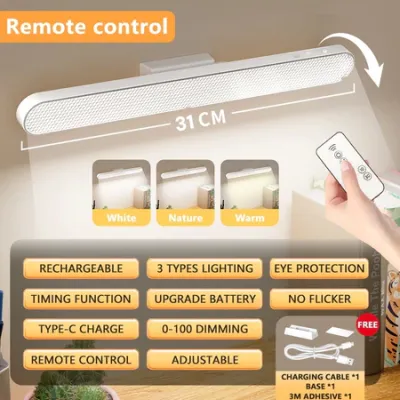
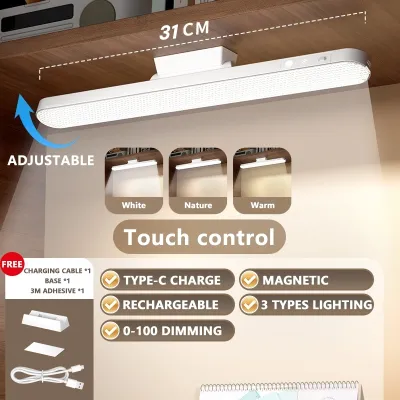
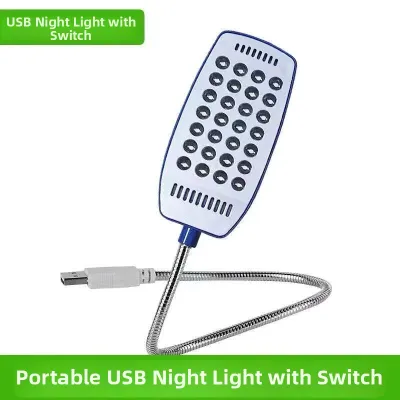
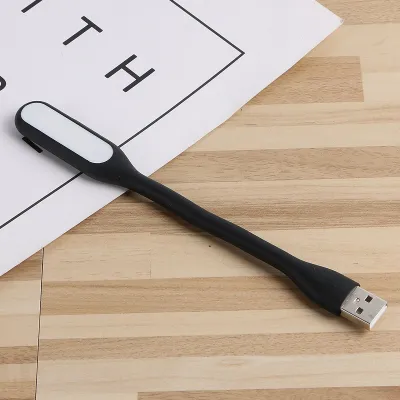
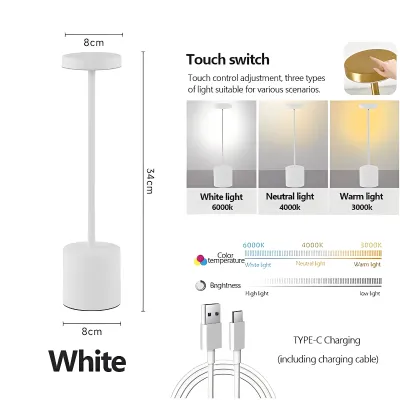
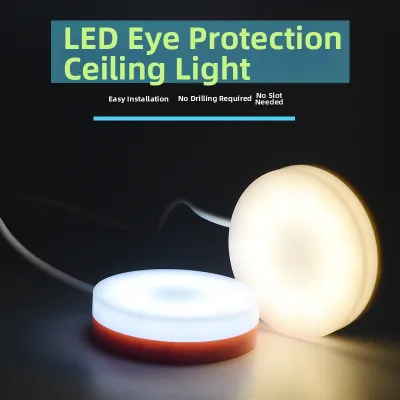
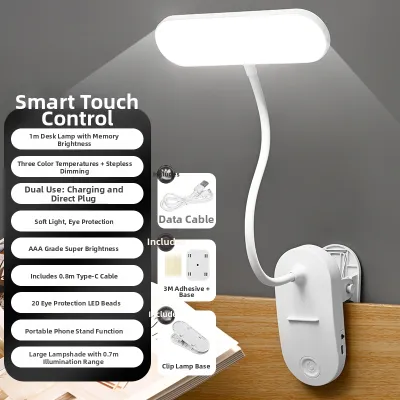
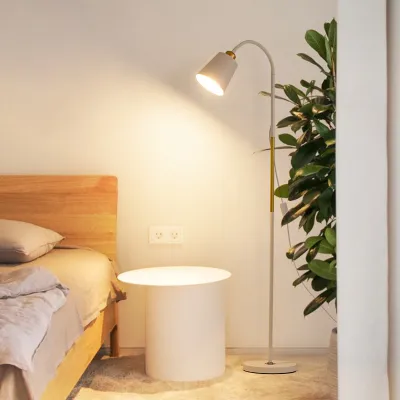
Prices are valid at publication and may change. Please refer to the product page for the latest price.
Proper contrast management is also vital for reducing eye strain during long work hours. Staring at a bright computer screen in a dark or unevenly lit room forces your eyes to constantly adjust between the intense glow of the display and the dim surroundings. This continuous adjustment leads to pupillary fatigue, which manifests as dry eyes, headaches, and physical exhaustion. A compact task lamp balances the ambient light levels around your screen, softening the harsh contrast and creating a more comfortable visual environment.
The primary advantage of a mini desk lamp lies in its ability to deliver high-quality task lighting without cluttering a compact WFH desk. Standard desk lamps often feature large, heavy bases that occupy significant surface area, leaving little room for a laptop, external keyboard, mouse, and reference materials. A mini desk lamp offers a refined, space-saving alternative that fits easily into tight corners, narrow writing desks, or multi-purpose workspaces, ensuring you do not have to sacrifice valuable desk real estate for visual comfort.
Key Features to Evaluate When Choosing a Mini Desk Lamp
Selecting the right mini desk lamp requires evaluating several technical specifications and design features to ensure compatibility with your workspace and daily routine.

Footprint and Base Design The design of the lamp’s base determines how much physical space it occupies on your desk. Weighted bases provide excellent stability, preventing the lamp from tipping over when you adjust the arm or head. When choosing a weighted base, look for models with non-slip silicone or rubber padding on the bottom to protect your desk surface from scratches. Alternatively, clamp or clip-on bases eliminate the desktop footprint entirely by securing directly to the edge of your desk or an adjacent shelf, making them ideal for ultra-compact setups.
Adjustability and Ergonomics An ergonomic desk lamp must allow you to direct light precisely where you need it while keeping the light source out of your direct line of sight. Gooseneck lamps offer infinite flexibility, allowing you to bend and twist the neck to achieve the perfect angle, though low-quality goosenecks may sag over time. Articulated or jointed arms provide sturdy, mechanical adjustments and a clean, modern aesthetic. Swivel heads are highly beneficial, as they let you tilt the light panel to prevent direct glare from reflecting off your monitor screen or shining into your eyes.
Brightness and Color Temperature Modern mini desk lamps typically feature adjustable brightness and color temperature settings, which are highly beneficial for transitioning through different types of work throughout the day. Cooler, blue-toned white light (often associated with daylight settings) helps promote alertness, focus, and cognitive performance, making it ideal for morning work or high-concentration tasks. Warmer, yellow-toned light (associated with warm white settings) is much gentler on the eyes during late-night sessions and helps support your natural circadian rhythms. Selecting these settings is ultimately a matter of personal preference and task requirements rather than a fixed performance metric. Look for lamps that offer step-free (stepless) touch dimming or multiple pre-set brightness levels so you can easily adapt the illumination to shifting natural light.
Power Source and Connectivity You must decide between corded and rechargeable power configurations based on your workspace layout. Corded lamps connect directly to a wall outlet or a USB port, providing consistent, uninterrupted power and maximum brightness. If choosing a corded model, verify the voltage rating and plug type to ensure compatibility with local outlets. Rechargeable, battery-operated lamps offer exceptional placement flexibility and serve as an excellent emergency backup during power interruptions. However, they require regular charging routines, and their brightness may degrade as the battery level drops. When evaluating rechargeable models, check the battery capacity (measured in mAh) to estimate the runtime at your preferred brightness setting. In the local market, high-quality mini desk lamps generally fall into broad price bands, with basic USB-powered models starting under ₱500, while premium rechargeable or feature-rich monitor light bars range from ₱1,000 to ₱3,000.
Best Mini Desk Lamp Types for Different Desk Configurations
Because home office setups vary widely, identifying the right lamp form factor is essential for maximizing both space and light quality.
Clamp and Clip-On Lamps for Ultra-Compact Desks
Clamp and clip-on lamps are the premier choice for remote workers operating on highly restricted desk surfaces. These lamps use a heavy-duty spring clip or a screw-tightened C-clamp to attach securely to the edge of a desk, the side of a bookshelf, or even a monitor stand. By moving the mounting point off the main desk surface, you free up valuable space for your keyboard, mouse, and physical documents.
Before purchasing a clamp lamp, it is crucial to measure the thickness of your desk surface. Most standard clamps can accommodate thicknesses up to 5 centimeters, but desks with decorative edge lips, thick supporting metal frames underneath, or integrated cable management trays may prevent the clamp from seating securely. Additionally, ensure the clamp jaws feature rubber or foam padding to prevent damage to your furniture.
An underrated benefit of clamp-on lamps is their elevated mounting height. Because the base is secured to the edge of the desk, the lamp head can be positioned higher than a standard table lamp. This elevated position allows the light to spread over a wider area, easily clearing the top of a laptop screen or a small external monitor to provide clean, shadow-free illumination.
Foldable and Collapsible Lamps for Shared Spaces
If you work from a shared space, such as a dining table, kitchen counter, or a multi-purpose living room, you likely need to pack away your WFH setup at the end of every day. Foldable and collapsible mini desk lamps are designed specifically for this lifestyle. These lamps feature multiple tension hinges along the arm and light head, allowing the entire fixture to fold completely flat into a compact, baton-like shape.
When evaluating foldable lamps, hinge durability is the most critical mechanical factor. Look for models with robust metal joints or high-quality tension screws that can withstand daily folding and unfolding without loosening or stripping. A loose hinge can cause the lamp head to sag, rendering the fixture frustrating to use.
Additionally, because collapsible lamps are designed to be lightweight and portable, they often have a smaller physical footprint. This lightweight construction can make them susceptible to tipping if the arm is fully extended at an extreme angle. To prevent this, look for models that maintain a low center of gravity, or ensure you position the adjustable arm within a safe, balanced range over the base.
Monitor Light Bars for Screen-Heavy Workflows
For remote professionals who work almost exclusively on digital screens, monitor light bars represent a highly efficient, space-saving innovation. Instead of sitting on the desk surface or clamping to the edge, a monitor light bar mounts directly to the top bezel of your external monitor or laptop screen, utilizing a counterweight system to stay secure.
The primary technical advantage of a monitor light bar is its asymmetric optical design. Unlike traditional lamps that cast light in a wide, symmetrical cone, a light bar directs light downward and forward at a precise angle. This ensures that the light illuminates your keyboard and desk space while completely avoiding the monitor screen itself. By preventing screen reflection and glare, light bars significantly reduce eye strain and visual fatigue.
Before choosing a monitor light bar, you must verify compatibility with your specific display. Standard light bar mounts are designed for flat monitors of average thickness; they may not sit securely on ultra-thin screens, highly curved monitors, or laptops with fragile screen hinges. Additionally, check the clearance above your monitor to ensure the light bar bracket does not block your webcam, built-in microphone, or other top-mounted accessories.
Safe Setup and Placement Tips for Home Office Lighting
Proper installation and positioning of your mini desk lamp are essential for maintaining a safe, comfortable, and productive home office environment.
Electrical Safety Before plugging in any new lighting fixture, always read the manufacturer’s instructions and verify the electrical specifications on the product label. In the Philippines, the standard household electrical supply is 220V AC at 60Hz, with Type A (two-pin flat) or Type B (three-pin) outlets being the most common. If you purchase a corded lamp imported from a country that uses 110V, you must use a compatible step-down transformer to prevent short-circuiting, overheating, or electrical fires. For USB-powered lamps, ensure you use a certified USB wall adapter that matches the lamp’s required input amperage (typically 1A or 2A). Avoid daisy-chaining multiple high-draw devices, such as laptops, external monitors, and portable fans, onto a single low-grade extension cord or power strip, as this can overload your home’s electrical circuit. If your setup requires fixed electrical wiring or modification of wall outlets, always isolate the power at the main circuit breaker and consult a qualified professional electrician.
Optimal Placement To maximize visual comfort, position your mini desk lamp on the side opposite your dominant hand. For example, if you are right-handed, place the lamp on the left side of your desk. This simple adjustment ensures that your hand does not cast distracting shadows across your notepad or documents when you are writing. Additionally, adjust the height and angle of the lamp head so that the light source is completely shielded from your direct line of sight. You should only see the illuminated workspace, not the glowing LED panel or bulb itself, as direct exposure to the light source can cause glare and eye fatigue.
Heat and Clearance Maintain adequate clearance and ventilation around your lamp head to prevent heat buildup. While modern LED mini desk lamps are highly efficient and run significantly cooler than older lighting technologies, they still generate some heat at the driver level. Ensuring proper airflow around the fixture prolongs the lifespan of the internal LEDs and electronic components. This is especially important in the tropical, high-humidity climate of the Philippines, where ambient indoor temperatures can accelerate the wear of electronic circuits and rechargeable batteries. If you are using a lamp with an older incandescent or halogen bulb, keep it far away from flammable materials such as paper, curtains, or synthetic fabrics, as these bulbs can reach high temperatures and pose a fire hazard.
Frequently Asked Questions (FAQ)
Can a mini desk lamp improve my lighting for video calls?
Yes, a mini desk lamp can serve as an effective, budget-friendly fill light for video conferences. To avoid harsh, unflattering shadows or direct glare on your face, do not point the lamp directly at yourself. Instead, angle the lamp head toward a light-colored wall in front of you to bounce and diffuse the light, creating a soft, professional glow. Alternatively, select a lamp with adjustable color temperature and set it to a neutral white tone that matches your room’s ambient light to ensure a natural skin tone on camera.
Are rechargeable mini lamps bright enough for all-day work?
Rechargeable mini lamps are highly convenient but are generally best suited as secondary light sources or emergency backups during power outages. Most battery-operated models experience a gradual decrease in brightness as the battery drains, and their maximum runtime at full intensity is typically limited to a few hours. For a primary WFH setup where you require consistent, high-intensity task lighting for eight or more hours a day, a corded USB or wall-plug lamp is highly recommended to ensure reliable, flicker-free performance throughout your shift.

Community discussion
Share your experience or ask a question. Comments are reviewed before publication.