
Selecting the best reading light for long study sessions requires balancing visual clarity with physiological comfort. When you spend hours reviewing textbooks, writing papers, or analyzing data on a screen, the quality of your workspace lighting directly dictates how long you can focus before eye strain sets in. A high-quality reading light does more than simply illuminate a surface; it actively preserves your visual stamina by delivering stable, uniform, and color-accurate light that aligns with your eyes’ natural mechanics.
To find a light that prevents eye fatigue, you must look beyond basic brightness. The ideal study lamp features flicker-free technology, a high Color Rendering Index (CRI), adjustable brightness and color temperatures, and an optical design that eliminates direct and reflective glare. By understanding how these technical specifications interact with your eyes, you can curate an ergonomic study environment tailored to extended cognitive performance.
Why Poor Lighting Causes Eye Fatigue During Long Study Sessions
To understand why high-quality lighting is necessary, it is helpful to look at how poor lighting physically strains the eyes. The human eye is a highly dynamic organ that constantly adjusts to its visual environment. When you study under inadequate, unstable, or poorly positioned light sources, you force the internal muscles of your eyes to work in overdrive, leading to rapid fatigue, headaches, and difficulty focusing.
Products mentioned in this guide
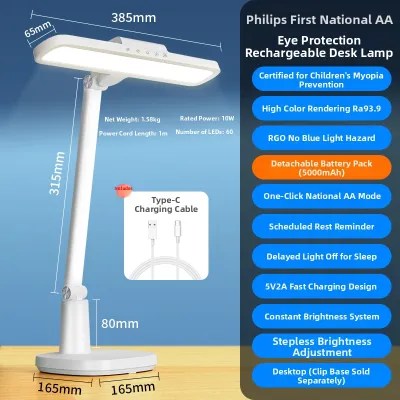
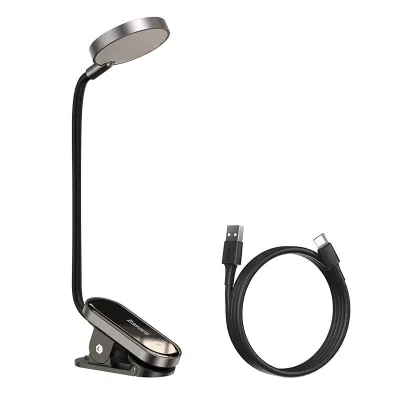
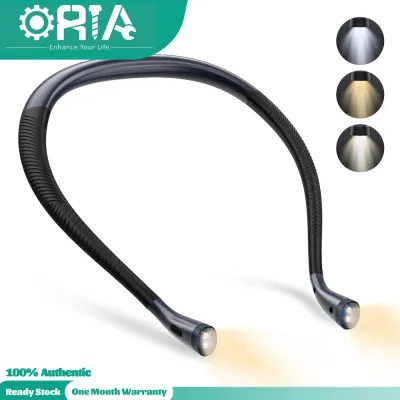
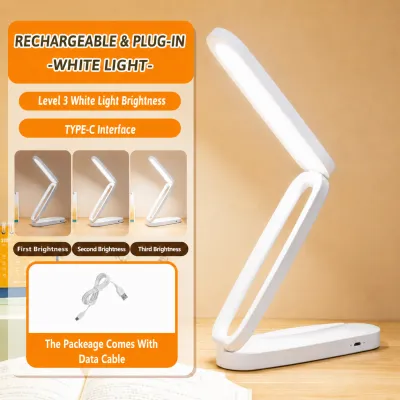
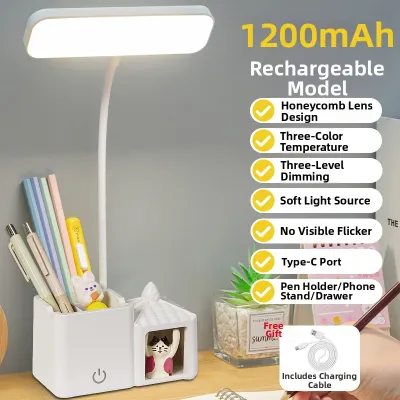
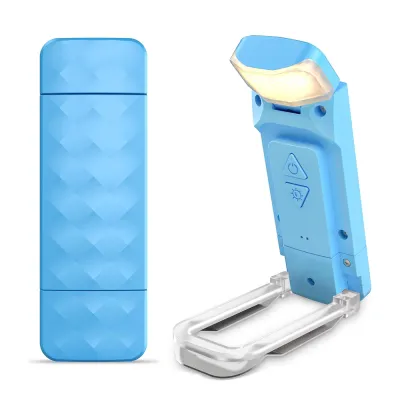
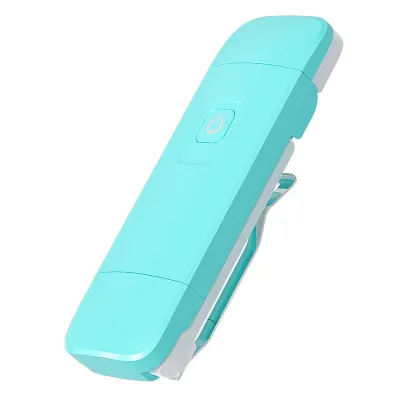
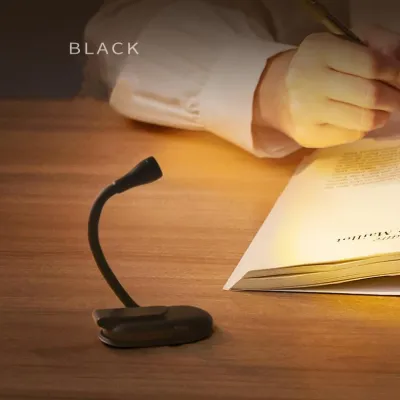
Prices are valid at publication and may change. Please refer to the product page for the latest price.
Invisible flickering is one of the most common, yet overlooked, causes of eye strain. Many low-grade LED lamps and fluorescent bulbs flicker at high frequencies that are imperceptible to the naked eye. Even though you cannot consciously see this rapid pulsing, your photoreceptors and brain detect it. This constant fluctuation forces the ciliary muscles and the iris to continuously adjust the pupil’s size to regulate light intake. Over several hours, this micro-adjustment process exhausts the ocular muscles, resulting in a dull ache behind the eyes and physical fatigue.
Harsh glare and extreme contrast ratios present another major physiological challenge. When a lamp projects a concentrated beam of light onto a single spot on your desk, it creates a harsh hotspot. If the surrounding room is dark, your eyes are forced to navigate an extreme contrast boundary. Every time your gaze shifts from the brightly illuminated page to the dark edges of your desk, your eyes must undergo transient adaptation—constantly dilating and constricting to adjust to the shifting light levels. This process rapidly depletes visual pigments, causing dry eyes, irritation, and blurred vision.
Furthermore, poor color rendering significantly increases cognitive and visual load. Light sources with a low Color Rendering Index make text, diagrams, and colored illustrations look washed out, muddy, or distorted. When contrast is compromised in this manner, your visual cortex must exert extra effort to distinguish letters from the background page. This subtle but continuous struggle to resolve fine details leads to mental fatigue, forcing you to lean closer to your study materials and compromising your posture in the process.
Key Specifications to Look for in an Eye-Care Reading Light
Selecting an effective eye-care reading light requires verifying specific technical parameters. Manufacturers often use vague marketing terms to describe their products, making it essential to understand how to read product labels and technical specifications to ensure a lamp provides genuine visual protection.

Flicker-Free Technology and Blue Light Management
To protect your eyes from invisible micro-fluctuations, look for lamps that explicitly state they feature flicker-free technology. High-quality manufacturers design their LED drivers to deliver a continuous, smooth electrical current rather than relying on low-frequency Pulse Width Modulation (PWM) to dim the light. When evaluating options, look for compliance with the IEEE PAR 1789 standard, which defines safe limits for flicker in LED lighting, or search for certified “flicker-free” labels from independent testing bodies.
Managing blue light exposure is equally critical, especially during evening study sessions. Short-wavelength blue light (between 415 and 455 nanometers) stimulates the production of cortisol, which boosts daytime alertness but can cause retinal strain and disrupt your sleep-wake cycle if used late at night. To mitigate this, look for lamps that utilize hardware-level blue light reduction, such as specialized phosphor coatings on the LED chips that shift the spectral output away from hazardous blue wavelengths. While software-based dimming simply lowers overall light output, hardware-level engineering maintains high-quality illumination while keeping blue light emissions within safe limits. Additionally, switching to a warmer color temperature in the evening helps protect your natural circadian rhythms.
Illuminance, Uniformity, and Color Rendering Index (CRI)
Illuminance, measured in Lux, refers to the amount of light that falls on a specific surface area. For intense study sessions, a central illuminance of 500 to 750 Lux on your desk surface is generally recommended to ensure clear text contrast. However, high brightness alone is insufficient without proper uniformity. Light uniformity is the ratio of minimum illuminance to average or maximum illuminance across your workspace. A low uniformity ratio creates distracting shadows and bright hotspots, forcing your eyes to readapt constantly. Look for lamps with wide diffusion panels that distribute light evenly across your entire study area, aiming for a uniformity ratio of 0.5 or higher.
Color rendering is another critical metric for visual comfort, measured by the Color Rendering Index (CRI or Ra). The CRI scale ranges up to 100, which represents natural daylight. For studying, you should select a reading light with a CRI of 90 or above. A high CRI ensures that black text stands out sharply against white or cream paper and that colored diagrams, maps, and anatomical illustrations are represented with high color accuracy. This high-contrast rendering reduces the cognitive effort required to process visual information, allowing for longer, more comfortable reading sessions.
Adjustable Color Temperature and Brightness
Because your lighting needs change depending on the time of day and the task at hand, adjustability is a vital feature of any high-quality study lamp. Look for lamps that offer stepless dimming rather than a few fixed brightness steps. Stepless dimming allows you to fine-tune the light output to match the exact ambient light levels in your room, preventing sudden jumps in brightness that can cause temporary glare or discomfort.
Color temperature, measured in Kelvin (K), dictates the warmth or coolness of the light. A versatile study lamp should offer an adjustable range from roughly 2700K to 6500K:
- Cool White Light (5000K – 6500K): This spectrum mimics natural daylight and is ideal for morning or daytime study sessions. It promotes alertness, enhances focus, and is highly suited for analytical tasks, math, or proofreading.
- Neutral White Light (4000K): A balanced, clean light that provides excellent contrast without being overly harsh, making it comfortable for general reading and writing over several hours.
- Warm White Light (2700K – 3000K): This soft, golden light is highly recommended for late-night reading. It minimizes blue light exposure, helping your body transition naturally into sleep while still providing sufficient contrast for physical books.
Best Desk Lamp Designs for Extended Reading and Studying
The physical design of your reading light plays a major role in how effectively it illuminates your workspace without causing glare. Different desk layouts and study mediums require specific structural configurations to optimize eye comfort.
Asymmetrical Screen Bars and Monitor Lights
If your study sessions involve a mix of digital screens and physical note-taking, an asymmetrical screen bar is an excellent option. Unlike traditional lamps that cast light in a symmetrical cone, these compact fixtures clip directly to the top of your computer monitor or laptop screen. They use an asymmetrical optical design, utilizing internal reflectors or precise lenses to project light downward and forward at a sharp angle.
This precise beam path ensures that light illuminates your keyboard and immediate desk space without striking the screen itself, completely eliminating screen glare and reflections that cause digital eye strain. However, screen bars do have limitations. Because their light distribution is highly directional and focused directly in front of the monitor, they may not provide a wide enough spread of light if you need to spread out multiple large physical textbooks or draft large design sheets across a wide desk.
Adjustable LED Desk Lamps with Auto-Dimming Sensors
For dynamic study environments where natural daylight changes throughout the day, adjustable LED desk lamps equipped with built-in auto-dimming sensors offer significant ergonomic benefits. These lamps feature integrated photoelectric sensors that continuously monitor the ambient light levels bouncing off your desk surface. If the afternoon sun fades or clouds pass by, the lamp automatically increases its brightness to maintain a stable, pre-set contrast ratio on your workspace.
This automatic adjustment prevents you from studying in deteriorating light conditions without realizing it, which is a common cause of late-afternoon eye strain. When selecting an auto-dimming lamp, ensure it includes a manual override option. Highly reflective white paper or dark desk mats can sometimes confuse the sensor, so having the ability to turn the auto-dimming feature off and adjust the brightness manually is essential for personal customization.
Broad-Head Architectural Task Lamps
For large desks where you need to spread out textbooks, notebooks, and reference materials simultaneously, a broad-head architectural task lamp remains the gold standard. These lamps typically feature long, multi-hinged, spring-balanced metal arms paired with wide, elongated light heads containing high-efficiency diffusers. This design allows you to position the light source high above your workspace, casting a broad, highly uniform blanket of light across a large area.
When choosing an architectural lamp, pay close attention to the structural stability of the unit. Ensure the lamp features a heavy, well-weighted base or a robust metal G-clamp that secures tightly to the edge of your desk. This physical stability is crucial, as it allows you to smoothly adjust the height, angle, and reach of the lamp head with one hand without the risk of the fixture tipping over or shifting during a study session.
How to Position Your Reading Light to Prevent Glare and Shadows
Even the most advanced eye-care lamp can cause significant eye strain if it is positioned incorrectly. Proper placement ensures that light is directed exactly where it is needed while keeping harsh reflections and shadows out of your field of view.
To prevent direct glare, position the lamp head so that the light source itself is completely out of your direct line of sight. The bottom of the lamp shade or light panel should be positioned roughly at eye level or slightly below. If the light source is too high, the bare LEDs or bulb may shine directly into your eyes; if it is too low, the illuminated area on your desk will be too small, creating harsh contrast boundaries.
To prevent reflective glare, particularly when reading glossy textbooks or using digital tablets, angle the light head slightly away from your face. This ensures that any light reflecting off the shiny surface bounces away from your eyes rather than directly into them. Additionally, consider your handedness to avoid casting frustrating shadows over your work:
- Right-Handed Writers: Place the desk lamp on your left side so your writing hand does not cast a shadow across your notebook.
- Left-Handed Writers: Place the desk lamp on your right side to keep your workspace clear of hand shadows.
Furthermore, avoid the common mistake of studying in a pitch-black room with only your desk lamp turned on. This creates a severe “cave effect,” forcing your eyes to strain whenever you look away from the page. Always maintain soft bias lighting or ambient room light—such as a dimmed ceiling light or a warm floor lamp in the corner—set to roughly 10% to 20% of your desk lamp’s brightness. This gentle background light softens contrast boundaries and significantly reduces visual fatigue.
Finally, remember that lighting is only one component of eye care. To protect your vision during long study sessions, integrate the “20-20-20” rule into your routine: every 20 minutes, take a 20-second break to look at an object at least 20 feet (about 6 meters) away. This simple practice allows the ciliary muscles in your eyes to fully relax, preventing accommodation spasms and long-term fatigue.
Pre-Purchase Checklist for Reading Lights in the Philippines
Before purchasing a reading light from physical retail stores or online ecommerce platforms in the Philippines, it is important to verify local compatibility, electrical safety, and environmental durability to ensure your investment lasts.
- Verify Voltage and Frequency Compatibility: The electrical grid in the Philippines operates at 220V AC at 60Hz. Many imported lamps sold online are designed for 110V/50Hz markets (such as the US or Japan). Plugging a 110V lamp directly into a local 220V outlet without a step-down transformer will permanently damage the internal LED driver and poses a severe fire hazard. Always check the power adapter or product specifications for a "100-240V ~ 50/60Hz" or "220V" rating.
- Look for Official Safety Certifications: To protect your home from electrical hazards, avoid unbranded, unusually cheap lighting products that bypass local safety regulations. Ensure the product features recognized safety marks, such as the Philippine Standard (PS) Quality and/or Safety Mark or an Import Commodity Clearance (ICC) sticker. These certifications guarantee that the lamp's wiring, insulation, and power adapter have been tested to withstand local voltage fluctuations safely.
- Assess Heat Dissipation and Humidity Resistance: In the warm, humid tropical climate of the Philippines, heat is the primary enemy of LED components. High ambient temperatures can cause cheap plastic LED housings to trap heat, leading to rapid lumen degradation, color shifting, and premature driver failure. Prioritize lamps constructed with aluminum alloy housings or dedicated metal heat sinks, which dissipate heat far more effectively and ensure the LEDs maintain their brightness and color accuracy over years of use.
- Review Warranty Terms: LED drivers and smart touch-control panels are the most common failure points in modern study lamps. Before purchasing, verify the manufacturer's warranty terms. Look for products that offer at least a one-year local warranty, and check if the seller provides straightforward replacement policies for the power adapter or the entire unit in the event of hardware failure.
Frequently Asked Questions (FAQ)
Is warm or cool light better for reading books at night?
Warm light (ranging from 2700K to 3000K) is much better for reading books at night. Warm wavelengths emit significantly less blue light, which helps prevent the suppression of melatonin, allowing your body to prepare naturally for sleep. When reading at night, ensure you adjust the brightness of the warm light so that the contrast between the text and the paper remains high enough to read comfortably without squinting.
Can a reading light completely cure digital eye strain?
No, a high-quality reading light cannot completely cure digital eye strain. While a good light significantly reduces external glare, reflections, and contrast fatigue, digital eye strain (also known as Computer Vision Syndrome) is also caused by a reduced blink rate when staring at screens, close viewing distances, and poor screen resolution. To manage digital eye strain effectively, you must combine proper task lighting with regular screen breaks, conscious blinking, and correct monitor positioning.
How often should I replace the bulbs in my study lamp?
If your study lamp uses traditional screw-in bulbs (such as standard E27 LED or incandescent bulbs), you should replace them as soon as you notice visible flickering, dimming, or a shift in color temperature. If your lamp features an integrated LED panel, the light source itself is designed to last between 25,000 and 50,000 hours, which can translate to over a decade of daily use. However, if the internal LED driver or control circuitry fails in an integrated fixture, you will typically need to replace the entire unit or the external power adapter.
Community discussion
Share your experience or ask a question. Comments are reviewed before publication.