
Creating an immersive gaming setup often comes down to the quality of your ambient lighting. However, managing a web of power cables in a compact space can be incredibly frustrating. A cordless rechargeable led light offers a practical solution, delivering vibrant RGB effects and flexible placement options without cluttering your desk.
Why Choose Rechargeable LED Lights for Your Gaming Room?
A clean desk setup is the foundation of any modern gaming room or streaming background. Standard wired RGB strips and lamps require routing cables behind desks, along walls, and into already overcrowded power strips. By transitioning to cordless, rechargeable fixtures, you eliminate cable clutter entirely, achieving a minimalist aesthetic that looks polished both in person and on camera.
The primary advantage of these fixtures is their exceptional portability. Unlike traditional lighting that must remain tethered to a wall outlet or a USB hub, cordless lights can be repositioned instantly. This flexibility allows you to adapt your lighting setup on the fly, whether you are shifting your streaming angle, highlighting a new piece of hardware, or reorganizing your entire room layout.
Products mentioned in this guide
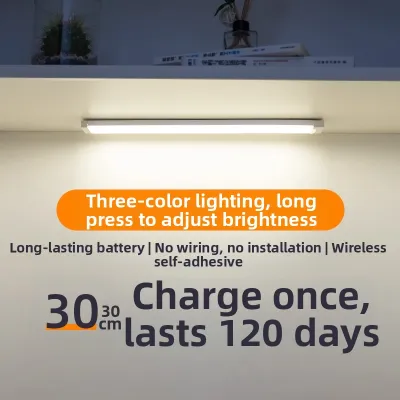
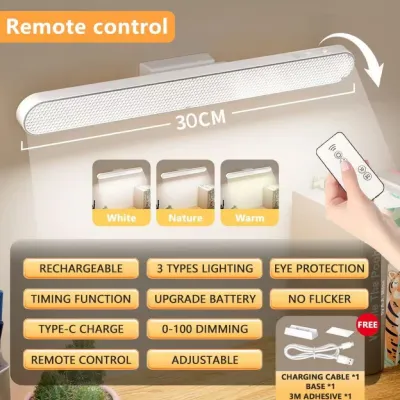
Prices are valid at publication and may change. Please refer to the product page for the latest price.
For gamers living in the Philippines, rechargeable options address several practical challenges. Compact condo layouts, common in urban centers like Metro Manila, often feature limited wall outlets that are poorly positioned for elaborate desk setups. Running extension cords across small rooms creates tripping hazards and ruins the clean lines of your space. Furthermore, having battery-powered lighting provides a reliable backup light source during sudden power interruptions or tropical storms.
Because inventory on local e-commerce platforms fluctuates rapidly, this guide focuses on evaluating key form factors, technical specifications, and placement strategies rather than specific brand models. Understanding these core elements will empower you to find high-quality, reliable lighting solutions that fit your budget and setup requirements.
Top Form Factors for Rechargeable Gaming RGB Lights
Choosing the right physical shape for your cordless lighting dictates how light behaves in your space. Different form factors produce distinct visual effects, ranging from broad, soft color washes to sharp, focused accent highlights.

Rechargeable RGB Light Bars and Tubes
Linear, battery-powered light bars are highly versatile fixtures that can be positioned either horizontally or vertically. Their primary use case is monitor backlighting, also known as bias lighting. Placing a light bar horizontally behind your monitor projects a soft, even glow onto the back wall, which helps balance screen contrast and reduce eye strain.
Alternatively, standing these tubes vertically on either side of your desk or in the corners of your room adds significant visual depth. Vertical lighting draws the eye upward, making compact gaming spaces feel much larger than they actually are.
Before purchasing, always verify the base footprint and physical dimensions of the light bar. Some models feature wide, circular stands that may not fit comfortably on narrow desk edges, shallow monitor stands, or floating wall shelves. Ensure the physical dimensions of the stand align with your planned placement area.
Magnetic Cordless LED Pucks and Pods
Magnetic pucks and pods are small, modular lights designed for targeted accent lighting. They are exceptionally useful for mounting under shelves, highlighting collectible figures, or outlining the underside perimeter of your desk to create a floating effect.
The defining feature of these lights is their magnetic mounting system. Typically, you apply a small metal plate to your desired surface using double-sided adhesive, and the light pod snaps magnetically onto the plate. When the battery runs low, you can easily detach the unit to charge it near a power source without peeling off the adhesive mount.
When evaluating these products, pay close attention to the weight of the light unit and the strength of the magnet. In highly humid tropical environments, standard adhesive backings can degrade over time. To prevent expensive equipment damage from falling fixtures, choose lightweight pucks with strong, high-quality magnets.
Portable Smart Desk Lamps with RGB Modes
Portable smart desk lamps offer a dual-purpose lighting solution, serving as functional task lights during the day and ambient gaming lights at night. These fixtures typically feature high-CRI (Color Rendering Index) white light modes for working or studying, alongside customizable RGB modes for gaming sessions.
Because they are designed to deliver both high-intensity white light and colorful ambiance, these lamps require larger internal batteries. Consequently, they are heavier and bulkier than light bars or pucks, making them unsuitable for wall or shelf mounting.
These fixtures are best suited for direct desktop placement. When selecting a portable lamp, check the dimming method—such as touch-sensitive sliders or physical buttons—and ensure the base is heavy enough to prevent the lamp from tipping over when adjusted.
Key Specifications to Evaluate for a Rechargeable LED Light
To avoid purchasing low-quality novelty items that lose their charge within minutes, you must carefully evaluate several technical specifications before making a buying decision.
Battery Capacity and Runtime
A light’s battery capacity is measured in milliampere-hours (mAh). While a higher mAh rating generally indicates a longer runtime, actual battery life depends heavily on your chosen brightness levels and color modes.
Maximum brightness settings and dynamic, fast-shifting RGB modes consume significantly more power than static, dimmed colors. A fixture that can run for 24 hours on a low, warm white setting might deplete its battery in less than three hours when set to a high-intensity, multi-color cycling mode.
When browsing online marketplaces, look for product descriptions that explicitly state the expected runtime under specific RGB settings. If a listing only boasts a long standby time or runtime at minimum brightness, expect the actual performance during active gaming sessions to be substantially lower.
Brightness (Lumens) and Color Accuracy
Ambient gaming lights should provide a comfortable glow rather than intense, blinding illumination. For dark-room gaming setups, a maximum output of 100 to 300 lumens is generally sufficient to create a vibrant atmosphere without causing distracting reflections on your monitor.
It is also important to distinguish between basic RGB and addressable RGB (ARGB). Basic RGB lights can only display a single color across the entire fixture at any given time. In contrast, addressable RGB lights allow multiple colors to run simultaneously along the light source, enabling smooth color gradients, flowing waves, and more sophisticated visual effects.
For content creators, streamers, or video editors, color accuracy and camera compatibility are critical. Low-quality LEDs often utilize cheap pulse-width modulation (PWM) for dimming, which can cause visible flickering or horizontal lines on camera. Look for fixtures that specify flicker-free operation or high-frequency dimming to ensure your video recordings remain clean and professional.
Control Methods and Smart Integration
Control options range from physical buttons and infrared (IR) remotes to advanced smartphone applications. Physical buttons are highly reliable but can be inconvenient if the light is mounted in a hard-to-reach area, such as behind a large monitor or on a high shelf.
Smart app integration via Bluetooth or Wi-Fi offers precise control over brightness levels, custom color scenes, and automated timers. This allows you to synchronize multiple cordless lights to change colors simultaneously, creating a cohesive atmosphere across your entire room.
However, smart connectivity requires constant power. Lights with active Bluetooth or Wi-Fi receivers experience a small amount of standby battery drain even when turned off. If you prioritize smart features, be prepared to charge your fixtures slightly more often than manually controlled models.
Strategic Placement for the Best Gaming Atmosphere
Achieving a balanced, visually appealing gaming environment requires strategic light placement. Proper positioning enhances the room’s aesthetic while protecting your eyes from fatigue.
- Monitor Backlighting: Placing a linear light bar directly behind your main screen is highly effective for reducing eye strain. By casting a soft glow onto the wall behind your monitor, you balance the contrast between the bright display and the dark room. This visual buffer allows your eyes to adjust more comfortably during long gaming sessions.
- Desk Perimeter and Edges: Positioning linear light tubes or magnetic pucks along the back or underside of your desk outlines the shape of your workspace. This technique creates an immersive "cockpit" feel. If you mount lights under the desk, angle them downward to cast a soft wash of color across the floor rather than directly into your eyes.
- Shelf and Background Accents: If you stream, record video, or simply want to show off your room, your background is just as important as your desk. Use magnetic puck lights on wall shelves to highlight collectibles, action figures, or books. Placing vertical light bars in the corners of the room adds depth and eliminates dark, empty spaces in your camera's field of view.
- Glare Prevention: To maintain competitive performance, avoid placing lights in your direct line of sight or angling them where they reflect off your screen. Position ambient fixtures so the physical light source is hidden from view, allowing only the reflected glow to illuminate your space.
- Charging Accessibility: When planning your setup, always consider how you will recharge the fixtures. Avoid mounting lights in positions that block access to their USB-C or micro-USB charging ports. If you use adhesive-mounted magnetic plates, ensure there is enough physical clearance to slide or pull the light away from the wall without peeling the adhesive off your paint or furniture.
Battery Maintenance and Safety Guidelines
Lithium-ion batteries require proper care to ensure long-term performance and prevent safety hazards, especially in tropical climates.
- Charging Best Practices: Avoid leaving your rechargeable lights plugged into a charger 24/7. Continuous charging without overcharge protection can degrade the battery chemistry and shorten its overall lifespan. Unplug the fixtures once they reach a full charge, or use a smart plug to automate the charging cycle.
- Heat Management: High temperatures are the primary enemy of lithium-ion batteries. Do not place rechargeable lights directly in the path of your PC's hot exhaust vents or inside unventilated enclosures. In the Philippines, high ambient temperatures and humidity can accelerate heat buildup, so ensure your gaming room has adequate airflow.
- Long-Term Storage: If you plan to store your lights and not use them for several weeks, do not store them completely empty or fully charged. Aim for a charge level of approximately 50%. Storing a battery at 0% can lead to deep discharge, rendering it incapable of holding a charge in the future.
- Purchasing Safety: When shopping on local e-commerce platforms, prioritize listings that demonstrate compliance with international or local electrical safety standards. Read customer reviews carefully, paying close attention to any reports of unusual battery swelling, overheating, or rapid capacity loss. If a light becomes unusually hot to the touch during charging, disconnect it immediately and consult the manufacturer.
Frequently Asked Questions (FAQ)
Can rechargeable LED lights sync with PC games?
True low-latency game syncing—where lights react instantly to on-screen action or in-game events—typically requires a high-bandwidth connection and dedicated desktop software. While some advanced smart rechargeable lights offer basic app-based music or screen syncing via a smartphone camera, true real-time PC integration is rare in purely battery-powered, cordless models. The constant data transmission and rapid color shifts required for game syncing place a heavy demand on both the wireless connection and the battery, making wired alternatives far more practical for this specific feature.
How long do gaming RGB lights last on a single charge?
The runtime of a rechargeable RGB light varies significantly based on its battery capacity and your chosen settings. As a general framework, a standard light running a static, low-brightness ambient color can last anywhere from 8 to over 20 hours on a single charge. However, if you switch to maximum brightness and activate dynamic, fast-moving color-shifting effects, the battery may deplete within 2 to 4 hours. Always check the manufacturer’s detailed specifications for the exact lighting mode you plan to use most frequently.
Community discussion
Share your experience or ask a question. Comments are reviewed before publication.