
Finding the right balance between productive lighting and physical adaptability is a constant challenge for Filipino students and remote workers. Whether you are prepping for board exams in a shared dormitory or finishing client deliverables during a sudden power interruption, having a reliable light source is critical. A high-quality study lamp rechargeable setup offers the perfect solution, combining energy-efficient LED technology with independent battery power. By choosing a cordless option, you secure uninterrupted focus regardless of grid stability or desk space limitations.
Traditional plug-in lamps limit your workspace to the immediate vicinity of a wall outlet, creating cluttered cords and restricting your productivity. In contrast, modern rechargeable alternatives provide the freedom to set up a workspace anywhere, from a quiet dining table to a bedside corner. This flexibility, paired with advanced eye-protection features, makes these portable devices an indispensable tool for modern academic and professional routines in the Philippines.
Why Rechargeable Lamps Are Ideal for Students and Remote Workers
Operating a workspace in the Philippines requires a high degree of adaptability due to unique domestic environments and infrastructure challenges. One of the most compelling advantages of a rechargeable task light is its complete physical mobility. Many homes utilize multi-purpose spaces where a single table serves as a dining area, a classroom, and a remote office throughout the day. A cordless lamp allows you to transition between these configurations instantly without routing extension cords across high-traffic living areas.
Products mentioned in this guide
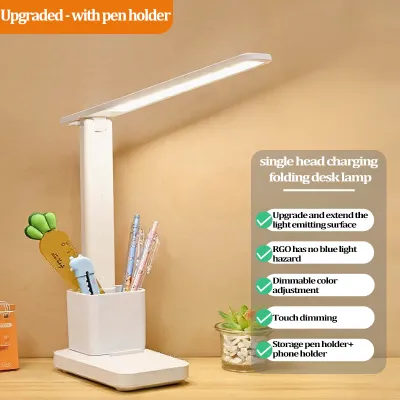
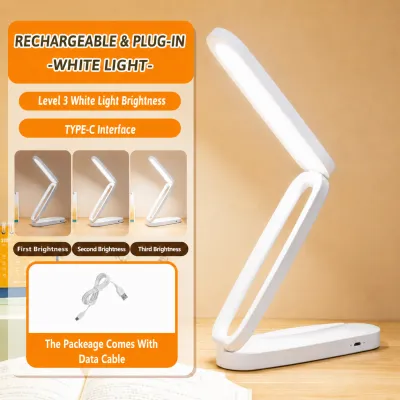
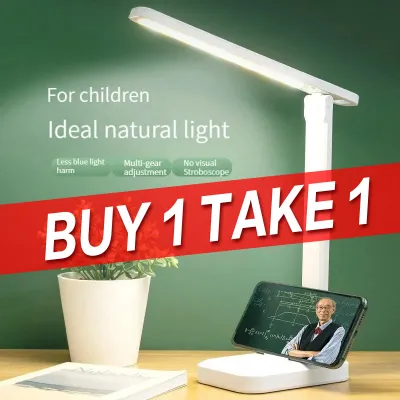
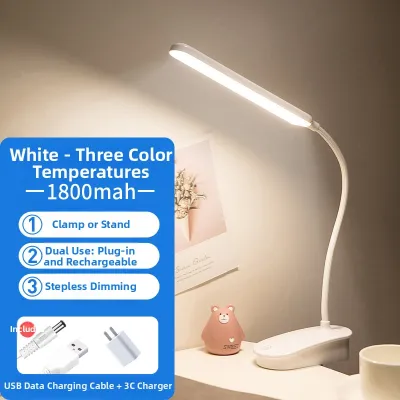
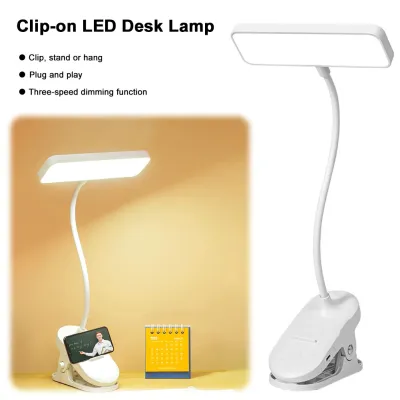
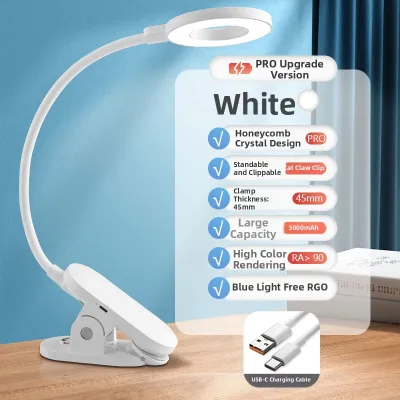
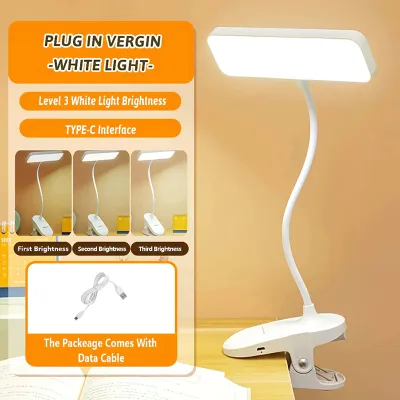
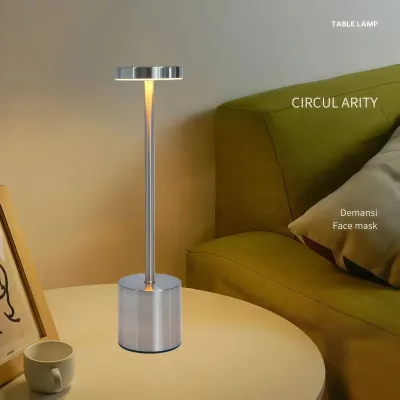
Prices are valid at publication and may change. Please refer to the product page for the latest price.
Power stability is another critical factor that makes rechargeable lighting a necessity rather than a luxury. During the typhoon season, provincial grids and even urban centers frequently experience scheduled maintenance, rotational brownouts, or sudden outages. A reliable rechargeable lamp acts as an immediate emergency backup, ensuring that a sudden loss of grid power does not disrupt your study sessions, exams, or remote work shifts. Maintaining visual continuity during these outages prevents eye strain and reduces the stress of unexpected interruptions.
Furthermore, compact living arrangements demand efficient space management. Boarding houses, university dormitories, and studio condominiums often feature small, shared desks where every square inch of surface area is highly valuable. Eliminating bulky power adapters and dangling cords declutters your desk, creating a more organized and mentally calming environment. It also eliminates the safety hazard of tripping over cords in dimly lit rooms, making your study or work area inherently safer.
Key Features to Evaluate When Choosing a Study Lamp Rechargeable Model
Selecting the right rechargeable lamp requires looking past aesthetic appeal to evaluate technical specifications. Because these devices rely on internal batteries and integrated LED arrays, understanding their core components ensures you select a model that fits your daily workflow. Prioritizing verified performance metrics over vague marketing terms will help you find a durable, high-performing light source.

Battery Capacity and Runtime
The operating life of a rechargeable lamp is directly tied to its battery capacity, which is measured in milliampere-hours (mAh). Standard models typically feature battery capacities ranging from 1,200 mAh to 4,000 mAh. A 1,200 mAh battery generally provides two to three hours of continuous illumination at maximum brightness, which is suitable for short study sessions but inadequate for overnight power outages. For extended remote work shifts, look for a capacity of at least 2,000 mAh to 4,000 mAh, which can deliver up to eight hours of bright light or dozens of hours on a low, dimmed setting.
Light Quality and Eye Care
High-quality illumination is essential for preventing eye fatigue during long hours of reading or typing. When evaluating light quality, look for the lumen rating, which measures the total amount of visible light emitted. A study lamp should ideally deliver between 150 and 500 lumens of adjustable brightness. Additionally, verify that the lamp features flicker-free technology, as invisible high-frequency flickering is a primary cause of headaches and eye strain. Look for models with a high Color Rendering Index (CRI of Ra 80 or above) to ensure colors appear natural and vivid under the light.
Adjustable color temperature is another crucial eye-care feature. Color temperature is measured in Kelvin (K) and typically ranges from warm yellow to cool white:
- Warm White (3000K): Best for late-night reading and bedside use, as it minimizes blue light exposure and helps your body transition to sleep.
- Neutral White (4000K): Ideal for general desk work, writing, and computer tasks, providing a balanced, natural daylight effect.
- Cool White (5000K to 6500K): Excellent for high-focus tasks, proofreading, and daytime study, as it mimics bright daylight and promotes alertness.
Charging Standards and Electrical Safety
Modern rechargeable lamps should utilize universal charging standards to simplify your setup. Choosing a lamp with a USB-C port ensures compatibility with your existing smartphone chargers, laptops, and power banks, eliminating the need to keep track of proprietary charging cables. Avoid models that rely on outdated, fragile Micro-USB ports or obscure cylindrical DC jacks, which are difficult to replace if lost or damaged.
Electrical safety is paramount when dealing with lithium-ion batteries. Always verify that the lamp or its included charging adapter complies with local and international safety standards. In the Philippines, look for products that carry safety certifications such as the Philippine Standard (PS) mark or the Import Clearance Certificate (ICC) sticker on their power bricks. These markings confirm that the device has undergone rigorous testing for overcurrent, overvoltage, and thermal protection, minimizing the risk of short circuits or overheating during charging.
Adjustability and Ergonomics
A high-quality lamp must allow you to direct light precisely where it is needed without casting shadows or creating glare on your computer screen. Two primary mechanical designs facilitate this adjustability:
- Flexible Goosenecks: Constructed from silicone-coated metal, these necks offer 360-degree seamless bending, allowing you to twist and tilt the lamp head to any angle.
- Hinged Folding Arms: Utilizing multi-axis joints, these arms provide precise vertical and horizontal adjustments, making them easy to fold flat when not in use.
Top Rechargeable Lamp Designs for Desk and Bedside Setups
Rechargeable lamps come in several distinct form factors tailored to specific spatial constraints and user habits. Identifying how you intend to use the lamp—whether as a permanent fixture on a dedicated desk, a portable companion for study sessions on the go, or a space-saving bedside light—will guide you to the correct design category.
Foldable and Portable Desk Lamps
Foldable desk lamps are designed with portability as the primary focus, utilizing collapsible joints that allow the entire unit to fold down into a compact, linear shape. This design is highly favored by students who frequently move between dorm rooms, libraries, and local coffee shops, as it slips easily into a laptop sleeve or backpack.
Pros:
- Highly compact and lightweight, making them exceptionally easy to transport.
- Easy to store in drawers or bags when not in use, keeping temporary workspaces clear.
- Often feature sleek, minimalist aesthetics that complement modern laptops.
Cons:
- Typically feature a smaller light panel, resulting in a narrower light spread across the desk.
- The lightweight base can make the lamp unstable or prone to tipping if the arm is fully extended forward.
When choosing a foldable model, pay close attention to the tension of the hinges. Loose hinges will cause the lamp head to droop over time, rendering the device frustrating to use. It is also wise to check the weight distribution of the base; a slightly weighted bottom or integrated non-slip rubber pads will prevent the lamp from sliding or tipping over on smooth wooden or glass tables.
Clip-On and Attachable Lamps
Clip-on lamps feature a heavy-duty, spring-loaded clamp instead of a traditional flat base. This allows you to mount the light source directly onto the edge of a desk, a floating wall shelf, a laptop screen, or a bed headboard, making them excellent solutions for highly constrained spaces.
Pros:
- Occupies zero actual desk surface area, leaving more room for books, notebooks, and laptops.
- Highly versatile mounting options, allowing you to position the light source higher than a standard desk lamp would allow.
- Great for bunk beds or shared dorm rooms where bedside table space is non-existent.
Cons:
- Requires a sturdy, exposed edge of a compatible thickness to clamp onto securely.
- Generally features shorter neck lengths, which limits how far the light can reach across a large desk.
Before purchasing a clip-on model, measure the maximum opening capacity of the clamp to ensure it can accommodate the thickness of your desk or headboard. Additionally, verify that the inner surfaces of the clamp are lined with soft silicone or dense foam padding. Unpadded plastic or metal clamps can easily scratch, dent, or strip the paint off wooden and laminated furniture over time.
Multi-Functional Base Lamps with Storage
Multi-functional base lamps are designed to serve as central organizers for your workspace. The base of the lamp is expanded to include built-in pen holders, small storage compartments for paperclips and sticky notes, and molded slots that act as horizontal or vertical stands for smartphones and tablets.
Pros:
- Consolidates multiple desk accessories into a single footprint, helping to organize cluttered workspaces.
- The wider, heavier base provides excellent physical stability, virtually eliminating the risk of accidental tipping.
- The integrated phone stand is incredibly convenient for attending online lectures, watching reference videos, or monitoring notifications while working.
Cons:
- Significantly bulkier and heavier than foldable designs, making them impractical for travel or mobile use.
- Takes up a larger permanent footprint on your desk surface.
When evaluating a multi-functional model, ensure that the storage compartments are positioned in a way that does not block access to the touch controls or the USB charging port. It is also important to check that the added features do not come at the expense of battery capacity; some low-quality models prioritize storage space over internal battery volume, resulting in shorter runtimes.
How to Maximize Battery Life and Eye Comfort
To get the most value out of your rechargeable study lamp, you must practice proper battery maintenance and position the light correctly. Taking care of the internal lithium battery ensures the lamp remains reliable for years, while correct positioning protects your vision from unnecessary strain.
To maintain the health of the internal lithium-ion battery, avoid deep discharge cycles. Waiting until the lamp dies completely before plugging it in puts excessive stress on the battery cells, shortening their overall lifespan. Instead, connect the lamp to a charger as soon as you notice the light output beginning to dim or when the low-battery indicator flashes. Additionally, avoid exposing the lamp to extreme heat. In the tropical climate of the Philippines, indoor temperatures can rise significantly, so avoid leaving your lamp sitting in direct sunlight near closed windows or inside a hot car, as high temperatures accelerate battery degradation.
Another common point of confusion is whether you can use the lamp while it is continuously plugged into a charger. Many modern rechargeable lamps support bypass charging, which allows the incoming electrical current to power the LEDs directly without cycling through the battery. However, cheaper or older models may continuously charge and discharge the battery simultaneously, leading to heat buildup and rapid battery wear. Always consult the manufacturer’s user manual to verify if your specific model is rated for continuous plug-in use, and unplug the device once it reaches a full charge if bypass charging is not supported.
For optimal eye comfort, the positioning of your study lamp is just as important as the quality of the light itself. Position the lamp on the opposite side of your dominant hand to prevent casting distracting shadows across your writing surface (for example, if you are right-handed, place the lamp on your left). Adjust the height of the lamp head so that it sits slightly above your eye level, with the LED panel angled downward at roughly 30 degrees. This setup ensures that the light fully illuminates your workspace while preventing the bright LED chips from shining directly into your eyes or reflecting harsh glare off your computer monitor.
Frequently Asked Questions (FAQ)
Can I leave my rechargeable study lamp plugged in all the time?
Whether you can leave your lamp plugged in permanently depends entirely on the design of its internal circuitry. High-quality rechargeable lamps feature built-in overcharge protection and bypass circuits that stop charging the battery once it reaches 100%, allowing the lamp to run safely on direct USB power. However, basic or unbranded models often lack these safety features, meaning continuous charging can cause the battery to overheat, swell, and degrade prematurely. Always check your product’s user manual for specific guidance, and as a general safety precaution, unplug basic models once they are fully charged.
What is the best color temperature for studying at night?
For late-night study sessions, a warm white color temperature between 3000K and 4000K is highly recommended. Warm, yellowish light emits significantly less blue light compared to cool white daylight settings. Excessive exposure to blue light at night suppresses the production of melatonin, a hormone necessary for regulating your sleep cycle, which can lead to insomnia and poor sleep quality. Transitioning your lamp to a warm setting in the evening helps reduce eye strain under low ambient light conditions while allowing your body to wind down naturally for a restful night’s sleep.
How long should a good rechargeable study lamp last on a single charge?
The runtime of a rechargeable study lamp is highly variable and depends on both the battery capacity (mAh) and the selected brightness level. On average, a quality lamp with a 2,000 mAh battery should last between three to five hours when operated at its highest brightness setting. If you dim the lamp to a medium or low setting, the power draw decreases significantly, allowing the battery to sustain the light for 10 to 20 hours, or even up to 40 hours on a very low nightlight setting. Always review the manufacturer’s estimated runtime specifications to ensure the lamp aligns with your typical study or work patterns.

Community discussion
Share your experience or ask a question. Comments are reviewed before publication.