
Finding the right rechargeable table lamp for your work-from-home (WFH) or study space in the Philippines requires balancing eye comfort, battery reliability, and physical adaptability. Whether you are navigating sudden power interruptions during the rainy season or simply trying to optimize a compact desk setup, a high-quality cordless light source is an invaluable tool. The ideal choice provides sufficient brightness to prevent eye strain during long hours of reading or screen work, while offering enough battery capacity to remain functional when disconnected from a wall outlet.
To make an informed decision, you must look beyond aesthetic appeal and examine technical specifications like lumen output, color temperature versatility, and battery management systems. This guide breaks down the essential performance metrics and categorizes the best options available on local online marketplaces to help you select a lamp that fits your specific daily routine.
Why a Rechargeable Table Lamp Makes Sense for Philippine Homes
A cordless desk lamp offers practical advantages that go far beyond simple aesthetics. In many Philippine households, desk placement is often dictated by the location of the nearest electrical outlet. Older residential layouts or shared boarding rooms rarely feature outlets in every convenient corner, forcing users to stretch hazardous extension cords across floors. A portable, rechargeable table lamp eliminates this spatial restriction entirely, allowing you to position your workspace wherever ventilation, natural light, or quietness is optimal.
Products mentioned in this guide
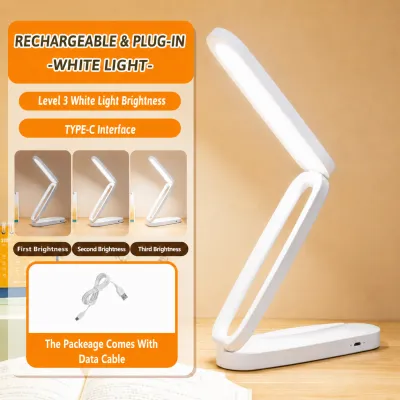
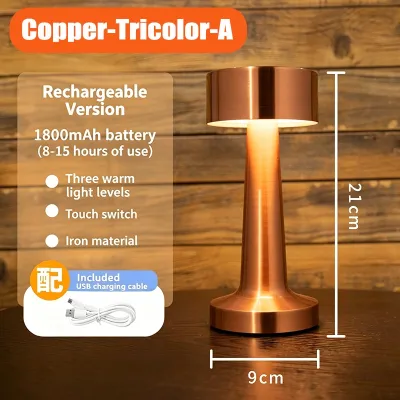
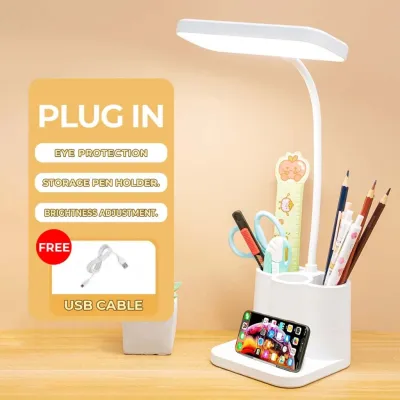
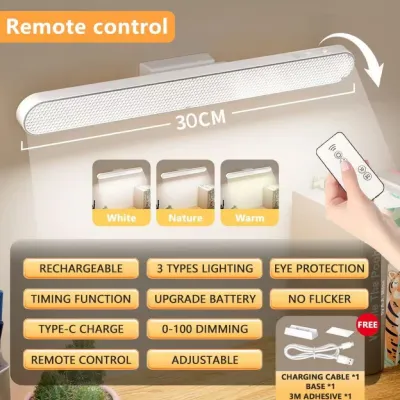
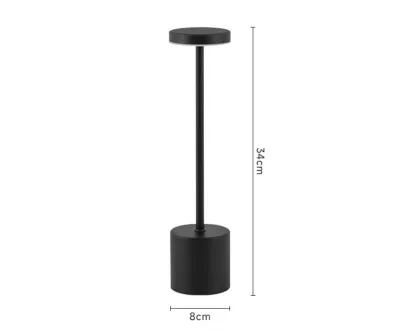
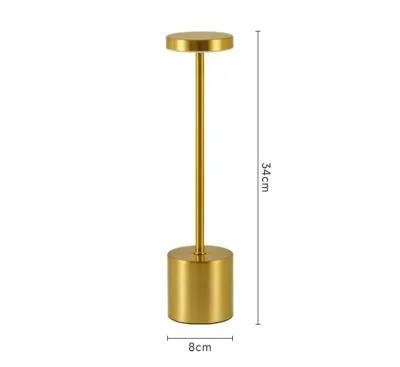
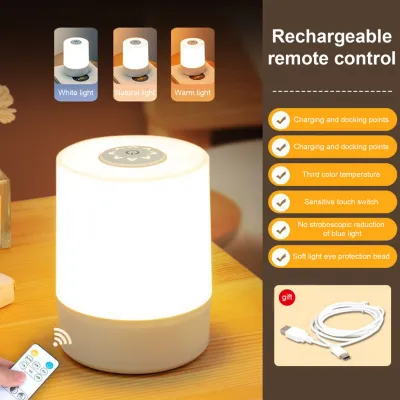
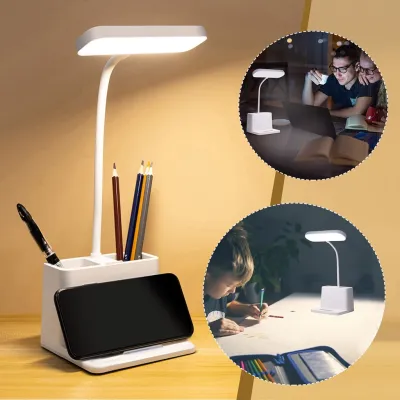
Prices are valid at publication and may change. Please refer to the product page for the latest price.
Furthermore, backup lighting is a necessity rather than a luxury in many regions of the country. With seasonal typhoons and localized grid maintenance leading to occasional brownouts or rolling power fluctuations, a sudden outage can instantly disrupt an important study session or a remote work meeting. Having a dedicated task light with an integrated battery ensures that your productivity does not grind to a halt the moment the mains power goes out.
Beyond emergency utility, removing power cords from your immediate workspace has a noticeable psychological benefit. Cluttered desks with tangled cables can increase cognitive load and cause unnecessary distractions. By transitioning to a rechargeable model, you can maintain a clean, minimalist desk surface that fosters better focus and reduces the accumulation of dust, which is particularly common in tropical environments.
Essential Specs for Prolonged WFH and Study Sessions
To ensure that a task light can support hours of intense focus without causing discomfort, you must evaluate several core technical specifications before making a purchase.

Battery Capacity vs. Runtime
A common misconception is that a higher milliamp-hour (mAh) rating automatically guarantees a longer-lasting light. While a larger battery capacity provides the raw energy storage, the actual runtime is heavily dependent on the lamp’s power consumption, LED efficiency, and brightness setting. For example, a lamp with a 4000mAh battery might run for 4 hours at its maximum 500-lumen setting, but could easily last up to 40 hours when dimmed to a low ambient level. When browsing specifications, always look for manufacturer-stated runtimes at specific brightness levels rather than relying solely on the mAh rating.
Brightness and Dimmability
Task lighting requires adequate illumination to prevent your eyes from working too hard to resolve fine text or small details. For reading and writing, look for a lamp capable of delivering at least 300 to 500 lumens of light on its highest setting. However, static brightness is rarely ideal for all-day use. A high-quality lamp should offer stepless dimming (gradual adjustment via a touch-and-hold control) or multiple stepped presets, allowing you to lower the intensity as ambient daylight changes or when you transition to screen-based work.
Color Temperature (Kelvin)
Light color profoundly impacts focus and circadian rhythms, though perceived color temperature and spatial effects remain subjective preferences rather than universal performance facts. Color temperature is measured in Kelvin (K) and generally falls into three bands:
- Cool White (4000K to 5000K): This crisp, neutral-to-cool light mimics daylight, which helps promote alertness, concentration, and visual clarity during daytime study or intensive work sessions.
- Warm White (2700K to 3000K): This softer, yellowish light is ideal for evening use. It minimizes blue light exposure, helping your eyes relax and preparing your body for sleep.
- Daylight (6000K and above): While highly bright, very cool blue-toned light can cause glare and eye strain over prolonged periods and is best used sparingly.
Eye-Care Features
Prolonged exposure to low-quality LED sources can lead to physical fatigue, headaches, and dry eyes. To safeguard your vision, prioritize lamps that feature flicker-free drivers. Even imperceptible high-frequency flickering can strain eye muscles over time. Additionally, look for models with frosted diffusers or honeycomb filters that scatter light evenly, reducing harsh shadows and preventing direct glare from bouncing off your laptop screen or glossy paper.
Charging Interface and Electrical Safety
The charging port on your lamp affects both convenience and long-term durability. Modern rechargeable lamps increasingly utilize USB-C ports, which offer faster charging times and a reversible connector that is less prone to physical wear than older Micro-USB ports. Choosing a USB-C compatible lamp also means you can easily share charging cables with your smartphone or laptop, reducing the number of accessories cluttering your desk.
Because these are portable, low-voltage devices, they do not require fixed wiring or work at height. However, always isolate the power by unplugging the charger before cleaning, and consult a qualified professional if you experience any electrical faults or battery swelling. Additionally, verify that any included USB wall adapter matches the local 220V electrical standard and carries trusted safety certifications.
Recommended Rechargeable Lamp Categories for Your Desk
Different study habits and workspace configurations require distinct lighting designs. Below are three curated categories of rechargeable lamps, detailing what to prioritize and what limitations to keep in mind.
Best for Long Study Sessions (High Capacity & Brightness)
Target Profile This category is designed for students, board exam reviewees, and professionals who spend six or more continuous hours at a desk reading physical textbooks, drafting, or taking detailed handwritten notes. These users require high-intensity, uniform illumination across a wide surface area without the risk of the light dimming mid-session.
What to Look For Prioritize models with robust, multi-jointed adjustable arms and heavily weighted bases. A stable base ensures the lamp will not tip over when the arm is fully extended over your workspace. Look for a minimum battery capacity of 3000mAh to 4000mAh, coupled with an LED panel that delivers a wide, rectangular light distribution to cover both your notebook and your keyboard.
Limitations to Note High-capacity lamps are naturally heavier and bulkier, making them less suitable for carrying in a backpack or frequently moving between rooms. They also require longer charging cycles, sometimes taking up to five hours to reach full capacity from a completely drained state. Before purchasing, verify the physical footprint of the base to ensure it does not crowd out your essential study materials.
Best for Compact or Shared Workspaces (Foldable & Portable)
Target Profile If you work from a small apartment, a shared dormitory, or frequently move your laptop from the dining table to the bedroom, portability is your primary concern. This category focuses on space-saving designs that can be quickly folded flat, clipped onto the edge of a shelf, or stowed away in a drawer when not in use.
What to Look For Look for lightweight materials, collapsible hinges, or high-tension clip-on bases that secure firmly to desk edges. A flexible silicone gooseneck is highly advantageous here, as it allows you to twist the light source into tight angles. A moderate battery capacity of 1200mAh to 2000mAh is typically sufficient, providing around three to four hours of continuous high brightness, which can be easily extended by plugging the lamp into a portable power bank.
Limitations to Note Because these models prioritize low weight and compact dimensions, their maximum brightness levels are generally lower than their larger counterparts, and the light spread is narrower. Additionally, you must check the maximum extension height of the lamp; if the neck is too short, the light source may block your view or cast a harsh shadow directly across your laptop screen.
Best for Late-Night Reading (Warm Light & Low Glare)
Target Profile This category caters to late-night readers, night-shift workers, or students sharing a bedroom who need to work late without disturbing others. The goal is to provide highly localized, low-intensity illumination that keeps the rest of the room dark while protecting the user’s eyes from harsh glare in an otherwise unlit space.
What to Look For Seek out lamps with highly adjustable color temperatures that can drop to a warm 2700K, alongside precise, stepless dimming controls that let you lower the output to single-digit lumens. Asymmetric light distribution—where the internal reflector directs light at an angle downward onto your desk rather than scattering it outward—is highly effective at preventing light from spilling across the room or reflecting off monitor screens.
Limitations to Note These specialized lamps are not intended for large desk coverage or highly detailed, color-critical tasks like drawing or painting, as the warm, low-intensity light can alter color perception. When selecting a model, verify that the lowest brightness setting is truly dim enough to prevent sleep disruption for a roommate sharing the same space.
Quick Spec Checklist Before You Checkout
To help you finalize your decision, the following comparison matrix outlines how these three categories perform across key operational dimensions.
| Category | Typical Battery Capacity | Expected Runtime (Max / Min Brightness) | Light Distribution | Primary Advantage |
|---|---|---|---|---|
| High-Capacity / Study | 3000mAh – 4000mAh+ | 4 – 6 hours / 30+ hours | Wide, rectangular area | High brightness, stable arm |
| Foldable / Portable | 1200mAh – 2000mAh | 2 – 4 hours / 15+ hours | Focused, circular spot | Compact footprint, lightweight |
| Late-Night / Low-Glare | 1800mAh – 2500mAh | 3 – 5 hours / 40+ hours | Asymmetric, downward path | Warm tones, zero screen glare |
Before you click the checkout button on any online marketplace, go through this final verification checklist:
- Power Adapter Compatibility: Many rechargeable lamps ship with only a USB cable. If a wall adapter is included, verify that it supports the standard Philippine 220V voltage and uses a compatible Type A or Type B plug.
- Battery Warranty Terms: Check if the seller offers a warranty that specifically covers the internal rechargeable battery, as cheap lithium cells can fail prematurely.
- User Feedback on Degradation: Read recent reviews from verified buyers, paying close attention to reports of rapid battery degradation or excessive heat generation during charging.
- Certification Marks: Look for products that list standard safety certifications (such as CE, RoHS, or local import clearance marks) to ensure the internal circuitry meets basic safety thresholds.
Battery Care and Maintenance for Tropical Climates
Operating rechargeable electronics in a hot and humid tropical climate like the Philippines requires specific maintenance habits to ensure the internal lithium-ion battery remains safe and performs well over several years.
Heat Management
Excessive heat is the primary enemy of lithium-ion batteries. Avoid placing your rechargeable lamp on hot windowsills, in direct sunlight, or directly adjacent to heat-emitting electronics like gaming laptops or external monitors. If you use the lamp in a room without air conditioning during hot afternoon hours, ensure there is adequate ventilation around the base where the battery is housed to prevent thermal stress.
Charging Habits
To prolong the lifespan of the internal battery, avoid letting the charge drop to 0% before plugging it in. Deep discharges place significant stress on the battery cells. Instead, make it a habit to connect the lamp to a charger as soon as you notice the light output beginning to dim. Conversely, do not leave the lamp permanently connected to a high-output charger once it has reached 100%, as continuous trickle charging can accelerate chemical degradation.
Long-Term Storage
If you plan to store the lamp without using it for several weeks—such as during school breaks or extended travel—do not store it completely empty or fully charged. The optimal storage state for a lithium battery is around 40% to 60% capacity. Place the lamp in a cool, dry cabinet away from seasonal humidity, and try to charge and discharge it at least once every three months to keep the battery chemistry active.
Moisture Precautions
High ambient humidity can slowly corrode internal charging ports and control circuitry. Always ensure that the USB charging port is completely dry before inserting a cable. Avoid using standard indoor rechargeable lamps in high-humidity zones like bathrooms or open outdoor patios during rainy weather, unless the product documentation explicitly certifies an ingress protection (IP) rating for moisture resistance.
Frequently Asked Questions (FAQ)
Can I use a rechargeable lamp while it is plugged in?
Yes, most modern rechargeable lamps can be operated while connected to a power source, but the safety and long-term impact depend on the lamp’s internal circuitry. High-quality models feature a battery bypass or advanced power management that powers the LEDs directly from the USB input once the battery is full. However, cheaper models may continuously charge and discharge the battery simultaneously, which generates significant internal heat. This excess heat can rapidly degrade the battery’s health. To protect your device, consult the manufacturer’s manual to confirm if pass-through charging is officially supported, and avoid running the lamp at maximum brightness while charging in warm environments.
How much brightness do I actually need for laptop work and reading?
The amount of brightness you need depends entirely on the task and your ambient environment. When working on a laptop or computer screen, your primary goal is to reduce contrast glare; you need moderate, diffused ambient light (around 150 to 250 lumens) to balance the brightness of the monitor without reflecting off the screen surface. In contrast, reading physical books or writing on paper requires a much more focused and intense light source (around 300 to 500 lumens) to ensure text is sharp and highly legible. Always adjust your lamp’s brightness so that the transition between your desk surface and the surrounding room feels natural and comfortable for your eyes.
Are solar-powered rechargeable lamps practical for daily studying?
While solar-powered lamps are excellent emergency tools during extended disaster recovery scenarios, they are generally impractical for daily, intensive study sessions. Small, integrated solar panels require many hours of direct, unshaded sunlight to fully charge a standard battery—a process that is easily disrupted by rainy weather, typhoons, or shaded windows. Furthermore, many solar-oriented lights prioritize survival runtime over light quality, resulting in harsh, flickering, or cool-toned beams that can cause severe eye strain during prolonged reading. For daily academic or professional work, rely on a USB-charged lamp as your primary light source, and keep solar options reserved for emergency backup kits.
Community discussion
Share your experience or ask a question. Comments are reviewed before publication.