
Finding the right study lamp for student needs in the Philippines means balancing eye comfort, desk space, and reliability under local conditions. In tropical climates where study spaces can get warm and power fluctuations or occasional brownouts occur, a dependable lamp is more than just a light source—it is a critical tool for academic focus. The ideal choice directly addresses eye strain through flicker-free technology, offers adjustable brightness and color temperatures, and fits neatly within the physical constraints of your study desk.
Selecting a study lamp for student use requires looking beyond basic aesthetics to evaluate how the light interacts with your eyes and your workspace. Whether you are reviewing for board exams in a shared Manila dorm room or attending online classes from a dedicated home desk, the quality of your task lighting directly impacts your concentration and long-term vision health. By understanding the essential features of modern desk lamps, you can make an informed decision that supports your academic goals without straining your budget.
Key Features to Look for in a Student Study Lamp
Brightness and Adjustability An effective study lamp must offer adjustable brightness levels to accommodate changing ambient light conditions throughout the day. Natural light in the Philippines can transition rapidly from intense afternoon sun to dim, rainy afternoons, requiring a lamp that can fill the gap without overpowering your space. Dimmable LED features allow you to lower the intensity during late-night study sessions to prevent harsh glare, or increase it during the day to combat shadows cast by overhead fixtures. Look for lamps with continuous dimming or at least three distinct brightness steps to ensure you can always find a comfortable setting.
Products mentioned in this guide
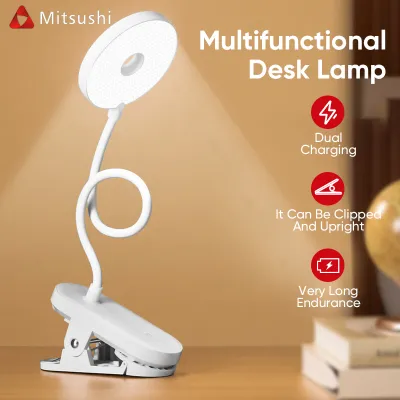
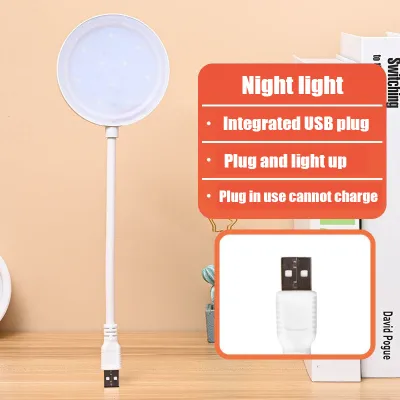
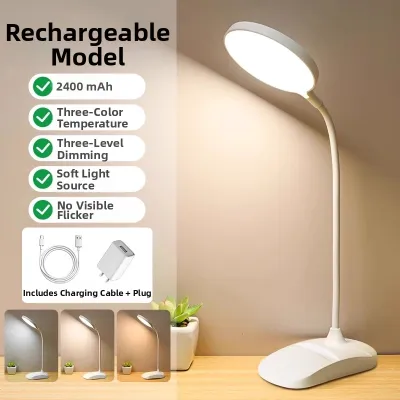
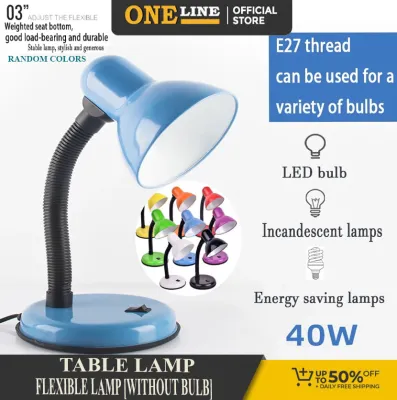
Prices are valid at publication and may change. Please refer to the product page for the latest price.
Color Temperature Control Color temperature, measured in Kelvin (K), plays a significant role in cognitive performance and sleep hygiene. Cool white light (around 5000K to 6500K) mimics natural daylight, which helps promote alertness, focus, and visual clarity during intense reading or problem-solving sessions. Conversely, warm white light (around 2700K to 3000K) creates a relaxing atmosphere that reduces eye strain and is far gentler on the eyes before bedtime. Having a lamp that allows you to toggle between cool, neutral, and warm color temperatures helps you transition smoothly from high-energy daytime studying to winding down at night.
Footprint and Flexibility Physical space is often at a premium for students living in boarding houses, dormitories, or shared family homes. A lamp with a massive, heavy base can quickly crowd out textbooks, notebooks, and laptops on a small study table. Opting for a lamp with a compact footprint, a flexible gooseneck, or a multi-axis adjustable arm allows you to direct light exactly where you need it without sacrificing valuable desk real estate. Flexible necks also let you fold the lamp away when it is not in use, keeping your study area organized and clutter-free.
Power Source and Efficiency With rising electricity costs and the occasional threat of power interruptions due to tropical weather, energy efficiency and power versatility are major considerations. Modern LED study lamps consume a fraction of the power of older incandescent or fluorescent bulbs, making them highly cost-effective for long hours of operation. Additionally, many student-friendly lamps now offer USB-powered or rechargeable battery options. A rechargeable lithium-ion battery-operated lamp provides the added benefit of acting as an emergency light source during sudden brownouts, ensuring your study schedule remains uninterrupted.
Flicker-Free and Glare Reduction Prolonged exposure to low-quality light sources can cause subtle, often imperceptible flickering that leads to headaches, dry eyes, and mental fatigue. When browsing for a study lamp, look for manufacturer labels that explicitly state “flicker-free” technology or “constant current” drivers. Furthermore, lamps equipped with frosted diffusers or honeycomb filters help scatter light evenly across your desk, minimizing harsh glare on glossy textbook pages and computer screens.
Recommended Study Lamp Profiles for Every Desk
To help you navigate the wide variety of options available in local appliance centers, department stores, and online marketplaces, we have categorized the most common study lamp designs into distinct profiles. Each profile is evaluated based on its stable design features, ergonomic benefits, and general affordability. When shopping, always remember to verify current retail prices, warranty terms, and local seller ratings to ensure you are getting a reliable product.

The Adjustable LED Lamp with Eye-Care Features (Best Overall)
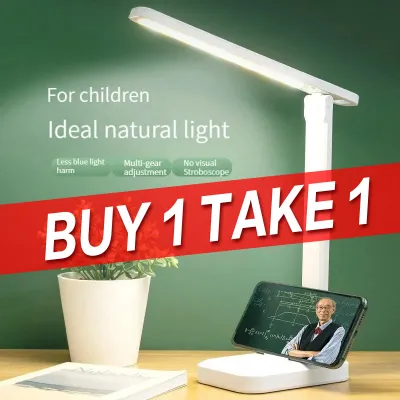
This profile represents the gold standard for dedicated study setups. Typically featuring a sleek, modern design with a multi-axis folding arm, these lamps allow you to adjust the height and angle of the light source precisely over your reading material. They are equipped with intuitive touch controls on the base, allowing you to cycle through multiple brightness levels and color temperature presets with a simple tap.
- Ideal User: Students with a dedicated, permanent study desk who spend consecutive hours reading physical textbooks, writing, or working on detailed design projects.
- Key Specs to Verify: Check the manufacturer's stated lumen output (ideally between 300 and 500 lumens) and the Color Rendering Index (CRI), aiming for a rating of Ra 80 or higher to ensure colors appear natural. Also, measure the maximum height of the arm to confirm it can clear the top of your laptop or monitor.
- Limitations: These lamps generally require a constant connection to a standard wall outlet via an AC adapter, making them less portable. Their larger, weighted bases also require a flat, stable surface and cannot be easily moved around a cramped room.
The Compact Clip-On or Foldable Lamp (Best for Small Spaces)
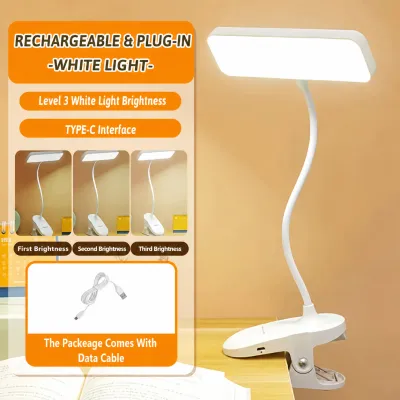
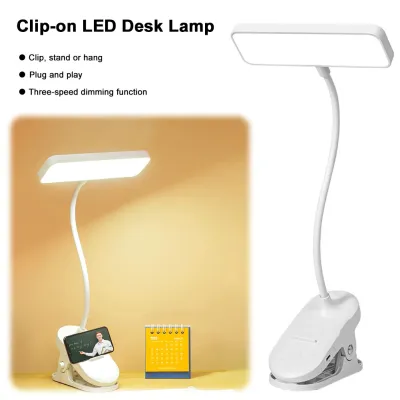
Designed specifically for versatility and space optimization, this profile features either a heavy-duty spring clamp base or an ultra-slim, lightweight folding body. Clip-on models can attach directly to the edge of a desk, a headboard, or a nearby shelf, completely freeing up your desk surface for books and computers. Many of these models are equipped with built-in rechargeable batteries, allowing for cordless operation.
- Ideal User: Dorm residents, students living in shared rooms, or those who frequently study in different locations, such as the dining table or a bed.
- Key Specs to Verify: Check the maximum clamp opening width to ensure it can securely grip the thickness of your desk or bed frame. If choosing a battery-operated model, verify the battery capacity (measured in mAh) and the estimated run time on the highest brightness setting.
- Safety & Care Boundary: Prior to clamping the lamp, inspect the material of your furniture. If clamping onto delicate wood veneers or soft plastics, place a small piece of felt or a silicone pad between the clamp and the surface to prevent scratching, denting, or slipping.
The Basic Budget-Friendly LED Desk Lamp (Best for Tight Budgets)
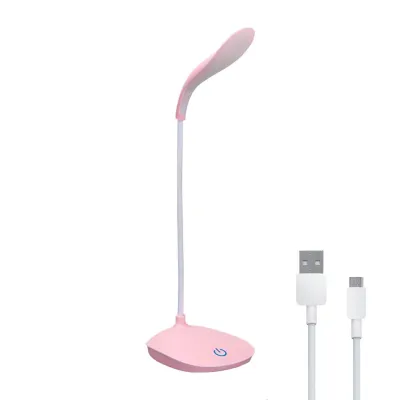
For students who need functional, straightforward illumination without any extra bells and whistles, the basic budget LED lamp is a highly practical choice. These models usually feature a simple, flexible gooseneck with a single physical on/off switch on the base. They are lightweight, highly functional, and designed to deliver reliable light at a very accessible price point.
- Ideal User: Students on a strict budget who need a simple light source for occasional reading or homework and do not require advanced color tuning.
- Key Specs to Verify: Inspect the overall build quality and base weight to ensure the lamp will not easily tip over when the neck is bent. Check whether the lamp uses an integrated LED panel (which cannot be replaced) or a standard screw-in socket (like an E27 base) that allows you to swap out the bulb yourself.
- Limitations: These models rarely offer color temperature adjustment or fine-grained dimming. The light output may also be more localized, creating a smaller pool of light that requires frequent manual adjustment.
The Monitor Light Bar (Best for Digital and Laptop Study)
As education increasingly relies on digital screens, the monitor light bar has emerged as an excellent solution for modern students. This sleek, cylindrical lamp clips directly onto the top bezel of your desktop monitor or laptop screen. It uses an asymmetric optical design that directs light downward onto your desk surface while completely avoiding the screen itself, preventing screen glare and reflections.
- Ideal User: Digital-first learners, online students, coders, and those who spend the majority of their study time typing, reading PDFs, or attending virtual lectures.
- Key Specs to Verify: Measure the thickness of your monitor or laptop lid to ensure the light bar's mounting clip is compatible. Additionally, verify the power requirements; most light bars run on a standard 5V USB connection, so ensure you have an available USB port on your computer or a nearby USB wall charger.
- Limitations: Because the light path is strictly directed downward in front of the screen, it does not provide wide-area room illumination. It is also less effective for reading large, physical textbooks that must be spread out far to the side of your computer monitor.
Quick Comparison of Study Lamp Profiles
To help you quickly identify which study lamp profile aligns best with your specific study habits and room layout, review the summary table below. This comparison highlights the practical trade-offs of each design without relying on fluctuating brand pricing or temporary stock availability.
| Lamp Profile | Best For | Space Requirement | Power Source | Key Adjustment Features |
|---|---|---|---|---|
| Adjustable LED Lamp (Best Overall) | Long reading sessions, dedicated study desks | Moderate desk footprint | Wall outlet (AC adapter) | Multi-axis rotation, touch dimming, color temperature presets |
| Compact Clip-On / Foldable | Small desks, bunk beds, shared dorm rooms | Minimal (clips to edges or folds flat) | USB rechargeable battery or plug-in | Flexible gooseneck, basic step dimming |
| Basic Budget LED Lamp | Straightforward lighting on a tight budget | Small to moderate footprint | Plug-in (direct AC or USB) | Physical on/off switch, fixed or single-joint neck |
| Monitor Light Bar | Laptop and desktop screen-based studying | Zero desk footprint (mounts on monitor) | USB port (5V power) | Asymmetric angle adjustment, brightness & hue controls |
When making your final selection, weigh the physical dimensions of your desk against your primary study medium. If your work is split evenly between physical books and a computer, an adjustable LED lamp with a wide reach is highly versatile. If your desk is completely occupied by a laptop and a keyboard, a monitor light bar will provide the cleanest, most space-efficient setup.
Desk Setup, Power, and Safety Guidelines
Voltage and Plug Compatibility In the Philippines, the standard household electrical supply is 220V at 60Hz. When purchasing a study lamp—especially when buying online from international sellers—always verify that the power adapter or built-in driver is compatible with 220V. Using a lamp designed strictly for 110V without a proper step-down transformer can permanently damage the device and pose a severe electrical hazard. Additionally, check that the plug type matches your outlets (typically Type A flat two-pin or Type B three-prong plugs) to avoid having to rely on unstable, cheap universal adapters.
Cable Management and Routing Loose, dangling power cords are a common hazard that can lead to your lamp being accidentally pulled off the desk, potentially damaging the fixture or causing injury. Route your lamp’s power cable behind your desk, securing it with cable clips, twist ties, or adhesive organizers. Ensure the cable is not stretched tightly or pinched between the desk and the wall, as continuous pressure can wear down the protective insulation over time.
Ergonomic Placement To minimize shadows and glare while writing or reading, place your study lamp on the opposite side of your dominant hand. If you are right-handed, position the lamp on the left side of your desk; if you are left-handed, place it on the right. This simple adjustment ensures that your hand and arm do not block the light path as you write. Additionally, position the lamp head slightly below eye level and tilt it downward to prevent the light source from shining directly into your eyes.
Heat and Material Safety Although LED lamps generate significantly less heat than traditional halogen or incandescent bulbs, they can still become warm during extended use, particularly around the LED driver or the base of the lamp head. Keep the lamp clear of highly flammable materials, such as loose papers, curtains, or plastic desk organizers. Always check the manufacturer’s guidelines regarding continuous operation times, and make a habit of turning the lamp off whenever you leave your desk to conserve energy and prevent thermal wear.
Frequently Asked Questions (FAQ)
How many lumens do I need for a study desk?
For comfortable reading and writing, a study desk lamp should ideally provide between 300 and 500 lumens of light. Lumens measure the total amount of light emitted by the source, while lux measures the intensity of light falling on a specific surface. For optimal task lighting, aim for a setup that delivers approximately 500 lux on your desk surface. Checking the manufacturer specifications for both lumen output and recommended desk distance will help ensure you have sufficient light to study without squinting or experiencing eye strain.
Is warm or cool light better for late-night studying?
Cool light (4000K to 6500K) is highly effective for daytime or early evening study sessions because it promotes alertness and helps you focus on complex tasks. However, for late-night studying, warm light (2700K to 3000K) is much better. Cool blue-toned light suppresses the production of melatonin, the hormone responsible for sleep, which can disrupt your circadian rhythm and make it difficult to fall asleep after you finish studying. Utilizing a lamp with adjustable color temperature allows you to benefit from cool light during the day and switch to warm light as bedtime approaches.
Can I use a smart bulb in a basic study lamp?
Yes, you can use a smart bulb in a basic study lamp, provided the lamp features a standard screw-in or bayonet socket (such as an E27 base) and is plugged into a wall outlet that remains switched on. Before purchasing a smart bulb, verify the lamp’s maximum wattage rating to ensure the smart bulb does not exceed it, though most LED smart bulbs operate at a very low wattage (typically 9W to 12W). Additionally, check the physical dimensions of the lamp shade to ensure the smart bulb fits completely inside without protruding or touching the shade material.
Community discussion
Share your experience or ask a question. Comments are reviewed before publication.