
Selecting the right table lamps for a home office is one of the most effective ways to reduce eye strain, headaches, and mental fatigue during long work-from-home (WFH) sessions. Because standard residential lighting is rarely optimized for prolonged screen work, relying solely on overhead fixtures or basic bedside lamps often leads to visual discomfort. To protect your eyes, you need a dedicated task lamp that offers adjustable brightness, customizable color temperatures, flicker-free operation, and physical glare-reduction features. By understanding how to evaluate these technical specifications and position your light source correctly, you can create a balanced visual environment that supports focus and long-term eye health.
Why Desk Lighting Directly Impacts WFH Eye Fatigue
The human eye is highly adaptable, but it struggles when forced to navigate extreme contrasts in brightness. When you work on a bright computer monitor in a dimly lit room, your pupils must constantly dilate and constrict as your gaze shifts between the screen and your darker desk surface. This continuous adjustment over an eight-hour shift overworks the ciliary muscles inside your eyes, leading to a condition known as contrast glare. Over time, this muscle fatigue manifests as a dull ache behind the eyes, physical tiredness, and decreased concentration.
Screen glare is another major contributor to visual fatigue in home offices. When light from an unshielded overhead fixture or an improperly angled desk lamp strikes your monitor, it reflects directly into your eyes. This reflection washes out the contrast of your screen, making text blurry and forcing you to squint or lean forward. To compensate for this poor visibility, many remote workers unconsciously adopt awkward postures, which compounds eye strain with tension in the neck, shoulders, and upper back.
Products mentioned in this guide
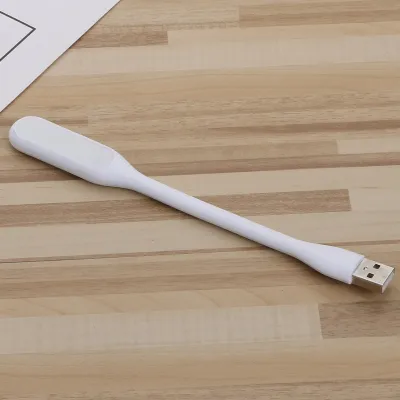
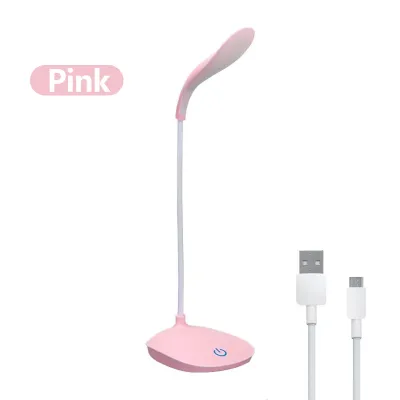
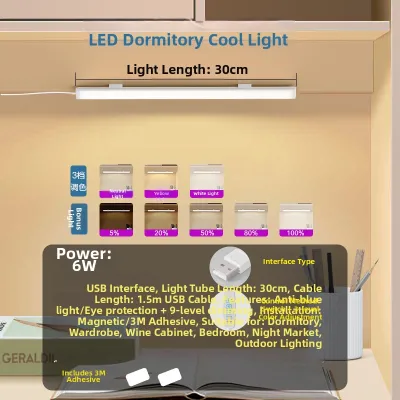
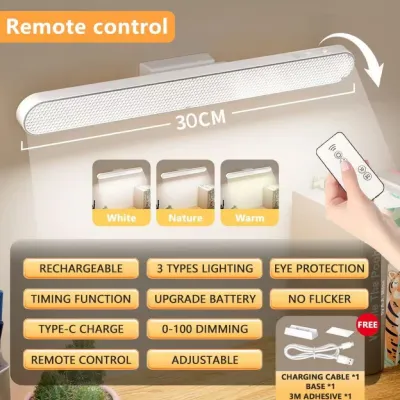
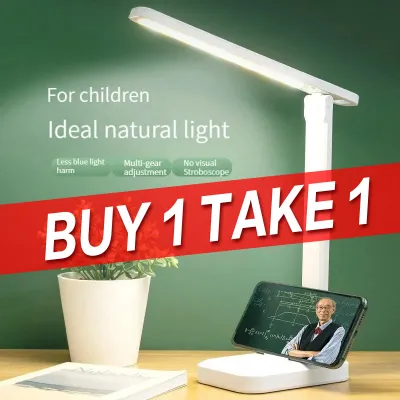
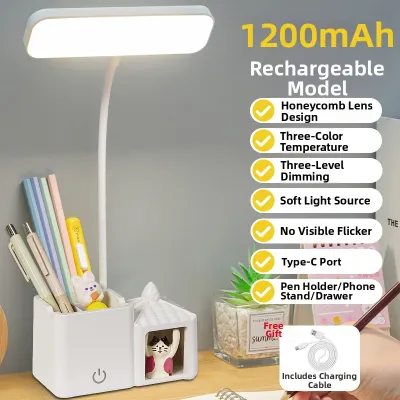
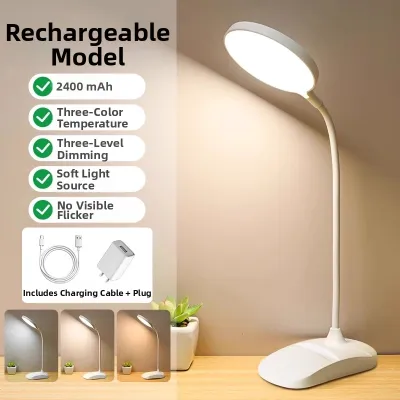
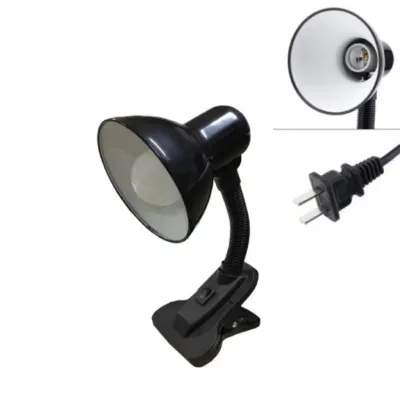
Prices are valid at publication and may change. Please refer to the product page for the latest price.
Working under inadequate lighting also triggers several common physical signals that indicate your eyes are working too hard. These include dry eyes, which occur because we blink less frequently when squinting or focusing intensely, as well as temporary blurred vision and tension headaches. While these symptoms are generally reversible and do not indicate permanent damage, they serve as clear warning signs that your current lighting setup is failing to support your visual needs.
To resolve these issues, it is essential to understand that a table lamp’s primary job is to provide targeted task lighting. Task lighting is not meant to illuminate the entire room, nor is it designed to shine directly onto your computer screen. Instead, its purpose is to illuminate your physical workspace—such as documents, notebooks, and your keyboard—bringing the ambient brightness of your immediate surroundings into balance with the light emitted by your monitor. This balance minimizes the contrast gap, allowing your eyes to transition smoothly across your desk without strain.
Essential Specs to Check on Eye-Care Lamp Labels
When shopping for a table lamp designed to minimize eye strain, you must look past generic marketing claims and carefully evaluate the technical specifications listed on the product packaging or manufacturer datasheet.

Brightness and Surface Illumination
- Lumens vs. Lux: Lumens measure the total amount of light emitted by a source in all directions, whereas lux measures the intensity of light falling on a specific surface area. For detailed desk work and reading, the surface of your desk should ideally receive an illumination level of 300 to 500 lux.
- Adjustability: Avoid lamps that offer only a single, fixed brightness setting. Opt for models featuring step-less dimming or multiple brightness presets. This flexibility allows you to adjust the light output as natural daylight changes, preventing the lamp from becoming too bright when the room darkens in the late afternoon.
Color Temperature
- The Kelvin Scale: Color temperature is measured in Kelvin (K) and describes the appearance of the light. Lower numbers (2700K to 3000K) represent warm, yellowish light, while higher numbers (5000K to 6500K) represent cool, bluish-white light.
- Visual Comfort: Cooler light promotes alertness and provides high contrast, making it excellent for reading printed text during daytime focus sessions. However, exposure to cool blue light in the evening can suppress melatonin production and disrupt your sleep cycle. Choosing a lamp with adjustable color temperature settings allows you to transition from a crisp 4000K during the day to a soft, relaxing 3000K as you wind down your work evening.
Flicker-Free Technology
- The Danger of PWM: Many low-cost LED lamps use pulse-width modulation (PWM) to control dimming, which switches the LEDs on and off at rapid frequencies. While this flickering is often invisible to the naked eye, your pupils still contract and dilate in response to it, causing subconscious eye muscle fatigue and headaches.
- Flicker-Free Drivers: To prevent this, look for lamps that explicitly specify "flicker-free" operation, constant-current dimming, or DC (direct current) drivers on their labels. These technologies deliver a smooth, continuous stream of light at all brightness levels.
Glare Control and Diffusers
- Direct Discomfort Glare: Looking directly at exposed, high-intensity LED beads causes instant visual discomfort. High-quality eye-care lamps shield these light sources from view.
- Physical Barriers: Check for physical design elements such as frosted diffusers, honeycomb louvers, or side-emitting light guides. These components scatter the light evenly across your desk, eliminating harsh hot spots and preventing direct light from hitting your eyes.
Color Rendering Index (CRI)
- Visual Accuracy: CRI measures how accurately a light source reveals the true colors of physical objects compared to natural daylight, rated on a scale up to 100.
- CRI Rating: For home offices, prioritize lamps with a CRI of 90 (Ra90) or higher. High-CRI lighting makes text sharper and colors more vivid, reducing the cognitive effort required to read documents or inspect physical materials.
Matching Lamp Styles to Your Desk and Monitor Setup
The physical design of your table lamp must align with your desk size, monitor configuration, and daily workflow to prevent physical clutter and light interference.
Monitor light bars, also known as screen悬挂灯 or screen bars, clip directly onto the top of your monitor frame. They utilize an asymmetrical optical design that projects light downward at an angle, illuminating your keyboard and desk space while completely avoiding the screen surface. This design eliminates screen reflections and saves valuable desk space, making them ideal for compact setups. However, before purchasing, you must verify your monitor’s bezel width and thickness, as exceptionally thick frames or highly curved screens may require specialized mounting clips.
Adjustable arm or architect lamps feature articulated metal arms and spring-loaded joints, typically securing to the desk edge with a heavy-duty clamp. These lamps provide exceptional reach and multi-axis rotation, allowing you to position the light source precisely where you need it. They are highly suited for large desks, L-shaped setups, or multi-monitor configurations where you need to move the light between different tasks. Because they clamp to the desk edge, they keep your primary work surface clear, though they do require a sturdy desk edge capable of supporting the clamp’s pressure.
Compact base lamps with articulating heads sit directly on your desk surface and feature a weighted base with a tilting or rotating neck. They are highly portable and easy to set up, making them a practical choice for temporary or shared workspaces. When selecting this style, ensure the base is heavy enough to prevent tipping when the lamp head is fully extended, and verify that the head can tilt low enough to prevent the light source from shining directly into your eyes.
| Lamp Style | Desk Space Required | Adjustability Range | Screen Glare Risk | Best Use Case |
|---|---|---|---|---|
| Monitor Light Bar | Extremely low (clips to top of monitor) | Limited (minor angle adjustments only) | Extremely low (due to asymmetrical beam) | Small desks, single-monitor setups, minimalist workspaces |
| Adjustable Arm / Architect | Very low (uses a desk-edge clamp) | High (multi-joint rotation, height, and reach) | Moderate (requires careful manual positioning) | Large desks, drafting tables, multi-monitor setups |
| Compact Base Lamp | Moderate (occupies desk surface space) | Moderate (tilting head or flexible neck) | High (if the head cannot tilt downward) | Shared desks, temporary workspaces, simple reading tasks |
How to Position Your Lamp to Eliminate Glare and Shadows
Even the most advanced eye-care table lamp will cause visual fatigue if it is poorly positioned. Achieving optimal visual comfort requires strategic placement to eliminate shadows and direct reflections.
First, adjust the height and angle of the lamp head. The light source should be positioned slightly above your eye level when you are seated in your working posture. Angle the lamp shade downward so that the physical rim of the housing completely shields your eyes from direct line-of-sight exposure to the glowing LED panel or bulb. If you can see the bare light source while looking straight ahead at your screen, the lamp is angled too high or positioned too close to your face.
Next, perform the hand shadow test to eliminate distracting shadows while writing or typing. Place the lamp on the side of your desk opposite your dominant hand. If you are right-handed, position the lamp on your left; if you are left-handed, place it on your right. Write a few sentences on a piece of paper; if your hand casts a dark shadow over the tip of your pen or the text, slide the lamp slightly forward or adjust its arm until the shadow falls behind your hand, leaving your writing area clearly illuminated.
It is also crucial to balance your task lighting with the ambient light in the room to avoid the “cave effect”—a bright desk surrounded by a pitch-black room. This extreme contrast forces your eyes to adjust dramatically every time you look away from your screen or paperwork. Always keep a soft ambient light active in the room, such as a floor lamp with a warm bulb or filtered natural light from a window, to maintain a gentle gradient of light throughout the space.
Finally, take extra care if you use a glossy monitor screen, a glass desk protector, or laminated documents, as these surfaces act like mirrors. To prevent blinding reflections, avoid pointing the lamp head straight down. Instead, angle the light at approximately 45 degrees relative to the desk surface. This directional angling causes the reflected light to bounce away from your eyes at an angle rather than reflecting straight back into your face, preserving the contrast and legibility of your work.
Final Pre-Purchase Checks for Safety and Compatibility
Before finalizing your purchase of an eye-care table lamp, perform these essential checks to ensure the device is safe, compatible with your workspace, and built to last.
Voltage and Electrical Certification
- Local Standards: In the Philippines, the standard household electrical supply is 220V at 60Hz. When purchasing table lamps online or from international retailers, always verify that the power adapter or internal driver is rated for 220V (or a universal 100V-240V range).
- Safety Hazards: Connecting a 110V-only lamp to a 220V outlet will permanently damage the device and poses an immediate electrical fire hazard. Look for local safety certifications, such as the Philippine Standard (PS) safety mark or an Import Commodity Clearance (ICC) sticker, to ensure the electrical components comply with national safety standards.
Material Durability and Environment
- Humidity Resistance: The tropical climate and high humidity levels in the Philippines can accelerate the corrosion of cheap metal components. When selecting a lamp, prioritize high-grade plastics, anodized aluminum, or powder-coated steel over untreated iron bases, which are prone to rusting and structural degradation over time.
- Power Fluctuations: Because voltage fluctuations and power surges are common in many residential areas, consider plugging your LED table lamp into a high-quality surge protector or an uninterruptible power supply (UPS) to shield the sensitive electronic LED drivers from premature failure.
Physical and Control Ergonomics
- Cord Length: Measure the distance from your desk to the nearest wall outlet or power strip. A power cord that is too short can create dangerous tension, pulling the lamp close to the desk edge, while relying on low-quality extension cords can introduce electrical risks.
- Control Accessibility: Evaluate how easily you can adjust the lamp's settings during a busy workday. Touch-sensitive panels located on the lamp base or head allow for silent, seamless adjustments during video calls. Physical dials or rotary knobs offer tactile precision. If your lamp is mounted out of reach—such as a monitor light bar—look for models that include a wireless desktop dial for effortless control.
- Warranty and LED Lifespan: Many modern eye-care lamps feature integrated LED arrays rather than replaceable bulbs. If the internal driver or LED chips fail, the entire fixture must be replaced. Check the manufacturer's warranty terms, focusing on coverage for the electronic components. A reliable manufacturer should offer at least a one-year warranty, protecting your investment against premature component failure.
Frequently Asked Questions (FAQ)
Is a higher wattage always better for reading and working?
No, wattage measures electrical power consumption, not the actual amount of useful light produced or how comfortable that light is for your eyes. Modern LED table lamps are highly efficient, producing substantial brightness (lumens) while drawing very low wattage. An eye-care lamp with excellent optical diffusers, a high CRI, and a glare-reducing design will protect your eyes far better than a high-wattage, unshielded bulb that creates harsh hot spots and blinding reflections on your desk.
Can I use a regular bedside lamp for my WFH desk?
While a bedside lamp can work in a temporary pinch, it is generally unsuitable for extended, 8-hour WFH sessions. Bedside lamps are designed to cast a soft, diffused ambient glow to create a relaxing atmosphere, often using shades that do not direct light downward onto your workspace. They typically lack critical ergonomic features such as adjustable arms, targeted optical lenses, flicker-free drivers, and variable color temperatures, which are essential for minimizing eye strain during focused screen work.
How should I adjust my lamp lighting as the day transitions to evening?
To support your body’s natural circadian rhythms, align your desk lighting with the natural progression of daylight. During morning and early afternoon sessions, set your lamp to a cool white color temperature (around 4000K to 5000K) and high brightness to promote focus and alertness. As evening approaches and natural light fades, gradually shift your lamp to a warm white setting (around 2700K to 3000K) and lower the brightness. This reduction in blue light exposure helps signal to your brain that it is time to wind down, protecting your eyes from late-night fatigue and supporting better sleep quality.
Community discussion
Share your experience or ask a question. Comments are reviewed before publication.