
To create an immersive gaming environment in the Philippines, you must curate a balanced ecosystem of ambient, task, and accent RGB lighting that fits your specific room layout and local electrical conditions. Building a personalized “vibe shop” is not just about buying the brightest lights; it is about layering different light sources to reduce eye strain, match your gaming style, and handle the unique challenges of tropical humidity and condo living. By understanding how different light fixtures interact with your space, you can transform a standard room into a dynamic, visually striking sanctuary that enhances both your gameplay and your overall comfort.
Choosing the right products requires looking beyond aesthetic appeal to evaluate technical compatibility, mounting safety, and local sourcing options. Whether you are setting up a compact corner in a studio condo or dedicating an entire room to your gaming rig, a systematic approach to lighting design ensures your setup remains functional, safe, and visually cohesive. This guide outlines the essential criteria, product categories, and safety checks needed to select and install RGB lighting solutions that elevate your gaming experience.
Defining Your Gaming Room Atmosphere
Before purchasing any lighting equipment, it is essential to assess the physical characteristics of your gaming space. The dimensions of your room, the height of your ceiling, and the presence of reflective surfaces all play a critical role in how light behaves. In compact spaces, such as typical urban condominiums, light bounces off walls more readily, meaning you may require lower lumen outputs to achieve a vibrant effect. Conversely, larger rooms or spaces with high ceilings require more powerful light sources or wider beam angles to ensure even coverage without leaving dark, unlit patches that disrupt the visual flow.
Products mentioned in this guide
Prices are valid at publication and may change. Please refer to the product page for the latest price.
You must also distinguish between task lighting and ambient bias lighting to protect your vision during extended sessions. Task lighting, such as a focused desk lamp or a monitor light bar, illuminates your immediate workspace, making it easier to see your keyboard, mouse, and desktop accessories. Ambient bias lighting, which is placed behind your monitor or television, projects light onto the wall behind the screen. This reduces the harsh contrast between a bright display and a dark room, significantly lowering eye strain and preventing fatigue during late-night gaming sessions.
Your choice of color palettes and dynamic lighting effects should align with your personal preferences and the types of games you play. For competitive, fast-paced shooters, cool and high-contrast tones like deep blues, cyans, and purples can enhance focus and create a high-energy environment. For relaxed, open-world exploration or role-playing games, warm and slow-shifting hues like amber, soft orange, and deep red offer a more comfortable, immersive atmosphere. These color schemes are highly subjective, so selecting lights with customizable color spectrums allows you to adapt the environment to your changing moods.
Finally, evaluate how natural light interacts with your room throughout the day. The intense tropical sunlight in the Philippines can easily wash out low-power RGB lights during daytime hours. If your gaming setup is near a window, you will need lights with higher maximum brightness levels to maintain visibility during the day, or you must pair your lighting setup with effective blackout curtains. At night, the primary room lighting should be dimmable or easily turned off so your RGB accents can take center stage without causing distracting glare on your screens.
Types of RGB Lighting for Gaming Setups
LED strip lights serve as the foundational element for most gaming setups due to their versatility and ease of installation. These flexible strips are ideal for lining the back edges of desks, mounting behind monitors, or tucking into ceiling coves to create a soft, indirect glow. When selecting LED strips, pay close attention to the quality of the adhesive backing, as high humidity levels can cause cheap double-sided tape to peel off over time. Additionally, verify the location of cuttable zones to ensure you can trim the strips to fit your furniture precisely, and mount them on heat-dissipating surfaces like aluminum profiles if they run at high wattages.

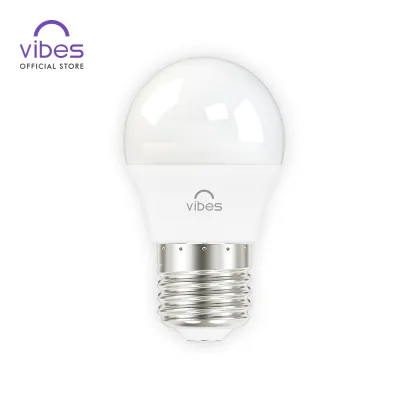
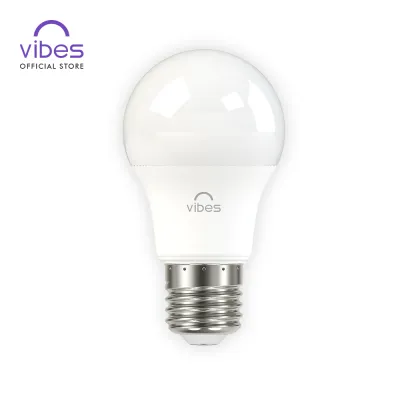
Smart bulbs and corner lamps offer an excellent way to fill empty spaces and provide vertical color washes. Standard smart bulbs can replace the existing bulbs in your floor lamps or desk fixtures, instantly integrating them into your RGB ecosystem. Before buying, always check the socket compatibility; the E27 screw-type base is the most common standard in Philippine households, but some specialized fixtures may require different interfaces. Corner lamps, with their slim vertical profiles, are designed to project light directly into room corners, creating a wide, diffused glow that makes small rooms feel more spacious.
Screen light bars and monitor backlights are specialized fixtures designed to improve screen contrast and reduce glare. A screen light bar clips directly onto the top of your monitor, casting a controlled beam of light downward onto your desk surface without reflecting off the screen itself. When choosing a light bar, verify the mounting mechanism to ensure it does not obstruct your webcam or put excessive pressure on thin, fragile monitor bezels. Some advanced monitor backlights can sync directly with the colors on your screen, projecting matching hues onto the wall behind to visually extend the boundaries of your display.
Wall and ceiling panels represent the premium tier of accent lighting, allowing you to create custom geometric patterns and focal points on blank walls. These modular panels connect to one another to form unique shapes, such as hexagons or triangles, that react to music, game audio, or manual touch. Because these panels carry more weight than simple LED strips, you must carefully assess the mounting hardware requirements. In rented properties where drilling is prohibited, you must rely on high-quality, damage-free adhesive strips designed to support the specific weight of the panels to prevent them from falling and sustaining damage.
Key Specifications to Check Before Buying
When building your lighting setup, verifying electrical compatibility is paramount to ensure safe and reliable operation. The standard residential voltage in the Philippines is 220V at a frequency of 60Hz. Many imported RGB lighting products are designed for 110V systems; connecting these directly to a local outlet without a compatible step-down transformer will damage the controller and pose a severe electrical hazard. Always check the product specifications to confirm it supports 220V input, and ensure the plug type matches your wall outlets (typically Type A or Type B) to avoid relying on unstable adapters.
Power supply limits and wattage ratings must be carefully calculated, especially when planning to daisy-chain multiple LED strips together. Every power adapter has a maximum wattage capacity; exceeding this limit by connecting too many light strips in a single run can cause the adapter to overheat, flicker, or fail prematurely. Review the manufacturer’s guidelines regarding the maximum supported length for a single power source. If your design requires longer runs, you must install additional power injectors or separate power adapters to distribute the electrical load safely across your circuits.
Smart home ecosystem compatibility determines how easily you can control and automate your lighting setup. Decide whether you prefer lights that connect directly via Wi-Fi or those that require a dedicated smart hub using protocols like Zigbee or Bluetooth. Wi-Fi-enabled lights are convenient but can crowd your local router if you connect too many individual devices. Ensure the product’s companion app is stable, highly rated, and compatible with your existing smart home assistants, allowing you to create custom lighting scenes, set schedules, and use voice commands to control your entire setup.
Lastly, pay attention to the Color Rendering Index (CRI) and the dimming technology used in the RGB fixtures. A higher CRI ensures that the colors of your physical decor, collectibles, and furniture look natural and vibrant under the light. If you plan to stream your gameplay, record video content, or participate in video calls, look for lights that feature flicker-free dimming. Cheap lights often use low-frequency Pulse Width Modulation (PWM) to dim, which can create highly distracting horizontal lines or flickering on camera lenses, even if the flickering is invisible to the eye.
Installation and Safety Guidelines for Condos
Living in a condominium presents unique installation challenges, particularly regarding space constraints and strict lease agreements. Proper cable management is the first step toward a safe and clean setup. Route all power cables away from high-traffic areas to eliminate tripping hazards, and use cable sleeves, clips, or under-desk trays to keep wires organized. Avoid pinching cables behind heavy desks or against sharp wall corners, as compressed wires can experience internal damage, leading to short circuits or localized overheating that poses a fire risk.
Rented condos often have strict “no-drill” policies that prevent you from making permanent alterations to walls or ceilings. To comply with these rules, utilize high-quality, damage-free adhesive strips or tension-mounted poles to secure your lighting fixtures. Before applying any adhesive, thoroughly clean the wall surface with isopropyl alcohol to remove dust and oils, ensuring a strong bond. When it is time to move out, follow the manufacturer’s instructions for removing the adhesives slowly to avoid peeling off the paint or damaging the drywall, which could result in deductions from your security deposit.
It is crucial to recognize the boundaries of DIY installation and know when to call a professional. While sticking LED strips to a desk or plugging in a corner lamp is perfectly safe for a layperson, any task involving fixed wiring requires a qualified electrician. If you need to modify existing ceiling electrical boxes, install recessed lighting, hardwire new wall sconces, or mount heavy suspended light fixtures overhead, do not attempt to do it yourself. Always isolate the power at your main circuit breaker before handling any electrical connections, and defer to licensed professionals to ensure compliance with local electrical codes.
Thermal safety must also be a priority in your installation plan. Power adapters, smart controllers, and high-output LED strips generate heat during operation. In the warm, tropical climate of the Philippines, this heat can build up rapidly if components are enclosed in tight, unventilated spaces. Avoid hiding power bricks inside closed drawers, behind thick curtains, or under cushions. Ensure there is adequate airflow around all power supplies and controllers to prevent thermal throttling, which reduces the lifespan of your electronics and increases the risk of overheating.
Sourcing and Verifying RGB Products Locally
To ensure you receive high-quality, safe, and durable lighting products, you should prioritize purchasing from authorized brand stores and official e-commerce platform malls. Buying from reputable sellers guarantees that you are getting genuine components rather than cheap counterfeits that may lack essential safety features. Official stores also provide valid local warranties, giving you recourse if a product fails shortly after purchase. Avoid buying unbranded, extremely cheap lighting kits from unverified online sellers, as these often bypass critical quality control standards.
Before finalizing your purchase, verify that the products carry recognized electrical safety certifications. In the Philippines, look for the Philippine Standard (PS) quality mark or the Import Commodity Clearance (ICC) sticker on the packaging or power adapter. These marks indicate that the product has undergone rigorous testing to ensure it meets local safety and performance standards. Additionally, read recent user reviews from local buyers to see how the products perform in humid conditions, paying close attention to feedback regarding adhesive durability, app connectivity stability with local internet providers, and overall product longevity.
Finally, familiarize yourself with the retailer’s return policies and warranty claim procedures. Because smart lighting relies on complex software and wireless connectivity, you may occasionally encounter compatibility issues or manufacturing defects. Knowing how and where to claim a replacement or get technical support locally saves significant time and frustration. Ensure that replacement parts, such as extra adhesive backings, extension cables, and spare controllers, are readily available so you can maintain and expand your gaming room setup over the long term without needing to replace entire systems.
Frequently Asked Questions (FAQ)
Can I mix different brands of RGB lights in one gaming room?
Yes, you can mix different brands of RGB lights in a single room, but coordinating them requires careful planning. Proprietary closed ecosystems typically require you to use their specific mobile apps, meaning you cannot easily synchronize colors or effects across different brands natively. However, you can unify them by using open smart home standards or third-party smart home integration platforms that support multiple brands. For PC gamers, specialized third-party sync software can often detect and control compatible hardware from various manufacturers, allowing you to coordinate your desk accessories, PC components, and ambient room lights under a single interface.
Do RGB lights consume a lot of electricity in a condo?
No, modern RGB lighting setups are highly energy-efficient because they utilize LED technology. A standard LED strip or smart bulb consumes only a fraction of the power required by traditional incandescent or fluorescent fixtures. For example, running a few LED strips and a smart corner lamp for several hours a day will have a negligible impact on your monthly electricity bill. To optimize your energy consumption further, you can use companion apps to set schedules, configure automatic timers, or integrate motion sensors that turn the lights off automatically when you leave your gaming station, ensuring no power is wasted.
Community discussion
Share your experience or ask a question. Comments are reviewed before publication.