
When shopping for a ceiling fan with an integrated light, focusing solely on blade span or motor speed is a common mistake. The lighting component is equally critical, especially in tropical climates like the Philippines where open-plan living spaces rely heavily on dual-purpose fixtures for both cooling and illumination. To ensure your new fixture provides adequate light without overloading your electrical system, you must evaluate specific lighting metrics before making a purchase.
Selecting the right ceiling fan light requires analyzing several key specifications: light output (lumens), color appearance (Kelvin), power consumption (wattage), bulb base compatibility, and dimming capabilities. Understanding these technical details helps you avoid dim, underpowered rooms or incompatible wiring setups that lead to premature fixture failure.
Lumens vs. Watts: Measuring Actual Brightness
For decades, many homeowners associated wattage with brightness, assuming a higher wattage automatically meant a brighter room. With modern LED technology, this relationship no longer holds true. Lumens measure the actual amount of visible light emitted by a source, whereas wattage simply measures how much electrical power the fixture consumes.
Products mentioned in this guide
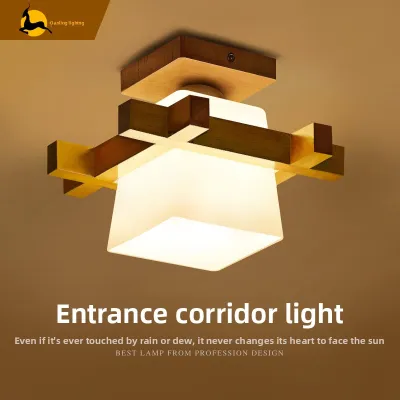
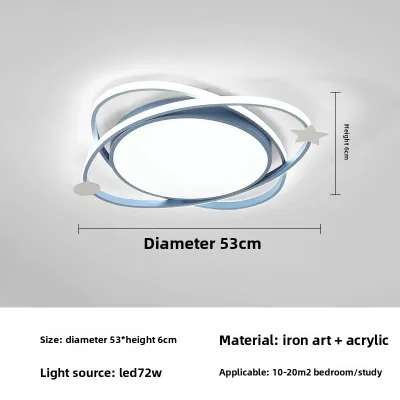
Prices are valid at publication and may change. Please refer to the product page for the latest price.
To determine the brightness your space requires, calculate the necessary lumens based on the room’s square footage and ceiling height. Living rooms and kitchens generally demand higher overall lumen outputs than bedrooms to ensure safe movement and clear visibility.
When reviewing product packaging on online marketplaces or at local home improvement centers, pay close attention to the distinction between peak brightness and rated brightness. Peak brightness represents the maximum output under ideal laboratory conditions, which may only be sustainable for short periods. Rated brightness, or nominal lumens, provides a more realistic measure of the continuous light output you can expect during daily use.
Color Temperature: Setting the Right Mood and Visibility
Color temperature, measured in Kelvins (K), determines the color appearance of the light and significantly influences the atmosphere of your room. Lower Kelvin ratings produce a warm, yellowish glow, while higher ratings yield a cool, bluish-white light. Selecting the correct temperature depends on how you plan to use the space and your personal comfort preferences.

Warm white light (2,700K to 3,000K) creates a cozy, relaxing environment suitable for bedrooms and living rooms. Neutral white light (3,500K to 4,500K) offers a clean, balanced appearance for study areas, kitchens, and home offices. Cool white light (exceeding 5,000K) provides high contrast and sharp visibility, which is ideal for task-oriented spaces but can feel harsh in residential relaxation zones.
Many modern ceiling fans now feature selectable or tunable white LED modules. These integrated systems allow you to toggle between warm, neutral, and cool settings using a remote control or a wall switch. This flexibility is particularly useful in multi-purpose rooms, allowing you to use bright, cool light for daytime tasks and transition to a softer, warmer glow as evening approaches.
Wattage and Energy Efficacy: Managing Power Consumption
Evaluating wattage remains important for managing your household energy consumption and ensuring your home’s electrical safety. Because ceiling fans operate for extended hours in warm climates, choosing an energy-efficient light kit helps keep monthly utility bills manageable.
Luminous efficacy, expressed in lumens per watt (lm/W), indicates how efficiently a light source converts electricity into visible light. Integrated LED modules generally offer much higher efficacy than traditional incandescent or halogen bulb kits, delivering more brightness while drawing a fraction of the power. When comparing fixtures, look for the efficacy rating to identify which model provides the most light for the least energy cost.
Additionally, always verify the maximum wattage limit specified by the manufacturer, especially if the fan uses standard screw-in bulb sockets. Installing a bulb that exceeds this limit can cause excessive heat buildup within the enclosed light kit. Overheating poses a serious safety hazard, potentially damaging the fan’s internal wiring, degrading the motor insulation, or creating a fire risk.
Light Kit Compatibility and Bulb Bases
Before purchasing a ceiling fan, confirm that the light kit’s physical and electrical specifications match your existing home setup. In the Philippines, the standard residential voltage is 220V at 60Hz. Verify that any imported ceiling fan or replacement bulb is rated for this specific voltage to prevent immediate electrical failure or hazardous short circuits. Look for local electrical certifications, such as the Philippine Standard (PS) mark or Import Commodity Clearance (ICC) sticker, to ensure the fixture meets safety standards.
Ceiling fan light kits generally fall into two categories: integrated LED modules or standard socket kits. Integrated LEDs are built directly into the fixture and cannot be easily swapped out, but they offer long lifespans and sleek designs. Socket kits utilize traditional bulb bases, with E27 being the most common screw-on interface in local households, followed by smaller E14 bases or pin-type GU10 bases.
If you choose a socket-based fixture, check whether the light kit is fully enclosed. Enclosed fixtures trap heat, meaning you must select bulbs specifically rated for enclosed environments to prevent premature burnout. Because installing a ceiling fan involves working at heights, handling suspended loads, and connecting fixed electrical wiring, always isolate the power at the main circuit breaker before installation. If you are unfamiliar with residential wiring or local building codes, hire a qualified professional electrician to complete the installation safely.
Dimming Capabilities and Control Options
Adding dimming capabilities to your ceiling fan light allows you to adjust the light levels to suit different times of day or activities. However, achieving smooth dimming requires careful coordination between the light source, the fan’s internal receiver, and your wall controls.
Not all LED modules or bulbs are dimmable. Attempting to dim a non-dimmable LED can lead to persistent flickering, buzzing noises, or permanent damage to the bulb’s internal driver. Always check the product specifications to confirm that both the light kit and the bulbs are explicitly labeled as dimmable.
Furthermore, ensure compatibility between your dimming control interface—whether it is a handheld remote, a smart home app, or a physical wall dimmer—and the LED driver. Standard wall dimmers designed for older incandescent bulbs often fail to work correctly with low-wattage LEDs. To avoid performance issues, use the manufacturer-approved remote control or install a dedicated LED-compatible dimmer switch recommended by the fan manufacturer.
Frequently Asked Questions (FAQ)
Can I use smart bulbs in a ceiling fan light kit?
Yes, you can use smart bulbs in a ceiling fan light kit if the bulb base matches and the fixture is rated for the bulb’s wattage. However, if the fan and light share a single wall switch, turning off the switch cuts power to the smart bulb, rendering its smart features inactive. Additionally, the electromagnetic field from the fan motor can occasionally cause signal interference with wireless smart bulbs. For a more reliable setup, consider installing a smart fan controller or a smart wall switch instead of individual smart bulbs.
Why does my ceiling fan light flicker when the fan is on high?
Flickering when the fan operates at high speed is usually caused by mechanical vibration or electrical incompatibility. The physical movement of the fan can loosen bulbs in their sockets, so ensure all bulbs are screwed in securely. If the connection is tight, the issue may stem from an incompatible dimmer switch or a failing LED driver that cannot handle the voltage fluctuations caused by the motor’s power draw. If tightening the bulbs does not resolve the issue, isolate the power and consult a qualified electrician.
Community discussion
Share your experience or ask a question. Comments are reviewed before publication.