
A desk light for extended computer use must minimize screen glare, offer adjustable brightness and color temperature, and provide flexible positioning to prevent eye strain. Rather than relying on generic “eye-care” marketing, buyers need to evaluate specific technical specifications and ergonomic designs. This guide decodes the essential features to look for, helping you match the right lamp to your workspace and daily workflow.
Understanding Screen Glare and Light Placement
The relationship between your monitor placement, ambient room lighting, and task lighting determines your overall visual comfort. When these elements are out of balance, your eyes must constantly adjust to contrasting light levels, leading to fatigue. A dedicated desk lamp should supplement, not compete with, your screen and overhead lights.
To avoid direct reflections, position your task light to the side of your monitor or slightly behind the screen’s line of sight. This ensures light casts downward onto your workspace rather than bouncing off the glass into your eyes. If you use a glossy display, this positioning is critical. For setups with monitor hoods, the hood helps block stray light, but careful lamp placement remains essential to keep the desk surface evenly illuminated.
Products mentioned in this guide
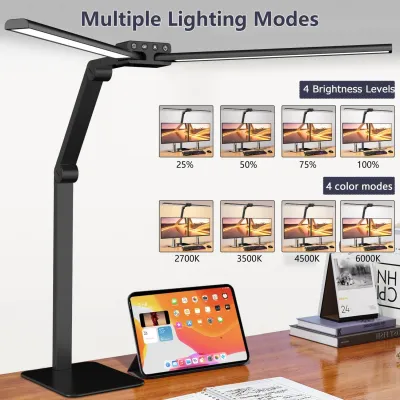
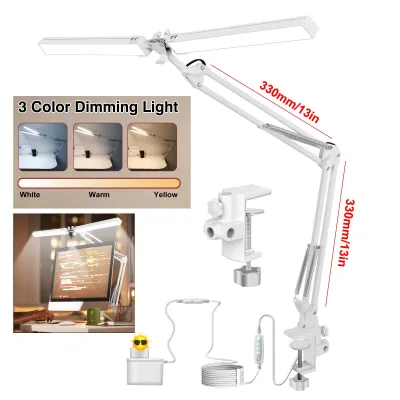
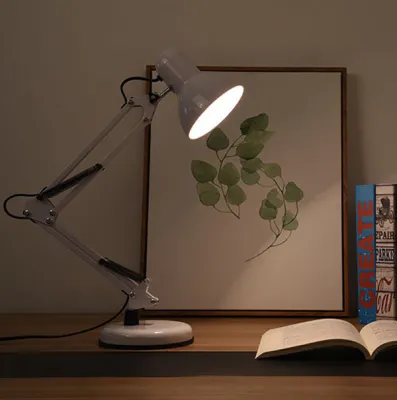
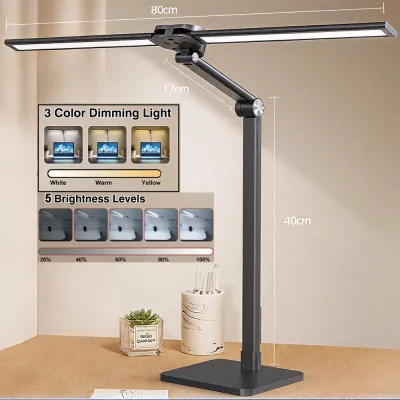
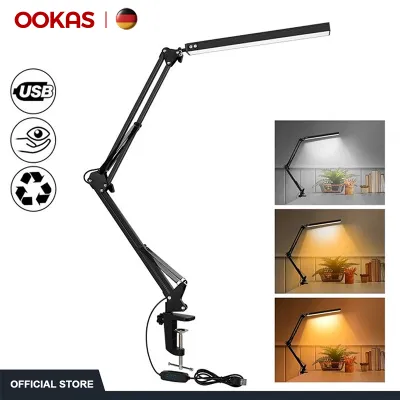
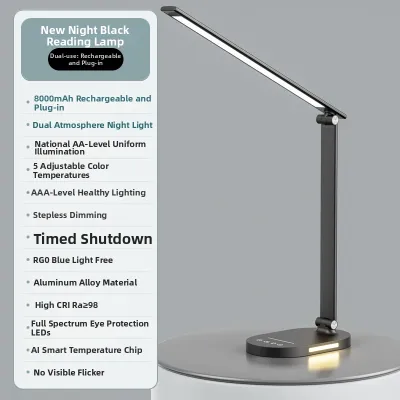
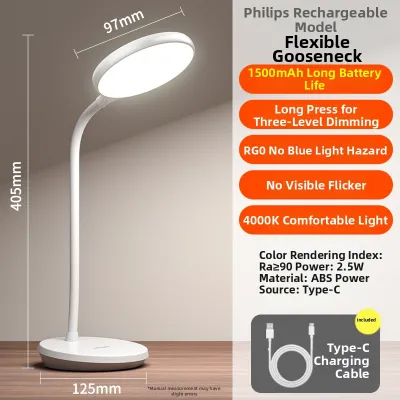
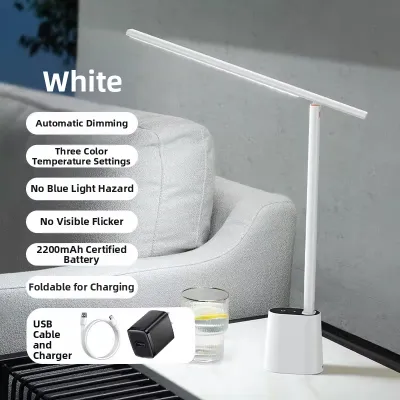
Prices are valid at publication and may change. Please refer to the product page for the latest price.
Key Specifications for Extended Computer Use
When shopping for a desk light, looking past vague marketing buzzwords is essential. You need to check the concrete technical specifications listed on the product packaging or manufacturer specification sheets. These metrics provide a reliable measure of how the light will perform during long hours of work.

Fixed-specification lamps often fall short for modern, multi-purpose workstations. A lamp that works perfectly for reading physical documents under bright daylight may be far too intense when you are typing on a bright monitor at night. Choosing a light with adjustable parameters allows you to customize the output as your ambient environment changes throughout the day.
Brightness and Dimming Control
A high-quality desk lamp should offer flexible dimming options to match the shifting light levels in your room. Look for models that feature stepless dimming, which allows you to smoothly adjust the light level to any point, rather than being limited to a few rigid preset brightness levels. This fine control helps you find the exact balance where the desk surface matches the perceived brightness of your screen.
Before purchasing, check the manufacturer’s label for the maximum and minimum lumen output. A wide lumen range ensures the lamp can deliver bright, focused light for daytime tasks and a soft, low-intensity glow for late-night sessions. Additionally, verify that the lamp uses a stable power supply and quality internal drivers, as poor-quality components can cause subtle, irritating brightness fluctuations that tire your eyes over time.
Color Temperature Adjustability
Color temperature, measured in Kelvin (K), describes the warmth or coolness of the light emitted. Cool light (higher Kelvin ratings) is often associated with alertness and focus, while warm light (lower Kelvin ratings) creates a more relaxed atmosphere. Because your lighting needs change depending on the time of day and the task at hand, adjustability is a key feature for long-term comfort.
Look for lamps that offer a customizable Kelvin range, typically spanning from warm white to cool daylight. This adjustability allows you to transition from a crisp, high-contrast setting during morning focus blocks to a softer, warmer tone in the evening to help wind down. Avoid relying on generic marketing terms like “reading mode” or “study mode” without verifying the actual Kelvin ranges specified on the product sheet.
Flicker-Free and Blue Light Claims
Many desk lamps are marketed with “eye-safe” or “flicker-free” labels, but it is important to verify these claims. Invisible high-frequency flickering can cause headaches and eye strain even if you cannot consciously see it. To ensure a lamp is truly flicker-free, look for recognized testing standards, independent laboratory certifications, or compliance marks on the product packaging.
It is also helpful to distinguish between physical blue light mitigation in a lamp and software-based blue light filters on your computer screen. While some lamps use specialized LED chips designed to emit less blue light, they do not replace the need for proper screen settings or regular screen breaks. If you experience persistent eye strain or visual discomfort during long work sessions, consult an eye care professional for personalized medical advice rather than relying solely on product marketing.
Ergonomic Design and Adjustability
The physical build of your desk lamp determines how precisely you can direct the light to avoid glare and clutter. Articulated swing arms offer excellent stability and a wide range of motion, allowing you to lift, lower, and tilt the light source as your posture changes. Gooseneck arms provide seamless, flexible positioning but may have a shorter reach and can sag over time if constructed from low-quality materials.
Consider how the lamp attaches to your workspace based on your desk’s material and thickness. A heavy, padded base offers stability on flat surfaces but takes up valuable desk real estate, whereas a secure desk clamp frees up workspace but requires a sturdy desk edge to grip. Additionally, look for a lamp head with a shaded or deeply recessed bulb design; this physical barrier prevents the light source from shining directly into your eyes when you are seated in your normal working position. In warm, humid tropical climates, choosing a lamp with a well-ventilated housing or heat-dissipating aluminum body can also prevent overheating during long, warm nights.
How to Match Lamp Specs to Your Workspace
To find the right desk light, start by evaluating your physical workspace. Measure your desk depth and note the position of any existing overhead fixtures or windows that contribute to ambient light. If your desk is deep, you will need a lamp with a longer reach or a wider light distribution to cover your entire working area without creating dark spots.
Balancing your feature requirements with your budget is the next step, as price tags in ₱ vary widely based on build quality, materials, and smart features. While premium models offer advanced adjustability and durable metal construction, simpler models with manual dimming can still provide excellent visual comfort if they meet the core technical specifications. Finally, always verify electrical compatibility—including the voltage, plug type, and wattage limits—to ensure safe operation in your home, and review the manufacturer’s warranty terms before making your final choice.
Frequently Asked Questions (FAQ)
Do I need a smart desk lamp with app control for computer work?
Smart features like mobile app control, scheduling, and voice commands offer convenience, but they are rarely necessary for basic computer work. For most users, physical buttons or touch-sensitive sliders on the lamp base or cord are faster, more reliable, and more intuitive to use mid-task. If you prefer a simple, distraction-free workflow, a standard manual lamp is often the more practical choice.
Can a desk light replace my monitor's built-in light bar?
A traditional desk lamp and a monitor light bar serve slightly different purposes. A monitor light bar mounts directly on top of your screen to save desk space and project light downward in a narrow, glare-free path. However, if you frequently read physical documents, write by hand, or need to illuminate a wider area of your desk, a traditional adjustable desk lamp provides a larger and more flexible illumination footprint.

Community discussion
Share your experience or ask a question. Comments are reviewed before publication.