
Finding the ideal study light lamp in the Philippines requires looking beyond basic brightness. With many professionals and students working in varied environments—ranging from air-conditioned home offices to naturally ventilated rooms subject to tropical humidity—the right desk lamp must balance optical performance, physical adjustability, and electrical safety. Rather than relying on generic overhead lighting, selecting a task lamp with customizable brightness, adjustable color temperatures, and high color rendering capabilities is the most effective way to minimize eye strain and maintain focus during long hours of work or study.
By understanding how different light specifications affect your eyes and how to integrate these fixtures into your workspace, you can make an informed decision that protects your vision. This guide outlines the essential technical metrics, ergonomic features, and safety standards you need to verify to choose a lamp that genuinely supports your daily productivity.
Identifying Visual Fatigue Triggers in Your Current Setup
Many home workspaces in the Philippines rely on a single overhead light source, often a high-wattage cool daylight fluorescent tube or a central ceiling LED panel. While this illuminates the entire room, it frequently fails to provide adequate light on the actual desk surface where reading, writing, and typing occur. This layout creates a stark contrast between the bright ambient environment and the shadowed work area, forcing your eyes to work harder to adjust.
Products mentioned in this guide
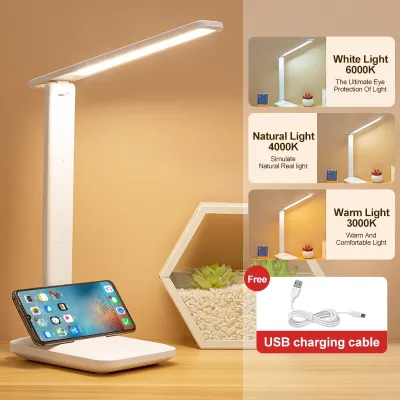
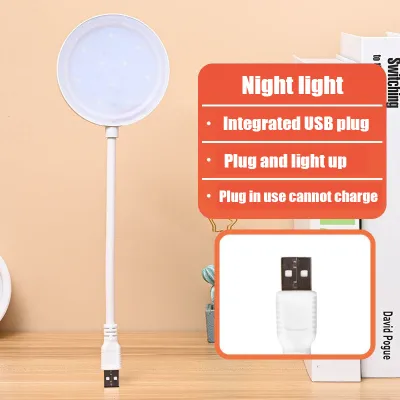
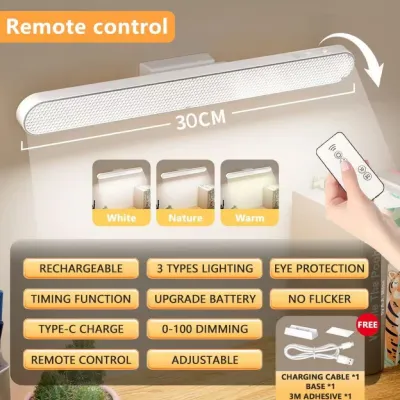
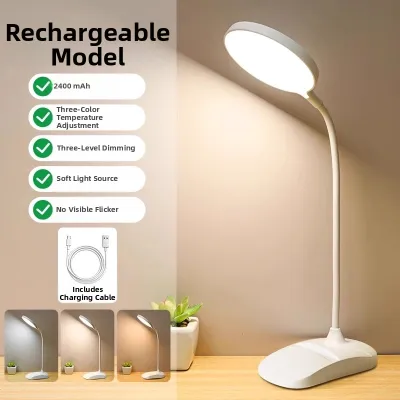
Prices are valid at publication and may change. Please refer to the product page for the latest price.
When you lean over your desk to read a book or write in a notebook, your head and shoulders cast harsh shadows directly over your workspace. This forces your eyes to constantly adjust between the bright screen of your laptop and the dimly lit paper surface, leading to rapid visual fatigue. The constant adaptation required by your pupils under uneven lighting conditions quickly tires the ciliary muscles of the eyes.
Another major trigger of eye strain is the high contrast between a bright computer monitor and a dark surrounding room. Working in a dark room with only the glow of a screen causes the pupils to dilate and contract repeatedly as your gaze shifts, which tires the eyes and can lead to tension headaches. A balanced visual field is essential for long-term comfort.
Direct screen glare is equally problematic. If an overhead light or an improperly positioned desk lamp reflects off your monitor screen, it creates a washed-out reflection that obscures text and images. Your eyes must work harder to filter out this glare, resulting in dry eyes, irritation, and blurred vision.
A dedicated study light lamp addresses these issues by delivering focused, localized illumination directly to your work area. By balancing the ambient light of the room with targeted task lighting, you create a harmonious visual field that allows your eyes to transition smoothly between different tasks without unnecessary strain.
Key Optical Specifications to Verify on the Product Label
When browsing online marketplaces or local hardware stores, evaluating the technical specifications on the product label is crucial for protecting your vision. The first metric to examine is illuminance, measured in lux, which indicates the amount of light that actually reaches your desk surface. This is different from lumens, which measure the total light emitted by the source.

For general reading and writing on paper, a desk surface should ideally receive between 500 and 750 lux of light. For computer-based tasks, a slightly lower illuminance of 300 to 500 lux is often preferred to prevent excessive contrast with the monitor screen. Look for lamps that specify their lux output at a standard distance, typically 30 to 40 centimeters from the lamp head, to ensure adequate coverage.
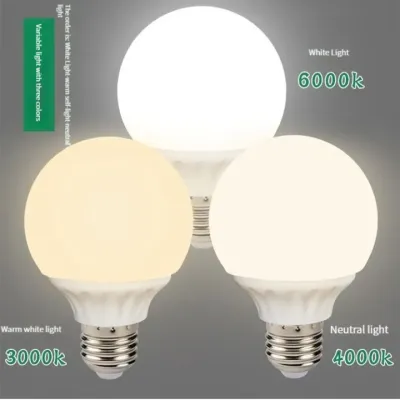
Color temperature, measured in Kelvin (K), is another critical factor that influences both eye comfort and alertness. A versatile study light lamp should offer adjustable color temperature settings, allowing you to switch between warm, neutral, and cool light depending on the time of day and the task at hand.
Cool white light, ranging from 5000K to 6500K, mimics natural daylight and is excellent for high-focus tasks, proofreading, and morning study sessions because it helps maintain alertness. However, using this cool light late in the evening can disrupt your circadian rhythm and make it difficult to fall asleep.
For evening work, transitioning to a warm white light between 2700K and 3000K is highly recommended. This warmer tone is gentler on the eyes in low-light environments and promotes relaxation. A neutral white light of around 4000K serves as an excellent all-purpose setting for daytime reading and writing, offering a balanced compromise between focus and comfort.
The Color Rendering Index (CRI), denoted as Ra, measures how accurately a light source reveals the true colors of objects compared to natural sunlight. For studying and detailed work, prioritize lamps with a CRI of Ra 80 or higher, and ideally Ra 90 or above. High CRI lighting reduces cognitive fatigue because your brain does not have to work as hard to interpret colors and fine details on the page.
Finally, look for explicit mentions of flicker-free technology and integrated anti-glare diffusers. Cheap LED lamps often exhibit high-frequency flickering that, while invisible to the naked eye, causes the eye muscles to contract rapidly, leading to unexplained headaches and fatigue. A quality diffuser panel softens the light, eliminating harsh hotspots and distributing illumination evenly across your desk.
Evaluating Adjustability and Ergonomic Desk Integration
A study light lamp is only as effective as its physical positioning. If a lamp cannot be adjusted to the correct height and angle, it may cast shadows or shine light directly into your eyes, defeating its purpose. Physical adjustability is key to integrating the lamp into your existing desk layout.
When evaluating a lamp’s physical design, look for multi-jointed arms and pivoting heads. An adjustable swing-arm allows you to position the light source directly over your reading material while keeping the bulb hidden from your direct line of sight. This is particularly important for deep desks or setups with multiple monitors where light needs to reach around screens.
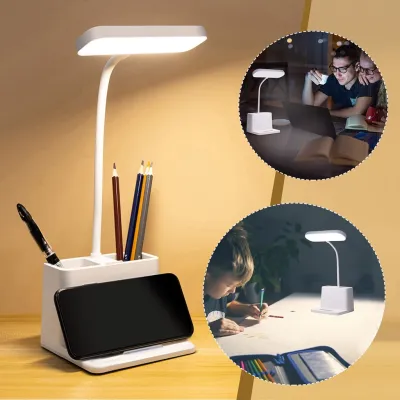
Base stability is another practical consideration, especially for busy desks. A heavy, weighted base ensures the lamp will not tip over when the arm is fully extended. Alternatively, clamp-on bases or desk-edge mounts are excellent space-saving options that secure the lamp firmly to the side of your desk, freeing up valuable surface area for books, keyboards, and notebooks.
Control interfaces should be intuitive and easy to access while you are working. Stepless dimming controls, which allow you to smoothly adjust the brightness from very dim to maximum output, are superior to fixed, stepped settings because they let you fine-tune the light to match changing natural light throughout the day.
Touch-sensitive controls located on the base or the lamp head are highly convenient, but ensure they are responsive and do not require excessive force to operate. For shared workspaces or temporary setups, such as a dining table used for daytime remote work, look for lightweight, folding designs that can be easily packed away at the end of the day.
Electrical Safety and Local Compatibility Checks
Before purchasing any study light lamp, verifying its electrical compatibility with local standards is essential for safety and longevity. In the Philippines, the standard electrical supply operates at 220 volts (V) and a frequency of 60 hertz (Hz).
Many imported lamps sold on global ecommerce platforms are designed for 110V systems. Connecting a 110V lamp directly to a 220V outlet without a proper step-down transformer will damage the lamp’s internal circuitry and pose a serious fire hazard. Always check the product label or power adapter to ensure it explicitly states “Input: 100-240V” or “220V-240V” and “50/60Hz” to guarantee safe operation.
Look for recognized safety certification marks printed on the product or its packaging. In the local market, look for the Philippine Standard (PS) mark or the Import Commodity Clearance (ICC) sticker. International certifications such as CE, RoHS, or UL also indicate that the product has undergone rigorous safety testing for electrical insulation and material safety.
Heat dissipation is another critical safety factor, particularly during long study sessions in warm, tropical climates. While LED lamps generate significantly less heat than traditional incandescent or halogen bulbs, the driver and base of the LED can still become warm. Ensure the lamp features adequate ventilation slots or a metal housing that acts as an effective heat sink to prevent overheating near paper, wooden desk organizers, or plastic accessories.
If your workspace setup requires complex modifications, such as installing recessed task lighting under overhead cabinets, running new electrical conduits, or hardwiring architectural fixtures, always consult a qualified professional electrician. Attempting to modify fixed household wiring without proper training can lead to electrical shocks, short circuits, or fire hazards.
Matching Lamp Form Factors to Your Workspace Layout
Selecting the right form factor depends heavily on your primary daily tasks and the physical layout of your desk. There are three main styles of study light lamps, each suited to different working styles and spatial constraints.
Monitor light bars, also known as screenbar lamps, are designed to clip directly onto the top of your computer monitor. They use an asymmetrical optical design that projects light downward and forward, illuminating your keyboard and desk space without shining any light onto the screen itself. This completely eliminates screen glare and reflections, making them the ideal choice for screen-heavy WFH setups and shallow desks where space is limited.
Architectural swing-arm lamps are the classic choice for drafting, sketching, and extensive paper-based reading. These lamps feature long, spring-balanced metal arms with multiple pivot points, allowing you to pull the light close for detailed work or push it high and wide to illuminate a large desk surface. They are highly versatile but require a sturdy desk edge or a heavy base to support their reach.
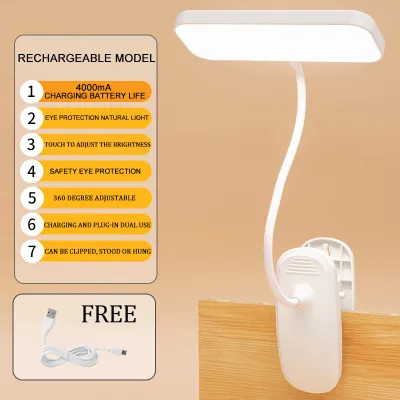
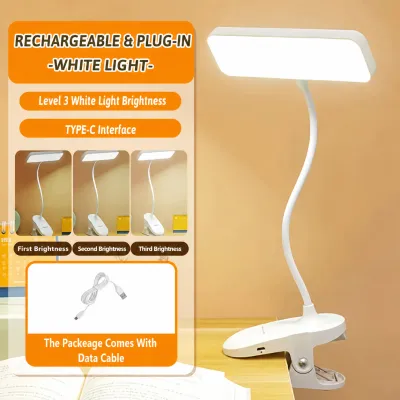
Compact folding or clip-on lamps are perfect for highly constrained or temporary workspaces. If you study at a small bedside table or use a shared dining table as a temporary desk, a folding LED lamp with a built-in rechargeable battery offers maximum flexibility. These lamps can be easily repositioned, clipped onto the edge of a shelf, or folded flat for storage when not in use.
Frequently Asked Questions (FAQ)
Does a higher wattage always mean better lighting for studying?
No, a higher wattage does not automatically mean better lighting for studying. Wattage measures electrical power consumption, not the actual amount of light produced. With modern LED technology, a highly efficient 8-watt LED lamp can produce the same amount of usable light (lumens) as a traditional 60-watt incandescent bulb. When evaluating a study light lamp, focus on the lumen output and the optical design of the diffuser, which determines how evenly and comfortably the light is distributed across your desk surface.
How should I position my study light lamp relative to my monitor?
To prevent glare and shadows, position your desk lamp so that the light source is below your eye level and angled away from your direct line of sight. If you are right-handed, place the lamp on the left side of your desk (and vice versa for left-handed users) to prevent your hand from casting shadows on your writing. For screen-based work, ensure the lamp head is positioned to the side of the monitor rather than directly behind or in front of it, preventing light from reflecting off the screen surface into your eyes.

Community discussion
Share your experience or ask a question. Comments are reviewed before publication.