
Setting up a productive home office in the Philippines requires careful consideration of your environment, starting with a versatile xiaomi table lamp. Working from home often means balancing natural tropical daylight with shifting indoor conditions, which can lead to severe eye fatigue if your task lighting remains static. Proper illumination directly influences your cognitive focus, visual comfort, and overall productivity during extended working hours. By matching your light source to the specific demands of your tasks, you can transform your workspace into a highly efficient environment that supports your physiological well-being.
To optimize your workspace, it is essential to understand three core lighting metrics: illuminance, color temperature, and Color Rendering Index (CRI). Illuminance, measured in lux, refers to the amount of light covering a specific surface area, which must be sufficient to prevent squinting without causing glare. Color temperature, measured in Kelvin (K), dictates the warmth or coolness of the light, ranging from warm amber tones to crisp, cool blues. CRI, rated on a scale up to Ra 100, measures how accurately a light source reveals the true colors of objects compared to natural sunlight. Different activities—such as reviewing physical documents versus staring at self-illuminating, emissive LED screens—require contrasting configurations of these metrics to maintain visual comfort.
Configuring Your Xiaomi Lamp for Reading Physical Documents
Reading printed books, documents, or handwritten notes demands high visual acuity and excellent contrast. To achieve this, your light source must have a high Color Rendering Index, ideally Ra 90 or above, which ensures that black text stands out sharply against white or cream paper without color distortion. A neutral-to-cool color temperature of approximately 4000K is highly recommended for sustained reading sessions. This specific range stimulates focus and alertness by mimicking natural daylight, helping to suppress melatonin production during daytime or evening study blocks without introducing the harsh, sleep-disrupting blue peaks of higher Kelvin ranges.
Products mentioned in this guide
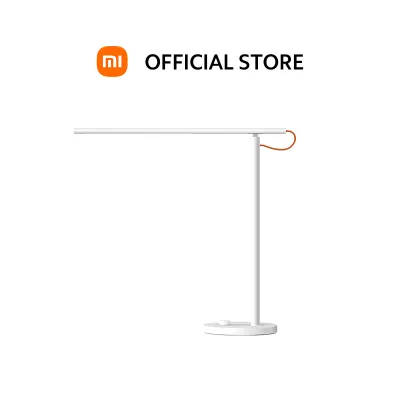
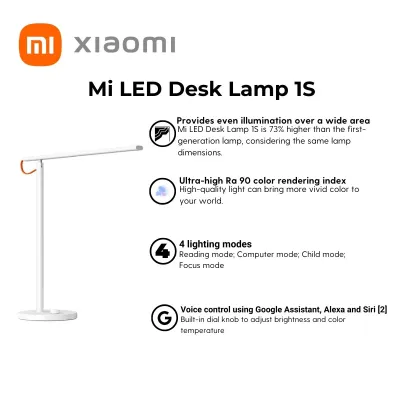
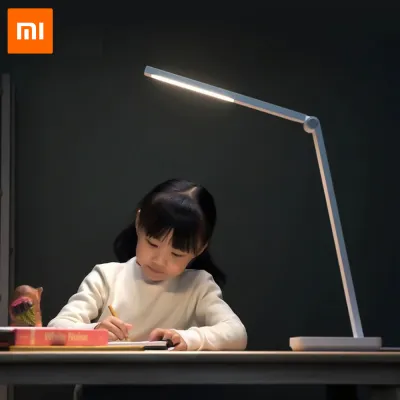
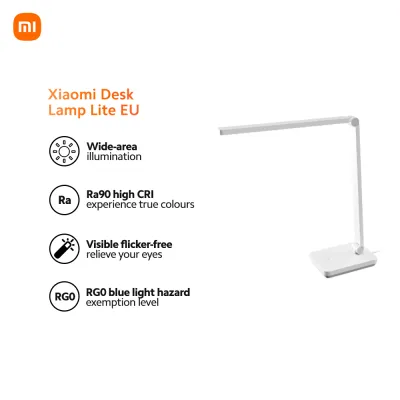
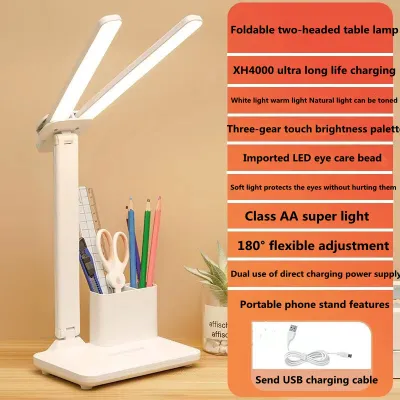
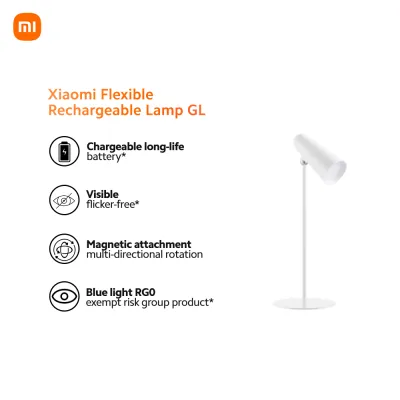
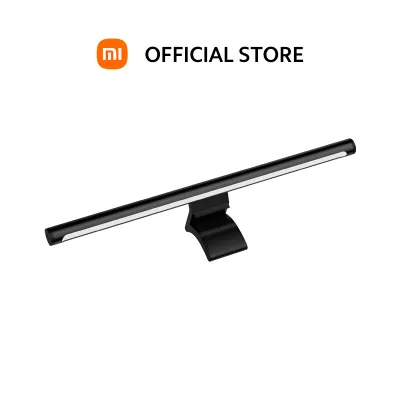
Prices are valid at publication and may change. Please refer to the product page for the latest price.
Most adjustable models in the Xiaomi ecosystem allow you to customize these settings easily using physical dials or integrated smart controls. To configure your lamp manually using the physical knob, a single click typically turns the unit on or off, while rotating the dial adjusts the brightness levels. To change the color temperature directly from the fixture, press down on the dial while rotating it, shifting the light from a warm amber to a cool white until you reach a comfortable, neutral 4000K. Alternatively, you can open the companion smart home application and select the preset “Reading Mode,” which automatically calibrates the fixture to a flicker-free, optimized brightness and neutral color temperature.
Proper physical placement of your desk lamp is just as critical as its internal settings. Position the lamp base on the side opposite your dominant hand—on the left side if you are right-handed—to prevent your hand from casting distracting shadows across your notebook or document while writing. Angle the lamp head so that the light cone fully covers your reading material without spilling directly into your peripheral vision or reflecting off glossy paper surfaces. Before purchasing, always check the product packaging, manufacturer label, or official store listing to verify the maximum lux output and ensure the CRI rating meets the Ra 90 threshold.
For users in the Philippines, it is also vital to verify the electrical specifications of your imported or locally purchased unit. Standard household electricity in the Philippines operates at 220V with a frequency of 60Hz. Ensure that your lamp’s power adapter is rated for this voltage range or features a wide-voltage input (100V–240V, 50/60Hz) to prevent overheating or electrical damage. Look for local safety certifications, such as the Import Commodity Clearance (ICC) or Product Safety (PS) mark, to guarantee the internal ballast and circuitry comply with domestic safety standards.
Setting Up Your Xiaomi Lamp for Flattering Video Calls
Using a table lamp as a supplementary key or fill light can dramatically improve your appearance during video conferences. Standard laptop webcams feature small image sensors that struggle in low-light environments, resulting in grainy, pixelated video feed and harsh facial shadows. To counter this, you need soft, diffused facial illumination that evens out skin tones. A warm-to-neutral color temperature between 3000K and 4000K is ideal for video calls, as it introduces healthy warmth to your complexion without making you appear overly orange or pale and washed out.

To configure your lamp for a call, start by lowering the overall brightness to avoid overexposing your face on camera, which can cause distracting highlights on your forehead and cheeks. Adjust the color temperature to complement the ambient light in your room; if you have cool daylight coming from a window, set the lamp closer to 4000K, but if you are working under warm indoor bulbs, lower it toward 3000K. If your lamp design features a highly flexible arm or a rotating head, point the light directly at a nearby light-colored wall or ceiling in front of you. This technique bounces the light, turning the wall into a large, soft diffuser that eliminates harsh shadows under your eyes and nose.
If the lamp’s physical hinge limits its rotation, place the fixture slightly behind and above your webcam axis, pointing the diffuser panel toward your face. This positioning ensures even frontal lighting while preventing the light source from casting a direct glare onto your computer screen or into your eyes. Utilizing the smart home app is highly beneficial during live meetings, as it allows you to fine-tune your brightness and color temperature in 1% increments directly from your phone or desktop shortcut, avoiding the need to reach across your desk and disrupt your camera framing mid-call.
Minimizing Eye Strain During Prolonged Screen Work
When working on a laptop or desktop monitor for hours, your eyes are subjected to a high-contrast environment, especially if the surrounding room is dark. This contrast forces your pupils to dilate and constrict repeatedly as your gaze shifts between the bright screen and the dark background, leading to rapid eye fatigue. To minimize this strain, you should use your table lamp to provide “bias lighting” or ambient wash light. This technique raises the ambient light level of the room, reducing the harsh contrast ratio between your monitor and the surrounding walls.
To set up your desk lamp for screen work, adjust the brightness to a lower level than your monitor’s display and angle the light head away from the screen surface. The primary goal is to illuminate the desk area, your keyboard, and your physical notes without casting any direct light onto the monitor screen itself, which would cause specular reflections and glare. Standard desk lamps can achieve this by being positioned to the side of the monitor, pointing straight down at the desk surface, or angled backward to softly wash the wall behind the screen.
While a standard adjustable desk lamp is excellent for creating ambient fill light, it functions differently than a dedicated asymmetric monitor light bar. Monitor light bars clip directly onto the top of your screen and use a precise optical design to project light downward in a strict path, completely avoiding the screen glass while illuminating your immediate workspace. If you are using a standard desk lamp, you must manually adjust the height and angle to prevent screen reflections. To complement your physical lighting setup, always practice healthy ergonomic habits, such as the 20-20-20 rule: every 20 minutes, take a 20-second break to look at an object at least 20 feet (about 6 meters) away to relax your eye muscles.
Choosing a Single Xiaomi Table Lamp for Cross-Scenario Compatibility
If you want a single xiaomi table lamp to handle reading, video calls, and screen work, you must prioritize specific hardware and software features. Look for models that offer a wide, continuous color temperature range—ideally from a warm 2700K up to a cool 6500K—and stepless dimming capabilities. This flexibility ensures you can transition seamlessly from a stimulating cool light for morning focus to a soft, warm glow for evening video calls or ambient relaxation. High color rendering (Ra 90 or above) remains a non-negotiable specification if you plan to read physical documents or require accurate color representation for design work.
Physical adjustability is another critical factor for a multi-tasking workspace. A versatile lamp should feature multi-axis hinges, a rotating head, and a sturdy, weighted base. This structural design allows you to quickly reposition the light, angling it downward for reading, outward for video call diffusion, or backward for ambient bias lighting without the unit tipping over. Furthermore, robust heat dissipation is essential in tropical climates like the Philippines, where high ambient temperatures can accelerate the degradation of LED chips; a well-engineered aluminum arm or ventilated head housing helps maintain the lamp’s lifespan.
Smart home integration adds immense value by allowing you to create automated lighting schedules and custom scenes. Through the companion app, you can program your lamp to gradually warm its color temperature as evening approaches, aligning with your natural circadian rhythm. When purchasing, always check the detailed product specifications on official brand websites or authorized e-commerce platforms in the Philippines. Typical high-quality smart desk lamps range from ₱1,500 to ₱4,000, and verifying the local warranty, plug type (flat two-pin Type A is standard in local outlets), and 220V compatibility before checkout will ensure a safe, long-lasting addition to your WFH setup.
While plug-and-play desk lamps do not require complex fixed electrical wiring, safety should always be your top priority. Always isolate the power supply by unplugging the adapter from the wall outlet before cleaning the fixture, moving its position, or performing any maintenance. If you plan to modify any electrical components or integrate smart wall switches into your home’s permanent wiring system, consult a qualified professional electrician and strictly follow the manufacturer’s installation instructions to avoid fire hazards or electrical shocks.
Frequently Asked Questions (FAQ)
Do I need the smart home app to change lighting modes for different tasks?
You do not strictly need the companion smart home app for basic daily operations, as most models feature a physical dial or button that allows you to turn the light on, adjust brightness, and cycle through basic color temperatures manually. However, the app is required if you want to access specialized preset modes, customize automation schedules, link the lamp with other smart home devices, or install firmware updates that improve device stability and performance.
Can a standard Xiaomi desk lamp replace a dedicated monitor light bar for screen work?
A standard desk lamp can serve as an effective ambient or bias light source if you position it carefully to illuminate the desk surface or the wall behind your monitor. However, it cannot fully replicate the precise performance of a dedicated monitor light bar. Monitor light bars feature a specialized asymmetric optical design that directs light downward at a strict angle, completely eliminating screen glare and reflections while saving valuable desk space.

Community discussion
Share your experience or ask a question. Comments are reviewed before publication.