
Finding the right task lighting is crucial when spending long hours reviewing documents or working on a laptop. To protect your eyes from strain during extended study or work-from-home (WFH) sessions, a clip-on lamp must deliver more than basic illumination. The ideal fixture provides adjustable brightness, a customizable color temperature range, a high Color Rendering Index (CRI), and a flicker-free driver.
Because a clip-on lamp relies on a physical clamp rather than a heavy base, you must balance these lighting specifications with structural ergonomics. Selecting a model with the right mechanical stability ensures the light remains securely positioned without damaging your furniture or creating distracting screen glare.
Quick Guide: Essential Specs for Eye Comfort
Before browsing online marketplaces, familiarize yourself with the core specifications that directly impact visual comfort. A high-quality task light should offer adjustable settings to accommodate different times of day and tasks.
Products mentioned in this guide
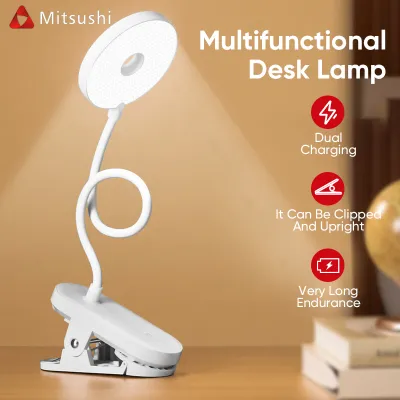
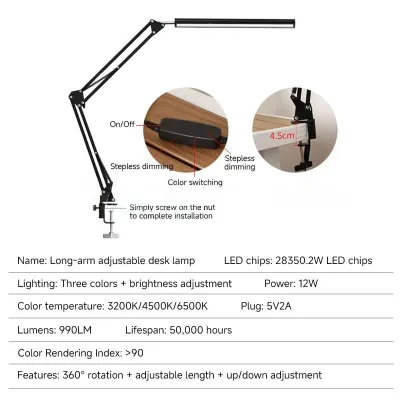
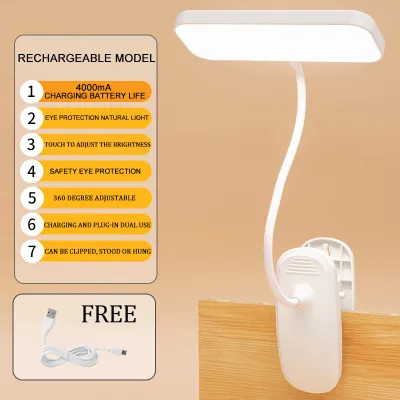
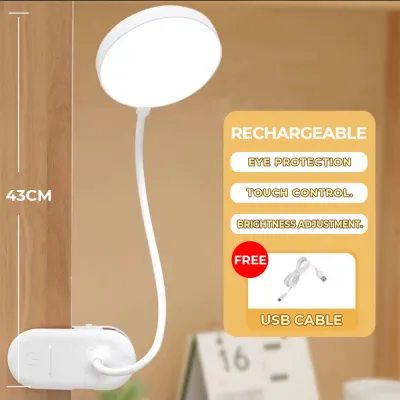
![[Ready Stock+COD] Portable Clip Desk Lamp Eyes Protection Clamp Clip Light Bendable USB Reading Lamp Desk Bedroom](https://img.lazcdn.com/g/p/f8d0e877c767af668a5f3063d7c72454.jpg_400x400q80.jpg_.webp)
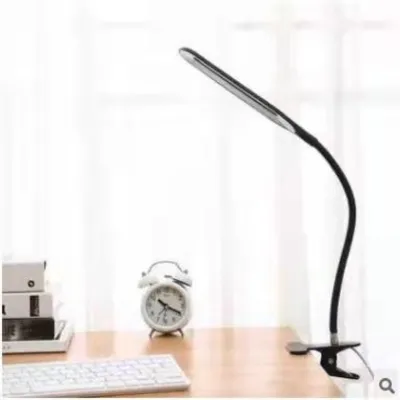
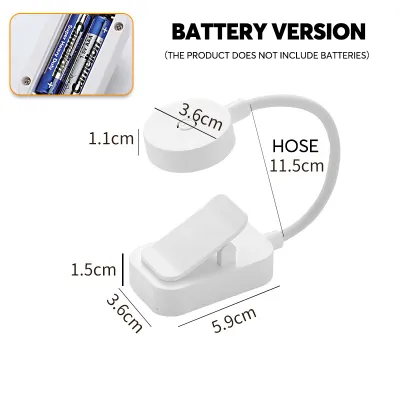
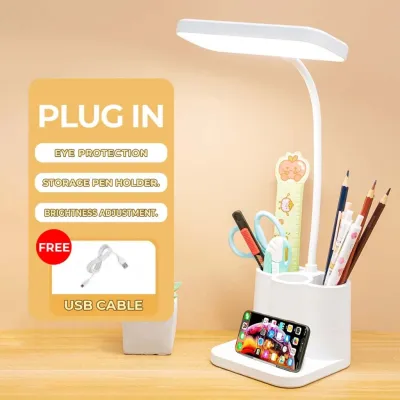
Prices are valid at publication and may change. Please refer to the product page for the latest price.
Keep this quick checklist in mind when comparing models:
- Brightness: Look for stepless dimming or multiple brightness levels rather than a single fixed output.
- Color Temperature: Choose a lamp offering a range between 3000K (warm white) and 5000K (cool white), or a dedicated neutral white output around 4000K.
- Color Rendering Index (CRI): Prioritize a CRI of 80 or higher (ideally 90+) to ensure clear contrast and accurate color representation.
- Power Source: Verify the power interface (USB vs. direct AC plug) to ensure compatibility with your workstation setup.
Unlike traditional desk lamps, a clip-on design introduces physical constraints. The weight of the lamp head, the strength of the spring clamp, and the flexibility of the neck determine exactly where the light pool falls, making mechanical specs just as vital as electrical ones.
Brightness and Beam Angle: Avoiding Glare and Shadows
When evaluating brightness, many buyers mistakenly focus solely on total lumens, which represents the raw light output from the source. For effective task lighting, the more critical metric is illuminance—the actual amount of light that reaches your desk surface, often measured in lux. A high lumen output is useless if the light disperses too widely or concentrates into a blinding hotspot.

Overly bright, poorly diffused clip-on lights are a primary cause of digital eye strain. If the light source lacks a proper physical diffuser or frosted cover, the raw LED beads will project harsh, sharp shadows across your workspace. This harsh light also bounces off screens and reading materials, creating distracting reflections that force your eyes to work harder to focus.
To prevent this, prioritize clip-on lamps that feature stepless dimming. This allows you to fine-tune the brightness to match the ambient light levels in your room throughout the day. Additionally, look for models with built-in frosted diffusers that soften the beam, creating an even distribution of light across your desk.
Your desk surface itself plays a significant role in how light behaves. If you work on a highly reflective surface, such as polished glass or varnished wood, raw light will amplify glare significantly. Matte surfaces are much more forgiving, but in either scenario, a diffused light source with an adjustable beam angle remains the safest choice for keeping shadows soft and glare to a minimum.
Color Temperature and CRI: Supporting Focus and Reducing Strain
Color temperature, measured in Kelvin (K), dictates the color appearance of the light and directly influences your focus and circadian rhythm. Lower Kelvin ratings (around 2700K to 3000K) produce a warm, yellowish light that promotes relaxation but can cause drowsiness during intense study sessions. Conversely, higher Kelvin ratings (5000K to 6500K) yield a cool, blue-toned daylight that enhances alertness but can lead to eye strain over prolonged periods.
For mixed WFH and study tasks, a neutral white light of approximately 4000K is highly recommended. This neutral tone provides excellent contrast for reading and typing without the harshness of cool daylight. Opting for a lamp with adjustable color temperature allows you to shift from an alert neutral white during daytime work to a warmer tone as evening approaches, helping your body prepare for sleep.
The Color Rendering Index (CRI) measures how accurately a light source reveals the true colors of objects compared to natural sunlight. A low CRI makes colors look dull or distorted, forcing your eyes to exert extra effort when reading printed text or reviewing physical documents. To minimize cognitive fatigue, select a clip-on lamp with a CRI rating of 80 or above, with 90+ being ideal for color-critical tasks.
However, your aesthetic preference for color temperature and the spatial effect of the light are subjective; they do not dictate the physical performance of the lamp. Note that high CRI is less critical if you position the lamp purely as a bias light or backlight behind your monitor. In that specific setup, the lamp’s primary role is to raise ambient light behind the screen to reduce contrast strain, rather than illuminating physical documents.
Power, Flicker, and Physical Stability
The mechanical and electrical specifications of a clip-on lamp dictate its safety, longevity, and daily convenience. Because these lamps are portable, understanding their power requirements is essential before making a purchase.
Power Sources
- USB-Powered: These models offer great flexibility, allowing you to power them from a laptop or monitor. However, you must verify the required adapter output (typically 5V/2A). Plugging a high-draw lamp into an underpowered USB port can cause dimming or unstable performance.
- Direct Plug-In: If choosing a mains-powered model, verify that the voltage is fully compatible with standard 220V outlets in the Philippines. Always check for local electrical safety certifications, ensure the power cord is properly insulated, and avoid overloading extension cords. Never handle plugs with damp hands, and isolate the power supply before replacing any bulbs or cleaning the fixture.
- Battery-Operated: While highly portable, rechargeable battery-operated lamps suffer from runtime degradation over time. The battery may drain mid-session, forcing you to interrupt your work to recharge, making them less suitable for long, uninterrupted WFH or study sessions.
Flicker Many low-quality LED drivers produce an invisible, high-frequency flicker. While you may not consciously see it, this rapid pulsing forces your eye muscles to adjust constantly, leading to headaches and dry eyes. Look for products explicitly labeled as “flicker-free.” You can perform a basic, non-definitive test by viewing the active lamp through your smartphone camera; if you see dark, moving bands across the screen, the lamp exhibits severe visible flickering and should be avoided.
Clip Mechanism and Weight A clip-on lamp is only as stable as its clamp. A heavy lamp head or a long, flexible gooseneck requires a robust, high-tension spring clip to prevent the lamp from sagging or falling. Before buying, check the manufacturer’s specified maximum clamp thickness to ensure it accommodates your desk or shelf. Additionally, verify that the clamp features protective rubber or foam pads. Unpadded metal or hard plastic clamps can easily scratch wooden surfaces or slip off smooth glass desks.
Specs You Can Safely Ignore
To simplify your buying decision, learn to filter out marketing hype and unnecessary features that drive up the price without improving your productivity or eye comfort.
Avoid chasing extremely high lumen counts. Desk lamps are designed for localized task illumination, not for lighting up an entire room. Excessive brightness from a high-lumen source will only create blinding glare on your desk and screen, rendering the lamp uncomfortable to use up close.
Similarly, smart home connectivity, mobile app controls, and RGB color-changing modes are generally unnecessary for a dedicated study or WFH task light. These features add technical complexity, potential firmware issues, and extra cost without contributing to eye comfort or focus.
Finally, remain skeptical of vague “eye-protection” or “anti-blue light” marketing badges and stickers. These labels are often applied loosely without standardized testing. Instead of relying on generic marketing claims, look for verified technical specifications such as a high CRI rating, explicit flicker-free certification, and adjustable lux levels.
Frequently Asked Questions (FAQ)
Can I use a clip-on lamp as my only light source for studying?
Using a single, localized clip-on lamp as your sole light source in a dark room is highly discouraged. When your desk is brightly illuminated but the surrounding room is pitch-black, your pupils must constantly dilate and contract as your eyes shift between the bright workspace and the dark background. This extreme contrast leads to rapid eye fatigue and headaches. For a balanced visual environment, always use your clip-on lamp as a supplementary task light alongside adequate ambient room lighting.
How do I know if my clip-on lamp is causing screen glare?
You can identify screen glare if you notice visible reflections of the light bulb on your monitor, washed-out colors on your display, or if you find yourself squinting or leaning forward to read text. To eliminate glare, position the clip-on lamp to the side or slightly behind your monitor. Adjust the flexible neck to angle the light beam downward toward your keyboard or paperwork, ensuring the light source is shielded from your direct line of sight and does not point directly at the screen.
Community discussion
Share your experience or ask a question. Comments are reviewed before publication.