
Deciding between a clip light and a regular desk lamp for your work-from-home (WFH) setup comes down to analyzing your physical desk space, the structural integrity of your furniture, and your daily visual tasks. If you work on a compact desk with zero room to spare, a clip light offers an elegant, space-saving solution by gripping onto the edge of your workstation. On the other hand, if you require broad, uniform illumination for reading physical documents or have a delicate glass-topped desk, a traditional freestanding desk lamp remains the safer, more stable choice. Balancing these factors ensures you create a comfortable, productive, and eye-strain-free environment.
Quick Diagnosis: Clip Light vs. Regular Desk Lamp
The fundamental difference between these two lighting solutions lies in their mounting mechanisms and physical footprints. A clip light utilizes a spring-loaded tension clip or a screw-tightened C-clamp to secure itself to a horizontal or vertical projection, completely freeing up your desktop surface. A regular desk lamp relies on a weighted base that sits flat on your desk, using gravity to support its adjustable neck and head.
To help you make a quick decision, consider this diagnostic checklist for your workspace:
Products mentioned in this guide
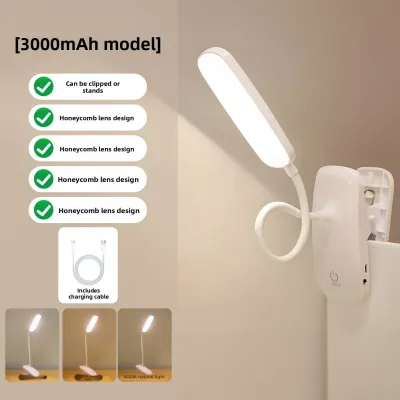
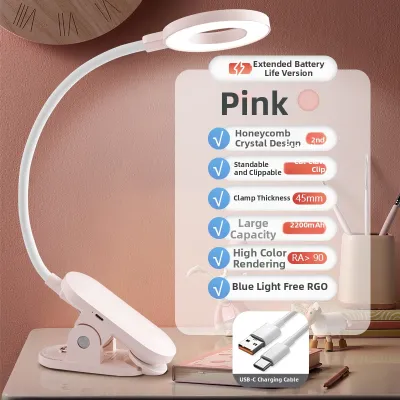
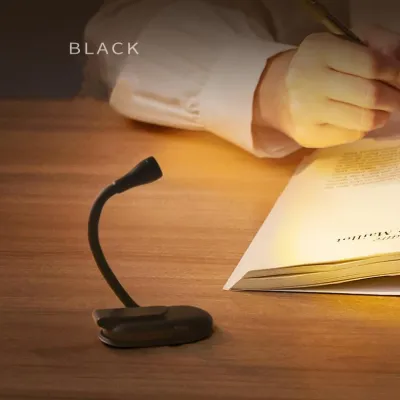
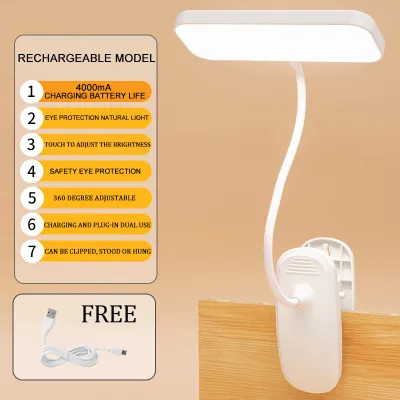
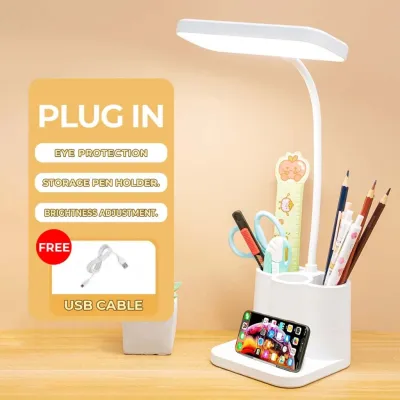
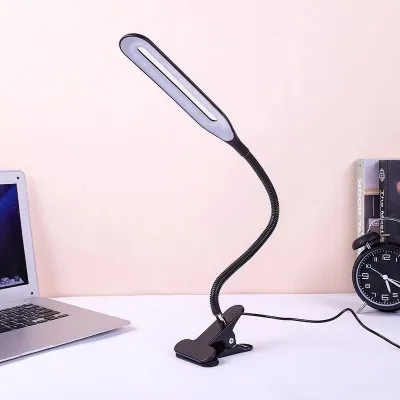
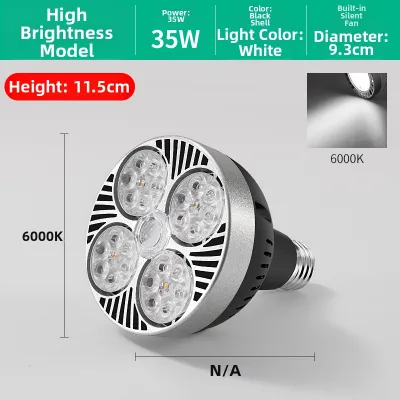
Prices are valid at publication and may change. Please refer to the product page for the latest price.
- Choose a clip light if:
- Your desk surface is highly congested with monitors, keyboards, and office accessories.
- Your desk features a sturdy, exposed, and flat edge made of solid wood, metal, or thick composite material.
- You require highly localized, adjustable task lighting that can be easily angled or moved.
- You want to keep your desktop completely clear of cords and bulky bases.
- Choose a regular desk lamp if:
- You have a spacious desk with plenty of depth and unused surface area.
- Your desk surface is made of fragile glass, thin acrylic, or has rounded edges that cannot support a clamp.
- You need wide, even light distribution to cover multiple monitors, large notebooks, or physical design drafts.
- You prefer a simple, plug-and-play setup that does not require mechanical installation or regular tightness checks.
Assess Your Desk Space and Mounting Surfaces
Traditional desk lamps require a dedicated flat area, often consuming a circle of 15 to 25 centimeters in diameter. In many home offices—especially compact condominium units or shared rooms in the Philippines—this small patch of real estate is incredibly valuable. Placing a heavy lamp base on a small desk can force your keyboard, mouse, and reference notebooks into awkward, unergonomic positions. A clip light eliminates this issue entirely by mounting to the perimeter, leaving the entire desktop free for your hands and computer peripherals.

Before choosing a clamp-on model, you must carefully evaluate your desk’s edge. A secure mount requires a flat, parallel top and bottom surface with an adequate overhang, or “lip,” of at least 3 to 5 centimeters. Workstations made of solid hardwood, thick plywood, or those built with a steel perimeter frame offer the most secure mounting points. Avoid clamping onto hollow-core desks (which are often filled with cardboard honeycomb structures) or desks with thin MDF tops, as the concentrated pressure can warp, crush, or puncture the material over time.
Never attach a screw-tightened clamp directly to fragile materials like glass, thin acrylic, or highly polished lacquer finishes. The intense localized pressure can easily crack glass or leave deep, permanent gouges in soft wood. If you must use a clip light on a finished wooden surface, ensure the clamp jaws are lined with thick rubber or foam padding; if they are bare metal, insert a small piece of felt or leather to distribute the force safely. Always check the manufacturer’s specified maximum jaw width and weight limits to ensure the clamp can comfortably accommodate your desk’s thickness without being forced open to its absolute limit.
A clamp-on light does not exist in a vacuum; it must share the edge of your desk with other accessories. Map out your workspace to ensure the clamp body and the light’s flexible neck do not block sliding keyboard trays, rub against adjacent walls, or interfere with monitor mounts, webcams, or desktop speakers. If you use a dual-monitor setup, a clip light mounted too close to the screen edges can create annoying shadows or physically restrict your ability to tilt or rotate your displays.
Evaluate Your Lighting Coverage and Adjustability Needs
Task lighting is designed to illuminate a specific, highly focused area for activities like reading, writing, or reviewing physical documents. Clip lights are exceptionally good at this because their compact heads and concentrated beams can be pointed directly at your notebook or keyboard. However, if your daily work involves spreading out large blueprints, design sketches, or multiple reference books, a regular desk lamp with a wide, linear LED head or a long, multi-jointed arm will provide much broader, more even illumination, reducing the high-contrast shadows that cause eye fatigue over a long workday.
While both lamp types offer adjustable designs, their physical limits differ significantly. Clip lights often feature highly flexible, rubberized goosenecks or lightweight plastic jointed arms. While these goosenecks allow for quick, multidirectional adjustments, they have strict balance limits; extending a flexible neck too far horizontally creates a heavy lever effect that can cause the clamp to slip or the arm to slowly sag under its own weight. Regular desk lamps, anchored by a heavy steel or cast-iron base, can support much longer, heavier articulated metal arms that reach deep across a large desk without any risk of tipping or sliding.
Minimizing screen glare is essential for preventing digital eye strain, especially during long evening work sessions. Because clip lights are often mounted closer to the user or on the sides of the desk, finding an angle that does not bounce light directly off your monitor screen into your eyes can be challenging. Placing a tall, adjustable desk lamp slightly behind or to the side of your monitor allows you to cast light downward onto your documents at a steep angle, avoiding screen reflections entirely. If you must mount a clip light near the front of your desk, ensure the lamp head features a deep shade or a highly directional lens to shield your eyes from direct bulb glare.
Check Power Access, Cable Management, and Safety
Clip lights are often designed as secondary or highly portable fixtures, which means they frequently come with shorter power cables—sometimes measuring only 1 to 1.5 meters. Before purchasing, measure the distance from your intended mounting point to the nearest wall outlet or power strip. Avoid stretching a power cord tightly across an open space, as this tension can slowly pull the clamp loose, damage the cord’s internal wiring, or create a dangerous tripping hazard in your home office.
Managing the power cable of a clamp-on light requires extra care, particularly if you use a height-adjustable standing desk. Ensure the cable has enough slack to accommodate the desk’s full vertical movement without pulling on the wall outlet or straining the lamp’s connection point. Use adhesive cable clips or hook-and-loop straps to route the cord cleanly down the back of a desk leg or monitor arm, keeping it clear of moving keyboard trays and ensuring it remains hidden from your webcam’s field of view during professional video calls.
Electrical and thermal safety are critical considerations for any home office setup. When installing a clip light, ensure the clamp is tightened securely according to the manufacturer’s instructions, and make a habit of checking it every few weeks, as daily adjustments can gradually loosen the mechanism. In warm, humid tropical environments like the Philippines, heat dissipation is particularly important; always verify the fixture’s maximum wattage rating and choose energy-efficient LED bulbs, which run significantly cooler than older halogen or incandescent options. Ensure the lamp head is never positioned in direct contact with flammable materials, such as paper documents, curtains, or the underside of wooden overhead shelving.
Final Verdict: When to Buy, Adjust, or Combine
Your final choice should be guided by your desk’s physical layout and your daily working habits. If you work on a compact, crowded desk with a sturdy, exposed edge and need focused light for specific tasks, proceed with a high-quality clip light. If you have a spacious desk, require wide-area illumination, or have a fragile glass-top desk, a traditional freestanding desk lamp is the superior choice.
Many professionals find that a hybrid lighting strategy offers the best of both worlds. You can use a regular desk lamp or a monitor light bar to provide balanced, glare-free ambient light across your primary workspace, while utilizing a small, low-wattage clip light clamped to an adjacent shelf or wall mount to provide targeted accent lighting or focused illumination for a physical notebook.
Before finalizing your purchase, verify these three critical specifications against your workspace measurements:
- Clamp capacity: Measure your desk's edge thickness and compare it to the lamp's maximum jaw opening to ensure a secure fit.
- Power specifications: Ensure the voltage matches your local standard (such as 220V in the Philippines) and verify the cord length is sufficient for your layout.
- Bulb compatibility: Confirm whether the fixture uses an integrated LED array or a standard replaceable bulb socket (like E27), which allows you to choose your preferred color temperature and brightness level.
Frequently Asked Questions (FAQ)
Can I clamp a desk light to a glass desk?
It is highly discouraged to clamp any light directly onto an untreated or thin glass desktop due to the high risk of concentrated point pressure causing the glass to shatter. If you must use a clamp-on model, you should only do so if the manufacturer explicitly states it is safe for glass and provides specialized, highly padded clamps. Alternatively, you can place a solid, flat wooden or rubber backing board on both the top and bottom of the glass to distribute the clamping force, though switching to a freestanding desk lamp is always the safer, risk-free alternative.
Are clip lights bright enough for video calls?
While clip lights can provide sufficient brightness, their highly focused, directional beams often create harsh, unflattering shadows and intense glare when pointed directly at your face during video calls. To use a clip light effectively for virtual meetings, try diffusing the light by angling the lamp head to bounce the light off a nearby light-colored wall or ceiling. This creates a softer, more balanced ambient glow that illuminates your face evenly without causing eye strain.
Community discussion
Share your experience or ask a question. Comments are reviewed before publication.