
Many professionals transitioning to long-term work-from-home arrangements focus heavily on ergonomic chairs and high-speed internet, often overlooking the critical role of lighting. Your home’s default lighting is rarely optimized for an eight-hour office shift. If you find yourself struggling with midday fatigue, dry eyes, or end-of-day headaches, the culprit might not be your workload, but rather the way light is distributed across your workspace.
A specialized desk lamp is not an absolute necessity for everyone, but it becomes essential when your daily tasks demand high visual concentration or when your room’s ambient light is poorly positioned. Deciding whether to invest in a dedicated task light depends on your specific work habits, the layout of your desk, and how your eyes react to your current environment. By evaluating your physical workspace and understanding how light interacts with your eyes, you can determine if a specialized lamp is the key to a more comfortable, productive workday.
Signs Your Current WFH Lighting Is Falling Short
Recognizing when your current lighting setup is failing requires paying close attention to your body’s physical signals throughout the day. Eye strain, or asthenopia, is one of the most common indicators that your workspace is poorly lit. This discomfort often presents as a dull ache around the eyes, dryness, itching, or a burning sensation that intensifies as your shift progresses. When your desk lacks sufficient illumination, your eye muscles must work significantly harder to focus on text and images, leading to rapid fatigue.
Products mentioned in this guide
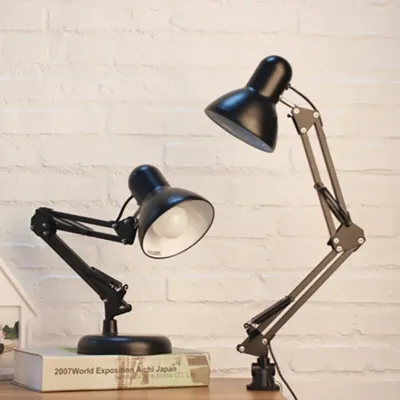
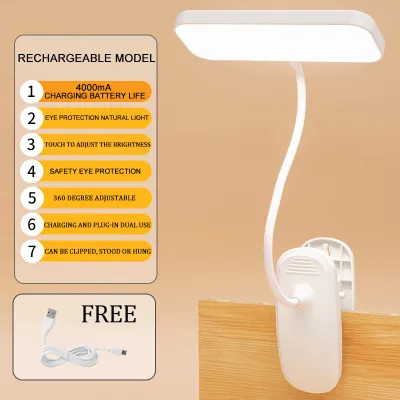
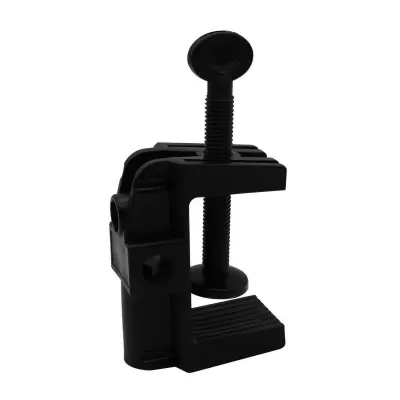
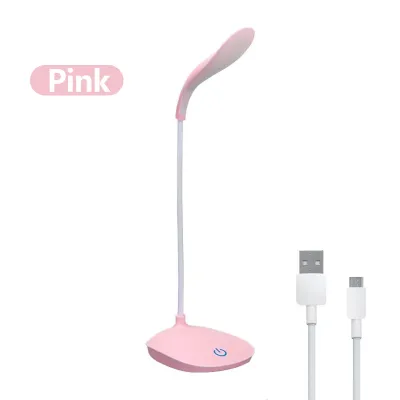
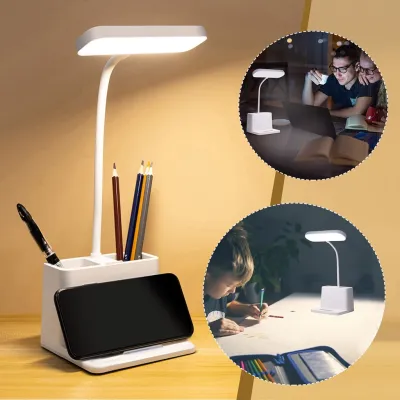

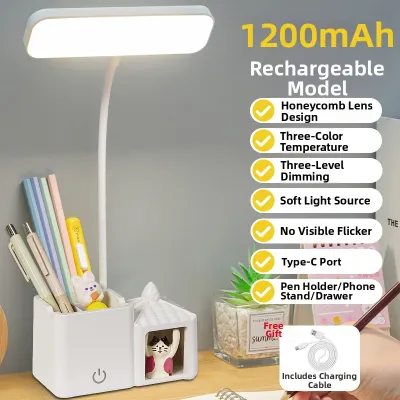
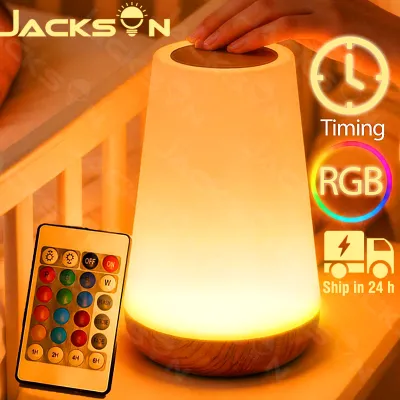
Prices are valid at publication and may change. Please refer to the product page for the latest price.
Frequent squinting is another clear sign of inadequate lighting. If you find yourself leaning closer to your screen or physical documents to read small print, your eyes are struggling to find the contrast they need. This constant physical adjustment not only tires your eyes but also strains your neck and shoulder muscles, compounding your physical discomfort. Squinting is a subconscious reflex to block out distracting glare or to force more light into the eye, both of which point to an unbalanced lighting environment.
Screen glare and harsh shadows on your keyboard further complicate your visual field. Specular reflection occurs when bright overhead lights or unprotected windows bounce light directly off your monitor screen into your eyes, creating a distracting veil of glare that washes out contrast. Conversely, if your primary light source is positioned behind you, your body will cast deep, dark shadows over your keyboard and writing surface. This high-contrast environment forces your pupils to dilate and constrict repeatedly as your gaze shifts between your bright monitor and your dark desk.
It is crucial to differentiate between temporary screen fatigue and chronic, lighting-induced discomfort. Temporary screen fatigue is a normal response to staring at a digital display for hours and can often be resolved by taking brief breaks to look at distant objects. Chronic lighting-induced discomfort, however, persists even after you step away from your computer. If you regularly finish your workday with tension headaches, persistent neck pain, or eyes that remain bloodshot and irritated well into the evening, your overall lighting environment is likely the primary cause and requires immediate evaluation.
Standard Room Lights vs. Dedicated Desk Lamps
Understanding why your current setup might be insufficient requires comparing the distinct functions of general ambient lighting and focused task lighting. Both play vital roles in a balanced workspace, but they serve entirely different purposes.

Ambient Ceiling and Floor Lights
Standard room lighting, such as central ceiling fixtures, recessed downlights, or tall floor lamps, is designed to provide general ambient illumination. In many homes, these fixtures are positioned high up and in the center of the room to ensure safe navigation and a welcoming atmosphere. While ambient lighting is excellent for illuminating walkways and large areas, it is highly inefficient for detailed desk work.
Because ambient light sources are fixed in position and located far from your desk, the light intensity decreases significantly by the time it reaches your work surface. Furthermore, because these lights are typically positioned directly overhead or behind your seating area, your head, shoulders, and monitor inevitably block the light path. This creates dark shadow zones right where you need clarity, forcing you to work in your own shadow and causing your eyes to strain to see physical notes or keyboard keys.
Dedicated Task Lighting
Dedicated task lighting, primarily delivered through specialized desk lamps, is engineered to provide focused, directional illumination over a specific work area. Unlike fixed ceiling fixtures, a high-quality desk lamp allows you to control exactly where the light falls, bringing the light source closer to your workspace to dramatically increase the localized light intensity without brightening the entire room.
This localized control is essential for minimizing glare and eliminating shadows. By adjusting the height and angle of the lamp head, you can direct the light beam to illuminate your documents and keyboard from the side, preventing direct reflections off your computer screen. Additionally, specialized task lamps often feature adjustable arms and dimming controls, allowing you to tailor the light output to match your changing posture, the time of day, and the specific visual demands of your tasks.
Self-Assessment: Should You Upgrade Your Desk Lighting?
To determine whether you need to purchase a specialized desk lamp, you can perform a simple self-assessment based on three primary factors: your daily work duration, the complexity of your tasks, and the adjustability of your current fixtures.
First, evaluate your daily work duration. If you only use your desk for short bursts of light activity, such as checking personal emails or paying bills for under two hours a day, your existing ambient room lights are likely sufficient. However, if you work full eight-hour shifts, log overtime, or work during the night, your eyes are exposed to artificial light for extended periods. Sustained work requires highly consistent, glare-free illumination to prevent cumulative eye fatigue and headaches.
Second, analyze the nature of your daily tasks. If your workflow is entirely digital and you rarely look down at physical paper, your primary concern is managing screen glare and ambient contrast. In this scenario, a specialized desk lamp may be optional, provided your room has balanced, indirect light. However, if your work involves a hybrid mix of digital and physical tasks—such as reading printed contracts, sketching, writing notes, or referencing physical books—you require high-quality, focused light on your desk surface to maintain visual clarity without straining.
Finally, assess the adjustability of your current setup. If your desk is tucked into a dark corner of the room, or if your only light source is a bright, non-dimmable ceiling fixture that you cannot control, you have very little ability to optimize your environment. A dedicated desk lamp provides the physical and optical flexibility needed to overcome these architectural limitations, allowing you to create a comfortable micro-environment within an otherwise poorly lit room.
- Path A: Keep and Adjust. If you work short hours, perform purely digital tasks, and experience no physical discomfort, your current ambient lighting is adequate. You do not need to purchase a new lamp.
- Path B: Reposition Existing Lights. If you experience minor shadows but work moderate hours, try rearranging your desk or moving existing floor and table lamps closer to your workspace to see if the discomfort resolves before buying new equipment.
- Path C: Invest in a Specialized Desk Lamp. If you work long hours, handle physical documents, experience persistent eye strain or headaches, and cannot eliminate shadows or glare with your current fixtures, investing in a specialized task lamp is highly recommended.
Essential Specs to Check When Buying a Task Lamp
If your self-assessment indicates that you need a specialized desk lamp, you must evaluate several critical specifications to ensure the fixture you choose is safe, effective, and compatible with your home environment.
Physical adjustability is the foundation of any good task lamp. Look for models featuring multiple points of articulation, such as a heavy, stable base, a swiveling arm, and a tilting head. This mechanical flexibility allows you to position the light source low and to the side, directing the beam precisely onto your documents while keeping the light source out of your direct line of sight. In tropical regions where desk fans or air conditioning units are constantly running, a heavy, well-balanced base or a secure desk clamp is essential to prevent the lamp from wobbling or tipping over.
Light quality is equally important for long-term eye comfort. Prioritize lamps that offer flicker-free operation. Many low-quality LED lamps utilize cheap drivers that cause the light to flicker at high frequencies; while this flicker is often invisible to the naked eye, it forces your pupils to contract rapidly and continuously, leading to severe eye strain and headaches. Additionally, check the Color Rendering Index (CRI) of the lamp. A rating of CRI 90 or higher ensures that colors appear accurate and vibrant, which reduces the cognitive effort required to distinguish shapes and text.
Adjustable color temperature and dimming capabilities allow you to customize the light to suit different times of day. Color temperature is measured in Kelvin (K) and is a matter of conditional preference rather than a universal performance metric. For daytime focus and alertness, a cool white light (around 5000K to 6500K) can be highly effective. For evening work, transitioning to a warm white light (around 2700K to 3000K) reduces blue light exposure, making it gentler on the eyes and helping your body prepare for sleep. Ensure the lamp features smooth dimming controls so you can match the lamp’s brightness to the ambient light levels in your room.
Electrical safety and compatibility are critical checks that must never be overlooked. In the Philippines, the standard electrical grid operates at 220V/60Hz. Before purchasing any lamp—especially those ordered from online marketplaces—always inspect the physical product label or power adapter to verify that it is rated for 220V and 60Hz. Using a lamp rated only for 110V without a proper step-down transformer can damage the fixture, cause electrical shorts, or present a serious fire hazard. Ensure the lamp uses a high-quality, certified plug, and avoid overloading your extension cords or power strips by daisy-chaining multiple high-wattage devices. Always read the manufacturer’s installation and care instructions before plugging in your new fixture.
Free Adjustments to Try Before Buying a New Lamp
Before spending money on a new fixture, you can try several low-cost, reversible troubleshooting steps to improve your existing workspace lighting. These simple adjustments can often resolve minor glare and contrast issues without requiring any financial investment.
First, optimize your desk’s position relative to the windows in your room. If your desk faces a window directly, the bright daylight will create a harsh silhouette effect, making your monitor screen difficult to see. If the window is directly behind you, it will cast severe reflections onto your screen. Position your desk perpendicular to your windows. This layout allows you to enjoy natural daylight and views without experiencing direct glare or high-contrast shadows on your work surface.
Second, implement simple bias lighting behind your computer monitor. Placing a small, low-wattage light source—such as an existing table lamp or a basic LED strip—directly behind your screen softens the contrast boundary between your bright display and the dark wall behind it. This simple addition reduces the intensity of the light contrast, which significantly lowers eye strain during late-night work sessions.
Finally, check if you can upgrade the bulb in your current light fixtures. If you have an existing desk lamp or floor lamp, inspect the socket to identify the base type (such as a standard E27 screw base) and check the maximum wattage limit printed on the fixture. If the socket and shade allow, replace your current bulb with a high-quality, flicker-free LED bulb that offers a higher CRI or adjustable color temperatures. Always adhere strictly to the fixture’s maximum wattage rating to prevent overheating, melting, or fire risks.
Frequently Asked Questions (FAQ)
Can I just use a regular bedside lamp for my work desk?
Bedside lamps are generally unsuitable for extended work-from-home tasks. They are designed to provide soft, diffused ambient light to help you relax, featuring short, fixed stands and fabric shades that scatter light in all directions. This design fails to provide the focused, directional illumination needed to light your workspace clearly, and the scattered light often creates distracting glare on your computer screen. Furthermore, the lack of physical adjustability means you cannot reposition the light to eliminate shadows or adapt to your posture.
Is a monitor light bar a good alternative to a desk lamp?
A monitor light bar is an excellent, space-saving alternative if your work is primarily digital and your desk space is highly limited. These fixtures clip directly onto the top of your monitor and project light downward in an asymmetrical beam, illuminating your keyboard area without casting light onto the screen or causing glare. However, light bars have a limited physical reach. If your daily work involves reading large physical documents, writing on paper, or organizing physical files across a wide desk area, a traditional adjustable desk lamp remains the superior choice for comprehensive, flexible coverage.
Community discussion
Share your experience or ask a question. Comments are reviewed before publication.