
A productive work-from-home setup requires more than just a reliable computer and an ergonomic chair; it demands a lighting strategy that adapts to your tasks and environment. In the Philippines, where natural daylight can shift rapidly from intense tropical sunshine to dark monsoon afternoons, relying solely on ambient room light often leads to eye strain and fatigue. The most critical desk lamp features for a home office are physical adjustability, customizable brightness and color temperature, and a stable base design that fits your desk footprint. By focusing on these core elements, you can create a highly functional workspace that supports focus, reduces glare, and maintains comfort throughout long working hours.
Why Lighting Impacts Your Work-From-Home Productivity
Many remote professionals underestimate the impact of lighting on their daily energy levels and focus. Relying exclusively on a central overhead ceiling light or a nearby window often introduces significant ergonomic challenges. Overhead lights frequently cast harsh shadows over your keyboard and paperwork, while direct window light can create intense screen glare that forces you to squint. These uneven lighting conditions compel your eyes to constantly adjust between the bright monitor screen and the darker surrounding desk surface, accelerating visual fatigue.
This constant pupillary adjustment is a primary contributor to headaches, dry eyes, and a general decline in concentration during extended work sessions. A dedicated desk lamp solves this issue by providing targeted task lighting. It allows you to establish a controlled, balanced visual zone where the contrast between your screen and your physical workspace is minimized. By illuminating only the areas you need, a high-quality task light helps define your work area, signaling to your brain that it is time to focus while protecting your eyes from unnecessary strain.
Products mentioned in this guide
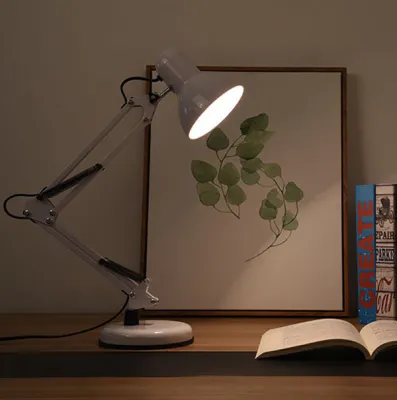
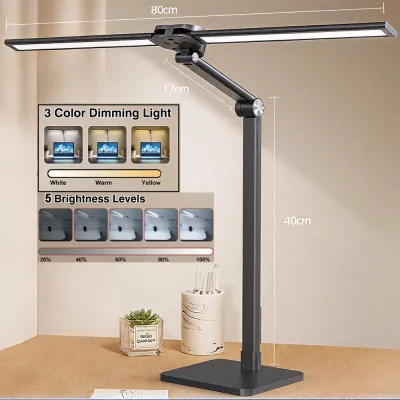
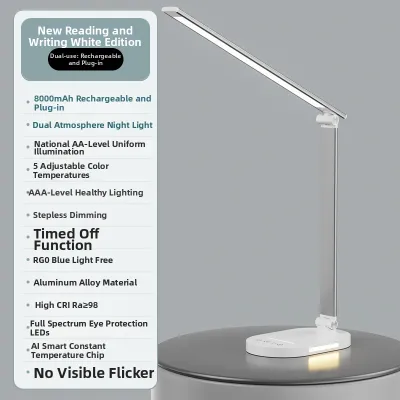
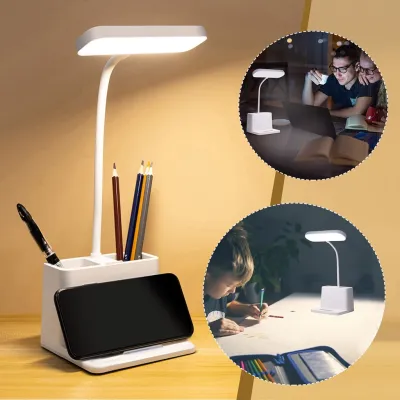
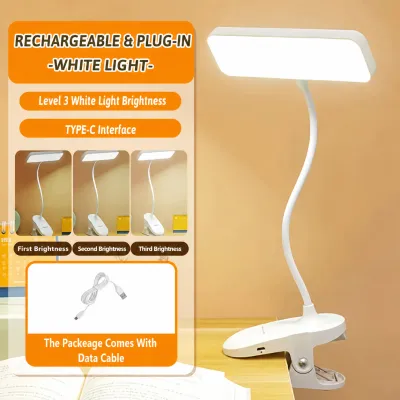
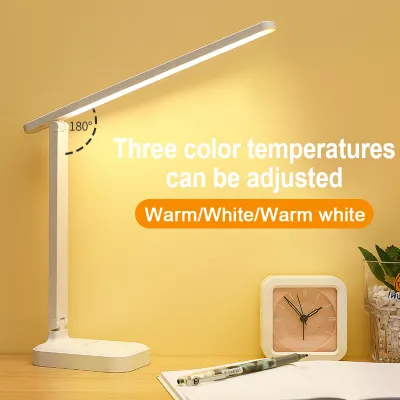
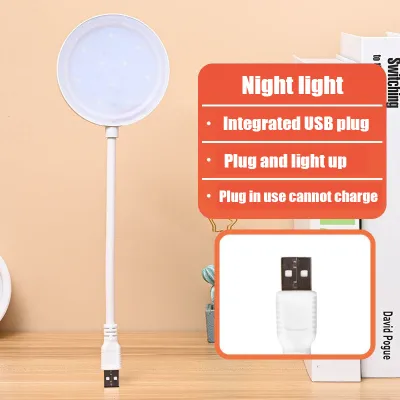
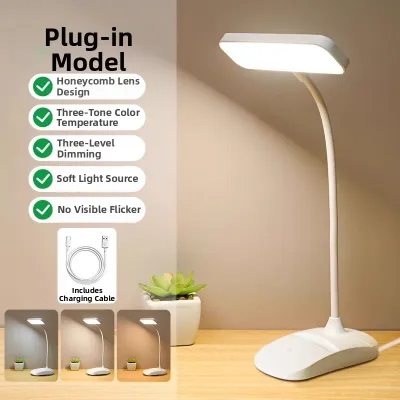
Prices are valid at publication and may change. Please refer to the product page for the latest price.
Core Desk Lamp Features to Evaluate
Selecting a suitable desk lamp requires looking past aesthetic appeal to evaluate how the fixture performs as a functional tool. A successful setup relies on a balance of light quality, physical adjustability, and physical compatibility with your desk layout. Understanding these features individually allows you to assess product specifications critically and choose a lamp that aligns with your specific daily workflow.

Brightness and Color Temperature Control
When reviewing desk lamp specifications, brightness and color temperature are the two primary metrics that dictate light quality. Brightness is measured in lumens, which indicates the total amount of visible light emitted by the source. For a home office, look for a lamp that offers adjustable brightness levels rather than a simple on-off switch. Stepless dimming, which allows you to smoothly slide through brightness levels, is highly beneficial because it lets you fine-tune the illumination to match the ambient light in your room at any given hour.
Color temperature, measured in Kelvin (K), determines whether the light appears warm and yellow or cool and blue. Cooler light temperatures, typically between 4000K and 6500K, mimic natural daylight and are excellent for promoting alertness and focus during morning or afternoon tasks. Conversely, warmer light temperatures, ranging from 2700K to 3000K, are gentler on the eyes in the evening, helping you wind down while avoiding the sleep-disrupting effects of blue light.
To evaluate a lamp’s brightness capabilities before buying, check the product description for its maximum lumen output. A practical visual check strategy once you set up the lamp is to observe how the light interacts with your workspace: the light should clearly illuminate your documents or keyboard without creating a washed-out reflection on your monitor or casting deep, distracting shadows across your hands as you type.
Adjustability and Ergonomic Reach
The physical structure of a desk lamp determines how effectively you can direct light to where it is needed most. Different arm and neck designs offer distinct advantages. Flexible goosenecks, made of silicone or ribbed metal, allow for quick, multi-directional bending, making them highly versatile for compact spaces. However, they can sometimes droop over time if the internal wire weakens. Multi-joint swing arms, often featuring springs and tension knobs, provide excellent horizontal and vertical reach, allowing you to position the light head high above a monitor or pull it down close for detailed paperwork. Fixed-head designs offer a clean, minimalist look but severely limit your ability to redirect light, which can lead to glare issues if your desk layout changes.
Beyond the arm, the lamp head itself should feature tilt and rotation capabilities. Being able to twist the lamp head slightly away from your eyes ensures that the light source remains hidden from your direct line of sight, preventing uncomfortable glare.
Before making a purchase, measure your desk setup and check the lamp’s maximum height and horizontal reach specifications. If you use a large monitor, a dual-screen setup, or have tall desk shelves, you will need a lamp with a tall, articulated arm that can clear the top of your screens to cast light downward without blocking your view.
Base Design, Footprint, and Build Quality
A desk lamp must physically integrate with your workspace without causing clutter or instability. Weighted freestanding bases are the most common option, offering the flexibility to move the lamp anywhere on your desk. However, they occupy valuable surface area and must be heavy enough to act as a reliable counterweight. If you extend a highly adjustable swing arm fully forward, a light base can cause the lamp to tip over.
For desks with limited space, clamp-on mounts or grommet mounts are excellent alternatives. A clamp-on lamp attaches securely to the edge of your desk, freeing up almost all the footprint of a traditional base. When choosing a clamp, verify the maximum desk thickness the clamp can accommodate, as well as whether your desk has a beveled edge or an under-desk support bar that might interfere with the clamp’s grip.
Build materials directly impact the lamp’s longevity and performance. In the warm, humid climate of the Philippines, high-quality materials like anodized aluminum or powder-coated steel are preferable to cheap plastics. Metal components offer high durability, maintain joint stiffness over years of adjustments, and act as effective heat sinks to dissipate the heat generated by LED light engines, thereby extending the lifespan of the internal electronics.
Power Options and Smart Features
How a desk lamp receives power affects both its placement flexibility and your cable management. Standard plug-in models connect directly to a wall outlet or power strip, providing a consistent, uninterrupted power supply suitable for long working hours. USB-powered lamps offer the convenience of drawing power directly from your laptop, monitor, or a desktop USB hub, which simplifies cable routing. However, USB ports often deliver lower wattage, which can limit the lamp’s maximum brightness. Rechargeable, battery-operated models provide ultimate portability, allowing you to move your light to a dining table or a balcony for a change of scenery, but they require regular recharging and may dim as the battery drains.
Many modern desk lamps include integrated utility features, such as built-in USB charging ports or wireless charging pads built into the base. These features help keep your smartphone or wireless earbuds powered up while reducing the number of charging bricks and cables cluttering your desk surface.
Smart features, such as mobile app control, voice assistant integration, auto-dimming sensors that adjust brightness based on ambient light, or memory functions that remember your last-used settings, offer added convenience. While these smart capabilities enhance the user experience, they should be viewed as optional upgrades rather than essential requirements for a productive workspace.
Matching Lamp Features to Your Specific Workspace
To get the most value out of your purchase, you should align the lamp’s features with the specific tasks you perform daily and the physical constraints of your home office.
If your work is primarily screen-heavy, your main goal is to eliminate screen glare and reflections. Look for desk lamps that feature asymmetric light distribution. Unlike traditional lamps that spray light in a wide cone, asymmetric lamps project light at an angle, illuminating your desk surface while keeping the light completely off your monitor screen. Additionally, choosing a lamp with a matte diffuser over the LEDs helps soften the light, preventing harsh reflections on glossy screens or polished desk surfaces.
For those whose work involves significant reading, writing, or physical paperwork, high brightness capabilities and a wide, even beam angle are paramount. You will want a lamp with a highly flexible arm, such as a multi-joint swing arm, that can be pulled down close to the desk surface to illuminate fine print clearly. Ensure the lamp can be positioned to cast light from the side opposite your writing hand to prevent your hand from casting shadows across your work.
If you operate on a compact or shared desk, preserving surface area is critical. Prioritize clamp-on designs or lamps with extremely small, weighted footprints. Some modern monitor light bars, which clamp directly to the top of your screen, serve as excellent space-saving alternatives to traditional desk lamps, providing direct task lighting without occupying any desk space at all.
For creative professionals, architects, or anyone performing detailed color-matching work, checking the product specifications for a high Color Rendering Index (CRI) is essential. CRI measures how accurately a light source reveals the true colors of objects compared to natural daylight. Look for a CRI rating of 90 or higher to ensure accurate color perception, and pair this with a highly adjustable arm that allows for precise micro-adjustments to eliminate shadows on your work surface.
How to Build Your Desk Lamp Shortlist
When you are ready to finalize your purchase, use this practical checklist to ensure your chosen desk lamp is safe, compatible, and reliable for your Philippine home office.
First, verify electrical compatibility. The standard voltage in the Philippines is 220V at 60Hz. When browsing international online marketplaces or cross-border e-commerce platforms, carefully check the product specifications to ensure the power adapter supports 220V (or is rated for a universal range of 100V-240V). Additionally, confirm the plug type; most Philippine outlets accommodate Type A (two flat parallel pins) or Type B (two flat pins with a grounding pin) plugs. If the lamp comes with a different plug standard, you will need to source a reliable adapter.
Second, perform a flicker and glare check. Low-quality LED drivers can produce an invisible high-frequency flicker that, while not consciously noticeable, can cause severe eye strain and headaches over time. To check for this, turn on the lamp, open your smartphone’s camera app, and switch it to slow-motion video mode. If you see dark, moving bands across your phone screen, the lamp is flickering and may cause discomfort during long work sessions.
Third, review the warranty and return policies. Because light quality, color temperature, and physical reach are highly subjective, it is wise to purchase from retailers or official brand stores on e-commerce platforms that offer clear return policies. A solid manufacturer’s warranty provides peace of mind regarding the durability of the LED driver and joints.
Finally, look for recognized safety marks. Ensure the product packaging or official listing indicates compliance with standard electrical safety certifications, such as the Philippine Standard (PS) quality mark, the Import Commodity Clearance (ICC) sticker, or equivalent international safety certifications like CE, FCC, or UL. These marks verify that the electrical components have undergone testing to prevent overheating, short circuits, or electrical hazards in your home.
Frequently Asked Questions (FAQ)
How do I know if a desk lamp will cause screen glare?
To determine if a lamp will cause screen glare, look at its light distribution pattern and physical adjustability. Lamps that spray light in all directions or must be positioned directly in front of your monitor are highly likely to reflect off the screen. You can prevent this by choosing a lamp with an asymmetric optical design that directs light downward at an angle, or by using a highly adjustable swing arm to position the light head slightly to the side and below your eye level, ensuring the light path does not intersect with your screen’s surface.
Is a USB-powered desk lamp bright enough for a home office?
A USB-powered desk lamp can be bright enough if your work primarily involves computer use and you only require mild, supportive task lighting for your keyboard or notepad. However, because standard USB ports deliver limited power, these lamps generally have lower maximum lumen outputs. If your daily tasks involve extensive reading of physical documents, detailed drawing, or if you work in a room with very poor ambient light, a dedicated plug-in desk lamp connected directly to a 220V outlet is recommended to ensure sufficient, high-intensity illumination.

Community discussion
Share your experience or ask a question. Comments are reviewed before publication.