
To work comfortably at a computer without experiencing eye strain, your desk lamp must have an adjustable arm, asymmetrical beam control to prevent screen glare, tunable color temperature, and stepless dimming. These features allow you to balance the light on your desk with the brightness of your monitor, creating a comfortable visual environment. By selecting a lamp with these specific capabilities, you can work for longer periods without the headaches, dry eyes, and fatigue associated with poor workspace lighting.
The Core Lighting Challenges of Computer Work
Standard room lighting or basic desk lamps often fail in a digital workspace because they are designed for paper-based tasks rather than self-illuminating screens. When you work in a room where the ambient light is either too bright or too dark compared to your monitor, your eyes must constantly adapt to the extreme contrast. This continuous adjustment forces your pupils to dilate and constrict repeatedly, leading to rapid eye fatigue.
Direct light reflecting off glossy or semi-glossy monitor surfaces creates another major obstacle. This reflection produces a veil of glare that washes out text and images, forcing you to lean forward or squint to read your screen. Over time, this poor posture and visual strain can cause neck pain and tension headaches.
Products mentioned in this guide
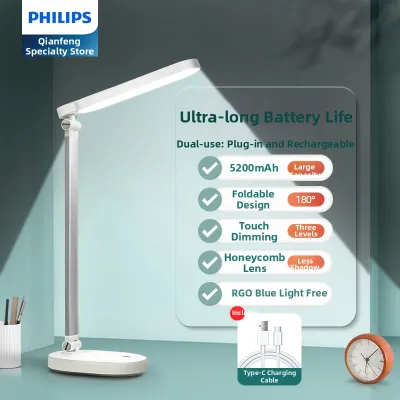
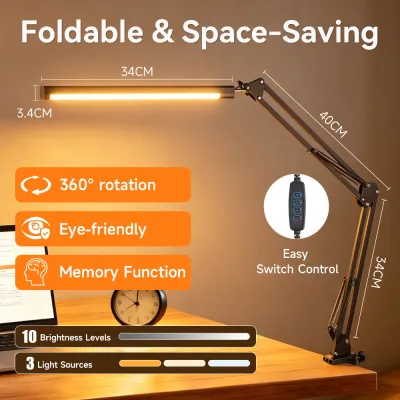
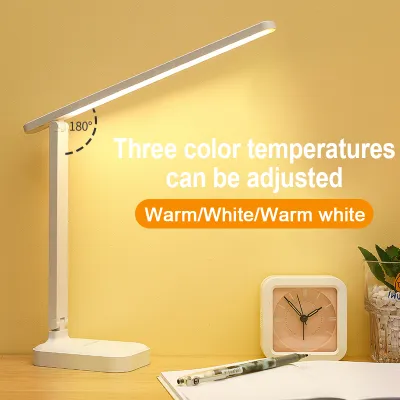
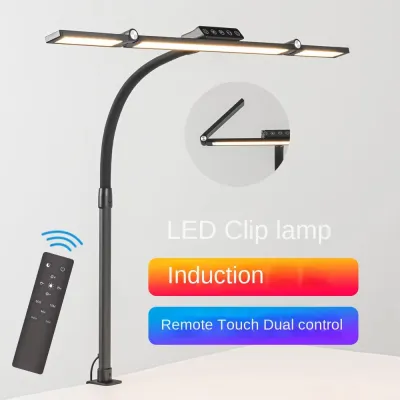
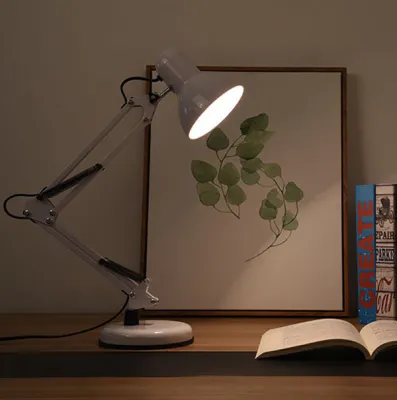
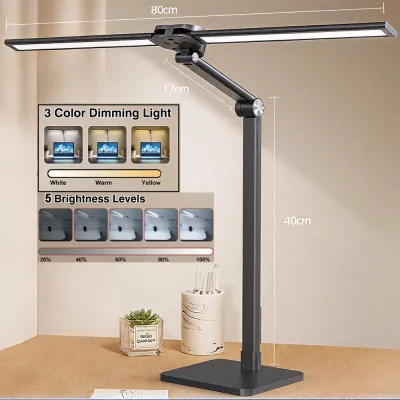
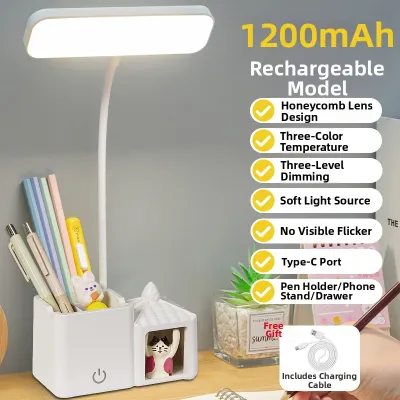
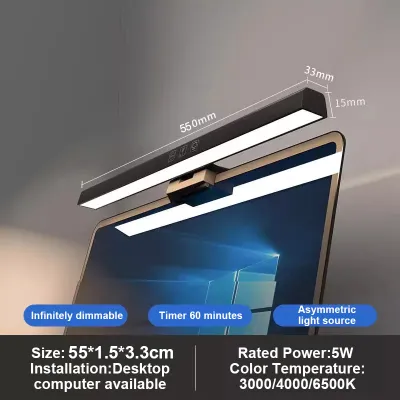
Prices are valid at publication and may change. Please refer to the product page for the latest price.
Maintaining visual comfort requires a careful balance between ambient room lighting and focused task lighting. Your goal is to illuminate your physical workspace—such as your keyboard, notebook, and desk surface—without casting light directly onto the screen or into your eyes. Achieving this balance requires a lamp designed specifically to handle the unique geometry of a computer desk.
Must-Have Specifications for a Desk Lamp for Computer Use
Selecting the right desk lamp for a computer setup requires looking beyond basic aesthetics. You must evaluate specific physical and optical features to ensure the lamp integrates seamlessly with your digital workspace and protects your vision.

Adjustability and Beam Control
Physical flexibility is essential for directing light away from your screen. Look for lamps with articulated arms, swivel heads, and rotating bases. These mechanical joints let you position the light source precisely, allowing you to lower or angle the beam to match your seating position.
Asymmetrical light distribution is a critical feature for computer desks. Unlike traditional lamps that cast light in a wide, symmetrical cone, asymmetrical designs direct the beam forward at an angle. This keeps the light focused entirely on your desk surface and completely off your monitor screen.
Before purchasing, measure your workspace dimensions. Check the lamp’s maximum reach and height against your desk depth and monitor size. A lamp that is too short will be blocked by a large monitor, while one with an insufficient reach will fail to illuminate your keyboard area.
Tunable Color Temperature and Brightness
Stepless dimming capabilities are highly recommended for computer work. Instead of fixed brightness steps, stepless controls let you fine-tune the light output smoothly. This allows you to match the lamp’s intensity to the changing natural light in your room throughout the day.
Adjustable color temperature ranges allow you to customize the light to suit your tasks and preferences. You can set a cool white light (around 5000K) during the day to boost focus, and switch to a warm, amber glow (around 2700K to 3000K) in the evening to align with your natural circadian rhythms. Note that color temperature preferences are highly subjective and should be adjusted based on what feels most comfortable to your eyes.
Verify the control interface before buying. Touch-sensitive panels, physical dials, or wireless remotes all offer different tactile experiences. Choose an interface that is easy to reach and operate while you are actively typing or reading.
Glare Reduction and Light Diffusion
Harsh, direct light creates sharp shadows and intense reflections. Look for lamps equipped with frosted lenses, honeycomb louvers, or built-in diffusers. These components scatter the light rays, creating a soft, even glow across your desk.
Perform a visual check when shopping. Sit in your normal working position and look toward the lamp head. If you can see bright, exposed LED dots, the lamp is likely to cause discomforting glare; the light source should be recessed or fully diffused.
Pay attention to the lamp’s physical materials. Matte finishes on the lamp body and base are ideal for computer desks. Glossy plastic or polished metal surfaces can catch light from the monitor or the lamp itself, creating secondary reflections in your field of vision.
In humid tropical environments like the Philippines, high relative humidity can accelerate the degradation of cheap plastics and cause low-grade metal joints to rust. Opt for powder-coated aluminum or high-quality ABS plastics that resist moisture.
Positioning Your Lamp to Eliminate Monitor Glare
Proper placement is just as important as the lamp’s features. Position your desk lamp slightly to the side and behind the plane of your monitor. This placement keeps the light source out of your direct line of sight while preventing it from casting a reflection on the screen.
Keep the physical light source below your eye level. If the lamp head is positioned too high, the bare light source can shine directly into your eyes, causing immediate discomfort and distracting glare.
Angle the lamp head carefully. The beam should target your keyboard, mouse, and any physical documents on your desk. Ensure the light path cuts off cleanly before it reaches the surface of your monitor.
You can verify your setup with a simple hand-shadow test. Place your hand near the top of your monitor. If your hand casts a sharp shadow onto the screen, the light path is striking the display directly. Adjust the angle until the shadow disappears from the screen surface.
Adapting Your Setup for Mixed Desk Tasks
Many modern workspaces serve multiple purposes. If you frequently switch between typing on a computer and reading physical books, sketching, or doing detailed paperwork, you must weigh the trade-offs of different lamp designs.
Asymmetrical screen-mounted lights are excellent for pure computer work but offer limited coverage for off-screen tasks. A traditional articulated task lamp provides a wider range of motion, allowing you to swing the light over to a notebook or crafting area when needed.
When transitioning between tasks, adjust your light settings. Reading printed text on white paper requires higher brightness and a slightly cooler color temperature than looking at a self-illuminated monitor.
Consider the physical stability of the lamp. A heavy, weighted base or a secure desk clamp is essential if you plan to adjust the lamp frequently. Ensure the base has non-slip rubber padding that won’t degrade or stick to your desk over time.
Before finalizing your purchase, verify the electrical specifications. In the Philippines, standard household voltage is 220V at 60Hz. Always verify that any imported desk lamp matches these electrical specifications to prevent overheating or driver failure. Look for local safety marks, such as the Philippine Standard (PS) or Import Commodity Clearance (ICC) certification, to ensure the electrical components are safe for long-term daily use.
Frequently Asked Questions (FAQ)
Do I need a specialized monitor light bar instead of a standard desk lamp?
Monitor light bars, or screen clips, are designed specifically to save desk space by mounting directly to the top of your monitor. They are ideal for shallow desks where surface area is limited, as they cast an asymmetrical beam directly downward without reflecting off the screen. However, they are limited by monitor thickness and cannot be easily repositioned. A traditional desk lamp is better if you have a deep desk, use a curved monitor that might not fit a standard light bar, or need to redirect light to other areas of your desk for physical paperwork.
What is the ideal brightness level for working at a computer?
The ideal brightness level depends entirely on your surrounding environment. The core rule is to match your desk’s illumination to the brightness of your monitor. If your desk is significantly brighter or darker than your screen, your eyes will fatigue quickly. You can test this by holding a blank sheet of white paper next to your monitor. If the paper looks glowing white compared to the screen, your lamp is too bright; if it looks gray or dull, your lamp is too dim. Adjust your lamp’s dimming controls until the paper and the screen appear to have a similar luminance.
Community discussion
Share your experience or ask a question. Comments are reviewed before publication.