
Quick Answer: Core Specifications for Eye Comfort
When spending long hours working from home or studying, the right study lamp is a critical tool for maintaining focus and protecting your eyes from fatigue. A high-quality study lamp must offer adjustable brightness and color temperature to adapt to changing ambient light throughout the day. It should also feature flicker-free technology and glare-reduction mechanisms to minimize visual strain during extended sessions. Finally, physical adjustability through a flexible arm or multi-joint design is essential to direct light precisely where it is needed without causing reflections on your screens.
Lighting Quality and Eye Strain Prevention
To prevent eye strain during long sessions, look closely at how a lamp emits and distributes light. Adjustable brightness is the foundation of comfortable task lighting. Natural light changes throughout the day, meaning a lamp setting that is perfect at night will be far too bright in the afternoon. Look for models with stepless dimming or multiple brightness presets to match the surrounding environment.

Color temperature control is equally vital for managing energy levels and eye comfort. Light color is measured in Kelvin (K). Cool white light (5000K to 6500K) mimics daylight, promoting alertness and focus during intense tasks. Warm white light (2700K to 3000K) is softer on the eyes and ideal for late-night reading. Having a lamp that transitions between these modes allows you to work productively without disrupting your natural sleep cycle.
Products mentioned in this guide
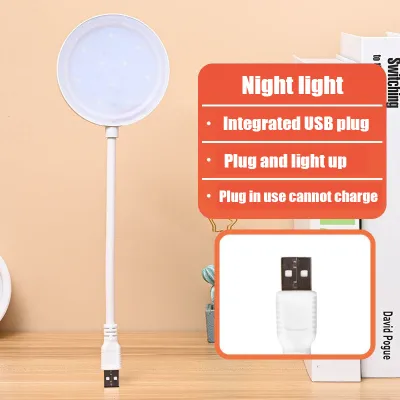
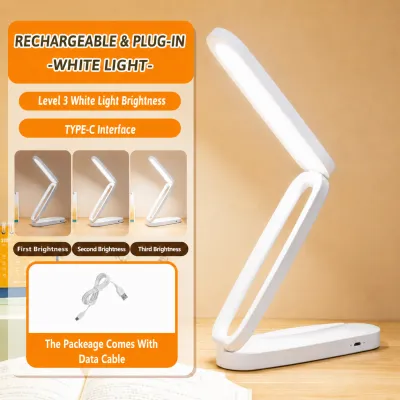
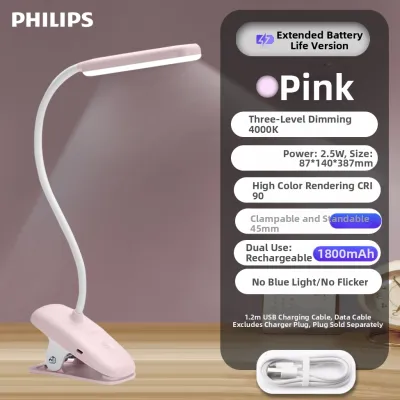
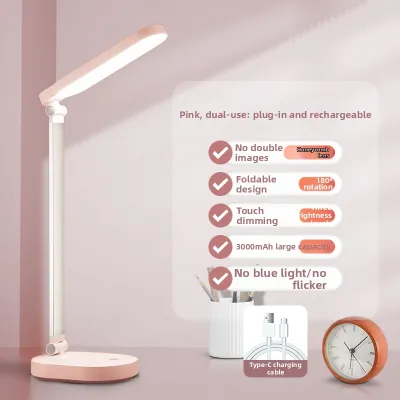
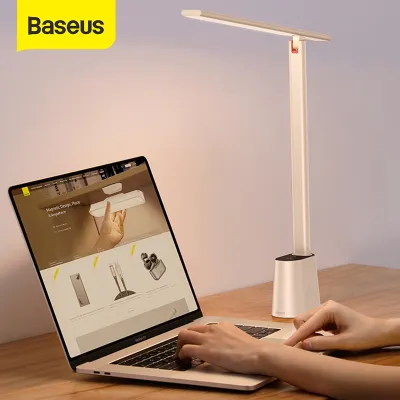
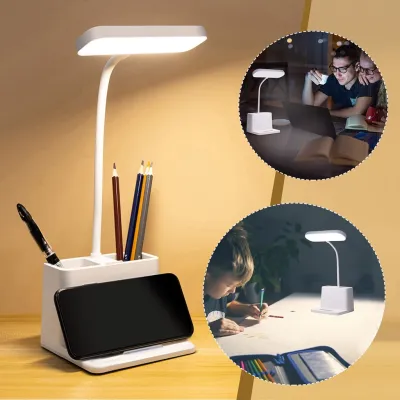
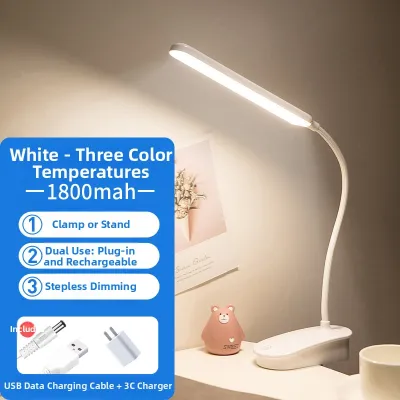
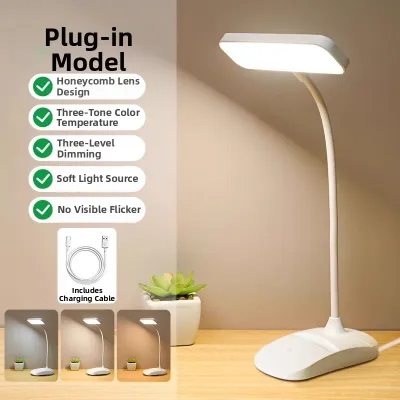
Prices are valid at publication and may change. Please refer to the product page for the latest price.
Flicker-free operation and glare reduction are critical features that are often invisible. Low-quality LED lamps can exhibit rapid, imperceptible flickering that causes headaches and eye strain over several hours. To verify flicker-free claims, check the manufacturer specifications on the packaging. Additionally, look for lamps equipped with physical diffusers or frosted covers over the LEDs to scatter light rays and prevent harsh, direct glare.
Finally, consider the beam angle and light distribution. A study lamp should cast a wide, even pool of light across your entire workspace rather than a narrow, intense spotlight. High contrast between a brightly lit book and a pitch-black desk forces your pupils to constantly adjust, leading to rapid eye fatigue. A broad beam angle ensures a smooth transition of light, keeping your entire work area comfortably illuminated.
Ergonomics and Adjustability for Desk Setup
A study lamp must physically adapt to your workspace, screen height, and posture to remain effective. The mechanism of adjustability is a key differentiator. Gooseneck lamps feature a flexible, continuous silicone or metal neck that allows you to bend the light in almost any direction silently. While highly versatile, lower-quality goosenecks can sag over time. Multi-joint mechanical arms use tension springs and hinges to provide precise, rigid positioning. These are highly durable and excellent for reaching over large computer monitors, though they require more vertical clearance.
Base stability and footprint are practical considerations that depend on your desk setup. A lamp with a long, adjustable arm requires a heavy, well-balanced base to prevent tipping when fully extended. In tropical climates like the Philippines, high humidity can make certain desk surfaces slick. Checking for non-slip rubber or silicone padding on the bottom of the base is a simple way to ensure the lamp remains securely in place.
Height clearance is another critical factor. The light source should ideally be positioned above your eye level to prevent direct glare, but low enough to avoid reflecting off your computer screen. If your desk is cluttered, standard table bases might not be practical.
In such cases, mounting alternatives offer an excellent solution. Clamp-on lamps attach directly to the edge of your desk, freeing up valuable workspace. Alternatively, monitor light bars that clip onto the top of your screen provide excellent illumination without taking up any desk real estate.
Power, Smart Features, and Desk Integration
Integrating your study lamp into your daily workflow requires looking at how it is powered and what extra features it brings to your desk. Power sources generally fall into two categories: plug-in and rechargeable. Plug-in models connect directly to a wall outlet, providing a consistent, uninterrupted power supply. This is ideal for permanent work-from-home setups. Rechargeable, battery-powered lamps offer excellent portability and serve as invaluable backup lighting during local power interruptions or brownouts. However, their brightness often degrades as the battery level drops, and they require regular recharging.
Many modern study lamps feature built-in USB ports to charge mobile devices. When evaluating this feature, check the voltage and amperage ratings printed on the lamp’s base or manual. A standard 5V/1A port will charge smartphones slowly, while a 5V/2.1A or higher port is necessary for tablets and faster charging speeds. Ensure these ratings match your device requirements to prevent slow charging or overheating.
Smart features like auto-dimming sensors and timers can add genuine convenience to your routine. Auto-dimming sensors detect ambient light and automatically adjust the lamp’s brightness to maintain a consistent level of illumination. Built-in timers can be set to turn the light off after a specific duration, serving as a physical cue to take a break and rest your eyes.
To keep your workspace organized, look for lamps with integrated cable management. Some models feature clips along the arm or a hollow channel inside the frame to route the power cord cleanly, preventing cords from tangling with your mouse, keyboard, or other desk accessories.
How to Verify Safety and Compatibility Labels
Before purchasing any study lamp, it is essential to verify its electrical safety, bulb compatibility, and operational limits. Reading the electrical labels on the product packaging or the base of the lamp is the first step. In the Philippines, standard household electricity runs at 220V. Ensure the lamp’s transformer or plug is rated for this input voltage to avoid damaging the device or creating an electrical hazard. If the lamp uses replaceable bulbs, pay close attention to the maximum wattage limit specified by the manufacturer to prevent excessive heat buildup.
Safety certifications provide peace of mind regarding manufacturing quality. Look for official safety marks, such as the Philippine Standard (PS) quality mark or the Import Commodity Clearance (ICC) sticker. These certifications indicate that the product has undergone rigorous testing to meet local safety standards.
If you choose a fixture that requires a separate bulb, verify the compatibility of the socket and bulb shape. The most common screw-type base is E27, but smaller lamps may use E14 or pin-type bases. Ensure the bulb’s physical dimensions allow it to fit comfortably inside the lamp shade without touching the sides.
While setting up a standard plug-in desk lamp is straightforward, certain scenarios require professional boundaries. If you are planning to install fixed wall-mounted task lights or integrate smart switches into your home’s electrical panel, do not attempt to do it yourself. Always isolate the main power supply and consult a registered, qualified electrician to ensure the installation complies with local electrical codes.
Frequently Asked Questions (FAQ)
Is a specialized study lamp necessary, or will any standard desk lamp work?
While a basic decorative lamp provides light, it often lacks the features necessary for long working hours. Standard lamps typically use shades that concentrate light in a narrow downward cone, creating harsh shadows and high contrast on your desk. They also rarely offer adjustable brightness or color temperature. A specialized study lamp is designed specifically for task work, utilizing optical diffusers to spread light evenly and flexible joints to position the light source precisely, which significantly reduces eye strain over time.
How should I position my study lamp to minimize screen glare?
To minimize glare, position your study lamp to the side of your monitor rather than directly in front of or behind it. Angle the lamp head downward so the light illuminates your physical documents or keyboard without reflecting off the glossy surface of your screen. If you are right-handed, place the lamp on your left side to prevent your hand from casting shadows across your writing; if you are left-handed, place it on the right.
Do rechargeable study lamps provide enough light for full-time work?
Rechargeable study lamps can provide sufficient light, but they have practical limitations for full-time, eight-hour workdays. When operated at their maximum brightness setting, most rechargeable batteries will drain within two to four hours. If you rely on a battery-powered model, check the manufacturer’s specifications for continuous runtime at your preferred brightness level. For uninterrupted full-time work, it is best to keep the lamp plugged into a power source, reserving the battery mode for portability or power outages.

Community discussion
Share your experience or ask a question. Comments are reviewed before publication.