
Selecting the right study lamp is one of the most impactful decisions a student can make to support long hours of academic work. A high-quality study lamp must offer adjustable brightness levels, customizable color temperatures, and a flicker-free light source to minimize visual fatigue. Additionally, a highly flexible, adjustable arm and a stable base ensure that light is directed precisely where it is needed, preventing harsh glare on screens and physical pages alike. By focusing on these core optical and physical features, students can create a comfortable, distraction-free workspace that sustains focus and protects their eyes over years of intense study.
Many students underestimate how much their physical environment influences their academic performance. While a desk and a supportive chair are standard considerations, the quality of light falling on books and notebooks is often treated as an afterthought. Investing in a dedicated task light is not merely about adding brightness to a room; it is a practical step toward creating a healthy, ergonomic study environment that reduces physical strain and enhances cognitive focus.
The Impact of Lighting on Long Study Sessions
Inadequate or poorly directed lighting is a primary contributor to physical discomfort during extended study sessions. When a workspace is too dim, or when light is cast from an awkward angle, the eyes must work significantly harder to focus on text. This constant strain can lead to dry eyes, blurred vision, and tension headaches. Furthermore, poor lighting often forces students to lean forward, hunch their shoulders, and squint, leading to poor posture and chronic neck and back pain over time.
Products mentioned in this guide
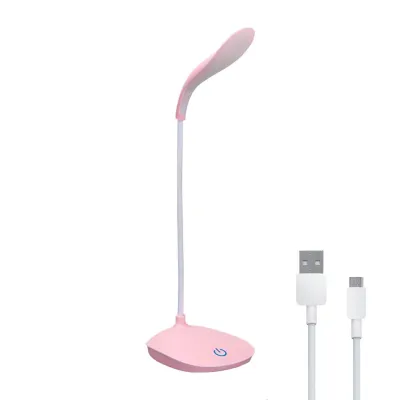
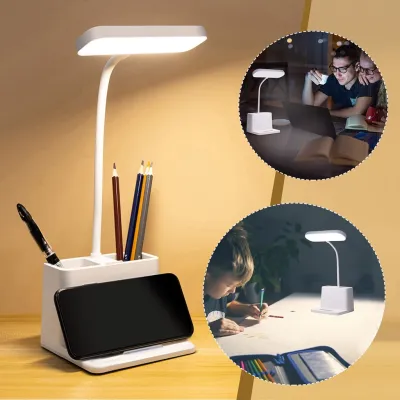
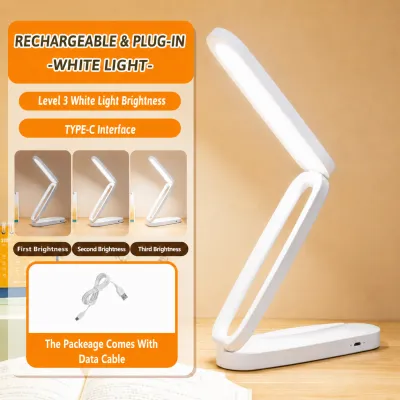
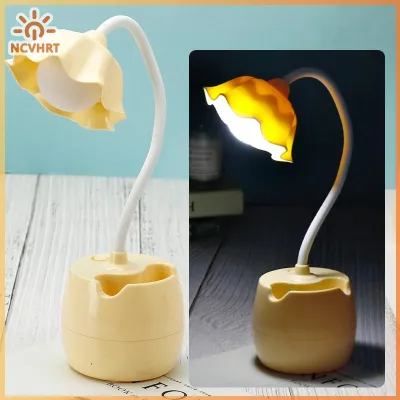
Prices are valid at publication and may change. Please refer to the product page for the latest price.
While general room lighting from a ceiling fixture is necessary to illuminate the entire space, it is rarely sufficient for detailed desk work. Overhead lights often cast shadows from a student’s head and shoulders directly onto their reading materials or keyboard. A dedicated task light solves this problem by supplementing ambient light, delivering focused, directional illumination that eliminates shadows and creates a distinct, high-contrast focus zone on the desk surface.
Choosing a high-quality study lamp is a direct investment in daily comfort and long-term academic productivity. By establishing a well-lit workspace, students can study for longer periods with greater comfort, fewer distractions, and a significantly reduced risk of eye strain. Understanding the technical and physical features of these lamps allows students and parents to make an informed choice rather than relying on trial and error.
Key Optical Features to Protect Student Eyesight
Brightness and Illuminance
When evaluating a study lamp, it is essential to look beyond simple wattage and examine the actual light output, measured in lumens. Wattage only indicates how much electricity a lamp consumes, whereas lumens measure the brightness of the light produced. For a student desk, a lamp that delivers between 400 and 800 lumens is generally ideal. However, static brightness is rarely sufficient for a multi-task workspace.

Students should check product packaging for adjustable brightness levels or dimming capabilities. A lamp with multiple brightness steps or a stepless dimming feature allows the user to adjust the light output to match the time of day and the specific task at hand. This adjustability ensures sufficient, even desk coverage without creating harsh, over-illuminated hotspots that can cause discomfort and visual fatigue.
Color Temperature
Color temperature, measured in Kelvin (K), determines whether the light emitted appears warm and yellow or cool and blue. Packaging for modern LED study lamps typically specifies the Kelvin range. For studying, a lamp that offers adjustable color temperature options is highly beneficial, as different tasks and times of day require different types of light.
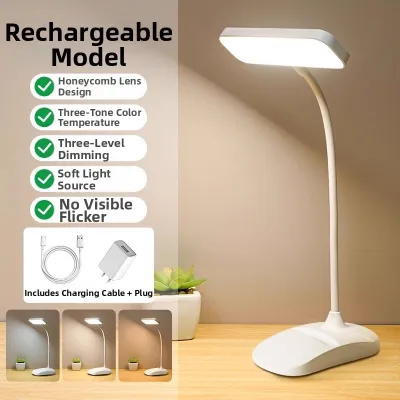
Cooler light tones, ranging from 4000K to 5000K, mimic natural daylight and are excellent for promoting alertness, concentration, and high contrast when reading printed textbooks or writing. Warmer tones, between 2700K and 3000K, are gentler on the eyes and are ideal for late-night study sessions or when working on self-luminous computer screens, as they help reduce exposure to stimulating blue light before sleep.
Flicker and Glare Reduction
Flicker is a rapid, repeated change in light output that may be invisible to the naked eye but can still cause significant eye strain, fatigue, and headaches during long study sessions. To prevent this, look for manufacturer specifications that explicitly state “flicker-free” technology or the use of direct current (DC) drivers. These components ensure a steady, continuous stream of light.
Glare is another major source of visual discomfort, occurring when light reflects harshly off glossy textbook pages, tablet screens, or polished desk surfaces. To minimize glare, choose a study lamp equipped with a high-quality diffuser panel or a frosted cover over the LED elements. These diffusers scatter the light evenly, softening the output and reducing harsh reflections. Additionally, look for recognized safety marks and certifications on the packaging to ensure the lamp meets international standards for photobiological safety.
Ergonomic Adjustments for Different Desk Setups
Adjustable Arms and Heads
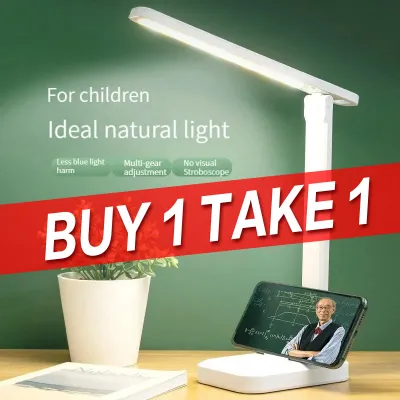
The physical flexibility of a study lamp is just as important as its optical quality. A lamp with a fixed neck forces the student to adapt their posture to the light, whereas an adjustable lamp adapts to the student. Multi-axis hinges, rotating heads, and flexible goosenecks allow users to direct light precisely where it is needed, ensuring the workspace is fully illuminated without the light source shining directly into the student’s eyes.
When positioning the lamp, the ability to adjust the height and angle is crucial for preventing direct glare. For instance, when typing on a laptop, the lamp head should be positioned low and angled away from the screen to prevent reflections. A highly adjustable arm makes it easy to transition the light from a wide-angle spread for reading a large textbook to a concentrated beam for detailed drawing or writing.
Base Stability and Footprint
A study lamp must remain stable and secure, even when its arm is fully extended. Before purchasing, check the weight, dimensions, and base design of the lamp. A heavy, well-balanced base prevents the lamp from tipping over when the head is adjusted. Anti-slip rubber pads on the bottom of the base are also valuable, as they protect the desk surface from scratches and keep the lamp from sliding on polished wood or laminate.
For students with compact or cluttered desks, such as those in boarding houses or dormitories, space is at a premium. In these scenarios, a lamp with a small base footprint is essential. Alternatively, clamp-on lamps or clip-on models offer an excellent space-saving solution, securing directly to the edge of the desk or a nearby shelf to keep the entire desktop free for books, notebooks, and computers.
Build Quality and Materials
Because a study lamp is adjusted frequently throughout its lifespan, the durability of its joints and materials is a key consideration. Cheap plastic hinges can quickly wear down, strip, or crack, causing the lamp head to droop and lose its position. Look for lamps constructed with high-quality materials, such as aluminum, steel, or reinforced engineering plastics, which can withstand daily adjustments without loosening over time.
In warm, humid tropical climates like the Philippines, material choice also affects longevity. High-quality plastics and treated, rust-resistant metals are less likely to degrade or corrode over time due to ambient humidity. Investing in a well-constructed lamp with sturdy, tension-adjustable joints ensures that the light remains exactly where you position it, year after year.
Power Options and Daily Usability Features
Power Source and Cord Length
When selecting a study lamp, consider how it will connect to a power source. Standard plug-in lamps require proximity to a wall outlet. It is important to check the cord length provided to ensure it can reach your outlet safely without stretching across walkways, which can create a tripping hazard. Always verify that the lamp’s plug type and voltage rating match local standards; in the Philippines, appliances must be compatible with a 220V, 60Hz electrical supply.
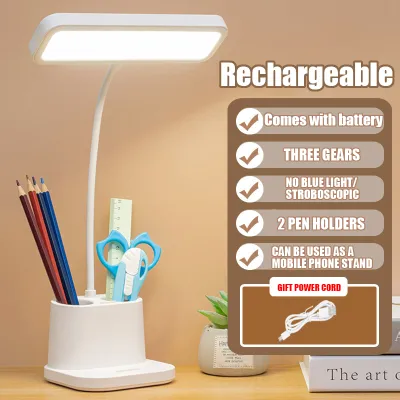
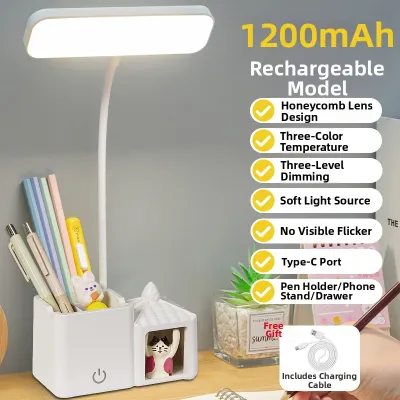
For students who require portability or experience occasional power interruptions, rechargeable battery-operated lamps are a highly practical alternative. These models can be charged via USB and moved easily to different parts of the home. When evaluating rechargeable options, look for clearly stated battery capacity and runtime specifications (for example, a lamp that offers up to 4 hours of continuous use on its highest brightness setting) to ensure it meets your study needs.
Control Interfaces
The way you interact with your study lamp affects its daily usability. Touch-sensitive control panels are common on modern LED lamps, offering a sleek, flat surface that is easy to wipe clean. These panels often feature stepless dimming sliders, allowing you to slide your finger to adjust brightness and color temperature with high precision.
Physical buttons and toggle switches, while more traditional, offer tactile feedback that some users prefer, especially when adjusting the lamp in a dark room. Regardless of the interface style, the controls should be intuitive and responsive, allowing you to make quick adjustments without interrupting your study flow.
Bonus Features
Many modern study lamps come equipped with extra features designed to enhance convenience. Built-in timers can serve as helpful productivity tools, automatically turning the light off or dimming it after 30 or 40 minutes to remind the student to take a short break and rest their eyes. Integrated USB charging ports on the lamp base are also highly convenient, allowing students to charge smartphones or tablets directly from the desk without needing extra wall adapters.
Some premium models feature auto-dimming sensors that detect the level of ambient light in the room and automatically adjust the lamp’s brightness to maintain a consistent level of illumination on the desk. While these features add convenience, it is important to evaluate whether they justify any additional cost based on your actual daily study habits, rather than choosing a model solely for its marketing gimmicks.
Building Your Shortlist: A Pre-Purchase Checklist
Verify Specifications
Before making a final purchase, carefully cross-reference the product specifications to ensure safety and compatibility. Verify that the lamp is rated for the local 220V electrical standard to avoid damage or safety hazards. If the lamp uses a replaceable bulb rather than integrated LEDs, check the base interface (such as a standard E27 screw base) and the maximum wattage limit allowed by the fixture to prevent overheating.
Additionally, look for official electrical safety certifications. In the Philippines, look for the Philippine Standard (PS) mark or the Import Commodity Clearance (ICC) sticker on the packaging or product body. These marks indicate that the product has undergone rigorous testing to meet local safety and quality standards, reducing the risk of electrical faults or fire hazards.
Assess the Study Environment
Take a moment to measure your desk space and evaluate the existing lighting in your room. The physical dimensions of the lamp should scale appropriately with your workspace; a massive lamp may overwhelm a small study corner, while a tiny lamp may not provide enough light spread for a large drafting table. Consider how the lamp will sit alongside your computer monitor, laptop, and physical books.
It is also important to balance your task lighting with the ambient light in the room. Studying with a bright lamp in an otherwise pitch-black room creates high contrast that can tire the eyes quickly. Ensure your study setup allows for a comfortable balance, using the task lamp to highlight your work while keeping a soft level of ambient light in the background.
Review Return Policies and Warranties
Because visual comfort is highly subjective, the best way to know if a study lamp is right for you is to test it in your actual study environment. When purchasing from local retailers or online marketplaces, check the seller’s return policy. A reliable return window allows you to test the lamp’s brightness, color temperature, and physical stability at home, ensuring it is comfortable for your eyes before making a permanent commitment.
Finally, review the manufacturer’s warranty terms. A warranty of at least six months to a year provides peace of mind regarding the lamp’s build quality and electronic components. Keep your proof of purchase and warranty card in a safe place so you can easily seek a replacement or repair if any manufacturing defects arise during regular use.
Frequently Asked Questions (FAQ)
Is a dedicated study lamp necessary if the room already has bright ceiling lights?
Yes, a dedicated study lamp is highly recommended even in a well-lit room. Ceiling lights are designed for general illumination and often cast shadows over your desk when you lean forward to read or write. A task lamp provides direct, adjustable light right where you need it, eliminating shadows, improving text contrast, and reducing the eye strain caused by squinting under uneven ambient light.
How should I position the study lamp to avoid screen glare and shadows?
To avoid casting shadows while writing, place the study lamp on the opposite side of your dominant hand—on the left side if you are right-handed, or on the right side if you are left-handed. To prevent glare on computer screens, position the lamp head slightly below eye level and angle the light downward onto your desk surface, ensuring the light source does not reflect directly off the monitor into your eyes.
Community discussion
Share your experience or ask a question. Comments are reviewed before publication.