
Working from home for long hours requires more than just a reliable laptop and a supportive chair. To maintain high productivity and avoid physical exhaustion, your lighting setup is just as critical. A high-quality study lamp serves as an essential ergonomic tool that directly protects your eyes from strain while keeping you focused during extended shifts.
When selecting a study lamp for a home office, you must prioritize specific features: stepless brightness adjustments, variable color temperatures, flicker-free technology, and multi-axis physical adjustability. Relying solely on general room lighting or low-quality desk lamps can lead to headaches, dry eyes, and decreased concentration. This guide details the essential optical and physical features your next task light must have to support healthy, productive WFH sessions.
The Impact of Lighting on Extended WFH Productivity and Eye Health
Many professionals setting up a home workspace in the Philippines rely entirely on ambient ceiling lights. Standard residential lighting—often consisting of a single overhead fluorescent tube or a central LED bulb—is designed to illuminate an entire room uniformly rather than a specific workspace. This diffuse, low-intensity light creates a high-contrast environment when paired with a bright computer screen, forcing your eyes to constantly adjust between the dark desk surface and the glowing monitor.
Products mentioned in this guide
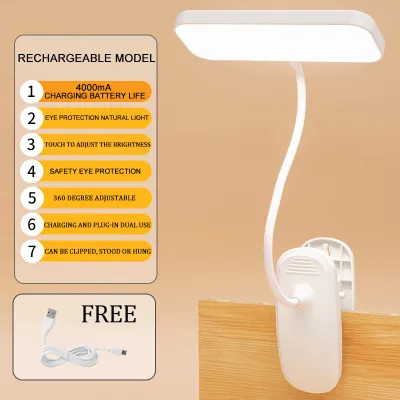
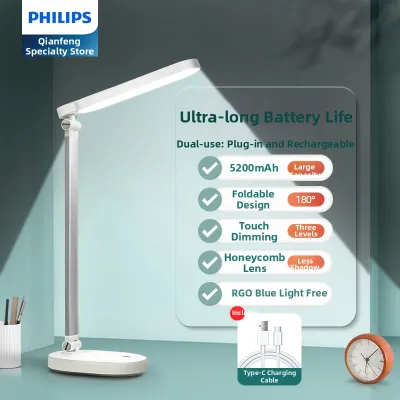
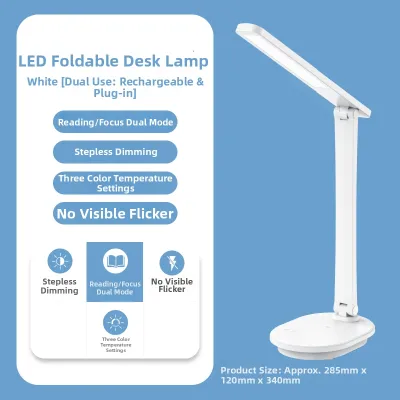
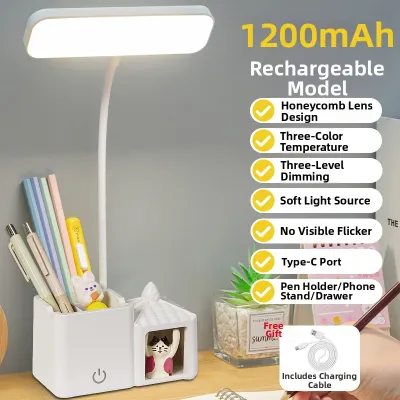
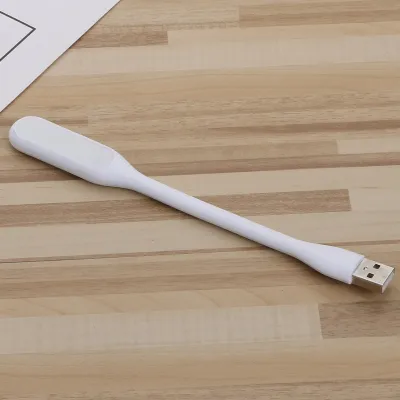
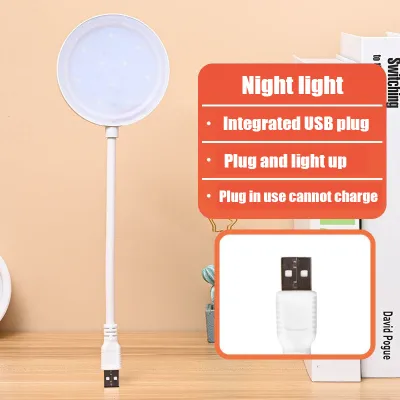
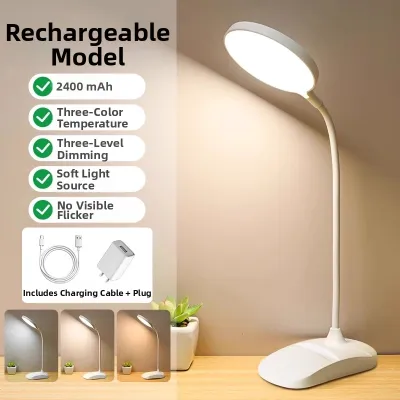
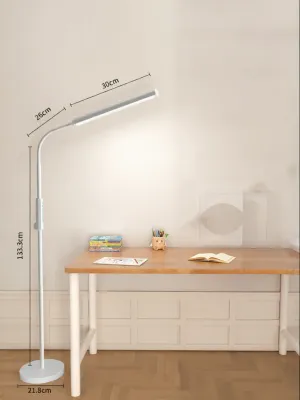
Prices are valid at publication and may change. Please refer to the product page for the latest price.
This continuous pupillary adjustment is a primary cause of asthenopia, commonly known as digital eye strain. During a long workday, your eyes must work harder to focus on physical documents, keyboards, and screens under inadequate light. Symptoms such as dry eyes, blurred vision, physical fatigue, and tension headaches often follow. In humid tropical environments where fans or air conditioners are constantly running, dry eyes can become even more pronounced when exacerbated by poor lighting.
A dedicated study lamp acts as a specialized task light, delivering a focused beam directly onto your immediate working area. By balancing the contrast between your screen and the surrounding desk, proper task lighting minimizes the visual workload on your eyes. Instead of viewing a desk lamp as a simple decorative accessory, you should treat it as a vital piece of ergonomic equipment, on par with an adjustable office chair.
Core Optical Specifications to Minimize Eye Strain
The most critical decision-making dimension when choosing a study lamp is its optical quality. While aesthetic design and smart features are appealing, they cannot compensate for a low-quality light source that fatigues your eyes. To ensure your lamp supports long hours of work, look beyond basic wattage and carefully evaluate key optical performance metrics.

Adjustable Brightness and Illuminance
A quality study lamp must offer adjustable brightness levels, ideally through a stepless dimming interface. Your lighting needs change dynamically throughout the day as natural sunlight shifts, requiring different levels of light intensity to maintain a comfortable workspace. Stepless dimming allows you to fine-tune the light output precisely, avoiding the rigid, pre-set levels of cheaper lamps that are often either too dim or blindingly bright.
When reviewing product specifications, pay close attention to lumens and lux. Lumens measure the total light output, while lux measures the intensity of light falling on a specific surface area. For detailed paper reading or writing, your desk surface should ideally receive an illuminance of around 500 lux. Conversely, when you are primarily working on a bright monitor, you should dim your study lamp to a lower level to reduce reflective glare and contrast. Avoid any lamp that only features a single, non-adjustable brightness setting, as it cannot adapt to these varying tasks.
Color Temperature and High CRI
Color temperature, measured in Kelvins (K), dictates the warmth or coolness of the light. A versatile study lamp should feature adjustable color temperature control to match your cognitive needs throughout the day. Cooler light (ranging from 4000K to 5000K) mimics natural daylight, which helps suppress melatonin production, increases alertness, and improves focus during daytime working hours. Warmer light (between 2700K and 3000K) is gentler on the eyes in the evening, helping you wind down without disrupting your natural sleep cycle.
Equally important is the Color Rendering Index (CRI), which measures how accurately a light source reveals the true colors of objects compared to natural sunlight. A low CRI light source makes colors look dull and reduces text contrast, forcing your eyes to strain to distinguish characters on a page. For a comfortable WFH setup, look for a study lamp with a CRI rating of 80 or higher, with 90 or above being the ideal standard for excellent visual clarity and color accuracy.
Flicker-Free and Anti-Glare Design
Many budget-friendly LED lamps suffer from high-frequency flicker that, while invisible to the naked eye, is readily processed by your brain and sensory systems. This constant, rapid fluctuation in light output forces the muscles in your eyes to contract and expand rapidly, leading to unexplained headaches, dizziness, and mental fatigue after just a few hours of work. To prevent this, always look for lamps that explicitly guarantee “flicker-free” operation or carry reputable third-party certifications for low eye strain.
Glare is another major contributor to visual discomfort, occurring when light reflects harshly off white paper, desk surfaces, or computer screens. Premium study lamps address this issue by incorporating advanced anti-glare designs. Look for models featuring frosted diffusers, honeycomb louvers, or side-emitting LED panels that distribute light evenly across your desk. These features soften the light beam, eliminating harsh hotspots and ensuring that the illumination remains smooth and uniform.
Ergonomic Adjustability for Dynamic Work Postures
A study lamp must physically adapt to your workspace layout and your changing postures throughout a long shift. The physical build and mounting mechanism of the lamp play a significant role in how effectively it delivers light.
When choosing a lamp, first evaluate the base type. A weighted table base offers excellent stability and allows you to move the lamp freely across a deep desk, though it occupies valuable desktop real estate. If you work on a compact desk—a common scenario in shared household spaces or smaller apartments—a desk clamp mounting mechanism is often a superior choice. Clamps secure the lamp firmly to the edge of your table, freeing up space for your keyboard, mouse, and documents.
Multi-axis adjustability is essential for directing light precisely where you need it. Look for lamps with flexible goosenecks or articulated metal arms featuring multiple rotating joints (at the base, elbow, and head). This adjustability allows you to position the light source above eye level, casting light downward onto your workspace without shining directly into your eyes or reflecting off your computer screen. Ensure the joints have adjustable tension screws; cheap plastic joints can degrade quickly under daily movement, causing the lamp arm to droop over time.
Finally, pay attention to electrical safety and physical placement. In the Philippines, the standard electrical supply is 220V at 60Hz. When purchasing imported study lamps online, always verify that the power adapter is rated for this voltage to prevent short circuits or fire hazards. Ensure the power cord is long enough to reach your wall outlet comfortably without being stretched taut, which creates a dangerous tripping hazard in your home office.
WFH-Specific Convenience and Smart Features
Modern study lamps often incorporate convenient smart features designed to streamline your daily routine and support healthier working habits. While these features add convenience, they should always serve as complements to high-quality optics rather than replacements for them.
One highly useful feature is an integrated ambient light sensor that enables auto-dimming. As natural daylight fades in the afternoon, the lamp automatically detects the drop in ambient light and increases its own brightness to maintain a consistent level of illumination on your desk. This prevents you from working in a progressively darkening room without realizing it, protecting your eyes from gradual strain.
Built-in timers can also assist with time management and physical wellness. Some lamps feature integrated timers that flash gently or turn off after 45 or 50 minutes, serving as a physical cue to practice the 20-20-20 rule (looking at something 20 feet away for 20 seconds) or to stand up and stretch. These subtle cues are incredibly helpful for preventing the physical stiffness and eye fatigue associated with long, uninterrupted desk sessions.
Many contemporary desk lamps also offer integrated USB charging ports or wireless charging pads built directly into the base. While these additions are convenient for keeping your smartphone or wireless earbuds powered up without adding extra wall adapters, ensure they do not compromise the stability or thermal management of the lamp. High-quality charging components should not cause the lamp base to run excessively hot, which can be particularly uncomfortable in warm, tropical environments.
Best Practices for Desk Lamp Positioning and Ambient Light
Even the most advanced study lamp will fail to protect your eyes if it is positioned incorrectly. Maximizing the benefits of your task lighting requires understanding how to balance it with the surrounding room environment.
The most critical rule of home office lighting is the “ambient plus task” rule. You should never operate a bright study lamp in an otherwise pitch-black room. The extreme contrast between a highly illuminated desk surface and a dark room forces your eyes to strain whenever you look away from your papers or screen. Always keep a soft, low-intensity ambient light active in the room—such as a warm ceiling light or a floor lamp—to bridge the contrast gap.
To prevent casting distracting shadows over your work, position the lamp based on your dominant hand. If you are right-handed, place the study lamp on the left side of your desk; if you are left-handed, place it on the right side. This simple adjustment ensures that your hand and pen do not block the light path while you are writing or drawing, keeping your workspace consistently illuminated.
When positioning the lamp relative to a computer monitor, place the light source slightly to the side and angled downward. The beam should illuminate your keyboard and physical documents without hitting the screen directly, which causes distracting glare and wash-out. Ensure the lamp head is angled so that the light source itself is completely shielded from your direct line of sight, preventing any harsh light from shining straight into your eyes as you work.
Frequently Asked Questions (FAQ)
Finding the right lighting balance can raise several practical questions. Here are clear answers to help you optimize your home office setup.
Is a LED study lamp better than a traditional bulb for long hours?
Yes, modern LED study lamps are significantly better for extended use than traditional incandescent or fluorescent bulbs. LEDs emit very little heat, which is a major advantage in the warm climate of the Philippines, where a hot incandescent bulb close to your face can make your desk uncomfortable. Additionally, LEDs are highly energy-efficient and allow for advanced features like adjustable color temperature and dimming. However, the overall quality of the light depends heavily on the internal LED driver. To avoid headaches, you must still verify that the specific LED lamp is certified as flicker-free, rather than assuming all LED options perform equally.
What is the ideal color temperature for night studying?
For late-night study or WFH sessions, you should shift your lamp’s color temperature to a warm white tone between 2700K and 3000K. Warmer light emits less blue light, which helps protect your natural circadian rhythm and makes it easier to fall asleep once your work is finished. Save the cooler, bright white tones (4000K to 5000K) for daytime hours, as these cooler wavelengths stimulate alertness and help you maintain focus when you need to be highly productive.
Community discussion
Share your experience or ask a question. Comments are reviewed before publication.