
Working from home in the Philippines presents unique environmental challenges for your workspace. While natural light from tropical afternoons can be abundant, it is often accompanied by harsh glare, deep shadows, and sudden overcast gloom during the monsoon season. Relying solely on a room’s overhead ceiling light or the glow of a laptop screen can quickly lead to eye strain, headaches, and decreased productivity. Finding the right desktop light is not about picking the trendiest fixture on an online marketplace; it is about selecting a tool that balances your specific desk layout, screen usage, and ambient room conditions.
A well-planned lighting setup does more than just illuminate your keyboard. It bridges the gap between high-contrast digital displays and the physical workspace, creating a comfortable visual environment that supports focus throughout long working hours. Because every home office is different—ranging from a dedicated air-conditioned study to a small corner of a shared dining table—your choice of lighting must be highly adaptable. By focusing on key technical specifications and physical designs, you can build a workspace that protects your eyes and enhances your daily workflow.
Key Factors for Choosing a Work-From-Home Desktop Light
When evaluating desktop lights, brightness adjustability should be your primary consideration. Task lighting requires sufficient illumination to prevent squinting, but excessive brightness can cause discomforting glare on your desk surface. Rather than relying on wattage, which only measures power consumption, look at the lumen output listed on the product packaging or manufacturer specifications. A desktop light that offers step-less dimming or multiple preset brightness levels allows you to adjust the output as natural daylight shifts from the bright morning hours to late-night sessions.
Products mentioned in this guide
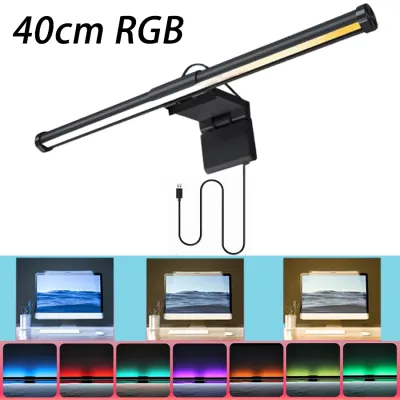
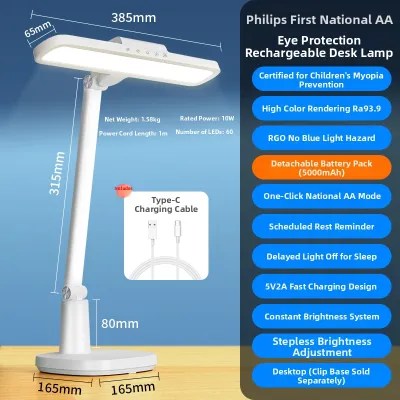
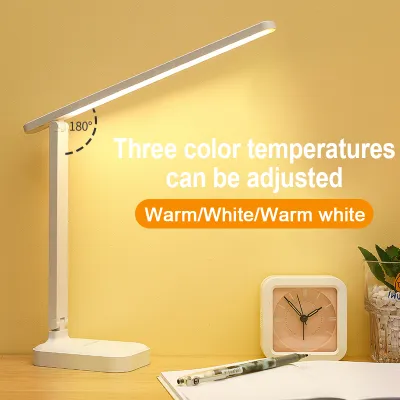
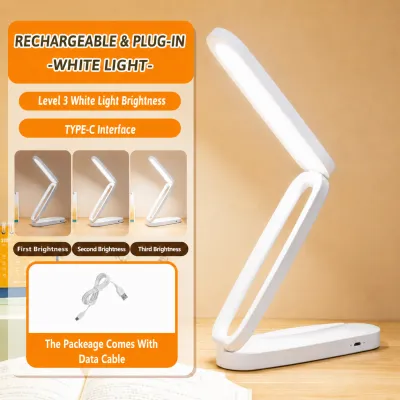
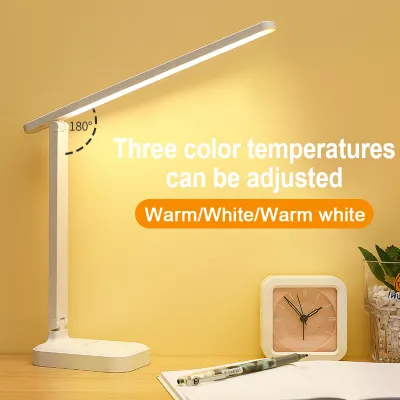
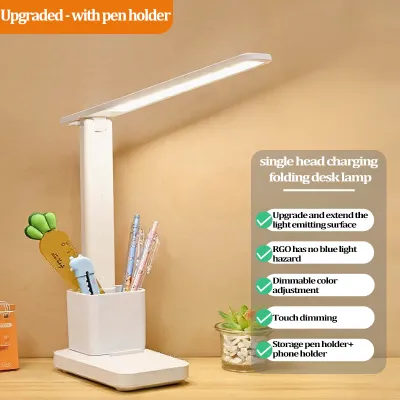
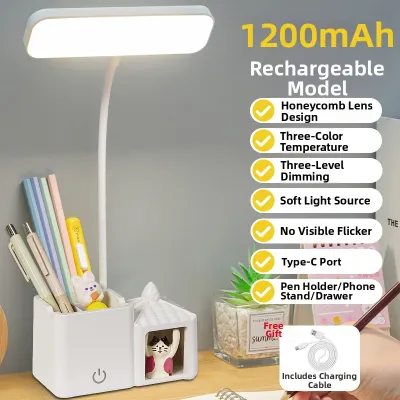
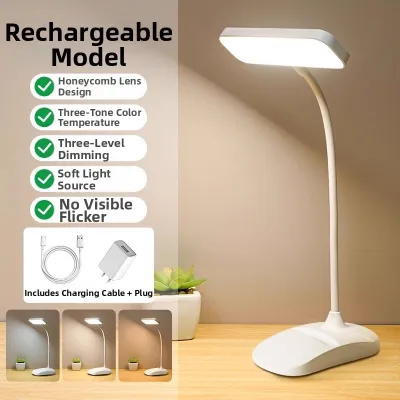
Prices are valid at publication and may change. Please refer to the product page for the latest price.
Color temperature is another critical factor that directly influences your focus and comfort. Measured in Kelvin (K), color temperature ranges from warm yellow tones to cool blue-white light. Warm light (around 2,700K to 3,000K) is generally associated with relaxation and is ideal for evening work when you want to wind down. Cool white or daylight settings (ranging from 4,000K to 6,500K) mimic natural sunlight, which can help maintain alertness and clarity during intense daytime tasks. Choosing a lamp with adjustable color temperature ensures you can transition your workspace environment to match your cognitive needs throughout the day.
Electrical compatibility is a vital safety check that must not be overlooked, especially when purchasing fixtures online. In the Philippines, the standard residential electrical supply is 220V at 60Hz. Always verify that any plug-in desktop light is rated for this voltage to prevent short circuits, overheating, or permanent damage to the fixture. If you opt for a USB-powered light, ensure your power source—whether a computer port, monitor hub, or wall adapter—can deliver the required amperage specified by the manufacturer. Using an underpowered USB port can cause the light to flicker or fail to reach its maximum brightness.
Types of Desk Lamps and Their Best Use Cases
Monitor light bars have become highly popular for modern home offices, particularly for those with limited desk space. These fixtures clamp directly to the top of your computer monitor, casting light downward onto your keyboard and workspace without taking up any footprint on your desk. A key advantage of a well-designed light bar is its asymmetrical optical design, which directs light at an angle to illuminate the desk while avoiding direct glare on the screen. This makes them an excellent choice for clean, minimalist setups and users who primarily work on single-monitor systems.

For those who require maximum flexibility, adjustable arm lamps—often called architect lamps—remain a classic and highly functional choice. These lamps feature articulated joints and tension springs that allow you to pull the light source close for detailed tasks or push it away for broader ambient illumination. This physical adaptability is particularly useful for multi-monitor setups, large desks, or professionals who combine digital screen work with physical drafting, sketching, or reading. When selecting an adjustable arm lamp, ensure the joints lock securely in place and the base or clamp is heavy enough to prevent tipping when the arm is fully extended.
Compact base lamps offer a traditional aesthetic and are highly suited for smaller workspaces or multi-purpose rooms. These lamps typically feature a weighted base that sits directly on the desk surface, making them easy to move around as your needs change. While they may not offer the same reach as an articulated arm, many compact models feature flexible goosenecks that allow for basic directional adjustments. They are highly effective as secondary ambient light sources or as soft fill lighting to improve your appearance during video calls, helping you look professional without casting harsh shadows across your face.
Lighting Requirements for Prolonged Screen Work
Optimizing your physical home office setup requires careful positioning of your desktop light to minimize eye fatigue. The primary rule of task lighting is to avoid placing the light source in a position where it reflects directly off your computer screen into your eyes. If you use a traditional desk lamp, position it to the side of your monitor and angle the shade downward so the bulb is not directly visible in your peripheral vision. If you are right-handed, placing the lamp on the left side of your desk helps prevent your hand from casting shadows across your writing or typing area.
Balancing your task lighting with the ambient light of the room is essential for reducing high-contrast eye strain. Working in a completely dark room with only a bright monitor and a single intense desk lamp forces your eyes to constantly adjust between the bright screen and the dark surroundings. To prevent this visual fatigue, maintain a moderate level of ambient room lighting, whether through ceiling fixtures, floor lamps, or diffused natural light. The goal is to create a smooth transition of brightness across your entire field of view, allowing your eyes to remain relaxed during long hours of screen work.
It is important to recognize the physical signs of inadequate lighting before they lead to chronic discomfort. If you find yourself leaning forward, squinting, rubbing your eyes, or experiencing frequent headaches by the end of the workday, your lighting setup likely needs adjustment. These symptoms can be caused by insufficient brightness, excessive glare, or subtle light flickering that may not be immediately visible to the naked eye. Regularly assessing how your eyes feel and making small adjustments to your lamp’s angle, brightness, or position can make a significant difference in your daily comfort.
Building Your Shortlist: Features to Verify Before Buying
Before finalizing your purchase from an online marketplace or local retail store, create a checklist of technical specifications to verify. Look closely at product labels and manufacturer documentation for mentions of flicker-free technology. Low-quality LED drivers can produce a rapid, invisible flicker that contributes significantly to eye strain and headaches over time. Additionally, check for certifications or claims regarding blue light management, which indicate that the light source has been designed to minimize the high-energy blue wavelengths that can disrupt your sleep patterns.
Physical compatibility with your existing furniture and equipment is another crucial verification step. If you are purchasing a monitor light bar, measure the thickness of your monitor bezel and the shape of its back panel, as some curved or ultra-thin screens may not accommodate standard mounting clamps. For lamps that use a desk clamp instead of a weighted base, measure the thickness of your desktop and check for any under-desk support bars that might block the clamp. Verifying these physical dimensions beforehand prevents the hassle of returning incompatible items.
Finally, establish a realistic budget in Philippine Pesos (₱) that balances cost with build quality and safety. While budget-friendly options are widely available, investing slightly more in a fixture with a sturdy metal frame, reliable joints, and a clear warranty can save money in the long run. Look for products that offer at least a one-year warranty and check the retailer’s return policy in case of defects. A well-constructed desktop light is an investment in your health and productivity, making it worthwhile to prioritize safety certifications and durable materials over the lowest possible price.
Frequently Asked Questions (FAQ)
How often should I replace the bulbs in my desk lamp?
The replacement frequency depends entirely on whether your desk lamp uses an integrated LED light source or a replaceable bulb. Integrated LED fixtures are designed to last for tens of thousands of operational hours, often translating to several years of daily use under normal conditions. Because these LEDs cannot be replaced individually, the entire fixture is typically replaced once the light source degrades. You can identify LED degradation when the light becomes noticeably dimmer, shifts in color, or begins to flicker consistently.
For lamps with replaceable bulbs, always check the manufacturer’s specifications for the correct socket base (such as E27) and the maximum wattage limit. Exceeding the recommended wattage can cause heat buildup, damaging the lamp shade or creating an electrical hazard. When replacing a bulb, ensure the physical dimensions of the new bulb fit comfortably within the lamp fixture without touching the shade or protruding awkwardly, which can cause unwanted glare.
Can I use a smart bulb in any standard desk lamp?
You can use a smart bulb in most standard desk lamps, provided the bulb’s base matches the lamp’s socket and the physical dimensions fit within the shade. Smart bulbs are often larger and heavier than traditional bulbs, so verify that your lamp’s shade can accommodate the extra size and that the lamp base is stable enough to support the weight. Additionally, ensure the lamp is plugged into a standard wall outlet rather than a circuit controlled by an external wall dimmer, as physical dimmers can disrupt the power supply to the smart bulb’s internal electronics.
Before purchasing, check the network requirements of the smart bulb to ensure compatibility with your home setup. Many smart bulbs connect directly to 2.4GHz Wi-Fi networks, while others require a dedicated smart home hub or a Bluetooth connection. If your home office is located far from your router, ensure you have a stable wireless signal at your desk to maintain reliable control over the bulb’s brightness, color temperature, and scheduling features.

Community discussion
Share your experience or ask a question. Comments are reviewed before publication.