
Finding the right Kalburo lamp for your work-from-home (WFH) or study space is not about tracking down the model with the highest technical specifications. Instead, a successful setup requires matching the physical dimensions of your desk, your daily screen habits, and the existing ambient light in your room to the specific design of the fixture. Selecting a lamp that complements your workspace layout helps minimize eye strain and creates a more comfortable environment for long hours of focused productivity.
Many remote workers and students in the Philippines face the daily challenge of working under harsh overhead lighting or in dimly lit corners of the home. When afternoon rainstorms suddenly darken the room or when late-night study sessions require concentrated focus, a poorly positioned or improperly specified light source can quickly lead to headaches and visual fatigue. By focusing on how a lamp interacts with your physical workspace, you can make an informed decision that supports your long-term comfort.
Assessing Your Desk and Lighting Needs
Before browsing through available Kalburo lamp models on an online marketplace, you must evaluate the physical boundaries of your workspace. Start by measuring the usable surface area of your desk. A large executive desk can easily accommodate a heavy, wide-based table lamp, whereas a compact study desk or a shared dining table requires a fixture with a minimal footprint, such as a clamp-on design or a highly compact base. Knowing these dimensions beforehand prevents you from purchasing a lamp that crowds out your keyboard, notebooks, or mousepad.
Products mentioned in this guide
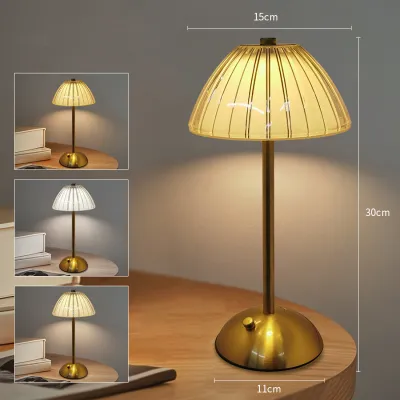
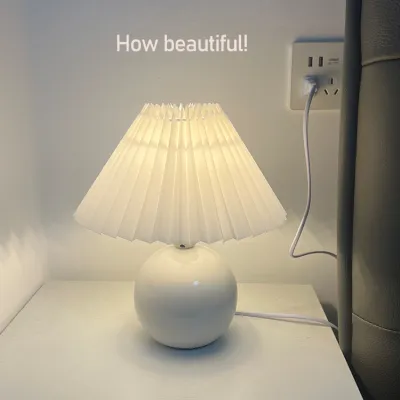
Prices are valid at publication and may change. Please refer to the product page for the latest price.
Next, identify the primary visual tasks you perform at your desk. If your day consists mostly of reading physical textbooks, writing on paper, or reviewing printed documents, you will require direct, high-intensity downward lighting to illuminate the page clearly. Conversely, if your work is almost entirely computer-based, your lighting needs will shift toward soft, diffused ambient light that balances the brightness of your monitor without casting direct glare onto the screen.
Finally, take a close look at the existing ambient light in your room. Rooms with large windows receive abundant natural light during the day but require highly adjustable artificial light as the sun sets or when tropical storms roll in. If your room relies on a single, bright overhead fluorescent tube, your desk lamp will serve to soften shadows and provide localized contrast. If your room is naturally dim, your desk lamp must work harder, requiring a model with higher lumen output to bridge the gap between your workspace and the surrounding darkness.
Key Features to Look for in a Kalburo Desk Lamp
When reviewing the specifications of various Kalburo desk lamps, prioritize color temperature and brightness adjustability. A lamp that offers multiple color modes allows you to transition from a cool white light (around 5000 Kelvin) for high-focus morning tasks to a warm, amber glow (around 2700 Kelvin) for relaxing evening reading. This flexibility is particularly useful for maintaining your natural sleep-wake cycle when working late into the night.

Another critical specification to verify on the product packaging or manufacturer’s listing is the Color Rendering Index (CRI). For reading physical documents, sketching, or any task where color accuracy matters, look for a Kalburo model with a CRI rating of 80 or higher. A higher CRI ensures that colors appear natural and vibrant, which significantly reduces the cognitive effort required to read small text or distinguish fine details on a page.
Do not assume that every desk lamp inherently protects your eyes from strain. You should actively verify anti-glare and flicker-control claims by checking the manufacturer’s official specifications rather than relying on general category descriptions. High-quality LED drivers minimize the invisible high-frequency flickering that can cause silent eye strain and headaches over hours of continuous use.
Additionally, consider the power delivery method and how it fits into your daily routine. Plug-in models offer continuous, reliable power but require proximity to a wall outlet or an extension cord, which can complicate your cable management. Rechargeable Kalburo models provide excellent portability and serve as a reliable backup light source during local power interruptions, though you must remember to monitor their battery levels and manage charging cycles.
Matching Kalburo Lamp Styles to Specific Set setups
Selecting the right lamp structure is just as important as choosing the correct light output. Different desk configurations and daily workflows demand specific physical form factors to ensure the light falls exactly where it is needed. By matching the physical design of the lamp to your daily habits, you can optimize both your desk space and your visual comfort.
Compact and Clip-On Lamps for Small Desks
For those working on narrow study desks, shared apartment tables, or compact bedroom corners, space is a premium commodity. In these tight environments, a clip-on Kalburo lamp or a model with an ultra-slim base is often the most practical choice to keep your active work surface clear of clutter. These designs allow you to attach the light source directly to the edge of your desk or an adjacent shelf, freeing up valuable space for your laptop and study materials.
Before purchasing a clip-on model, always verify the maximum clamp width and weight limits specified by the manufacturer. Measure the thickness of your desk edge to ensure the clamp can grip it securely without slipping or causing damage to the wood or laminate surface. Additionally, ensure the mounting surface is stable enough to support the weight of the lamp when the neck is fully extended.
Articulating Arm Lamps for Flexible Screen Work
If your daily routine involves a mix of screen work, physical writing, and reference reading, an articulating arm lamp offers the versatility you need. These models feature adjustable joints and a swing arm that allow you to pull the light source close for detailed tasks or push it away to provide broad, indirect illumination. This adjustability is highly beneficial for multi-monitor setups, where static lamps often block the screen or cast annoying reflections.
When selecting an articulating Kalburo model, check the maximum reach and height specifications to ensure the lamp head can clear the top of your monitor. Positioning the light source slightly above and to the side of your screen allows you to illuminate your physical keyboard and documents without casting a direct reflection onto the display panel.
Broad-Head Lamps for Shared or Drafting Desks
For larger workspaces, such as drafting tables, crafting stations, or shared study desks, standard single-point lamps often fail to provide adequate coverage. A broad-head or dual-head Kalburo lamp is designed to distribute light even across a wide horizontal area, minimizing harsh shadows and dark spots. This wide distribution is essential for tasks that require you to spread out large blueprints, textbooks, or art supplies.
Be sure to measure the total width of your active work zone and compare it to the lamp’s specified light distribution footprint. Ensuring the lamp head is wide enough to cover your entire primary workspace prevents you from constantly having to adjust the fixture as you move from one side of the desk to the other.
Safety, Installation, and Maintenance Checks
To ensure your chosen Kalburo lamp operates safely and reliably over its lifespan, always perform basic electrical and environmental checks during setup. Verify that the lamp’s rated voltage matches the standard 220V electrical supply used in the Philippines. Using an incompatible voltage or an uncertified adapter can damage the internal LED driver and pose a serious electrical hazard.
Given the high humidity and seasonal rains in tropical climates, keep your desk lamp away from open windows where wind-driven rain could enter. Never operate a standard indoor desk lamp in damp areas or close to cold drinks that sweat heavily on your desk surface, as moisture accumulation can lead to short circuits.
When it comes to maintenance, always disconnect the power plug from the wall outlet before cleaning the fixture or adjusting tight mechanical joints. Use a dry, soft microfiber cloth to wipe away dust from the LED panel and the body of the lamp; avoid using wet cloths or harsh chemical cleaners that could seep into the electrical housing.
Finally, monitor the physical condition of your lamp over time. If you notice the power cord fraying, the switch failing to respond consistently, or the lamp head emitting unusual heat, stop using the device immediately. In such cases, disconnect the power and contact the manufacturer or a qualified professional to address the issue rather than attempting to repair complex internal circuitry yourself.
Frequently Asked Questions (FAQ)
Can I use a Kalburo lamp with a smart plug or dimmer switch?
Whether you can integrate your Kalburo lamp into a smart home setup depends entirely on the lamp’s internal circuitry and switch design. Many modern LED desk lamps utilize electronic touch switches or built-in digital dimming drivers, which do not regain their previous settings when power is cut and restored by an external smart plug. Additionally, attempting to use an external wall dimmer with a lamp that is not explicitly rated for dimming can cause flickering, buzzing, or permanent damage to the LED driver. Always consult the manufacturer’s manual to verify compatibility before connecting your lamp to any external control device.
How do I reduce screen glare when using a desk lamp?
To minimize distracting reflections on your computer screen, avoid placing your desk lamp directly in front of or behind your seating position. Instead, position the lamp to the side of your monitor and angle the head downward so the light path does not bounce off the screen surface into your eyes. If your Kalburo lamp features adjustable brightness, try lowering the intensity and angling the light toward the wall behind your monitor; this creates a soft bias light that reduces eye strain by balancing the high contrast between a bright screen and a dark room.

Community discussion
Share your experience or ask a question. Comments are reviewed before publication.