
Integrating a digital display like the Divoom Times Frame into a traditional gallery wall brings dynamic energy to your home decor, but it requires careful planning to balance the glowing screen with static art. By treating the digital frame as a unique focal point and coordinating its placement, power supply, and visual weight with your existing frames, you can create a cohesive and modern display. This approach allows you to enjoy rotating pixel art or digital photos alongside cherished physical prints without cluttering your living space.
Assess Your Wall Space and Frame Collection
Before hammering any nails or drilling into your walls, you must evaluate the physical space and inventory your design elements. Start by measuring the height and width of the available wall area, keeping in mind the location of structural studs or backing. In many homes in the Philippines, walls are constructed from solid concrete or hollow blocks rather than drywall, which affects the type of mounting hardware and tools you will need.
Next, gather all the traditional frames you plan to use and lay them out on a flat surface. Group them by frame color, material, matting width, and orientation to see how they relate to one another. Note the sizes of your physical prints, as well as the frame profiles, to understand the overall visual variety you have at your disposal.
Products mentioned in this guide
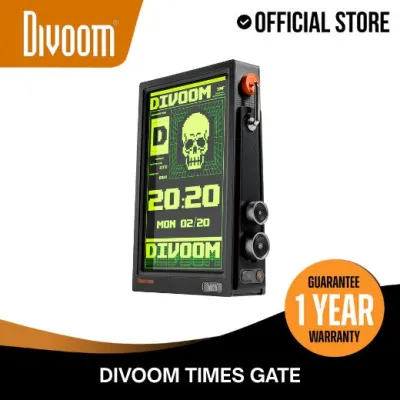

Prices are valid at publication and may change. Please refer to the product page for the latest price.
Finally, consult the official manual of your Divoom Times Frame to verify its exact dimensions, weight, and mounting specifications. Because digital frames contain electronic components, they are often heavier than standard plastic or wooden frames of a similar size. Knowing these physical specifications beforehand ensures you select the correct wall anchors and plan a layout that can safely support the device.
Plan the Layout Strategy
Achieving a balanced gallery wall requires choosing a layout style that harmonizes the glowing screen of your digital frame with your static artwork. A structured grid layout works well if you prefer a clean, symmetrical look, but it requires frames of identical sizes. For a mix of digital media and diverse traditional frames, an eclectic salon-style arrangement is usually more forgiving and visually engaging.

To test your arrangement without damaging your walls, create paper templates of every frame, including the digital display. Trace each frame onto kraft paper or newspaper, cut out the shapes, and label them. Use painter’s tape to stick these templates to the wall, allowing you to experiment with different spacings, heights, and alignments until the composition feels right.
When positioning the Divoom Times Frame, decide whether it will act as the central anchor or an offset visual counterweight. Placing the digital screen in the center naturally draws the eye directly to the moving pixel art or photos. Alternatively, placing it off-center balanced by a larger traditional frame or a pair of smaller frames on the opposite side creates a dynamic, modern asymmetry that keeps the gallery wall from feeling too rigid.
Manage Power and Cable Routing
Unlike traditional frames, a digital frame requires a continuous power source, making cable management a critical part of your gallery wall design. Before finalizing your layout, locate the nearest electrical outlets and map out the path the power cord will take. Ideally, the frame should be positioned close enough to an outlet so the cable does not have to stretch tightly or cross high-traffic walkways.
To keep the installation clean and seamless, you must decide how to handle the power cord. Surface-mounted plastic cable concealers or paintable raceways are excellent, non-invasive options that blend into your wall when painted the same color. If you prefer a completely hidden wire look, you can explore in-wall routing, but you should consult a qualified electrician to ensure compliance with local electrical codes and safety standards, especially when dealing with concrete walls.
Additionally, check the manufacturer’s guidelines regarding the power adapter and ventilation. Digital displays generate mild heat during operation, so the frame must not be tightly enclosed or pressed flush against materials that trap heat. Ensure there is sufficient airflow around the back of the unit and that the power adapter is plugged into a well-ventilated outlet to prevent overheating in warm, humid tropical climates.
Balance Visual Weight and Lighting
A common challenge when mixing digital and traditional art is the contrast between emissive screen light and reflective glass surfaces. To prevent the digital screen from completely dominating the wall, adjust the brightness and color temperature of your Divoom Times Frame. Setting the brightness to a level that matches the ambient light of the room prevents the screen from looking like a harsh, glowing box in a dimly lit space.
You can also create visual harmony by coordinating the content on your digital screen with the surrounding physical art. If your traditional frames feature black-and-white family photographs, consider displaying monochrome pixel art or high-contrast digital images. If your gallery wall has a vibrant, tropical color palette, select digital displays or animations that share those same warm tones to tie the entire wall together.
Proper placement also helps minimize distracting glare on the glass covers of your traditional frames. Position your gallery wall away from direct sunlight and adjust the angles of nearby overhead lighting. This careful positioning ensures that the light emitted from the digital screen does not bounce off adjacent frames, reducing visual fatigue and allowing every piece of art to be viewed clearly.
Hang and Secure the Frames Safely
Once your layout is finalized and power routing is planned, you can begin the physical installation. Select wall anchors, screws, or hooks that are rated for the specific weight of each frame and the composition of your wall. For concrete or masonry walls, you will typically need a hammer drill, masonry drill bits, and plastic wall plugs (often referred to locally as tox plugs) to ensure a secure hold.
Follow the mounting instructions in the Divoom Times Frame manual precisely to secure the device. Use only the designated hanging points or brackets provided by the manufacturer, and avoid applying pressure to the screen or the front bezel during installation. Ensuring the digital frame is mounted perfectly level and flush according to its design specifications prevents accidental falls and structural strain on the device.
Finally, maintain the recommended clearance around the digital frame to allow for proper heat dissipation. Avoid packing traditional frames too tightly against the sides of the digital display. Leaving a consistent gap of at least a few centimeters around the perimeter of the digital frame not only aids in ventilation but also creates a clean visual border that makes the entire gallery wall look professionally curated.
Frequently Asked Questions (FAQ)
Can I mount the Divoom Times Frame without visible wires?
Yes, you can minimize or completely hide the power cord using several methods. The simplest and most non-invasive approach is to use paintable surface-mounted cable raceways, which adhere to the wall and can be painted to match your wall color exactly. For a completely invisible installation, the power cable can sometimes be routed through the wall cavity; however, because many homes in the Philippines feature solid concrete walls, this may require professional masonry work and conduit installation. Always consult a qualified electrician to ensure any in-wall wiring complies with local electrical safety standards and building codes.
How do I prevent the digital screen from overpowering traditional photos?
To keep the digital screen from distracting from your static artwork, lower the screen’s brightness to match the ambient lighting of the room, or use the device’s companion app to schedule automatic dimming during evening hours. Additionally, you can increase the visual weight of your traditional frames by using wider, high-contrast matting or choosing thicker, more substantial frames. This physical presence helps the static pieces hold their own against the dynamic, glowing movement of the digital display, creating a balanced and cohesive gallery wall.

Community discussion
Share your experience or ask a question. Comments are reviewed before publication.