
Transforming a bedroom into a personal sanctuary requires lighting that calms the mind and prepares the body for rest. When choosing a galaxy projector for your bedroom, you must prioritize features that support healthy sleep hygiene and safe, convenient bedside operation. Specifically, look for adjustable brightness (dimmability) to protect your circadian rhythm, ultra-quiet motor performance to prevent sleep disruption, auto-shutoff timers that turn the device off after you fall asleep, and certified electrical compatibility with local power standards.
While party-focused projectors emphasize loud built-in speakers and fast-strobing lights, a bedroom-focused model must prioritize subtle, customizable visual effects. By focusing on how a projector interacts with your sleeping environment, you can select a device that serves as a functional wind-down tool rather than a sensory distraction.
Quick Answer: Top Features to Prioritize for Bedroom Use
To turn a bedroom into a restful retreat, your lighting choices must align with your natural sleep cycle. Unlike living rooms or entertainment spaces where high brightness and dynamic, rapid color shifts are desirable, a bedroom demands subtlety and control. A galaxy projector placed next to your bed must blend seamlessly into your evening routine without requiring active management or causing sleep disruption.
Products mentioned in this guide
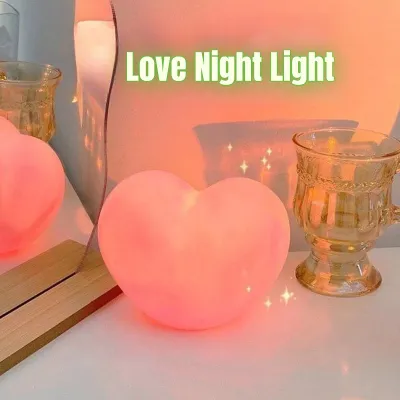
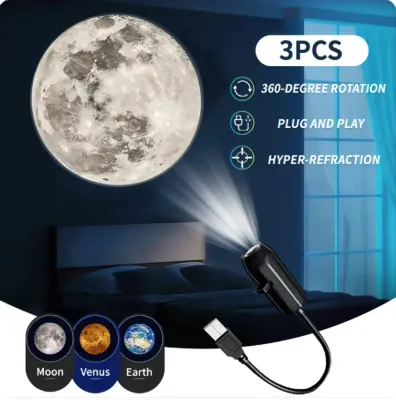
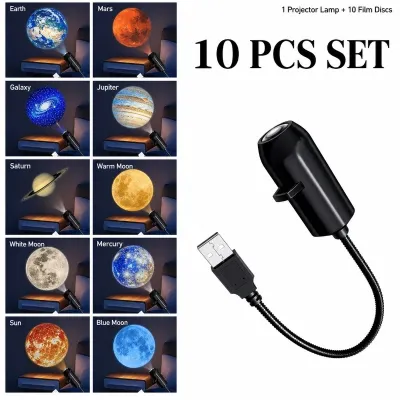
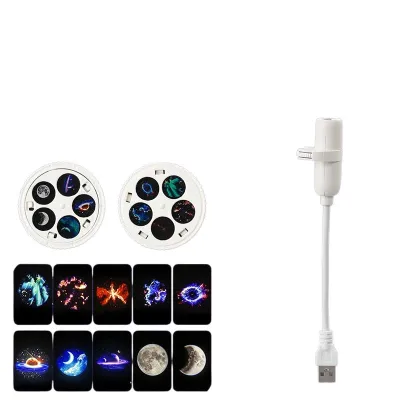
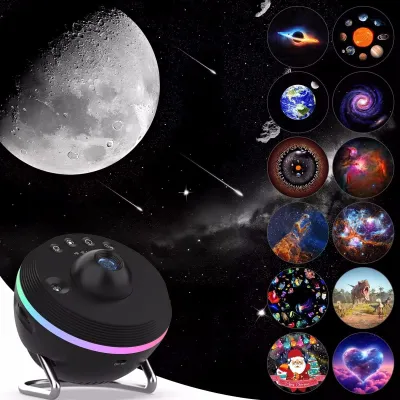
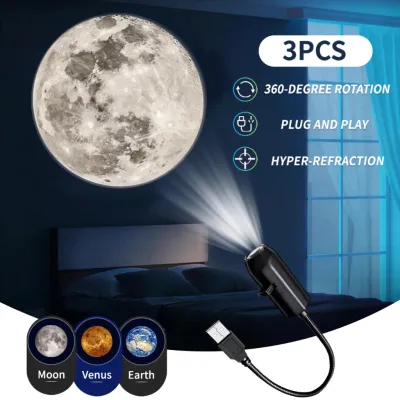
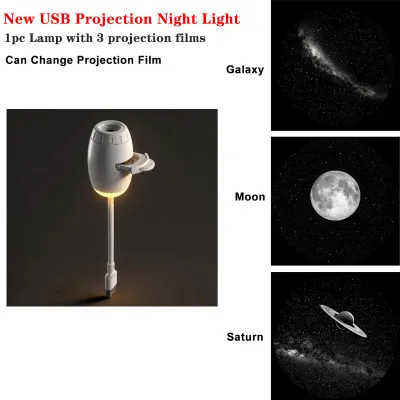
Prices are valid at publication and may change. Please refer to the product page for the latest price.
When evaluating different models, prioritize these core features for a bedroom setup:
- Stepless or Low-Level Dimmability: The ability to lower the light output to minimal levels ensures the projection does not interfere with melatonin production as you drift off.
- Ultra-Quiet Motor Operation: Many projectors use internal motors to rotate nebula clouds or stars. A silent or near-silent motor is essential to prevent a persistent hum from keeping you awake.
- Auto-Shutoff Timers: A reliable sleep timer ensures the device turns off automatically once you are asleep, saving energy and preventing unnecessary light exposure throughout the night.
- Safe Electrical Compatibility: For users in the Philippines, verifying that the power adapter safely supports the local 220V standard and matches standard outlet configurations prevents electrical hazards.
Focusing on these key specifications ensures your new ambient light source improves your sleep environment rather than introducing unwanted noise, excessive brightness, or safety hazards.
Projection Technology: Lasers vs. LEDs for Starry Effects
Understanding the underlying light engines of a galaxy projector is crucial for achieving your desired bedroom aesthetic. Most modern ambient projectors rely on either light-emitting diodes (LEDs), lasers, or a combination of both to cast celestial patterns onto your ceiling and walls. Each technology produces distinct visual effects that impact the room’s atmosphere differently.

Laser Projectors: Laser-based systems are designed to project sharp, highly defined points of light that mimic distant stars. These lasers offer exceptional clarity and can cover a wide surface area, even in larger bedrooms with high ceilings. Because lasers project concentrated beams, they create a highly realistic night sky effect. However, they require careful physical placement. You must position the projector at an angle where the laser beams cannot shine directly into anyone’s eyes, particularly when sitting up in bed or walking across the room.
LED Projectors: LED-based systems specialize in creating soft, flowing, and diffused light patterns. These are typically used to simulate colorful nebula clouds, gentle ocean waves, or drifting auroras. Because LED light is naturally diffused, it provides a softer, warmer glow that is highly conducive to relaxation. LED projections are less visually demanding than sharp laser points, making them an excellent choice for individuals who find movement or bright spots distracting when trying to fall asleep.
Hybrid Models: Many premium galaxy projectors utilize a hybrid design, combining both LED and laser elements. These models allow you to customize your experience by layering sharp laser stars over a soft, moving LED nebula cloud. Crucially, high-quality hybrid models allow you to control these elements independently. If you find the laser stars too stimulating on a particular night, you can toggle them off and leave only the gentle LED cloud running.
Throw Distance and Coverage: Before purchasing, check the manufacturer’s specified throw ratio and coverage area. A projector’s throw ratio determines how large the projection will be relative to its distance from the ceiling or wall. In a standard bedroom, a projector placed on a nightstand or dresser should have a wide-angle lens to ensure the visual effects cover a significant portion of the ceiling without needing to be placed in the center of the room.
Brightness, Color Options, and Sleep-Friendly Lighting
The relationship between light exposure and sleep quality is well-documented, making brightness control and color customization critical factors in your decision. The primary goal of a bedroom galaxy projector is to facilitate relaxation, which requires a light source that can adapt to different stages of your evening wind-down routine.
Dimmability: A bedroom projector must offer robust dimming capabilities. Many generic projectors only offer two or three fixed brightness levels, which are often still too bright for a dark bedroom. Look for models that feature stepless dimming or multiple low-light presets (such as a 10% or 20% brightness setting). Lowering the lumen output as you prepare for bed helps signal to your brain that it is time to sleep, preventing the suppression of melatonin.
Color Temperature and RGB Modes: Color choice plays a significant role in mood regulation. While vibrant, cycling RGB (Red, Green, Blue) modes are engaging for daytime use or reading, they can be overly stimulating at bedtime. For evening relaxation, prioritize static, warm color options. Soft blues, deep purples, and warm whites are highly effective at creating a calming, low-contrast environment that helps quiet an active mind.
Red Light and Night Modes: If you require a low level of light to navigate your bedroom during the night, consider a projector that offers a dedicated red or amber light setting. Red light has a longer wavelength than blue or green light and is the least disruptive color to your body’s natural circadian rhythm. Running a dim, static red nebula cloud provides just enough visibility to move around safely without waking you up fully.
Customization and Presets: Convenience is key when you are tired. Projectors that allow you to save your favorite color, speed, and brightness combinations as custom presets are highly valuable. Instead of cycling through multiple bright, flashing modes every night to find your preferred sleep setting, a dedicated preset button allows you to transition your room into a sleep-ready state with a single press.
Noise Levels, Timers, and Smart Controls
A galaxy projector’s physical operation and control interface directly affect how easily it integrates into your nightly routine. Because the device will operate in a quiet bedroom, small design flaws like noisy motors or inconvenient control schemes can quickly become major annoyances.
Motor and Fan Noise: To create the illusion of drifting clouds or rotating stars, many projectors use small internal electric motors. Additionally, some high-powered models include cooling fans to manage heat. In a quiet bedroom, the hum or buzz of a cheap motor can be highly distracting, especially for light sleepers. Always check product specifications for noise ratings, looking for models designed for quiet operation (ideally under 30 decibels). If you are highly sensitive to sound, you may want to opt for a static LED projector that has no moving parts or internal fans.
Auto-Shutoff Timers: An automatic shutoff timer is a vital feature for any bedroom light source. Leaving a projector running all night can disrupt your sleep cycles during lighter phases of sleep and subjects the device’s internal components to unnecessary wear. Look for a projector that features reliable 1-hour, 2-hour, or 4-hour timer options. This allows you to fall asleep under a simulated night sky while ensuring the room returns to complete darkness shortly after, promoting deeper, uninterrupted rest.
Smart Controls and Connectivity: Consider how you prefer to interact with your devices. Traditional physical remote controls are common, but they can easily be misplaced in bedsheets or require you to sit up to aim them at the projector’s infrared receiver. Smartphone app integration and compatibility with voice assistants (such as Google Assistant or Amazon Alexa) offer superior convenience. Smart connectivity allows you to adjust the brightness, change colors, or turn the projector off using simple voice commands or a quick tap on your phone without leaving the comfort of your blankets.
Memory Function: A built-in memory function ensures that when you turn the projector on, it automatically defaults to your last-used settings. Without this feature, a projector may reset to its brightest, most dynamic multi-color mode every time it power cycles, forcing you to manually reconfigure your preferred low-light sleep settings every single night.
Electrical Safety and Compatibility in the Philippines
Ensuring your galaxy projector is electrically safe and compatible with local power infrastructure is paramount, especially for devices intended to run unattended while you sleep. Operating electronics in a tropical climate like the Philippines introduces specific considerations regarding voltage, plug configurations, and heat management.
Voltage and Plug Types: Always verify the electrical specifications on the power adapter before plugging in the device. The standard utility voltage in the Philippines is 220V at 60Hz. While many modern galaxy projectors use USB power adapters that accept a wide range of input voltages (typically 100V to 240V), some direct-plug models may be designed solely for 110V markets. Plugging a 110V device directly into a 220V outlet will permanently damage the unit and presents a serious fire hazard. Additionally, ensure the adapter uses a plug type compatible with local outlets (commonly Type A, B, or C) to avoid using loose-fitting travel adapters that can spark or overheat.
Heat Dissipation and Humidity: High ambient humidity and warm tropical temperatures mean that electronic devices must dissipate heat efficiently. Galaxy projectors, particularly those utilizing high-output LEDs or lasers, generate internal heat during operation. Check the manufacturer’s guidelines for operating temperature limits. Never place the projector on soft, uneven surfaces like a mattress, blanket, or pillow, as this can block the ventilation grilles and cause the device to overheat. Instead, place it on a flat, hard surface such as a wooden nightstand or dresser.
Cable Management and Placement: Because bedroom projectors are often placed on bedside tables, power cables must be routed safely. Avoid leaving loose cords dangling where they can be snagged when reaching for an item in the dark. Secure the power cable along the back of your furniture using adhesive cable clips, and ensure the cord is not pinched under heavy furniture legs, which can damage the internal wiring over time.
Certifications and Warranties: Prioritize products that carry recognized electrical safety certifications on their power supplies, such as the CE, FCC, or RoHS marks. Purchasing your projector from authorized local distributors or official online brand stores ensures that you receive a genuine product with a valid warranty. This provides peace of mind and access to customer support if you encounter any technical issues or need replacement parts.
Matching the Projector to Your Bedroom Size and Layout
The physical dimensions and layout of your bedroom play a major role in how effectively a galaxy projector performs. To achieve an immersive visual experience, you must match the projector’s capabilities to your room’s unique architectural features and environmental conditions.
Ceiling Height and Angles: Standard residential ceilings in Philippine condos and homes typically range from 2.4 to 2.8 meters. At this height, a wide-angle lens is essential to ensure the projection covers a substantial portion of the ceiling. If your bedroom has high or vaulted ceilings, the projection will naturally expand, but the light intensity may decrease. Look for a projector with an adjustable stand or a rotating head. This flexibility allows you to tilt the device to project at an angle, utilizing both the walls and the ceiling to maximize the visual effect.
Placement Options: Determine where the projector will sit before making a purchase. Placing the unit on a nightstand is convenient for manual adjustments but may project the image at an awkward angle or leave half the room in shadow. Placing the projector on the floor in a corner or near the center of the room often provides the most even ceiling coverage, though it requires careful cable routing to prevent tripping. If you prefer a clean look, placing the device on a high shelf or wardrobe can cast the lights downward, though this may require a remote or smart app to operate comfortably.
Managing Ambient Light: Galaxy projectors rely on high contrast to produce clear, vibrant starry skies. Any ambient light entering the room will wash out the projection, making the stars and nebula clouds appear faint or invisible. To get the most out of your projector, evaluate your window treatments. Installing high-quality blackout curtains or thick window blinds is highly recommended to block external light sources, such as streetlights, passing vehicle headlights, or bright hallway lights in condominium complexes.
Wall Color and Texture: The color and texture of your bedroom surfaces will affect how light is reflected. Smooth, light-colored ceilings (such as matte white, cream, or light gray) provide the ideal canvas, reflecting the projector’s colors accurately and maintaining sharp details. If your ceiling is painted a very dark color or has a heavy plaster texture, the light will be absorbed or scattered, which can soften the projection and reduce its overall brightness.
Frequently Asked Questions (FAQ)
Can I leave a galaxy projector on all night?
While many modern galaxy projectors are built with safety features designed for extended use, leaving them running all night is generally not recommended. Continuous overnight operation can negatively impact your sleep quality, as even low-level ambient light can disrupt deep sleep phases. Additionally, running the device for eight or more hours continuously subjects the internal LEDs, lasers, and motors to unnecessary wear, which can shorten the overall lifespan of the projector. To maintain optimal sleep hygiene and extend the life of your device, it is best to utilize the built-in auto-shutoff timer so the projector turns off automatically after you fall asleep.
Do galaxy projectors work well in rooms with ambient street light?
Galaxy projectors perform best in completely dark environments because they rely on contrast to make the simulated stars and nebula clouds visible. If your bedroom receives significant ambient light from streetlights or nearby buildings, the projection will appear washed out and lose much of its detail. To resolve this issue, consider installing blackout curtains or blinds to block external light. If blocking all ambient light is not possible, choosing a projector with a higher lumen output or prioritizing sharp laser stars over soft LED clouds can help maintain some visibility, as laser points tend to cut through minor light leaks better than diffused LED washes.
Are laser galaxy projectors safe for children's eyes?
Direct eye exposure to laser beams, even the low-power lasers commonly used in consumer galaxy projectors, can cause damage to the retina. If you are placing a projector in a child’s bedroom, safety must be your primary concern. Always position the device on a high shelf or mount it securely out of the child’s direct reach, and angle the lens so the laser beams point directly upward at the ceiling rather than across the room at eye level. Ensure your child understands not to look directly into the projector’s lens. For younger children or toddlers, it is highly recommended to choose an LED-only projector that simulates nebula clouds without using lasers, completely eliminating any risk of laser-related eye exposure.
Community discussion
Share your experience or ask a question. Comments are reviewed before publication.