
Choosing the right clip-on desk lamp for a compact workspace requires balancing the physical limits of your desk edge with the reach of the lamp’s arm and the spread of its light. A high-quality desk lamp clip saves valuable surface area by moving the base off the desk entirely, but it must be sized correctly to avoid tipping, slipping, or damaging your furniture. In dense urban living spaces or dedicated home offices, maximizing every square centimeter of a desk is essential. A clip-on lamp offers a practical solution, provided you select a model that aligns with your specific desk structure and lighting needs. This guide details how to measure your workspace, evaluate clamping mechanisms, analyze arm styles, and manage cables to find the ideal lighting setup for your compact desk.
Quick Guide to Sizing a Desk Lamp Clip
Sizing a clip-on lamp involves three primary physical dimensions: the maximum clamp opening, the total arm reach, and the light head’s physical footprint. Standard desk lamps with heavy, flat bases typically require a footprint of 15 to 20 centimeters in diameter. On a small desk, this base occupies premium space that could otherwise hold a keyboard, notebook, or mouse pad. A clip-on alternative bypasses this issue by securing directly to the edge of your desk, shelf, or monitor stand, shifting the structural support off the active work surface.
Before purchasing, measure the mounting surface to ensure a secure fit. If the clamp’s maximum opening is smaller than your desk’s thickness, the lamp cannot be installed. Conversely, a clamp that is too wide or lacks adjustable tension may wobble and slide. Additionally, the length of the lamp’s arm must match the depth of your desk. A lamp with an excessively long arm will overshoot your work area, while a short arm will fail to project light where you need it most. Balancing these dimensions ensures your workspace remains clear, stable, and well-illuminated.
Products mentioned in this guide
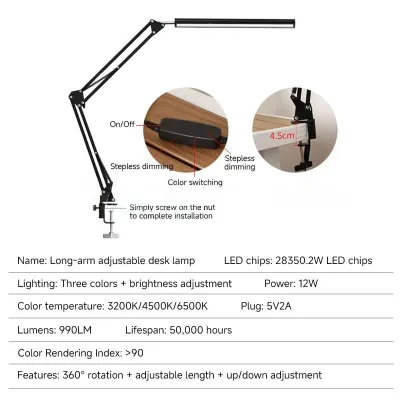
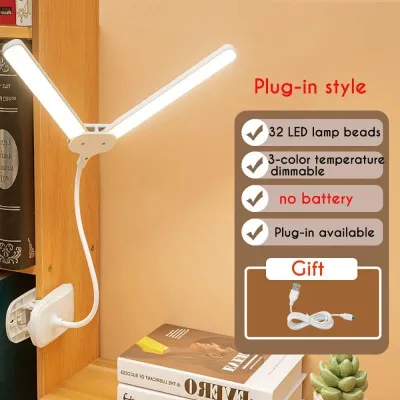
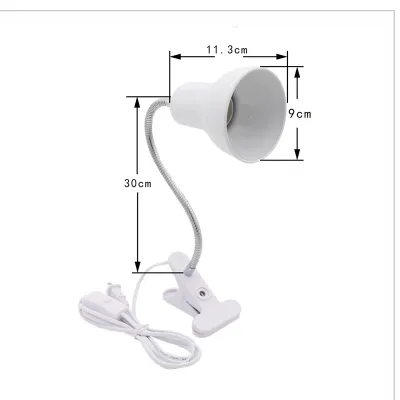
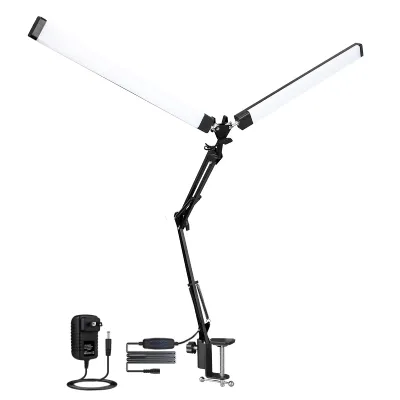
Prices are valid at publication and may change. Please refer to the product page for the latest price.
Measure Your Desk Edge and Mounting Surface
The success of a clip-on lamp relies entirely on the physical compatibility between the clamp and your mounting surface. To avoid purchasing an incompatible model, start by measuring the exact thickness of your desk edge using a standard ruler or tape measure. Most commercial clip-on lamps accommodate thicknesses ranging from 1.5 to 5 centimeters. However, custom-built wooden desks, thick dining tables used as temporary workspaces, or heavy-duty study desks often exceed these standard limits.

Beyond thickness, evaluate the profile of your desk’s edge. A perfectly flat, square edge provides the maximum surface contact area, ensuring a highly secure grip. If your desk features a beveled, rounded, or curved edge, the contact area is significantly reduced. This reduction in surface contact can cause spring-loaded clamps to slip off under the weight of the lamp. For rounded or decorative edges, a screw-tightened C-clamp with deep jaws is generally necessary to maintain stability.
Next, inspect the underside of your desk for hidden obstructions. Many modern desks feature steel support frames, modesty panels, cable management trays, or drawers directly beneath the desktop. These structural elements can block the lower jaw of a clamp, preventing it from sliding deep enough onto the edge. Ensure you have at least 5 to 10 centimeters of unobstructed depth beneath the desk surface to accommodate the clamp.
With fragile materials, extra caution is necessary. Avoid clamping heavy lamps onto surfaces such as thin tempered glass, acrylic panels, or hollow-core doors. Concentrated point pressure can crack glass or crush hollow wood veneers. If your desk is made of a delicate material, verify its weight limits and structural capacity before installing.
Match the Clip Mechanism to Your Workspace
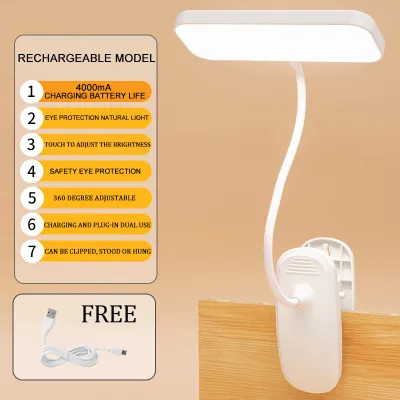
Clip-on lamps generally utilize one of two primary clamping mechanisms: spring-loaded clips or screw-tightened C-clamps. Each design serves different workspace needs and carries specific trade-offs. Spring-loaded clips operate similarly to heavy-duty clothespins. They are incredibly easy to install, remove, and relocate, making them ideal if you frequently move your lamp between a desk, a headboard, or a shelf. However, they rely entirely on internal spring tension, which can weaken over time. They also have a lower weight capacity, making them unsuitable for heavy, multi-jointed lamp heads.
Screw-tightened C-clamps, on the other hand, use a threaded metal screw to compress the desk edge between two flat plates. This mechanical design provides an exceptionally secure lock that can support heavier, longer lamp arms without slipping. While they take longer to install and are less convenient to move, they offer superior stability for permanent setups.
Regardless of the mechanism, the clamp must include protective padding. Look for models lined with thick, high-friction silicone, rubber, or dense foam pads. This padding serves two critical purposes: it prevents the hard plastic or metal jaws of the clamp from scratching delicate wood finishes, and it increases friction to prevent the lamp from sliding.
When selecting a lamp, compare the weight of the lamp head and arm to the rated capacity of the clip. A top-heavy lamp with an inadequate clamp will sag or tip forward, posing a hazard to your equipment. If your desk edge is incompatible, consider a model that includes both a clamp and an interchangeable freestanding base to adapt the setup as your workspace changes.
Evaluate Arm Reach, Flexibility, and Light Coverage
Once the lamp is securely mounted, its arm must project the light precisely where it is needed. To determine the required reach, measure the horizontal and vertical distance from your intended mounting point to your primary task area, such as your keyboard or notebook. The lamp’s arm must be long enough to span this distance comfortably without being fully extended, which can strain the clamp.
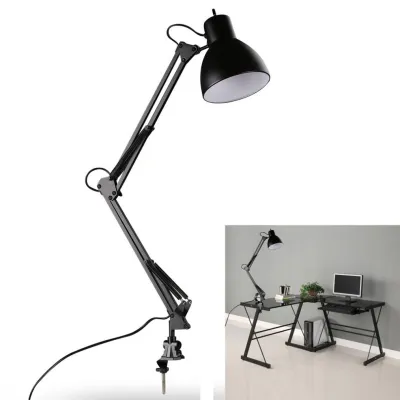
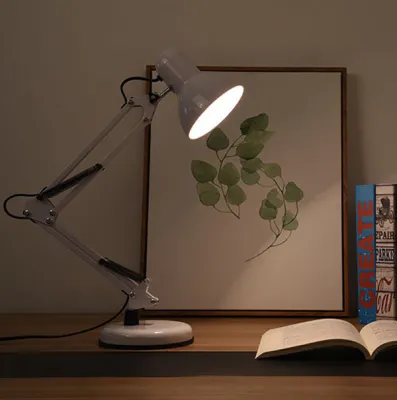
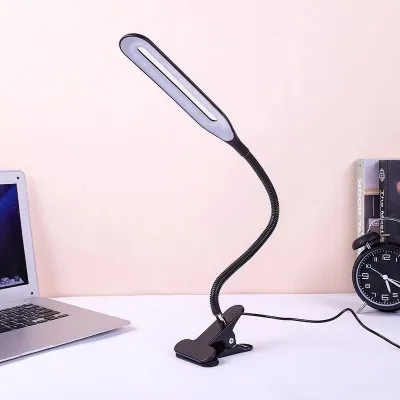
The two most common arm designs are flexible goosenecks and multi-joint mechanical arms. Goosenecks are made of a continuous, flexible metal hose covered in silicone or plastic. They offer smooth, silent, and infinite adjustability, making them highly compact and visually clean. However, cheaper goosenecks can droop over time, particularly in warm, humid climates where materials expand slightly. Multi-joint mechanical arms use rigid metal segments connected by tensioned springs and thumbscrews. They are highly stable and allow precise, parallel movement over a larger area. However, they require physical clearance behind or beside the desk to fold and articulate, which can be problematic if your desk is pushed flush against a wall.
Light coverage is determined by the shape and size of the lamp head. For small desks, a wide, linear LED bar is highly effective, as it casts an even flood of light across the entire workspace, reducing shadows. For focused, detailed work like drafting or crafting, a smaller, concentrated spotlight is highly effective.
To ensure comfort in a confined space, choose a lamp that offers adjustable brightness and color temperature. While cool daylight (around 6000K) is often preferred for high-focus tasks, warm white (around 3000K) is highly valued for late-night reading. Having the ability to dim the light and adjust the color temperature helps minimize screen glare and eye strain.
Power Sources and Cable Management in Tight Spaces
Managing cables is a critical aspect of maintaining a clean, safe, and organized small workspace. Clip-on lamps are typically powered by either a standard AC plug or a USB connection. USB-powered models are highly convenient for compact setups, as they can draw power directly from a laptop, a monitor’s USB hub, or a desktop computer. This eliminates the need to route a cable all the way to a wall outlet. However, you must verify the voltage and current requirements of the lamp. Most USB lamps require a standard 5V/1A or 5V/2A power source; plugging them into an underpowered port can result in flickering, reduced brightness, or premature hardware failure.
For lamps that require a standard AC plug, ensure the device is compatible with the local electrical grid (220V in the Philippines). Always look for official safety certifications, such as the Philippine Standard (PS) mark or the Import Commodity Clearance (ICC) sticker, to ensure the lamp’s internal wiring meets rigorous safety standards.
Excess cable slack can quickly clutter a small desk and turn into a dust trap. Measure the distance from your mounting point to the nearest outlet or USB port before buying. If the cable is excessively long, use hook-and-loop fasteners or cable clips to secure the slack along the back of your desk. Many high-quality clip-on lamps feature built-in cable routing channels along the arm to keep the wire flush and out of sight.
When routing cables, ensure there is enough slack around moving joints or hinges. If a cable is pulled too tight, adjusting the lamp’s arm can pinch, stretch, or sever the internal wires. Always isolate the power by unplugging the lamp before performing any cleaning, maintenance, or adjustments to the physical wiring.
Common Sizing and Placement Mistakes to Avoid
Avoiding common installation mistakes will prolong the lifespan of your lamp and protect your furniture from damage. One of the most frequent errors is buying a lamp with a clip range that is too narrow for your desk. Attempting to force a clamp onto a surface that exceeds its maximum capacity will warp the clamp, strip the threading on screw-tightened models, or cause the plastic to snap.
Another common mistake is mounting the lamp too far from the active work area. When a lamp is mounted too far back, users are forced to extend the arm to its absolute limit. This shifts the center of gravity far forward, placing immense leverage on the clamp. Over time, this constant pull can cause the clamp to slip, warp, or pull free entirely. To maintain stability, keep the arm partially bent and position the mounting point as close to the target area as practical.
Additionally, many users ignore the swing radius of mechanical arms. In tight spaces, a rigid mechanical arm can collide with adjacent walls, computer monitors, or low-hanging shelves when adjusted. Always map out the physical path the arm will take when folded or extended.
Finally, do not overlook the heat output of the lamp head. Modern LED lamps generate heat at the driver and light head during extended use. If the lamp is mounted close to low-hanging wooden shelves, paper organizers, or synthetic fabrics, ensure there is adequate ventilation around the head. Never cover the lamp head or place it flush against flammable materials.
Frequently Asked Questions (FAQ)
Can I use a clip-on lamp on a glass desk?
Clamping a lamp directly onto a glass desk carries a significant risk of shattering the glass due to concentrated point pressure. If you must use a clip-on lamp, ensure the glass is tempered and check the manufacturer’s weight limits. Always place thick rubber or silicone pads on both sides of the glass to distribute the pressure, or opt for a model that includes an alternative freestanding base.
How do I stop my clip-on lamp from slipping off the desk?
Slipping usually occurs when the desk edge is rounded or beveled, or if the clamp lacks adequate friction. First, verify that the clamp is tightened securely. If it still slides, apply self-adhesive rubber or silicone grip tape to the inside jaws of the clamp. Avoid using felt pads, as they can slide under heavy tension. If the arm is too heavy for the clamp, consider repositioning the lamp to reduce leverage or switching to a screw-tightened C-clamp.
Is a gooseneck or mechanical arm better for a small desk?
A gooseneck arm is generally better if you have extremely limited physical clearance, as it bends smoothly without needing extra space behind the desk to articulate. However, for maximum stability and precise positioning over a larger work area, a multi-joint mechanical arm is superior. Choose a gooseneck for lightweight, simple setups, and a mechanical arm if you require a heavier, highly adjustable light head that won’t sag.
Community discussion
Share your experience or ask a question. Comments are reviewed before publication.