
Finding the ideal lamp with clip for your study or work-from-home (WFH) setup is about balancing focused illumination with physical comfort. The right clip-on lamp is not a one-size-fits-all product; it is a highly adjustable light source that adapts to your specific desk layout, screen position, and ambient room conditions. In the Philippines, where home offices can range from air-conditioned rooms to warm, naturally ventilated spaces, selecting a lamp that runs cool, clamps securely, and protects your eyes from glare is essential for maintaining productivity during long hours of work or study.
By focusing on key specifications such as color temperature, clamp design, power delivery, and ergonomic adjustability, you can easily find a model that keeps your workspace bright and comfortable. This guide outlines the essential features to verify before making your purchase.
Identifying Eye-Friendly Lighting Features for Long Sessions
To protect your eyes during extended screen work or reading sessions, look closely at the light quality specifications. The first feature to verify is adjustable color temperature, usually measured in Kelvin (K). A versatile lamp should offer at least three color modes: a cool white light (around 5000K to 6500K) to boost alertness during daytime tasks, a neutral white (around 4000K) for reading, and a warm yellow light (around 2700K to 3000K) to reduce blue light exposure in the evening.
Products mentioned in this guide
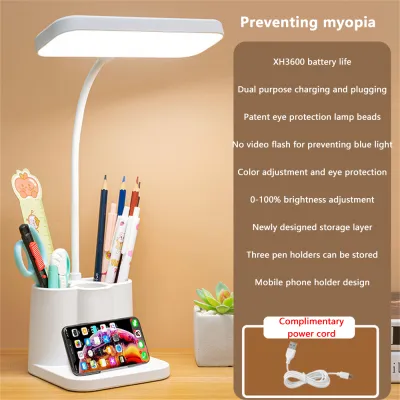
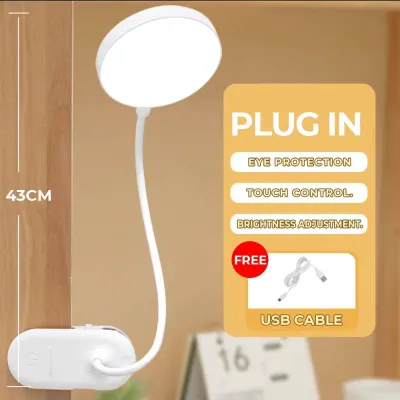
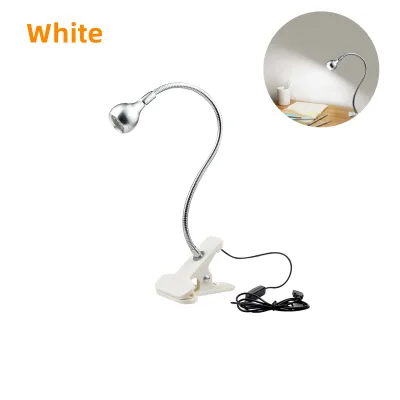
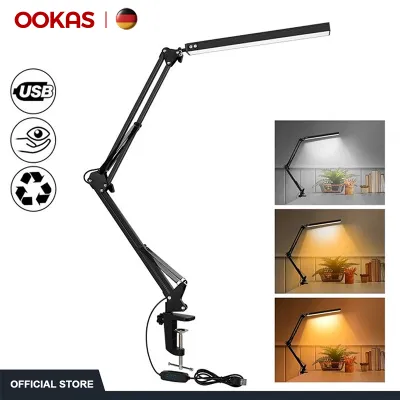
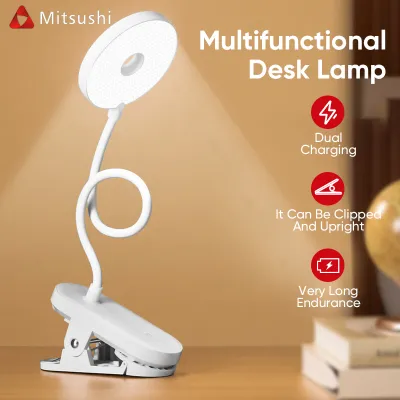
Prices are valid at publication and may change. Please refer to the product page for the latest price.
Brightness control is equally critical. Instead of a simple on-off switch, prioritize lamps that offer multi-level or stepless (continuous) dimming. This allows you to fine-tune the light output to match the changing natural light in your room throughout the day. Inadequate brightness forces your eyes to strain, while excessive brightness causes uncomfortable glare.
Finally, examine the physical design of the lamp head. High-quality task lights feature frosted diffusers or honeycomb filters over the LED panel. These components scatter the light evenly, eliminating harsh hot spots and minimizing distracting reflections on your computer monitor or glossy textbook pages.
Matching the Clamp Mechanism to Your Desk or Shelf
A clip-on lamp is only as useful as its mounting mechanism. Before purchasing, measure the thickness of your desk, table, or shelf edge. Compare this measurement against the manufacturer’s specified maximum clamp opening to ensure a secure fit. Trying to force a small clamp onto a thick wooden desk can damage both the lamp and your furniture.

Protecting your workspace is another key consideration. Look for clamps equipped with thick, integrated silicone, rubber, or foam padding on the inner gripping surfaces. This padding prevents the hard plastic or metal of the clamp from scratching delicate wood veneers, glass tops, or laminated finishes when you attach or adjust the lamp.
You must also choose between a spring-loaded tension clamp and a screw-tightening clamp. Spring clamps offer rapid, tool-free mounting and excellent portability, making them ideal if you frequently move your workspace. However, screw-tightening clamps provide superior stability for heavier, longer-armed lamps, ensuring the light remains firmly anchored even when you adjust the arm angle.
Choosing the Right Power Source and Managing Cables
The way your lamp receives power affects both its placement flexibility and your desk’s organization. Many modern clip-on lamps utilize a 5V USB power connection. This design is highly convenient for WFH setups, as you can plug the lamp directly into a laptop, a monitor USB port, or a desktop tower. In areas prone to occasional power fluctuations, a USB-powered lamp can even run off a portable power bank, keeping your workspace illuminated during brief outages.
Alternatively, some models come with dedicated AC wall adapters. These plug-in models often deliver more consistent power for larger, brighter LEDs, but they limit your placement to the vicinity of a wall outlet. Always check the product specifications for the included cable length, ensuring it can comfortably reach your power source without stretching tightly across your desk.
To maintain a clean, distraction-free workspace, look for lamps that feature built-in cable management. Some models include small plastic clips or integrated channels along the arm to keep the power cord flush against the frame. This prevents loose wires from dangling across your desk or getting caught on other items.
Building Your Shortlist: Ergonomic and Functional Checks
When comparing different models on e-commerce platforms, pay close attention to the structural design of the lamp arm. Flexible silicone goosenecks allow for effortless, 360-degree positioning, making it easy to twist the light exactly where you need it. However, ensure the gooseneck is constructed with a sturdy internal metal core so it does not sag over time under the weight of the lamp head.
For larger desks, a multi-jointed mechanical arm (often called an architect-style arm) may be more suitable. These arms use metal tension springs and adjustable joints to provide a wider reach and precise height control. While they are less compact than goosenecks, they offer excellent durability and a classic professional aesthetic.
The control interface is another practical detail to evaluate. Touch-sensitive panels located on the lamp head or base are easy to operate with a light tap, whereas inline physical switches on the power cord can sometimes slide behind your desk, making them awkward to reach. Some premium models even include compact remote controls, allowing you to adjust brightness and color temperature from a distance.
Lastly, always verify the electrical specifications of the lamp. Ensure the rated voltage matches your local power supply (typically 220V in the Philippines for direct plug-in models). Look for clear safety certifications on the product packaging or listing description to ensure the internal wiring and LED driver meet standard electrical safety guidelines.
Positioning Your Lamp to Minimize Glare and Shadows
Proper physical placement of your lamp with clip is just as important as its technical features. To prevent direct eye strain, position the lamp head so that the light source is slightly above your head and angled away from your direct line of sight. You should never be able to see the bare LED bulbs or the brightest part of the diffuser while looking at your screen or work surface.
To avoid distracting hand shadows while writing or typing, place the clamp on the opposite side of your dominant hand. If you are right-handed, mount the lamp on the left side of your desk so that your hand does not block the light path. Angle the beam downward to illuminate your keyboard or documents evenly.
It is also vital to balance your task lighting with the surrounding environment. Avoid working in a completely dark room with only your clip-on lamp illuminated. This high-contrast setup forces your pupils to constantly adjust between the bright screen or paper and the dark background, leading to rapid eye fatigue. Keep a soft ambient light on in the room to create a comfortable, balanced visual field.
Frequently Asked Questions (FAQ)
Can a clip-on lamp replace my main room lighting?
No, a clip-on lamp is designed specifically for localized task lighting and cannot safely or effectively replace your main room lighting. Task lights focus a concentrated beam of light on a small area, such as a keyboard, book, or notepad, which is ideal for detailed work but insufficient for illuminating an entire room.
Relying solely on a single bright task light in an otherwise dark room creates a high-contrast environment. This contrast forces your eyes to strain as they transition between the illuminated workspace and the dark surroundings. To maintain optimal eye health and comfort during long study or WFH sessions, always use your clip-on lamp in conjunction with balanced ambient background lighting, such as a ceiling fixture or a warm floor lamp.

Community discussion
Share your experience or ask a question. Comments are reviewed before publication.