
Finding the right rechargeable clip lamp for your study or work-from-home (WFH) space in the Philippines requires balancing three core factors: adjustable brightness, reliable battery runtime, and a secure clamp capacity. Because desk space is often limited in shared rooms or compact home offices, a clip-on design offers an excellent way to clear clutter while directing light exactly where you need it.
However, you must carefully weigh the trade-offs between ultra-portable, lightweight models and heavier lamps that offer maximum light output. Before purchasing from online marketplaces, always verify the manufacturer’s specifications for electrical safety certifications, input voltage (typically 5V USB), and battery types to ensure a reliable setup.
Matching Light Quality to Your Specific Tasks
Not all light is created equal, especially when you transition from reading physical textbooks to typing on a glossy laptop screen. To reduce eye strain during long study sessions or late-night work shifts, you need to match the lamp’s light quality to your specific task.
Products mentioned in this guide
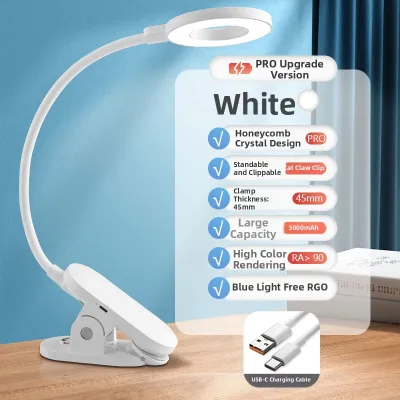
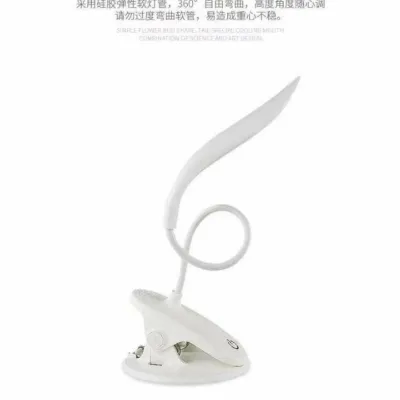
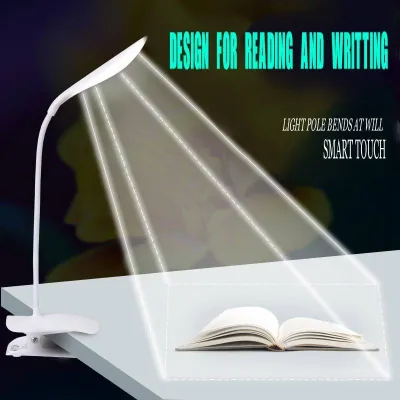
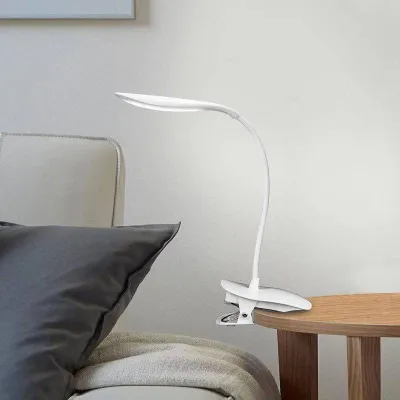
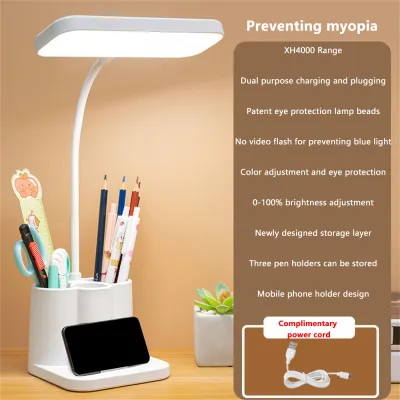
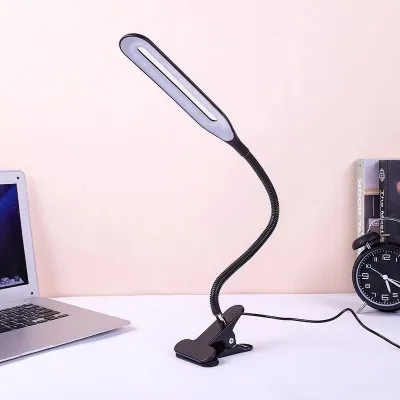
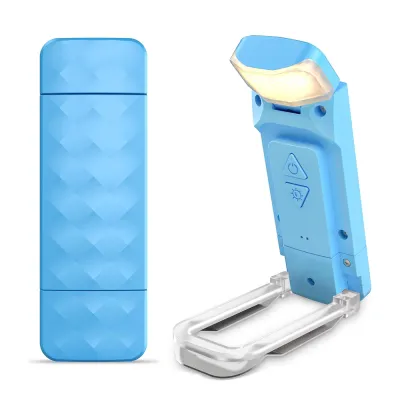
Prices are valid at publication and may change. Please refer to the product page for the latest price.
When reading physical books or writing notes, you generally require higher brightness levels, typically measured in lumens. Look for lamps that offer step-less dimming or multiple brightness presets so you can increase the intensity for fine print and lower it when you only need ambient illumination. For screen-based work, a lower brightness setting is often preferred to prevent harsh glare and reflections on your monitor.
Color temperature is another critical specification to check on product labels. Most versatile clip lamps offer three distinct modes:
- Cool White (around 6000K): Best for high-focus tasks, daytime studying, and detailed work.
- Neutral White (around 4000K): Ideal for general computer work and reading without causing rapid eye fatigue.
- Warm White (around 3000K): Perfect for evening relaxation, casual browsing, and winding down before sleep.
Additionally, look for manufacturer claims regarding flicker-free technology and blue light filters. Because the human eye cannot easily detect high-frequency flickering or blue light emission through visual inspection alone, you must rely on certified product specifications and user manuals to verify these protective features. Investing in a lamp that explicitly lists these eye-care standards can significantly improve your comfort during extended working hours.
Verifying Clamp Fit and Space-Saving Design
A clip lamp is only useful if it can securely attach to your existing furniture. Before ordering a lamp online, take a few minutes to measure your desk edge, shelf, or headboard thickness using a standard ruler. Compare this measurement directly against the manufacturer’s stated maximum clamp opening to ensure a compatible fit.

Beyond the opening size, inspect the design of the clamp jaws. High-quality clip lamps feature non-slip silicone pads or soft protective rubber covers on the inside of the clamp. These pads serve two vital purposes: they provide the friction necessary to keep the lamp from sliding off slick surfaces, and they protect your wooden, glass, or laminated furniture from unsightly scratches and pressure marks.
The flexibility of the neck is equally important for a space-saving setup. Most modern clip lamps utilize a flexible silicone gooseneck or an articulated mechanical arm. A gooseneck allows for 360-degree rotation, letting you bend and twist the light head to avoid casting shadows from your hands or monitor. Ensure the arm is rigid enough to hold its position over time without drooping, yet flexible enough to adjust easily when you change your seating posture.
Battery Capacity for Uninterrupted Work Sessions
In the Philippines, where occasional power interruptions or desk setups far from wall outlets are common, battery performance is a major consideration. When evaluating a rechargeable clip lamp, look closely at the battery capacity, which is measured in milliampere-hours (mAh).
A higher mAh rating generally indicates a longer potential runtime, but you must keep in mind that runtime decreases significantly when the lamp is operated at its maximum brightness level. For example, a lamp that lasts up to 30 hours on its lowest, dimmest setting might only provide 3 to 5 hours of continuous light at its brightest setting. Always check the manufacturer’s estimated runtime breakdown across different brightness levels to see if it aligns with your typical study or work block.
The charging interface is another practical detail to verify. Modern devices typically feature a USB-C port, which offers faster charging and better durability than older micro-USB ports. If you plan to use the lamp for long stretches, check if the device supports pass-through charging. This feature allows the lamp to operate safely while plugged into a power bank, laptop, or wall adapter, ensuring you are never left in the dark mid-session. Finally, review the manufacturer’s warranty terms regarding the rechargeable battery component, as lithium batteries naturally degrade over years of daily charge cycles.
Safe Placement and Daily Usage Practices
Operating rechargeable lithium-battery devices in a tropical climate like the Philippines requires some basic safety precautions. High ambient temperatures and humidity can affect battery health, so it is crucial to follow safe daily usage practices.
Always adhere to the manufacturer’s instructions regarding charging limits. Avoid leaving the lamp plugged in indefinitely if the device lacks an integrated smart power management system to prevent overcharging. Additionally, never charge the lamp on soft, flammable surfaces like beds or sofas, and keep it away from direct sunlight or heat-generating appliances to prevent overheating.
When mounting the lamp, ensure the clamp is fully engaged and securely fastened to a stable surface. Test the balance by adjusting the gooseneck to its furthest extension; the center of gravity should remain stable so the lamp does not tip over or fall onto expensive equipment like your laptop, monitor, or keyboard.
Lastly, learn to identify stop-use conditions to maintain a safe home environment. If you notice a swollen battery casing, frayed charging cables, flickering that cannot be resolved, or excessive heat radiating from the battery compartment during operation, immediately stop using the device. Consult the manufacturer’s guidelines for proper disposal of lithium-ion batteries and seek a certified replacement.
Frequently Asked Questions (FAQ)
Can one clip lamp handle both reading and screen work?
Yes, a single clip lamp can easily handle both tasks if it features adjustable color temperature and brightness settings. For reading physical books, you should select a brighter, cooler light setting (around 4000K to 5000K) to enhance contrast and keep your mind alert. For screen-based work, switch to a warmer, dimmer setting (around 3000K) and position the lamp head to the side of your monitor. This setup reduces harsh screen glare and minimizes the contrast between your bright display and the surrounding room, helping to prevent digital eye strain.
How do I know if the clamp will fit my desk edge?
To ensure a perfect fit, use a standard ruler or measuring tape to find the exact thickness of your desk or shelf edge. Be sure to measure any supporting lips, bevels, or metal frames underneath the desk surface that might obstruct the clamp. Once you have this measurement, compare it strictly to the maximum clamp capacity listed in the product’s technical specifications. If your desk edge is 4 centimeters thick, look for a clip lamp with a certified clamp opening of at least 5 centimeters to guarantee a secure, stable grip.

Community discussion
Share your experience or ask a question. Comments are reviewed before publication.