
Choosing the right desk lamp with a stand for your work-from-home (WFH) or study setup in the Philippines is a decision that directly impacts your daily comfort and productivity. A poorly positioned or low-quality light source can lead to eye strain, headaches, and physical fatigue during long hours of screen time or reading. Conversely, a well-designed adjustable lamp provides targeted illumination that adapts to your tasks, helping you maintain focus throughout the day and wind down comfortably at night.
To find the ideal lighting companion, you must look beyond basic aesthetics and evaluate how a lamp’s physical structure and light output interact with your specific workspace. This guide breaks down the essential factors to consider, from mechanical joint stability to electrical safety standards, ensuring you make an informed choice for your home office or study nook.
Quick Answer: What Makes a Good WFH Desk Lamp?
A high-quality WFH desk lamp must balance physical flexibility, superior light quality, and a stable physical footprint. The primary goal of task lighting is to illuminate your immediate work surface without casting harsh shadows or creating distracting reflections on your computer screen.
Products mentioned in this guide
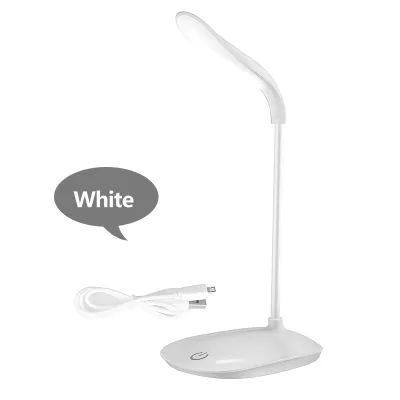
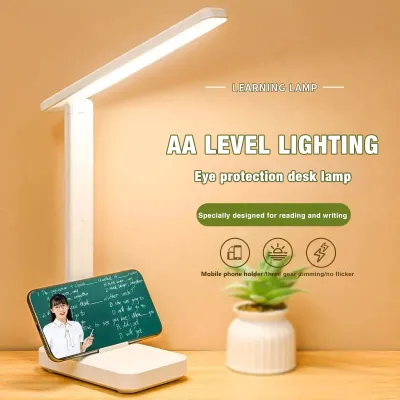
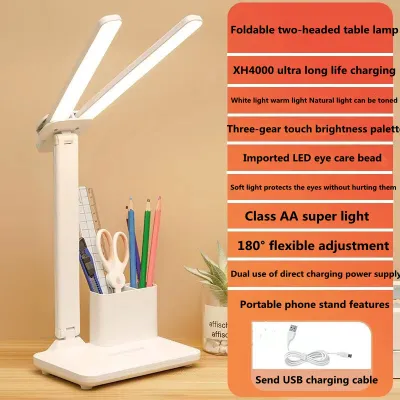
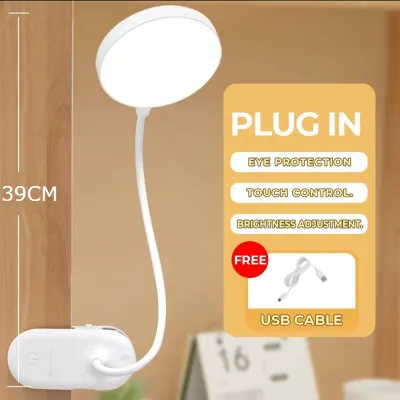
Prices are valid at publication and may change. Please refer to the product page for the latest price.
To achieve this, look for a lamp that offers a wide range of physical adjustability, allowing you to position the light source precisely where you need it. The stand should be robust enough to hold its position without sagging, whether you choose a heavy freestanding base or a space-saving clamp.
Additionally, the light output must be gentle on your eyes. This means selecting a lamp with high color rendering capabilities, adjustable brightness levels, and customizable color temperatures. By verifying these specifications on the product label, you can ensure your lamp supports both high-focus daytime tasks and relaxed evening reading.
Evaluating Stand Adjustability and Ergonomics
The physical design of a desk lamp’s stand determines how effectively you can direct light across your workspace. Different tasks require different lighting angles, making mechanical adjustability a crucial feature for any ergonomic setup.

Gooseneck Flexibility vs. Articulated Arms
Gooseneck stands feature a continuous, flexible tube that you can bend in almost any direction. They are highly intuitive to use and offer seamless, tool-free adjustment for quick changes. However, cheaper goosenecks may struggle to hold heavier lamp heads over time, and the internal metal wire can weaken with frequent bending, especially in humid tropical environments.
Articulated arms, on the other hand, use a series of rigid metal or plastic segments connected by tension-controlled joints and springs. This design mimics the human arm, providing precise control over height, reach, and tilt. Articulated stands are excellent for larger desks because they can extend far over your workspace and fold back flat when not in use. When choosing an articulated arm, look for models with manual tension adjustment knobs so you can tighten the joints if they begin to slip.
Reach, Height, and Tilt Limits
Before purchasing, measure the height of your computer monitor and the overall layout of your desk. Your desk lamp should be tall enough to position the light source above your eye level and your screen, preventing direct glare from hitting your eyes. Look for a stand that offers a maximum reach that can span at least half the width of your desk. The lamp head itself should tilt and swivel independently of the arm, allowing you to angle the light downward and away from your face.
Freestanding Bases vs. Clamp-on Mounts
The method you use to secure your lamp to your desk affects both stability and available workspace.
- Weighted Freestanding Bases: These bases are highly versatile because you can place them anywhere on your desk without installation. However, they require a significant amount of flat desk space and must be heavy enough to prevent the lamp from tipping over when the arm is fully extended.
- Clamp-on Mounts: Clamps attach directly to the edge of your desk, freeing up valuable surface area for your keyboard, notebooks, and mouse. They provide exceptional stability, but they require a sturdy, flat desk edge with sufficient clearance. Avoid using heavy clamps on delicate glass desktops or thin, hollow-core particle boards, as the pressure can cause damage.
Lighting Quality for Eye Comfort and Productivity
The quality of the light emitted by your desk lamp is just as important as the physical stand. Poor lighting can cause sub-conscious eye strain, leading to fatigue and decreased concentration during long study sessions.
Understanding CRI and Lumen Output
Color Rendering Index (CRI) measures how accurately a light source reveals the true colors of objects compared to natural sunlight. For WFH and study, look for a lamp with a CRI rating of 90 or higher (often labeled as Ra >= 90). High-CRI lighting makes text on paper sharper and reduces the effort your eyes must make to distinguish details.
Lumen output indicates the total amount of visible light emitted by the lamp. For general desk work, a lamp that delivers between 300 and 500 lumens on your work surface is usually sufficient. Avoid relying solely on wattage ratings, as modern LED lamps produce much more light per watt than older incandescent bulbs.
Adjustable Color Temperature Ranges
Correlated Color Temperature (CCT) is measured in Kelvin (K) and describes the warmth or coolness of the light. A versatile desk lamp should offer adjustable color temperature settings to match your natural circadian rhythm throughout the day. Choosing a specific color temperature is a matter of personal preference and task requirements rather than a universal performance standard.
- Cool White (5000K to 6500K): This bright, bluish-white light mimics natural daylight. It is ideal for high-focus tasks, detailed drafting, and staying alert during morning work sessions.
- Neutral White (4000K): A balanced, clean white light that is perfect for reading physical books and typing. It provides excellent contrast without the harshness of cool daylight.
- Warm White (2700K to 3000K): A soft, yellowish light that creates a cozy, relaxing atmosphere. Use this setting during evening study sessions or late-night work to minimize blue light exposure before sleep.
Verifying Flicker-Free and Anti-Glare Claims
Many budget LED lamps suffer from invisible high-frequency flickering, which can cause headaches and eye strain even if you cannot consciously see it. When shopping, look for official product documentation that certifies the lamp as “flicker-free” or compliant with international eye safety standards.
To minimize glare, choose a lamp with an integrated diffuser or an asymmetric optical design. Asymmetric lamps direct light at an angle onto your desk surface rather than spraying it in all directions, preventing the light from bouncing off your computer screen and into your eyes.
Adapting to Your Desk Space and Power Setup
A great desk lamp must integrate seamlessly into your physical workspace and connect safely to your local electrical system. Taking a few minutes to plan your layout can prevent safety hazards and physical clutter.
Measuring Footprint and Monitor Clearance
Start by mapping out your desk layout. If you use a dual-monitor setup, you will need a lamp with a long, articulated arm that can reach over or around the screens without blocking your view. Measure the distance from your nearest power outlet to your desk; many modern USB-powered or adapter-powered lamps come with relatively short cords, which may limit where you can place them.
Voltage Compatibility and Plug Standards
In the Philippines, the standard household electrical supply is 220V at 60Hz. When purchasing a desk lamp, especially from online marketplaces that import goods globally, always verify the voltage rating on the power adapter or product specifications.
Using a lamp rated only for 110V on a 220V system will damage the device and pose a serious fire hazard. Ensure the plug type matches your wall outlets (typically Type A or Type B) or use a high-quality, certified adapter. Look for local safety marks, such as the Philippine Standard (PS) or Import Commodity Clearance (ICC) marks, to verify electrical compliance.
Electrical Safety and Professional Boundaries
To maintain a safe working environment, avoid overloading your desk’s power strips with multiple high-draw devices like laptops, monitors, and chargers alongside your lamp. If your WFH setup requires complex smart home integrations, dedicated circuit installations, or fixed wall-mounted wiring, always isolate the power at the main breaker and consult a qualified professional electrician to handle the installation.
Building Your Condition-Based Shortlist
To simplify your decision, you can categorize your lighting needs based on your specific daily routine and desk environment. Matching your scenario to the right lamp profile ensures you get the best performance for your investment.
Compact and Clamp-on Profiles for Small Desks
If you work from a compact desk in a shared living room, a cozy bedroom, or a dorm room, space is your most valuable asset. Look for a slim LED desk lamp with a sturdy clamp-on mount or an ultra-compact, weighted base. These designs keep your desk surface clear for your laptop and notebooks while still providing targeted light. A flexible gooseneck stand is often ideal here, as it can be easily bent out of the way when you need to clear the space.
Asymmetric and Low-Glare Designs for Screen-Heavy Work
If your daily routine consists almost entirely of typing, coding, or analyzing spreadsheets on a digital screen, your primary enemy is screen glare. For this setup, prioritize lamps with asymmetric light distribution or specialized monitor light bars that mount directly to the top of your screen. These designs project light downward onto your keyboard and documents at a precise angle, ensuring zero light reflects off the glass monitor, thereby protecting your eyes from fatigue.
High-Reach Articulated Arms for Detailed Physical Tasks
If your study or work involves physical textbooks, sketching, drafting, or crafting, you need a high-volume light source that can cover a large area. A heavy-duty articulated arm lamp with a wide, rotatable head is the best fit for this scenario. This setup allows you to pull the light source close to your paper for detailed work, and then push it high and wide to illuminate your entire desk when reviewing large documents or blueprints.
Frequently Asked Questions (FAQ)
How far should a desk lamp be from my monitor?
Your desk lamp should be positioned so that the light source is outside the direct reflection angle of your computer screen. Ideally, place the lamp to the left or right side of your monitor, rather than directly behind or in front of it.
Angle the lamp head downward so the light illuminates your keyboard and documents without shining directly into your eyes or onto the screen surface. To maintain visual comfort, adjust the lamp’s brightness so that the illumination on your desk matches the ambient light level of the room and the brightness of your monitor.
Do I need a smart desk lamp for working from home?
Whether you need a smart desk lamp depends on your daily habits and desire for automation. Smart lamps offer convenient features like app-controlled scheduling, integration with virtual assistants, and automatic brightness adjustments based on ambient room light.
However, for most WFH and study setups, a high-quality manual lamp with physical touch controls is more than sufficient. Manual lamps are highly reliable, do not depend on a stable Wi-Fi connection, and are instantly ready to use without any software setup or pairing processes.
How do I clean and maintain an articulated lamp arm?
To clean your desk lamp safely, always unplug the device from the wall outlet first to isolate the electrical power. Use a dry, soft microfiber cloth to gently wipe away dust from the lamp head, stand, and joints.
Periodically check the tension knobs, springs, and screws along the articulated arm to ensure they remain tight and secure. Avoid using liquid cleaners, wet cloths, or chemical sprays near the electrical joints, switches, power inputs, and moving parts, as moisture can cause corrosion or electrical short circuits over time.

Community discussion
Share your experience or ask a question. Comments are reviewed before publication.