
Setting up a productive work-from-home space in the Philippines requires careful attention to your physical environment, and lighting is often the most overlooked element. The right led light for table use does far more than simply illuminate your keyboard; it directly influences your focus, reduces eye strain during long virtual shifts, and helps maintain your natural circadian rhythm. With many professionals working irregular hours or coordinating with global teams across different time zones, a versatile desk lamp is an essential tool for maintaining long-term productivity and comfort.
Choosing the ideal lamp involves balancing technical specifications like color rendering and color temperature with physical ergonomics and local electrical safety. In a tropical climate where natural light shifts dramatically from intense midday sun to sudden afternoon downpours, your desk lighting must be highly adaptable. By understanding how to evaluate these fixtures, you can create a workspace that supports your well-being and keeps you sharp throughout the day.
Core Lighting Metrics for Eye Comfort and Focus
To select a desk lamp that truly protects your eyes during extended working hours, you must look beyond aesthetic design and evaluate key lighting metrics. The first critical specification to check on any product label is the Color Rendering Index, commonly abbreviated as CRI. Measured on a scale from 0 to 100, CRI indicates how accurately a light source reveals the true colors of objects compared to natural daylight. For a standard home office, a lamp with a CRI of 80 or higher is recommended for general tasks, while a CRI of 90 or above is ideal for preventing visual fatigue and ensuring sharp detail definition.
Products mentioned in this guide
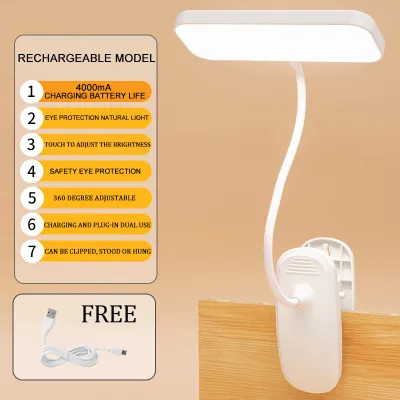
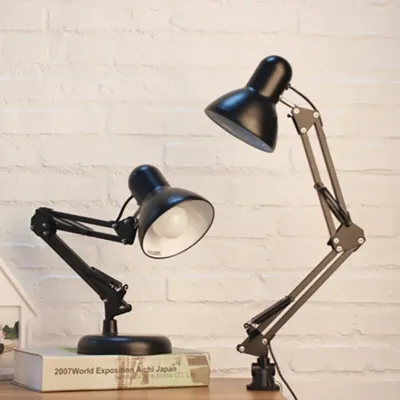
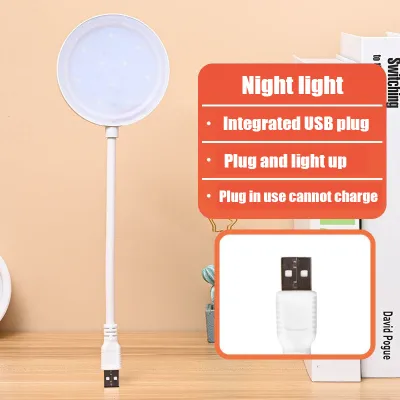
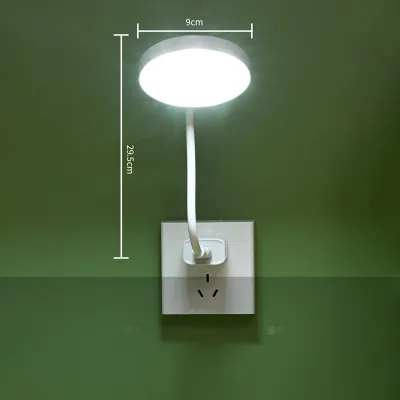
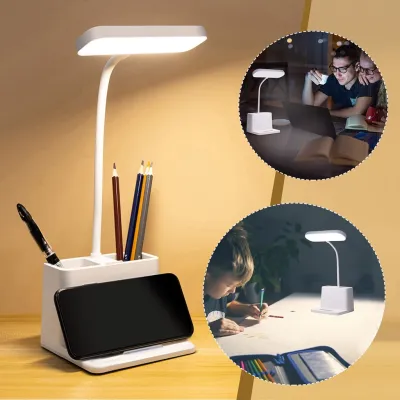
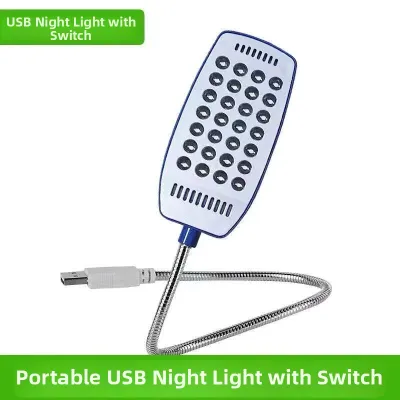
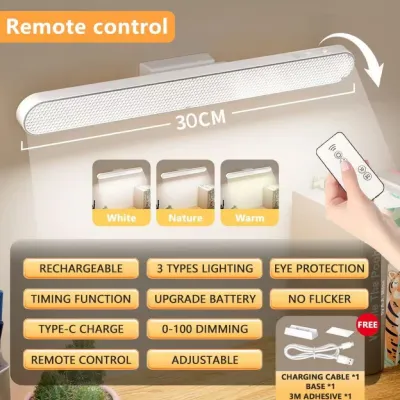
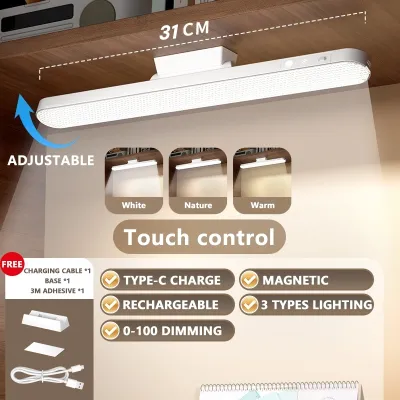
Prices are valid at publication and may change. Please refer to the product page for the latest price.
Color temperature, measured in Kelvin (K), is another vital metric that dictates how a light source affects your alertness and mood. Lower Kelvin ratings, such as 2700K to 3000K, produce a warm, yellowish light that promotes relaxation and is best suited for evening work or winding down. Conversely, higher Kelvin ratings between 5000K and 6500K emit a cool, daylight-like white light that can boost alertness and concentration during morning tasks. For general daytime productivity, a neutral white light around 4000K offers an excellent balance, providing clarity without overstimulating your eyes.
Understanding the difference between total lumens and desk-surface lux is also essential for setting up an ergonomic workspace. Lumens measure the total amount of light emitted by the lamp in all directions, whereas lux measures the intensity of light falling on a specific surface area. A high-quality task lamp should deliver between 300 and 500 lux directly onto your primary work surface. To achieve this balance throughout the day, prioritize lamps that feature stepless dimming, which allows you to smoothly adjust the brightness to any level, rather than models limited to fixed, pre-set brightness steps.
Finally, pay close attention to manufacturer claims regarding eye protection, specifically “flicker-free” operation and “blue light reduction.” Cheap or poorly designed LED drivers can produce high-frequency flickering that is invisible to the naked eye but still causes headaches, eye strain, and mental fatigue over time. To verify these claims, look for recognized third-party certification labels, such as TÜV Rheinland, on the product packaging or specification sheets. These independent certifications provide assurance that the lamp meets strict safety standards for optical comfort and blue light emission.
Matching Light Profiles to Your Daily WFH Tasks
Not all work-from-home tasks require the same type of illumination, and using a single, unadjusted light setting for every activity can lead to discomfort. By categorizing your daily tasks, you can establish a framework for adjusting your lamp’s brightness, color temperature, and beam angle to match your current workflow. This targeted approach ensures that your eyes are neither strained by insufficient light nor overwhelmed by excessive glare.

When configuring your workspace, it is important to understand the trade-offs between focused task lighting and ambient room illumination. Task lighting is designed to provide intense, localized light on a specific work area, such as a document or keyboard, while ambient lighting fills the entire room. Relying solely on a bright task lamp in an otherwise dark room creates high contrast, forcing your pupils to constantly dilate and constrict as your gaze shifts, which rapidly tires your eyes. Therefore, your personal preferences and existing room lighting must dictate how you adjust your desk lamp to maintain a balanced, comfortable environment.
Screen-Heavy Work and Video Calls
For professionals who spend the majority of their day looking at computer monitors, the primary goal of desk lighting is to minimize screen glare while maintaining comfortable contrast. Positioning your lamp incorrectly can cause harsh reflections on your screen, leading to squinting and poor posture. To prevent this, place your lamp to the side of your monitor rather than directly in front of or behind it, or utilize bias lighting by casting a soft light onto the wall behind your screen to reduce the contrast between the bright display and the dark background.
When working on screens, select a neutral color temperature around 4000K to balance the cool, blue light emitted by your monitor. This neutral tone helps ease the transition for your eyes as you look back and forth between your physical desk and your digital display. Avoid using overly cool, bright light settings directly in your line of sight, as this can intensify eye strain and contribute to digital fatigue.
Video conferences present a unique lighting challenge, as direct, harsh beams can wash out your facial features or cast deep, unflattering shadows. To present a professional appearance on camera, angle your lamp head slightly away from your face or bounce the light off a nearby light-colored wall to create soft, indirect illumination. If your lamp features a built-in diffuser, use it to soften the light, ensuring you look natural and clearly visible without being blinded by a direct glare.
Reading, Writing, and Detailed Paperwork
Tasks that involve physical documents, such as reading printed reports, writing notes, or reviewing architectural blueprints, require a higher level of localized brightness than screen-based work. To maintain high contrast and readability, aim for a setup that delivers a concentrated beam of light directly onto your paperwork. The lamp’s head should be positioned high enough to cast a wide, even pool of light across your entire document, preventing dark spots or uneven illumination.
For intensive reading and writing sessions, cooler color temperatures between 5000K and 6000K are generally preferred. This crisp, white light enhances the contrast between black text and white paper, making it easier to read small fonts and reducing the mental effort required to focus. However, remember to lower the brightness or shift to a warmer tone as evening approaches to avoid disrupting your sleep cycle.
To prevent distracting shadows from falling across your work, position the lamp relative to your dominant hand. If you are right-handed, place the lamp on the left side of your desk so that your hand and pen do not block the light as you write; if you are left-handed, place the lamp on the right side. This simple ergonomic adjustment ensures a clear, shadow-free view of your writing surface at all times.
Creative Work and Color-Critical Tasks
For designers, artists, photographers, and anyone involved in physical media or digital color grading, accurate color perception is non-negotiable. Standard desk lamps often distort colors, making blues look green or reds look washed out, which can ruin professional projects. To avoid these costly mistakes, creative professionals must select lamps with a high CRI threshold, specifically a CRI of 95 or higher, which ensures that colors are represented as accurately as possible.
Full-spectrum LED lamps are highly recommended for color-critical work because they are engineered to mimic the spectral distribution of natural daylight. This comprehensive light profile allows you to evaluate physical materials, paint samples, or printed proofs with confidence, knowing that the colors you see under the lamp will remain consistent when viewed outdoors or under other high-quality light sources.
If your work depends on precise color matching, you must exercise caution and avoid relying on standard, unrated desk lamps. If a manufacturer does not explicitly guarantee a high CRI value or provide a spectral distribution chart, the lamp is likely unsuitable for professional creative tasks. Investing in a dedicated, color-accurate light source is essential to maintaining the integrity of your creative output.
Ergonomics, Adjustability, and Desk Space Management
The physical design of a desk lamp is just as important as its lighting quality, as it determines how well the fixture integrates into your physical workspace and adapts to your daily movements. When evaluating different models on online marketplaces, pay close attention to the arm construction. Gooseneck arms offer flexible, continuous positioning, allowing you to bend the light into almost any angle, though low-quality goosenecks may sag over time under the weight of the lamp head. Articulated or swing arms use mechanical joints and tension springs to provide a wider range of motion and superior stability, making them ideal for larger desks, though they require more physical clearance to operate.
Another critical decision is choosing between a heavy weighted base and a clamp-on or grommet mount. A traditional weighted base offers the convenience of portability, allowing you to move the lamp around your desk or transfer it to another room easily, but it occupies valuable desk space. For compact home offices or smaller desks common in urban apartments, a clamp-on mount is highly efficient, securing the lamp directly to the edge of your desk and freeing up the entire surface for your computer, keyboard, and documents.
To direct light precisely where you need it and prevent glare, look for lamps that offer multi-axis head rotation and tilt adjustments. A lamp head that can rotate independently of the arm allows you to fine-tune the angle of the beam, ensuring that the light source is shielded from your direct line of sight while fully illuminating your work area. This adjustability is particularly useful if you frequently change your sitting posture or transition between different tasks throughout the day.
Before finalizing your purchase from an online retailer, take the time to measure your workspace carefully. Check the thickness of your desk to ensure a clamp-on model will fit securely, and measure the height of your computer monitor to confirm that the lamp’s arm can reach high enough to clear the top of the screen. Understanding these physical dimensions beforehand prevents the frustration of buying a lamp that is either too small to illuminate your desk effectively or too bulky for your workspace.
Electrical Safety and Compatibility Checks
Operating electrical appliances safely in a home environment requires careful verification of local standards and product specifications. In the Philippines, the standard household electrical system operates at 220V to 240V at a frequency of 60Hz. When browsing online marketplaces, always verify that the lamp’s power adapter or internal ballast is rated for this specific voltage and frequency range, as using a fixture designed solely for 110V systems can lead to immediate overheating, short circuits, or permanent damage to the LED driver.
In addition to voltage compatibility, inspect the product specifications for official safety certifications and robust thermal management features. Because the tropical climate in the Philippines brings high ambient temperatures and humidity, LED fixtures must dissipate heat efficiently to prevent premature component failure. Look for lamps constructed with aluminum heat sinks or ventilated housings, and check for visible safety marks on the product label or power adapter, which indicate that the device has undergone rigorous testing for electrical safety.
The physical routing of your lamp’s power cord is another important safety consideration that is often overlooked. Ensure the cord is long enough to reach your wall outlet or power strip comfortably without being stretched tight, which can damage the internal wiring over time. Avoid relying on daisy-chained extension cords or running cables under rugs, as these practices create serious fire hazards and physical tripping risks in your home office.
While most desk lamps are simple plug-and-play devices, certain situations require professional expertise. If your home office setup involves fixed electrical wiring, structural modifications to your walls, or if you notice flickering lights and warm outlets that suggest your home circuits are overloaded, stop immediately. Do not attempt complex DIY electrical modifications; instead, consult a qualified professional electrician to ensure your workspace is safe and compliant with local electrical codes.
Smart Features, Controls, and Power Options
Modern LED desk lamps often come equipped with a variety of smart features and control interfaces designed to enhance convenience and streamline your workspace. When comparing control options, consider the usability of touch-sensitive panels versus traditional physical switches. Touch controls offer a sleek, modern aesthetic and allow for precise, stepless adjustments of brightness and color temperature with a simple slide of a finger. However, physical switches remain highly reliable and are often easier to operate when your hands are busy, wet, or when you are reaching for the switch in the dark.
To help reduce cable clutter on your desk, many contemporary lamps feature integrated charging options, such as USB-A or USB-C ports, or wireless charging pads built directly into the base. These built-in chargers are highly convenient for keeping your smartphone, wireless earbuds, or smartwatch powered up throughout the workday without needing extra wall adapters. Before relying on these features, check the output wattage specified by the manufacturer; some integrated chargers only provide a slow 5W output, which may not charge modern devices quickly.
Advanced models may also include auto-dimming ambient light sensors and built-in memory functions. Auto-dimming sensors detect the level of natural light in your room and automatically adjust the lamp’s brightness to maintain a consistent level of illumination on your desk, which is particularly useful as daylight fades. A memory function is equally valuable, ensuring that when you turn the lamp on, it automatically returns to your last-used brightness and color temperature settings rather than resetting to a harsh, default bright light.
Finally, evaluate whether smart home app connectivity or voice control integration justifies a higher price point in ₱. While the ability to control your lamp via a smartphone app or link it to a smart home assistant offers high convenience, it may not be necessary for everyone. For most work-from-home professionals, a high-quality manual lamp with excellent color rendering, stepless dimming, and robust physical adjustability provides far greater daily value than a smart lamp with complex connectivity features that are rarely used.
Frequently Asked Questions (FAQ)
How long do integrated LED desk lamps typically last?
Integrated LED desk lamps are highly durable, with manufacturers typically rating their lifespans between 25,000 and 50,000 hours of operation. If you use your lamp for approximately eight hours a day, a fixture rated for 25,000 hours can theoretically last for over eight years before needing replacement. However, this rated lifespan refers to the LED chips themselves and does not guarantee that the internal electronic driver or power adapter will last just as long.
The actual lifespan of your lamp is heavily influenced by heat management and usage patterns. In the warm, humid tropical climate of the Philippines, poor heat dissipation can cause the internal components to degrade faster, especially if the lamp is run continuously at its maximum brightness setting. To maximize the lifespan of your fixture, choose models with metal housings that dissipate heat effectively, and turn the lamp off when it is not in use.
Can I replace the LED bulbs in my modern desk lamp?
Most modern, slim-profile LED desk lamps feature integrated LED modules, meaning the light-emitting diodes are soldered directly onto the internal circuit board. In these designs, the light source is not user-replaceable, and attempting to open the housing to replace individual diodes will void the manufacturer’s warranty and pose electrical safety risks. If the integrated LED module fails, the entire lamp fixture must typically be replaced.
To determine if a lamp has a replaceable light source, carefully review the product specifications before purchasing. If you prefer a fixture where you can easily swap out the bulb, look for traditional desk lamps that feature standard screw-in sockets, such as E27 or GU10 bases, which allow you to install and replace compatible LED bulbs as needed.
Is it better to use a desk lamp or overhead lighting for working?
For optimal eye comfort and productivity, it is best to use a combination of both overhead ambient lighting and a focused desk lamp rather than relying on one source alone. Working in a dark room with only a bright desk lamp illuminating your workspace creates high visual contrast, which forces your eyes to strain as they adjust between the bright desk and the dark surroundings. Conversely, relying solely on overhead lighting can cast distracting shadows over your desk and may not provide sufficient brightness for detailed tasks.
The ideal setup involves keeping your room’s overhead light on at a moderate, glare-free level to provide balanced ambient illumination, while using your desk lamp to deliver targeted task lighting directly onto your work surface. This layered lighting approach minimizes shadows, reduces eye fatigue, and allows you to customize your workspace to suit different tasks throughout the day.

Community discussion
Share your experience or ask a question. Comments are reviewed before publication.