
Working or studying from home in the Philippines presents unique environmental challenges, from high tropical humidity to sudden power interruptions during the typhoon season. In this context, a reliable rechargeable lamp is more than just a convenient desk accessory; it serves as an essential backup tool that keeps your workspace illuminated when the main power grid fails. Choosing the right model requires balancing battery performance, eye safety, and physical durability to ensure your productivity remains uninterrupted.
Setting up a functional home office or study space often involves dealing with limited wall outlets or cluttered cable arrangements. A cordless, rechargeable light source eliminates the hassle of cable management and allows you to set up your workspace anywhere in your home, whether on a dedicated study desk, the dining table, or a quiet corner of the living room. To make an informed purchase, you must understand the key technical specifications that dictate how well a lamp will perform under daily use.
Key Features to Evaluate in a Rechargeable Desk Lamp
Battery capacity is the foundation of any cordless device, and it is typically measured in milliampere-hours (mAh). When browsing product specifications, you will often see ratings ranging from 1,200 mAh to over 4,000 mAh. However, a high mAh rating does not automatically guarantee days of continuous light, as the actual runtime is a direct function of the lamp’s power draw at various brightness levels. A lamp with a 2,000 mAh battery might run for only three hours on its highest, most intense setting, but it can easily stretch to fifteen hours or more on a low, dimmed setting.
Products mentioned in this guide
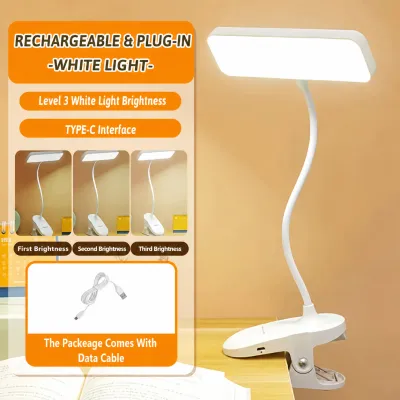
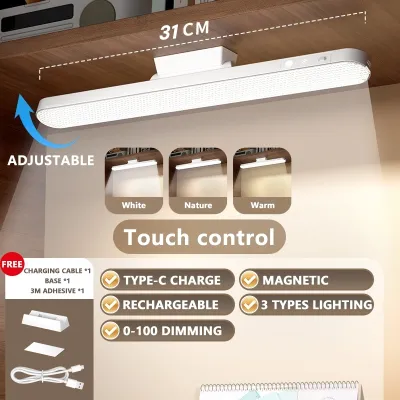
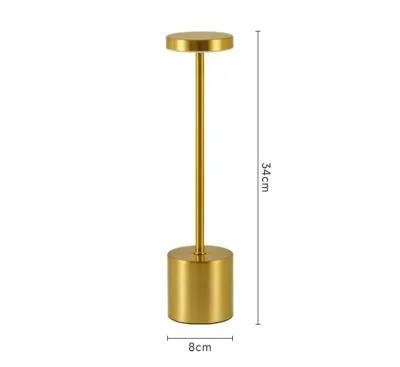
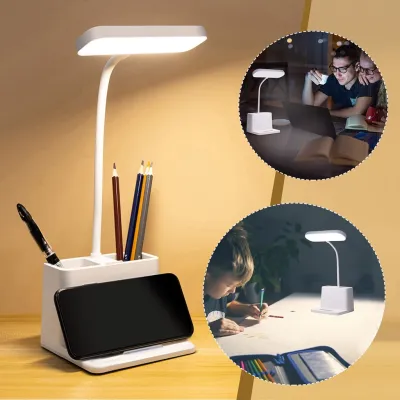
Prices are valid at publication and may change. Please refer to the product page for the latest price.
To estimate how a lamp will fit into your daily routine, look for manufacturer specifications that break down runtime by brightness level rather than relying on a single, generalized battery life claim. If you plan to use the lamp primarily as a backup during brownouts, prioritizing a larger battery capacity of 3,000 mAh or more will give you peace of mind. For standard daily study sessions where the lamp is regularly returned to its charger, a smaller battery capacity may suffice, provided the charging process is convenient.
Brightness is another critical factor, measured in lumens rather than watts. While wattage indicates how much electrical power a lamp consumes, lumens measure the actual volume of visible light emitted. For focused task lighting, such as reading fine print or analyzing physical documents, a lamp should deliver sufficient localized brightness without creating harsh, concentrated hotspots. Look for models that offer step-less dimming or multiple preset brightness levels, allowing you to adjust the light output to match the ambient light in your room.
Adjustable color temperature, measured in Kelvin (K), is equally important for maintaining focus and managing eye fatigue throughout the day. A versatile desk lamp should offer a range of color temperatures, typically spanning from cool white light to warm yellow light. Cool white light promotes alertness and concentration during daytime work, while warm light is gentler on the eyes and helps you wind down during late-night study sessions. Having the ability to transition between these modes allows you to customize your lighting environment to suit your circadian rhythm.
Finally, pay close attention to the charging port type and the estimated recharge time indicated on the product packaging. Modern rechargeable lamps increasingly utilize USB-C ports, which offer more robust physical connections and faster power delivery than older Micro-USB standards. A shorter recharge time is highly beneficial if you experience frequent power fluctuations and need to quickly top up your lamp’s battery between outages. Always verify the input requirements, such as 5V/1A or 5V/2A, to ensure compatibility with your existing USB wall chargers.
Lighting Quality and Eye Comfort for Long Study Sessions
Prolonged exposure to direct, unshielded LED light can lead to digital eye strain, headaches, and physical fatigue. To protect your vision during long study or work sessions, prioritize lamps equipped with integrated anti-glare diffusers or frosted lenses. These components scatter the light evenly across your workspace, eliminating harsh shadows and reducing the intense glare that can bounce off glossy textbook pages or computer screens. A well-diffused light source creates a soft, uniform glow that is much more comfortable for extended reading.

Another specification to verify is the Color Rendering Index (CRI), which measures how accurately a light source reveals the true colors of objects compared to natural sunlight. A low CRI rating can make colors look dull, gray, or distorted, which can cause subtle eye strain over time. For reading, writing, and detailed tasks, look for a lamp with a CRI rating of 80 or higher. This level of color accuracy is particularly important for students studying art, design, or anatomy, where distinguishing precise color variations is essential.
Many low-quality LED lamps exhibit rapid, invisible flickering caused by cheap internal driver circuits. While you might not consciously perceive this high-frequency flicker, your eyes still strain to adjust to the rapid changes in light intensity, leading to unexplained headaches and eye fatigue. You can easily test for this issue using a standard smartphone camera. Turn on the desk lamp, open your phone’s camera app, and point the lens directly at the light source. If you see dark, moving horizontal bands or rapid strobing on your phone screen, the lamp is flickering significantly and should be avoided for long-term study sessions.
The physical adjustability of the lamp arm, head, and base directly impacts your comfort and posture. A highly adjustable design, whether it features a flexible silicone gooseneck or a multi-jointed folding arm, allows you to position the light source precisely where you need it. This flexibility helps you direct light onto your paperwork or keyboard while keeping the light source out of your direct line of sight. Properly positioning the lamp head also prevents uncomfortable glare from reflecting off your computer monitor, helping you maintain a comfortable, ergonomic working posture.
Design, Portability, and Desk Space Considerations
The physical layout of your workspace should dictate the design of the lamp base you choose. A traditional weighted base provides excellent stability on flat surfaces, ensuring the lamp will not tip over when you adjust the angle of the arm. However, if your desk is compact or cluttered with books, a laptop, and writing materials, a clamp-on design is a highly efficient alternative. Clamps secure the lamp directly to the edge of your desk or a nearby shelf, freeing up valuable surface area while maintaining a secure, stable hold.
For students and remote workers who frequently move between different rooms, a foldable or collapsible lamp is highly advantageous. These designs fold flat, making them easy to pack into a laptop bag or store in a drawer when not in use. This portability is also incredibly useful during power outages, allowing you to easily carry the lamp to other parts of the home to use as a portable lantern. Look for models with durable hinges that maintain their tension over time, preventing the lamp head from sagging during use.
The warm, humid climate of the Philippines can take a toll on electronic devices, making material build quality a key consideration. High humidity can accelerate the corrosion of internal contacts, while trapped heat can degrade LED chips and lithium-ion batteries prematurely. When selecting a lamp, inspect the product label for heat dissipation features or warnings. Opt for models constructed from high-quality, heat-resistant ABS plastic or aluminum, which help dissipate heat more effectively than thin, brittle plastics, ensuring a longer overall lifespan for the device.
Building Your Shortlist: What to Check Before Buying
Because rechargeable lamps contain lithium-ion batteries, electrical safety is paramount. Before making a purchase, look for official safety certification marks on the product packaging or the lamp itself. These marks indicate that the device has undergone rigorous testing to prevent overcharging, short circuits, and thermal runaway. Ensuring the lamp meets basic safety standards is crucial, especially if you plan to leave it plugged in to charge overnight or while you are away from your desk.
In the ₱1,000 to ₱3,000 price range, you should expect a reasonable level of build quality and customer support. Always verify the seller’s warranty terms and return policies before finalizing your purchase. A reliable manufacturer will typically offer a warranty of at least six months to a year, protecting you against premature battery failure or defective charging ports. Avoid ultra-cheap, unbranded options that lack clear warranty terms, as they often use low-grade batteries that degrade within a few weeks of use.
When shopping on online marketplaces, do not rely solely on star ratings. Take the time to read detailed customer reviews, specifically filtering for feedback written after several months of use. Look for recurring complaints regarding rapid battery degradation, loose charging ports, or hinges that lose their tension over time. These real-world insights are often missing from official product descriptions and can help you avoid models that perform poorly in everyday scenarios.
Finally, check the lamp’s input requirements—typically printed on the base or in the manual—before plugging it into any available charger. Many rechargeable lamps are sold with only a USB charging cable, leaving you to supply the wall adapter. Using an adapter with an incorrect voltage or excessively high amperage can damage the internal charging circuit or cause the battery to overheat. Ensure your chosen adapter matches the manufacturer’s specifications to maintain battery health and ensure safe operation.
Frequently Asked Questions (FAQ)
How long should a rechargeable desk lamp battery last on a single charge?
The runtime of a rechargeable desk lamp varies dramatically based on the brightness setting you select. On the maximum brightness setting, most standard batteries will provide between two to five hours of continuous light. However, if you lower the brightness to a medium or low setting, the same battery can often last anywhere from ten to over twenty-four hours. When comparing different models, look for runtime estimates that specify the brightness level used, and prioritize lamps that offer a dedicated low-power or eco mode to maximize battery life during extended power outages.
Can I use a rechargeable desk lamp while it is plugged in and charging?
Whether you can safely use a rechargeable lamp while it is charging depends entirely on its internal circuitry. Many modern lamps support pass-through charging, allowing you to use the light normally while the battery tops up. However, you must consult the user manual to confirm this feature, as some budget-friendly models lack smart battery management systems. Using these lower-end lamps while plugged in can cause excessive heat buildup, which degrades the lithium-ion battery over time and reduces its overall lifespan.
What is the ideal color temperature for studying and working?
The ideal color temperature depends on the task at hand and the time of day. For intense concentration, reading, or detailed analytical work, a cool white light between 4,000K and 6,500K is highly effective, as it mimics daylight and helps keep you alert. For creative tasks, casual reading, or working late at night, a warmer light between 2,700K and 3,000K is preferable, as it reduces blue light exposure and helps prevent sleep disruption. Choosing a lamp with adjustable color temperature allows you to seamlessly transition between these modes as your daily schedule demands.
Community discussion
Share your experience or ask a question. Comments are reviewed before publication.