
Choosing the right desk lamp depends entirely on whether your eyes are focusing on a self-illuminating digital screen or a reflective paper surface. While a single, static light source is often treated as a universal solution, screen work and physical reading present diametrically opposed visual challenges. Balancing these differences is the key to reducing eye strain, preventing headaches, and maintaining productivity throughout long hours of work or study.
In the Philippines, many home offices and study areas are set up in shared residential spaces or bedrooms where ambient light fluctuates dramatically. From the intense glare of tropical afternoon sun to the dim, warm light of evening hours, your desk lighting needs to adapt to both your task and your environment. Understanding the physics of how light interacts with screens versus paper is the first step toward configuring an optimal workspace.
Screen vs. Paper: Understanding Your Primary Visual Task
To understand why a standard desk lamp can cause discomfort, you must contrast how your eyes perceive a computer monitor versus a printed page. A computer monitor is an active, emissive light source that projects light directly toward your eyes. When an external desk lamp shines directly onto this glass screen, it creates veiling glare—a harsh reflection that washes out contrast and forces your eyes to strain to read the text underneath.
Products mentioned in this guide
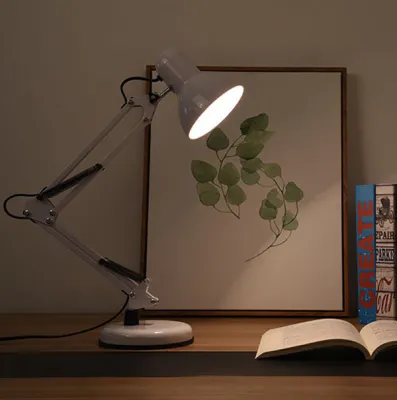
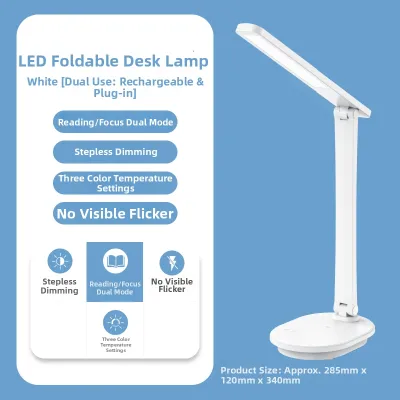
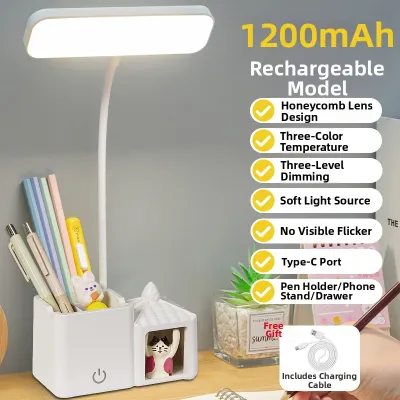
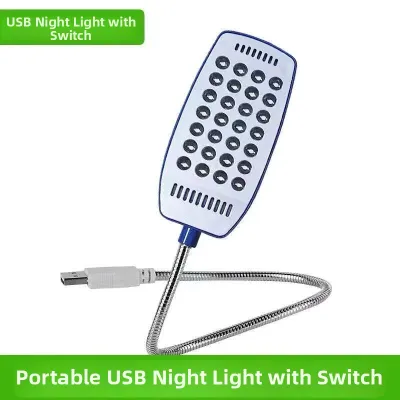
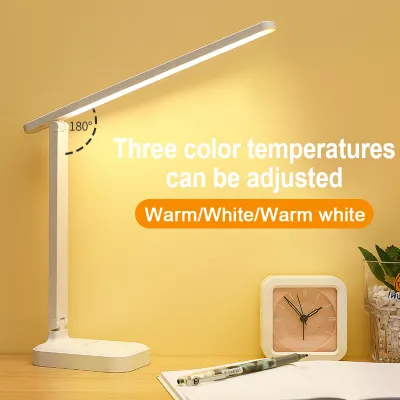
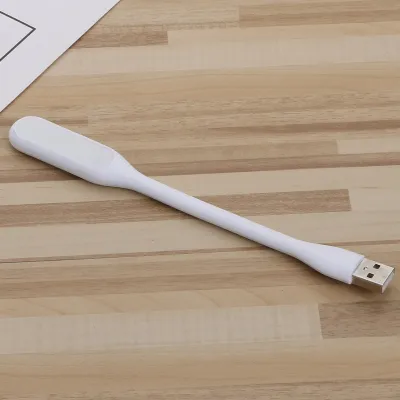
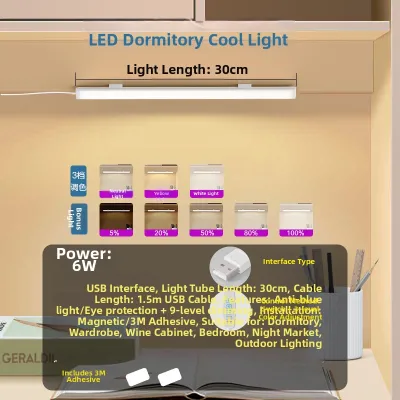
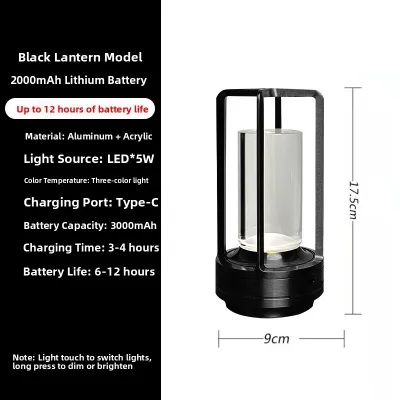
Prices are valid at publication and may change. Please refer to the product page for the latest price.
Conversely, paper is a passive, reflective surface. It does not produce its own light; instead, it requires ambient or task lighting to bounce off the page and into your eyes. If the surrounding light is too dim, the contrast between the black ink and the white paper drops, causing your eyes to work harder to resolve individual letters. If the light is too bright or uneven, it creates distracting hotspots and shadows that disrupt your reading flow.
Ambient light also plays a crucial role in balancing these two scenarios. When you work on a bright screen in a pitch-black room, your eyes are forced to constantly adjust between the intense glow of the monitor and the surrounding darkness, leading to rapid eye fatigue. When reading paper, any shadow cast by your head, hands, or writing utensils can create dark pockets on the page, requiring a steady, direct beam of light to neutralize those shadows.
Ultimately, task-specific lighting is not just about brightness; it is about controlling the direction, color, and distribution of light. By aligning your desk lamp specifications with your primary visual task, you can create a balanced visual environment that supports long-term eye health and focus.
Choosing a Desk Lamp for Screen-Heavy WFH
Working from home typically involves spending eight or more hours a day looking at a desktop monitor, laptop, or tablet. For this screen-heavy workflow, the primary goal of your desk lighting is to balance the ambient light in the room and eliminate direct reflections on your display.

Key Specifications to Look For
When shopping for a desk lamp dedicated to screen work, prioritize asymmetric light distribution. Traditional lamps scatter light in a wide cone, which inevitably spills onto your monitor screen. Modern monitor light bars, or screenbars, are designed to clip onto the top of your monitor and project light downward in a precise, forward-facing wedge. This ensures your desk surface is fully illuminated while the screen glass remains completely dark and free of glare.
Adjustable brightness levels are also essential for digital workspaces. Your desk lamp should allow you to match the intensity of the desk surface illumination with the brightness of your monitor. If your desk is too bright compared to your screen, or vice versa, your pupils will constantly dilate and constrict as your gaze shifts, leading to physical fatigue. Look for lamps that offer multiple dimming steps or stepless dimming controls.
For daytime productivity, look for a desk lamp that offers a neutral-to-cool color temperature range, typically between 4000K and 5000K. This range mimics natural daylight, which helps suppress melatonin production and keeps you alert during demanding work hours. However, ensure the lamp allows you to adjust this setting, as cooler light can feel harsh during late-night editing or coding sessions.
Placement and Setup Tips
If you are using a conventional desk lamp rather than a monitor light bar, correct placement is critical. Position the lamp base to the side of your monitor and slightly behind the screen plane. This placement ensures that the light path runs parallel to or away from the screen, preventing direct light rays from bouncing off the display glass and into your eyes.
Never position a traditional desk lamp directly in front of or behind your monitor where the bulb is visible to you. If the light source is behind the monitor, it creates a high-contrast halo effect that strains your eyes. If it is in front, it will wash out the screen’s display. Always angle the lamp head downward so that the shade completely hides the bare bulb from your normal line of sight.
Keep the primary light source below your eye level whenever possible. When a bright light source sits above your horizontal line of vision, it can cause constant, low-level glare in your peripheral vision. Keeping the light focused strictly on your keyboard and document area keeps your visual field clean and comfortable.
Choosing a Desk Lamp for Reading Physical Materials
Reading printed books, studying textbooks, or reviewing physical documents requires a high level of visual detail. Unlike screen work, where you want to avoid direct light on the target, paper reading demands direct, high-quality illumination to make text stand out clearly.
Key Specifications to Look For
For reading physical materials, the Color Rendering Index (CRI) of your desk lamp is one of the most critical specifications to check. CRI measures how accurately a light source reveals the true colors of an object compared to natural daylight. Look for a desk lamp with a CRI rating of 90 or higher (CRI > 90). A high CRI prevents text from looking muddy and ensures that colored diagrams, illustrations, and highlights are vivid and easy to distinguish.
Choose a lamp with a wide and even beam angle. Unlike the narrow, focused beam needed to avoid a computer screen, reading requires a broad pool of light that covers your entire open book or notepad. Lamps with long, linear LED heads or wide, adjustable shades help distribute light evenly across your desk, preventing harsh hotspots in the center of the page and dark shadows at the margins.
For extended reading sessions, a warm-to-neutral color temperature range between 3000K and 4000K is highly recommended. Warm light contains less blue spectrum wavelengths, making it much gentler on the eyes over long periods. This range creates a comfortable, low-stress visual environment that is ideal for deep study, evening reading, or reviewing documents before bed.
Placement and Setup Tips
To prevent distracting shadows while reading or writing, place your desk lamp on the side opposite your dominant hand. If you are right-handed, position the lamp on the left side of your desk; if you are left-handed, place it on the right. This simple adjustment ensures that your hand and pen do not cast a shadow across your writing line or the text you are trying to read.
Angle the lamp head carefully to avoid specular reflection, especially when reading glossy magazines, textbooks, or laminated documents. If the light source is angled directly perpendicular to a glossy page, it will reflect a blinding white glare back into your eyes. Tilt the lamp head slightly away from you so the light strikes the page at an angle, directing any reflected glare away from your face.
Always ensure the bare bulb or LED array is completely shielded from your direct line of sight. If you can see the bright light source while sitting in your normal reading position, it will cause discomfort and reduce your eyes’ ability to adapt to the page. Adjust the height and tilt of the lamp arm so the shade or bezel acts as a physical barrier between your eyes and the light source.
Cross-Scenario Compatibility: Can One Lamp Do Both?
If your daily routine transitions constantly between typing on a laptop and writing in a physical planner, you might wonder if a single desk lamp can handle both tasks. The answer is yes, but only if you select a highly adjustable lamp designed for multi-purpose utility rather than a basic single-setting model.
To bridge the gap between screen work and reading, look for a desk lamp that features both stepless dimming and a wide, adjustable color temperature range (often marketed as tunable white). This allows you to quickly dial in a cool, moderate light for digital tasks, and then switch to a warm, bright light for reading printed pages. Avoid lamps that only offer a simple on/off switch, as they cannot adapt to these changing visual demands.
Physical flexibility is the second requirement for a successful dual-purpose lamp. Look for models with multi-jointed arms, rotating heads, or flexible goosenecks. This structural design allows you to physically reposition the light source depending on your task. For screen work, you can fold the lamp down low to illuminate your keyboard while keeping light off the monitor. For reading, you can extend the arm upward and angle the head to cast a wide, even pool of light over your entire desk.
When shopping, always verify these adjustability specifications on the product packaging or manufacturer’s datasheet. Do not rely on generic marketing claims like “eye-safe” or “multi-functional.” Instead, look for explicit details regarding the color temperature range (such as 2700K to 6500K), the dimming mechanism, and the physical range of motion of the lamp joints.
Desk Lamp Setup and Safety Verification Checklist
Before finalizing your new lighting setup, take a few minutes to verify its safety, stability, and electrical compatibility within your home office.
- Electrical Safety: Always verify that the lamp's voltage rating matches the standard Philippine residential grid of 220V at 60Hz. If you are purchasing an imported lamp online, check the product specifications carefully to ensure it does not require a voltage converter. Verify that the plug type matches your wall outlets or extension cords, and check for local safety certifications or recognized international standards on the packaging.
- Physical Stability: Ensure the lamp's base is heavy enough to prevent tipping, especially if you use an adjustable arm that extends far over your workspace. If you are using a clamp-on lamp or a monitor-mounted light bar, verify that your desk edge or monitor bezel is sturdy enough to support the clamped weight without slipping or causing structural damage.
- Cable Management: Route all power cords neatly behind your desk using cable ties, clips, or organizer trays. Loose, dangling cords are a major tripping hazard and can easily lead to your lamp being pulled off the desk, damaging the fixture or causing injury.
- Flicker Observation: High-frequency flickering in cheap LED lamps can cause silent eye strain and headaches. You can perform a basic check by opening your smartphone camera and looking at the light source through the screen; if you see dark, moving bands, the lamp may have a high flicker rate. Keep in mind that this quick check has limitations and is not a substitute for verified manufacturer eye-comfort certifications.
Frequently Asked Questions (FAQ)
What is the best color temperature for a desk lamp?
The ideal color temperature depends on your specific task. For screen-heavy WFH tasks, a neutral-to-cool range of 4000K to 5000K helps maintain focus and matches the cool light of digital displays. For reading physical books or studying documents, a warmer range of 3000K to 4000K is much more comfortable for your eyes over long periods. Ultimately, personal comfort should guide your final choice.
Does a higher wattage mean a better desk lamp?
No, wattage only measures how much electricity a lamp consumes, not how much light it produces. For modern LED desk lamps, you should look at the lumen output to determine actual brightness. A high-quality LED lamp can produce a bright, clear light while using very low wattage. Look for adjustable lumen levels rather than high wattage to ensure you get the right amount of light for your tasks.
Community discussion
Share your experience or ask a question. Comments are reviewed before publication.