
Finding the right lighting for a home office or study desk in the Philippines requires balancing flexibility, space, and visual comfort. A long arm desk lamp offers the unique ability to cast light exactly where you need it, clearing up valuable desk real estate. To make the right choice, you must balance the physical reach of the arm with your specific mounting options and task lighting requirements.
Before clicking checkout on an online marketplace, always verify your desk’s thickness and check the product’s electrical safety certifications. Taking these steps ensures a secure, reliable setup that enhances your productivity without compromising safety.
Step 1: Assess Your Workspace and Mounting Options
Your desk layout dictates the type of lamp base that will work best in your study or work-from-home setup. Choosing the wrong mount can lead to instability or an unusable lamp.
Products mentioned in this guide
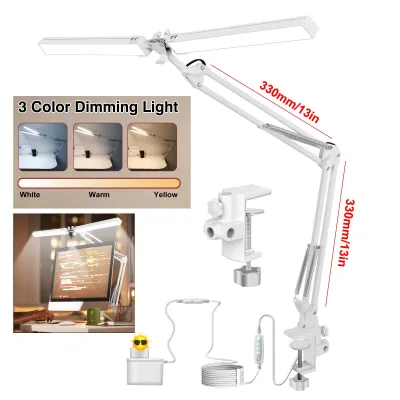
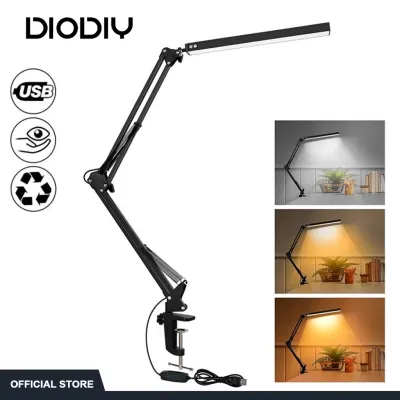

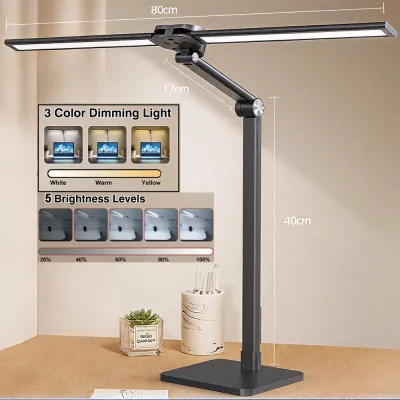
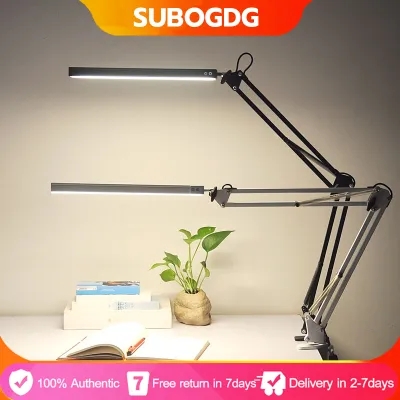
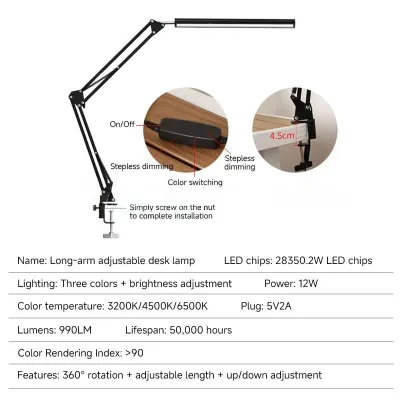
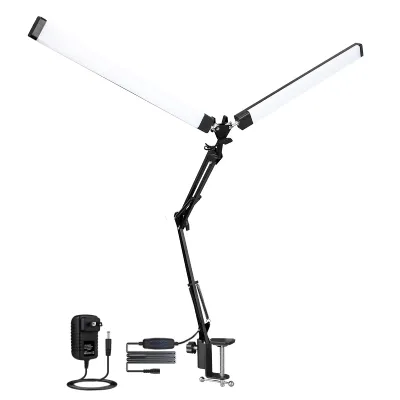
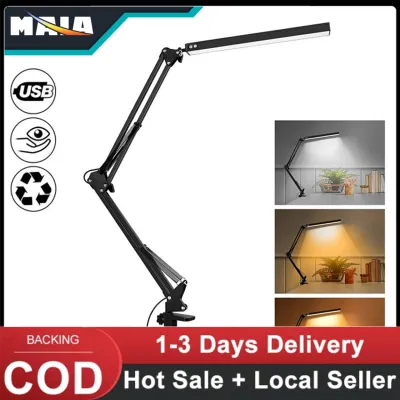
Prices are valid at publication and may change. Please refer to the product page for the latest price.
Clamp-On Mounts: These are ideal for maximizing surface area on compact desks. They attach directly to the edge of your desk, leaving the entire tabletop free for your keyboard, notebooks, and laptop. However, you must measure your desk’s edge clearance and thickness beforehand. Check the manufacturer’s specifications to ensure the clamp’s maximum opening width can comfortably accommodate your desk’s tabletop.
Freestanding Bases: If your desk is positioned flush against a wall or lacks an exposed edge, a heavy freestanding base is the practical alternative. These bases require a dedicated spot on your desk surface, so you must evaluate whether you have enough room to spare. Ensure the base is heavy enough to support the extended arm without wobbling.
Grommet Mounts: For a semi-permanent and highly stable installation, some long arm lamps offer a grommet mount option. This requires a pre-drilled cable hole in your desk surface. It provides the ultimate space-saving benefit while keeping the lamp incredibly secure, even when the arm is fully extended.
Desk Materials: Consider what your desk is made of before choosing a mount. Flat-pack furniture made of particleboard or hollow-core MDF can warp or crush under the high pressure of a tight metal clamp. If you have a desk made of these materials, look for clamps with wide pressure plates to distribute the weight, or stick to a freestanding base.
Clearance and Obstructions: Before choosing any mounting style, look up and around your workspace. Measure the vertical and horizontal clearance to ensure the moving arm will not collide with wall-mounted shelves, overhead cabinets, or high-monitor setups. In tropical climates where wall-mounted cooling fans or air conditioning units are common, map out the arm’s swing path to avoid blocking airflow or hitting appliances.
Step 2: Evaluate Lighting Specifications for Your Tasks
The quality of light emitted by your lamp directly affects your productivity and comfort during long hours of study or remote work.

Adjustable Color Temperature: Look for lamps that offer adjustable color temperature settings, usually measured in Kelvin (K). Warm light (around 2700K to 3000K) is highly suitable for relaxing or evening reading, as it creates a cozy atmosphere. Cool white or daylight settings (4000K to 6500K) are excellent for high-focus tasks, daytime work, and reading fine print.
Brightness and Dimming: Avoid lamps with only a single on-off switch. Opt for models with step-less dimming or multiple brightness levels. This adjustability allows you to adapt the light output to the changing natural light in your room throughout the day, helping to minimize eye strain.
Color Rendering Index (CRI): If your work involves graphic design, photo editing, sewing, or any task where color accuracy is critical, check the product packaging for the Color Rendering Index. A high CRI rating (typically Ra 90 or above) indicates that the light source renders colors accurately, closely mimicking natural daylight.
Diffusers and Anti-Glare Designs: Screen glare is a major contributor to digital eye strain. Choose a long arm lamp equipped with a built-in diffuser or an asymmetric optical design. These features direct light downward onto your workspace rather than reflecting off your computer monitor or laptop screen, ensuring a comfortable viewing experience.
Heat Emission: In warm, humid rooms, minimizing extra heat sources is essential for comfort. Choosing an LED-based long arm lamp is highly advantageous because LEDs emit minimal heat compared to traditional incandescent or halogen bulbs. This keeps your study nook cooler and reduces the load on your room’s cooling fans.
Step 3: Check Adjustability, Reach, and Stability
The primary appeal of a long arm desk lamp is its physical flexibility, which depends entirely on its mechanical joints and build quality.
Multi-Joint Articulation: Examine the product photos and specifications for the number of articulation points. A highly adjustable lamp typically features three main joints: a swiveling base, an adjustable elbow, and a tilting or rotating head. This level of movement allows you to position the light source at various angles, preventing shadows from casting over your writing hand.
Tension and Counterweights: A long arm is only useful if it stays in the position you set. Look for models that feature adjustable tension screws or robust internal spring systems. These mechanisms counteract gravity and prevent the lamp head from slowly drooping over time. Avoid cheap models that rely solely on friction joints without adjustable screws, as these tend to loosen permanently with regular use.
Joint Materials: Pay close attention to the materials used in the joints. Metal joints, such as those made of aluminum or steel, offer far better longevity than plastic joints. Plastic components can become brittle over time, especially when exposed to warm, humid indoor environments, leading to cracks and mechanical failure.
Extension Length and Balance: Measure the total length of the arm segments combined. If you have a wide dual-monitor setup or a deep drafting table, you will need a longer reach. However, keep in mind that a longer reach shifts the center of gravity. For freestanding models, verify that the base weight is sufficient to prevent tipping when the arm is fully extended. For clamp-on models, ensure your desk material is sturdy enough to handle the leverage force exerted by a fully extended arm.
Step 4: Verify Electrical Safety and Desk Compatibility
Electrical safety and physical compatibility are paramount when integrating any new appliance into your home.
Voltage and Plug Compatibility: In the Philippines, the standard electrical system operates at 220V at 60Hz. Always verify that the lamp’s power adapter or built-in ballast is rated for 220V. Using a 110V-only lamp without a proper step-down transformer can damage the device or pose a fire hazard. Additionally, check that the plug type matches your wall outlets or extension cords without requiring loose, unsafe adapters.
Power Cord Length: Measure the distance from your desired mounting spot to the nearest wall outlet. A power cord that is too short can create a tripping hazard or strain the connection point, potentially damaging the cord over time. If you must use an extension cord, ensure it is rated for the lamp’s wattage and kept neatly organized under your desk.
Weight Limits and Warnings: Always read the manufacturer’s installation warnings. If you plan to attach the lamp to a monitor arm or a lightweight desk riser, verify the maximum weight capacity of those structures. Heavy-duty long arm lamps can exert significant downward pressure, which might warp or crack thin particleboard or hollow-core desks.
Your Final Selection Checklist
Before finalizing your purchase on your preferred online marketplace, run through this quick checklist to ensure a perfect fit:
- Desk Thickness: Confirm your desk edge falls within the clamp's supported range.
- Arm Reach: Ensure the total extension length covers your entire active workspace.
- Clearance: Verify the arm's swing path is free from shelves, monitors, or wall fans.
- Voltage: Double-check that the lamp is rated for 220V compatibility.
- Cord Length: Ensure the power cable comfortably reaches your outlet.
- Warranty: Review the seller's return policy and warranty terms, focusing on coverage for the LED light source and mechanical joints.
Frequently Asked Questions (FAQ)
Can I mount a clamp-on long arm lamp on a glass desk?
Mounting a heavy clamp-on lamp directly onto a glass desk is highly discouraged due to the concentrated pressure points. The leverage from adjusting the long arm can easily crack or shatter tempered glass. If you must use a glass desk, check the manufacturer’s manual for explicit compatibility. Alternatively, place a thick rubber or wooden protective pad between the clamp and the glass to distribute the pressure, or opt for a heavy freestanding base instead.
How do I stop my long arm desk lamp from drooping over time?
If your lamp arm begins to sag, consult the user manual to locate the tension adjustment screws, which are usually situated at the joints. Using the provided hex key or a screwdriver, gently tighten these screws to increase the joint resistance. If your lamp uses internal tension springs or counterweights that have worn out or broken, avoid attempting unsafe DIY modifications. Instead, contact the manufacturer for replacement parts or consult a professional technician.
Is a long arm desk lamp better than a standard desk lamp for dual monitors?
Yes, a long arm desk lamp is generally superior for dual-monitor setups. Standard desk lamps often sit too low, causing their light to block your screens or reflect harshly off the glass. A long arm lamp can be clamped to the back or side of your desk and extended high above your monitors, casting an even pool of light downward without creating screen glare. This setup also keeps your desk surface completely clear of clutter.

Community discussion
Share your experience or ask a question. Comments are reviewed before publication.