
To build an immersive gaming room setup, the best neon LED strip lights are those that provide a seamless, diffused glow without visible hot spots, match your desk’s physical dimensions, and integrate easily with your existing control systems. Unlike standard LED strips that leave individual light-emitting diodes exposed, neon-style strips are encased in a thick silicone or PVC sleeve. This casing diffuses the light, mimicking traditional gas-discharge neon tubes while offering the flexibility, energy efficiency, and color-changing capabilities of modern LED technology.
Selecting the right strip requires looking beyond simple aesthetics. You must evaluate technical specifications such as voltage compatibility, bending limits, control protocols, and installation environments. By matching these parameters to your specific gaming space, you can create a vibrant, reliable, and safe lighting setup that enhances your gameplay experience.
Key Specifications to Check Before Buying
Before purchasing any neon LED strip lights, you must verify their electrical and physical specifications to ensure compatibility with your gaming room. Start by checking the voltage and power supply requirements. Most consumer neon strips operate on 5V, 12V, or 24V direct current (DC). A 5V strip is often powered via USB, making it convenient for short runs behind a monitor, but it may lack the brightness of a 12V or 24V system. Always verify that the output of your power adapter matches the voltage rating of the strip exactly; using an incorrect adapter can cause permanent damage or dim performance.
Products mentioned in this guide
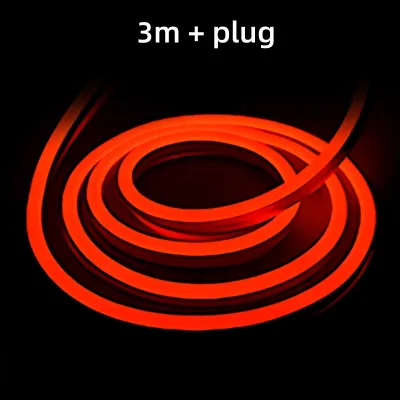
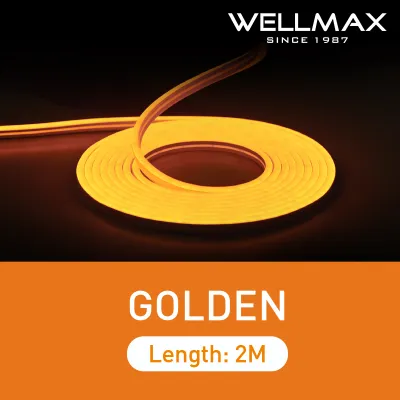
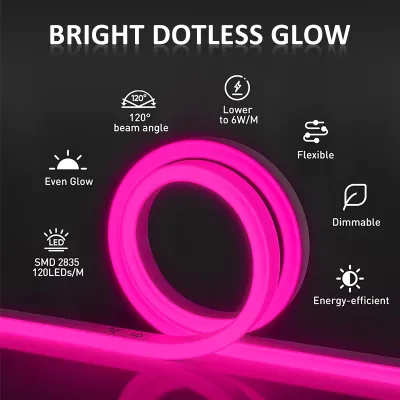
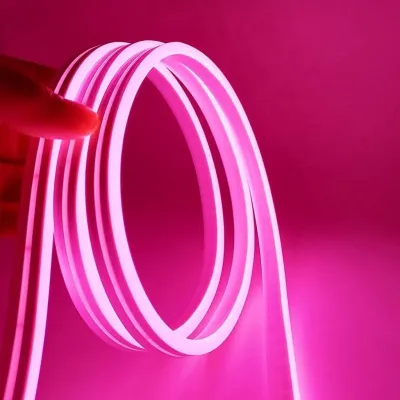
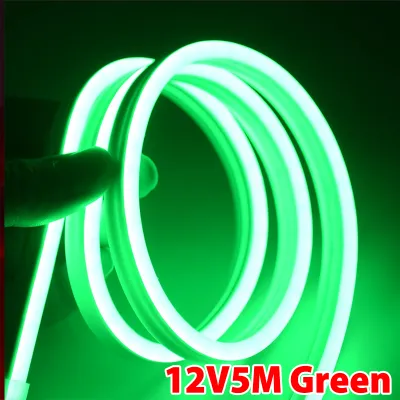
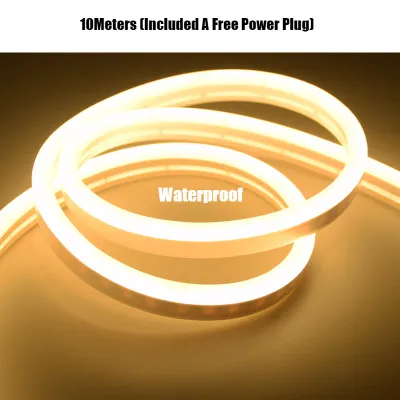
![AceDeal [Support Lalamove Bulk Orders] LED Strip Light Outdoor Waterproof Cuttable Eye Protection Flexible Rope Tube Narrow Neon Light For DIY Christmas Holiday Decoration For Room Ceiling Light](https://img.lazcdn.com/g/p/e78055911e309d1523ec4c8e966f1887.jpg_400x400q80.jpg_.webp)
Prices are valid at publication and may change. Please refer to the product page for the latest price.
Length limits and voltage drop are also critical factors. As electrical current travels down a strip, resistance causes the voltage to decrease, a phenomenon known as voltage drop. This results in the far end of the strip appearing dimmer or shifting in color. Manufacturers specify a maximum run length for their products, which you must not exceed. If your gaming desk requires a long continuous run, you may need to inject power at both ends or choose a higher-voltage strip, such as a 24V model, which is less susceptible to voltage drop over longer distances.
Environmental factors like humidity play a significant role in product longevity, especially in tropical climates like the Philippines. If your gaming room is equipped with a humidifier or if you use liquid cooling systems that carry a minor risk of condensation, check the Ingress Protection (IP) rating of the strip. While dry indoor setups generally only require an IP20 rating, choosing a strip with an IP65 or IP67 rating provides a sealed silicone casing that protects the internal electronics from moisture and dust.
Finally, measure the physical dimensions and understand the bending limits of the neon casing. Neon LED strips are thicker and stiffer than standard LED tape. They typically bend in only one direction (either horizontally or vertically, depending on the design). Attempting to force a tight bend around a sharp 90-degree corner on a gaming desk can pinch the internal circuitry and cause a section of the strip to fail. Always check the manufacturer’s specified minimum bending radius before planning your routing path.
Control Options and Smart Integration
The visual impact of your gaming setup depends heavily on how you control the lighting. Standard RGB neon strips light up in a single color across the entire length of the strip at any given moment. While this is suitable for solid accent lighting, it is a conditional preference that lacks dynamic movement. For advanced gaming aesthetics, look for addressable RGB (often labeled as ARGB or RGBIC) neon strips. These strips contain individual control chips for small segments of LEDs, allowing multiple colors to flow, chase, and transition along the strip simultaneously.

Modern gaming setups often rely on software integration to synchronize lighting with in-game action, music, or screen colors. Many high-end neon strips feature dedicated mobile applications that connect via Bluetooth or Wi-Fi. Some advanced systems offer screen-matching capabilities, where a camera or desktop software reads the dominant colors on your monitor and projects matching hues onto the wall behind your desk. Before buying, verify that the strip’s companion software is compatible with your operating system and other gaming peripherals.
Smart home ecosystem integration is another key consideration. If you use voice assistants or smart hubs to control your room, check the product packaging for official compatibility marks. Integrating your neon strips into your broader smart home network allows you to create custom scenes that dim your main ceiling lights, turn on your PC, and activate your neon accents with a single voice command or tap on your phone.
Placement and Installation Strategies for Gaming Desks
Achieving a professional look requires strategic placement and careful installation. One of the most popular zones is monitor backlighting, where the neon strip is mounted to the back of your screen to project a soft glow onto the wall. This reduces eye strain during long gaming sessions by minimizing the contrast between the bright screen and a dark room. Another option is desk edge outlining, where the strip is mounted along the rear or underside of the desk to define its shape. You can also mount the strips directly to the wall in custom geometric patterns to create a personalized silhouette.
Proper surface preparation is essential for a secure mount, particularly in humid environments where standard adhesive tape can easily peel off. Clean the mounting surface thoroughly with isopropyl alcohol to remove dust, oils, and fingerprints, and allow it to dry completely. Avoid applying adhesive directly to rough, textured, or unpainted surfaces, as these do not provide enough contact area for the tape to bond securely.
For a perfectly straight installation and improved durability, consider using aluminum mounting channels. These channels act as a rigid guide, preventing the neon strip from sagging over time. They also assist with heat dissipation, keeping the LEDs cool and extending their operational lifespan. Many neon strips come with mounting clips, but a continuous aluminum channel offers a much cleaner, professional finish.
To maintain a clutter-free gaming station, plan your cable routing before sticking the lights down. Use adhesive cable clips to secure the power cords along the underside of your desk, keeping them out of sight. Position the controller receiver and the power brick in an accessible but hidden location, such as inside a cable management tray or mounted to the bottom of the desk surface.
Electrical Safety and Power Supply Matching
Electrical safety must be your top priority when installing custom lighting near expensive gaming equipment. To select an adequately rated power adapter, you must calculate the total wattage of your setup. Multiply the wattage per meter specified by the manufacturer by the total length of the strip you plan to use. For safety, apply the “80% rule”: your power supply should only be loaded to 80% of its maximum capacity. For example, if your neon strip calculates to 40 watts of power draw, use a power supply rated for at least 50 watts.
Avoid the temptation to daisy-chain multiple neon strips together beyond the manufacturer’s specified limits. Connecting too many strips in a single series overloads the first strip’s internal circuitry and the power adapter, leading to overheating, flickering, or permanent component failure. If you need to extend your lighting, use a dedicated power amplifier or run a separate power line from a sufficiently rated power supply.
While most gaming setups use simple plug-in adapters, some permanent installations may involve hardwiring the power supply into your home’s electrical system. For any fixed wiring, work at height, or installations in damp areas, always isolate the power source before starting. If you are not fully comfortable with electrical wiring, hire a qualified professional to handle the installation to ensure compliance with local electrical codes.
Always check the power supply unit for recognized electrical safety marks. These certifications indicate that the power supply has undergone rigorous testing for overcurrent, overvoltage, and short-circuit protection, safeguarding both your home and your gaming rig from electrical hazards.
Maintenance and Troubleshooting Common Issues
Keeping your neon LED strips clean and functioning requires minimal but regular maintenance. Dust can accumulate on the silicone casing over time, slightly dimming the light output. To clean the strips, turn off the power supply and wipe the casing gently with a dry or slightly damp microfiber cloth. Never use harsh chemical cleaners, solvents, or abrasive pads, as these can degrade the silicone diffuser and cause it to yellow or crack.
If you experience issues like flickering, dimming, or unresponsive sections, follow a systematic troubleshooting process. First, check all physical connections between the power adapter, controller, and the strip to ensure they are secure. If only a portion of the strip is dim or flickering, it may be a sign of voltage drop or a loose internal connection. Try resetting the controller through its physical button or companion app. If the entire strip flickers, the power supply may be overloaded or failing.
If troubleshooting steps do not resolve the issue, or if you notice signs of physical damage such as a melted casing, exposed wires, or an unusually hot power brick, stop using the lights immediately. Disconnect the power source and consult the manufacturer or replace the unit entirely to prevent any safety risks.
Frequently Asked Questions (FAQ)
Can I cut and reconnect neon LED strips to fit my desk?
Yes, many neon LED strips can be cut to fit custom lengths, but you must only cut them at the designated cut marks indicated by the manufacturer (usually marked with a small scissor icon on the side or back of the strip). Cutting outside these marks will permanently damage that section of the circuit. To reconnect cut pieces, you will need specialized solderless connectors or soldering equipment, and you must reseal the silicone casing with silicone glue to maintain any water or dust resistance. Note that modifying the strip often voids the manufacturer’s warranty.
Do neon LED strips generate enough heat to damage my gaming PC or monitor?
No, high-quality neon LED strips do not generate enough heat to damage sensitive electronics like gaming PCs or monitors under normal operating conditions. LEDs are highly efficient and convert most of their energy into light rather than heat. However, the silicone casing can become warm to the touch during prolonged use. To ensure optimal safety, maintain a clear gap between the neon strips and your PC’s exhaust vents, and avoid wrapping the strips directly around heat-generating components. Using aluminum mounting channels can further assist in dissipating any minor heat buildup.
Community discussion
Share your experience or ask a question. Comments are reviewed before publication.