
To choose the right rechargeable desk lamp, prioritize adjustable brightness levels, multi-tone color temperature settings (ranging from warm to cool white), and a battery capacity (measured in mAh) that aligns with your typical cordless session length. The ideal lighting solution must also offer physical adjustability, such as a flexible gooseneck or multi-jointed arm, to direct light precisely onto your work surface without creating glare on your screen.
Your ultimate selection depends on your specific workspace layout, including your desk depth, the ambient light levels in your room, and your daily screen time. For instance, deep desks require lamps with longer reach, while rooms with minimal natural light require higher maximum lux levels to balance visual contrast and prevent eye fatigue.
Assess Your Desk Space and Daily Power Needs
Before browsing e-commerce platforms, take a moment to measure your physical workspace. The depth and width of your desk directly dictate the physical footprint of the lamp you should choose. If you work on a compact study table or a shared dining table, a heavy, wide-based lamp might clutter your workspace and restrict your movement. In these tight setups, a compact clip-on model that attaches securely to the edge of the desk or a monitor-mounted light bar is often the most space-efficient choice. For larger, dedicated home office desks, a weighted base model or an architectural swing-arm lamp provides a much wider light spread and greater reach, allowing you to illuminate large documents or multiple monitors without tipping over.
Products mentioned in this guide
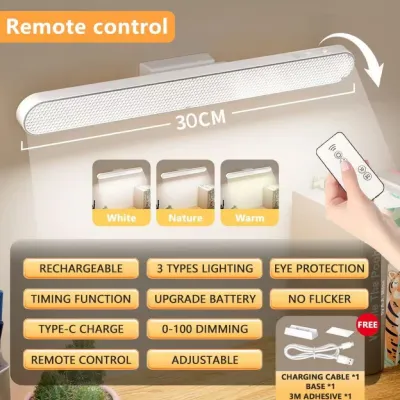
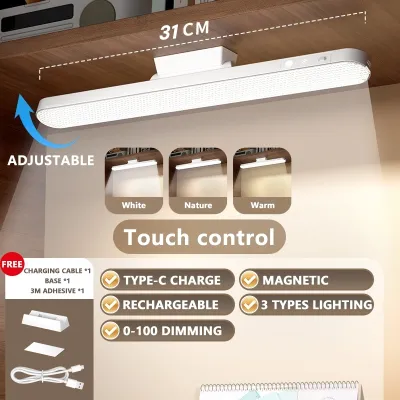
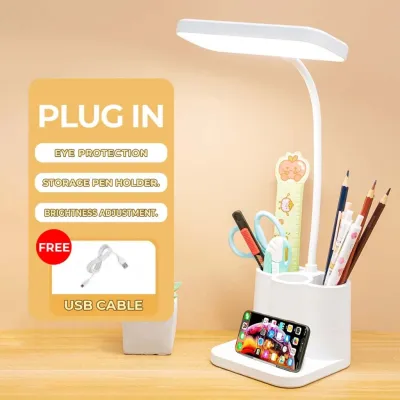
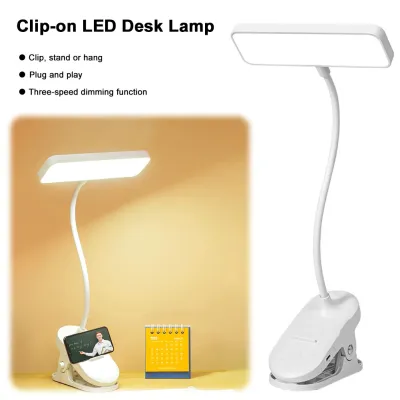
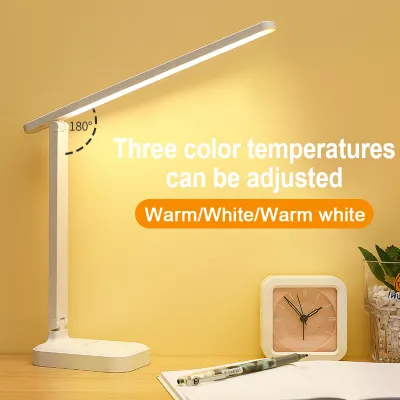
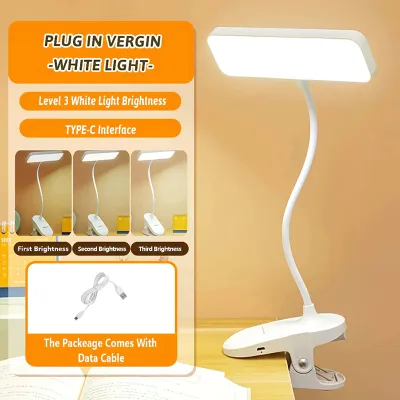
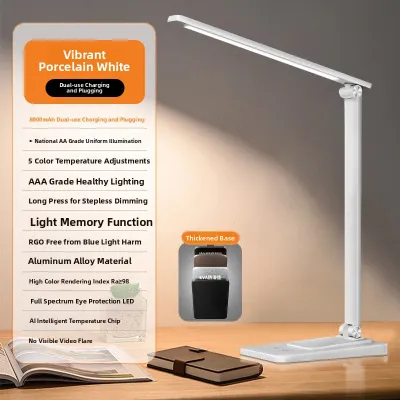
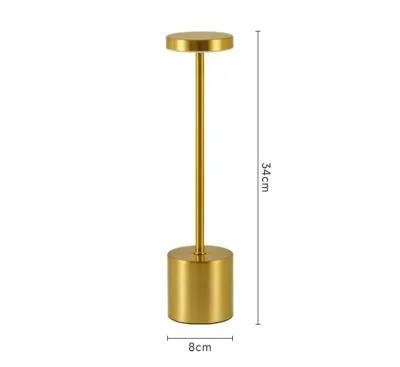
Prices are valid at publication and may change. Please refer to the product page for the latest price.
Next, estimate your typical daily cordless usage hours and map out the distance to the nearest wall outlet. If your desk is positioned far from a power source, or if you live in an area prone to seasonal power interruptions and brownouts, battery capacity becomes your highest priority. A lamp with a robust battery allows you to maintain productivity during blackouts without relying on noisy generators or candles. Conversely, if your desk is close to an outlet, you might only need cordless capability for occasional repositioning or emergency backup, meaning you can prioritize optical quality over maximum battery size.
Finally, align your choice with your primary daily tasks. Reading physical textbooks, writing, or sketching requires a broad, uniform pool of light directed straight down onto your paper to eliminate shadows. On the other hand, if your daily routine consists almost entirely of typing on a laptop or looking at a desktop monitor, you need a lamp with a highly adjustable head. This design allows you to angle the beam downward to illuminate your keyboard and physical notes while keeping the light source completely out of your direct line of sight and preventing harsh reflections on your screen.
Evaluate Lighting Specs to Prevent Eye Strain
Long hours of working or studying in poor lighting can lead to asthenopia, commonly known as eye strain, which manifests as headaches, dry eyes, and blurred vision. To protect your vision, avoid basic lamps that only offer a single, non-adjustable brightness level. Look for models that feature step-less dimming or at least three distinct brightness presets. Check the product specifications for light intensity, which is measured in lumens (the total light output of the source) or lux (the amount of light reaching a specific surface area). A high-quality task lamp should be capable of delivering between 300 and 500 lux on your desk surface, allowing you to match the lamp’s output to the ambient light in your room and avoid high-contrast glare.

Color temperature control is another critical specification that directly impacts your circadian rhythm and focus. Measured in Kelvin (K), color temperature dictates whether the light appears warm and yellowish or cool and blue-white. Verify that your chosen lamp offers adjustable color modes. Warm white light (typically 2700K to 3000K) is gentle on the eyes and ideal for evening reading or winding down, as it minimizes exposure to blue light that can disrupt sleep. Natural white light (around 4000K) is excellent for general paperwork, while cool white light (5000K to 6500K) mimics bright daylight, promoting alertness and enhancing focus during intensive daytime study or complex technical work.
The Color Rendering Index (CRI) is a technical metric that measures how accurately a light source reveals the true colors of objects compared to natural sunlight. Rated on a scale up to 100, a higher CRI means colors appear more vibrant and accurate. For general study and administrative work, look for a lamp with a CRI rating of 80 or above. If your work involves graphic design, photo editing, color matching, or detailed illustration, prioritize lamps with a CRI of 90 or higher. Low-CRI lighting can make colors look dull, gray, or distorted, forcing your eyes to strain harder to distinguish subtle details.
Lastly, pay close attention to flicker and glare mitigation features. Many cheap LED lamps utilize low-frequency pulse-width modulation (PWM) to dim the light, which can cause invisible flickering that leads to rapid eye fatigue and tension headaches. Look for product descriptions that explicitly claim “flicker-free” technology or constant-current dimming. Additionally, ensure the lamp head is equipped with a high-quality optical diffuser or a honeycomb louver. These built-in components soften the raw LED light, distributing it evenly across your desk and preventing harsh glare from reflecting off your computer screen or glossy paper surfaces.
Compare Battery Runtime and Charging Convenience
When evaluating rechargeable options, do not rely solely on the battery capacity rating, which is measured in milliampere-hours (mAh). While a larger battery (such as 2000mAh, 4000mAh, or even higher) generally indicates a longer potential runtime, actual performance depends entirely on how you use the lamp. A lamp with a 2000mAh battery might run for up to 40 hours on its lowest, dimmest nightlight setting, but drain completely in under 3 hours when set to maximum brightness and cool white mode. Always look for the manufacturer’s detailed runtime specifications at various brightness levels to ensure the lamp can support your typical study or work session on a single charge.
The physical charging interface is another important factor for daily convenience. Prioritize lamps that utilize modern USB-C ports over older Micro-USB connections. USB-C cables are reversible, transfer power more efficiently, and are highly durable. Using a USB-C lamp allows you to streamline your desk space, as you can use the same charging cable and wall adapter that powers your smartphone, tablet, or laptop. This reduces cable clutter and ensures you can easily charge your lamp using a laptop USB port, a power bank, or a standard multi-port USB charger.
Another essential feature to verify is pass-through usage capability. Some budget-friendly rechargeable lamps are designed with basic circuitry that disables the light or dims it significantly while the battery is charging. This limitation can be highly frustrating if your battery dies in the middle of an important task. Ensure the product specifications explicitly state that the lamp can be used normally while plugged into a power source, allowing it to function as a standard wired desk lamp when you have access to an outlet.
To ensure your lamp remains functional for years, consider long-term battery health. Lithium-ion batteries naturally degrade over time, a process that can be accelerated by the high ambient temperatures and humidity levels common in tropical climates like the Philippines. Look for lamps with built-in battery management systems (BMS) that protect against overcharging, over-discharging, and overheating. While most modern lamps have integrated, non-removable batteries, some specialized models feature user-replaceable batteries (such as standard 18650 lithium cells). Choosing a model with a replaceable battery means you can easily swap out a degraded cell in the future rather than discarding the entire lamp.
Choose the Right Adjustability and Build Quality
A desk lamp’s physical design determines how effectively you can direct light onto your work area without creating awkward shadows or blocking your view. Gooseneck arms, made from flexible silicone or metal coils, offer infinite, multi-directional adjustability, allowing you to twist and bend the lamp into almost any position. However, low-quality goosenecks can lose their tension over time, causing the lamp head to droop. If you prefer a highly structured look and precise control, opt for multi-jointed hinges. These dual-axis or triple-axis folding arms allow you to adjust the height and angle of the light with high precision and fold the lamp completely flat when it is not in use, which is ideal for portable or hybrid work setups.
The stability of the lamp base is critical to prevent accidental tips and spills, especially on busy or elevated desks. Check the product specifications for the weight of the base or look for models that feature non-slip silicone pads on the bottom. If you choose a clamp-on model to save desk space, verify the maximum clamp opening width to ensure it can securely grip the thickness of your desk. Additionally, look for clamps lined with protective foam or rubber to prevent scratching your desk’s wood or laminate finish.
Many modern rechargeable lamps are packed with secondary features, such as built-in digital clocks, thermometers, calendars, phone stands, or even secondary USB output ports to charge your mobile devices. While these additions can help declutter your desk, evaluate their practical utility carefully. For example, a digital display that lacks a dimming function can be highly distracting in a dark room, and using a secondary USB port to charge your phone will rapidly drain the lamp’s internal battery if it is not plugged into a wall outlet. Ensure these secondary conveniences do not compromise the core build quality, hinge durability, or optical performance of the lamp itself.
Final Verification Checklist for Online Purchases
Before clicking the checkout button on your preferred e-commerce platform, use this final checklist to verify the product’s safety, compatibility, and real-world performance:
- Electrical Safety Certifications: Check the product description and images for recognized safety marks. For products sold in the Philippines, look for local certifications like the PS (Philippine Standard) mark or ICC (Import Commodity Clearance) sticker, or international safety standards such as CE, FCC, or RoHS, which ensure the internal electronics and battery are manufactured to safe standards.
- Voltage and Input Compatibility: Verify that the charging input requirements (typically 5V USB, 1A or 2A) match your existing wall adapters, power banks, or computer ports. If the lamp comes with a dedicated AC wall adapter, ensure it is rated for 220V–240V at 60Hz to match standard Philippine electrical outlets.
- Real-World User Reviews: Don't rely solely on the manufacturer's promotional claims. Filter user reviews to look for specific feedback regarding real-world battery life, plastic or metal hinge durability, and actual brightness levels. Pay close attention to reviews written after several months of use, as these offer the most accurate picture of long-term reliability.
- Warranty and Return Policies: Confirm the seller's warranty terms and return conditions. A reputable seller should offer at least a basic warranty period (such as 7 days to 3 months) and a clear return path in case the lamp arrives with a defective battery, a broken hinge, or a faulty charging port. Quality rechargeable desk lamps typically range in price from ₱300 for basic, compact models to over ₱1,500 for premium models with advanced optical controls and high-capacity batteries.
Frequently Asked Questions (FAQ)
Can I leave my rechargeable desk lamp plugged in all the time?
Most modern rechargeable desk lamps use lithium-ion batteries equipped with basic overcharge protection circuits that stop drawing power once the battery is fully charged. However, keeping any battery-powered device constantly plugged in and exposed to heat can accelerate battery degradation over time. If you plan to use the lamp primarily in a fixed, wired position, check the manufacturer’s instructions to see if continuous plugging is recommended. For optimal long-term battery health, it is generally best to unplug the lamp occasionally and let the battery cycle down.
How do I clean the diffuser on my LED desk lamp?
To clean the optical diffuser and maintain optimal light output, first turn off the lamp and disconnect it from any power source or charger. Use a clean, dry microfiber cloth to gently wipe away accumulated dust and fingerprints. If the diffuser has stubborn smudges, slightly dampen the microfiber cloth with plain water, ensuring no moisture enters the LED housing or charging port. Never use harsh chemical cleaners, alcohol, or abrasive scrubbing pads, as these can permanently cloud or scratch the plastic diffuser, reducing the quality of the light.

Community discussion
Share your experience or ask a question. Comments are reviewed before publication.