
To use a flying saucer LED bulb for the best gaming room ambient lighting, you must leverage its wide, downward-facing light distribution as a diffuse overhead base, position it strategically to prevent direct screen reflections, and balance its output with adjustable dimmers and localized RGB accents. This unique, flat-profile bulb acts as an excellent primary light source, especially in compact spaces like urban condominiums, by spreading illumination evenly across the room without the bulky footprint of traditional fixtures.
By understanding how to position, balance, and safely install this distinctive light source, you can transform a harsh, shadowy room into an immersive, visually comfortable gaming sanctuary. Achieving this balance requires analyzing your room’s physical layout, coordinating your color schemes, and performing essential electrical compatibility checks.
Is a Flying Saucer LED Bulb Right for Your Gaming Room?
Unlike standard omnidirectional bulbs or narrow spotlights, a flying saucer LED bulb features a wide, flat face that projects light downward and outward in a broad cone. This design is highly effective for establishing a uniform layer of ambient light, eliminating dark corners in your gaming setup without creating harsh, concentrated hot spots. The wide-angle lens helps distribute illumination evenly across your desk and seating area, making the room feel more spacious and open.
Products mentioned in this guide
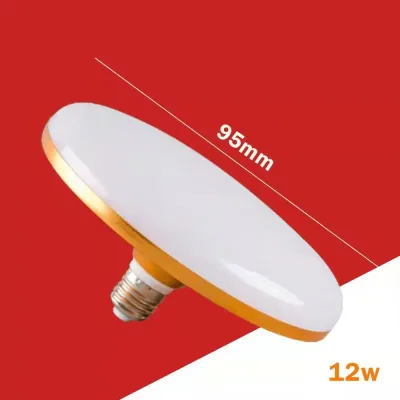
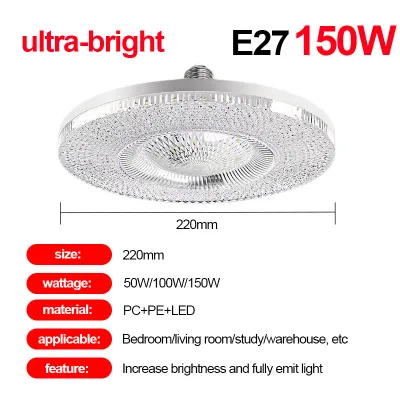
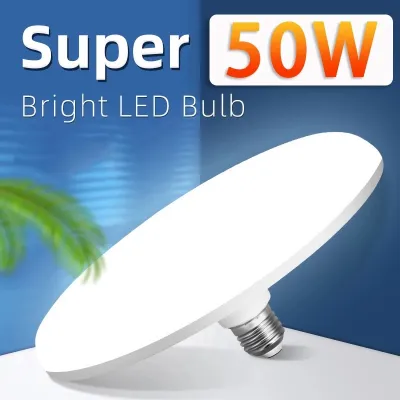

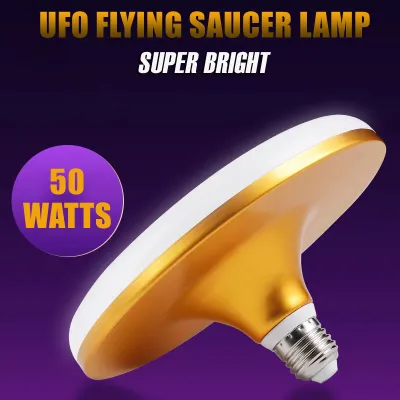
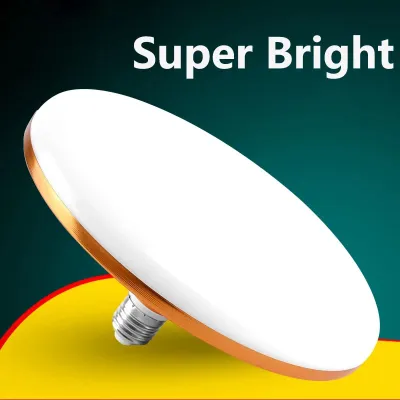
Prices are valid at publication and may change. Please refer to the product page for the latest price.
Before purchasing, review the product packaging carefully to evaluate the available color temperature options and lumen output. For a gaming room, look for bulbs that offer adjustable color temperatures or select a warm-to-neutral white (around 3000K to 4000K) to keep the space inviting, or cool white (5000K) if you prefer a high-energy, clinical look. Ensure the lumen output matches your room size; a bulb that is too bright can wash out your monitor, while one with insufficient lumens will leave you straining in the dark.
Evaluating your room’s ceiling height is also crucial to determine if the bulb’s physical profile will suit your environment. In typical condominiums in the Philippines where ceiling heights can be snug, a bulky pendant light might obstruct your view or clash with a ceiling fan. The flat, disc-like shape of the saucer bulb keeps the light source high and out of your direct line of sight, preserving headroom while maintaining a clean, futuristic aesthetic.
Best Placement Strategies to Reduce Screen Glare
To prevent distracting reflections on your gaming monitor, avoid placing the flying saucer LED bulb directly in front of or immediately above your screen. Instead, position the light source centrally in the room or slightly behind your main seating area. This ensures that the direct light path does not bounce off your monitor’s display panel and straight into your eyes, which is especially critical if you use a glossy screen.

If the direct downward output of the bulb feels too intense during late-night gaming sessions, consider indirect lighting methods. You can install the bulb inside a semi-translucent fixture or position it so the light bounces off a matte-painted ceiling or adjacent light-colored walls. This diffuses the beam even further, transforming the sharp overhead source into a soft, ambient glow that mimics natural daylight.
If you are using a pendant fixture, utilize an adjustable cord to fine-tune the bulb’s height. Hanging the bulb too low concentrates the light in a narrow circle and increases the risk of direct glare when you look up. Raising the bulb closer to the ceiling expands the beam angle, distributing the light more evenly across the entire room while keeping the physical bulb safely outside your peripheral vision while playing.
Balancing Overhead Ambient Light with RGB Accents
A cohesive gaming setup relies on harmony between your primary ambient light and secondary RGB accents. If your overhead flying saucer bulb emits a harsh, cool white light while your desk strips are set to deep blues and purples, the visual clash can cause rapid eye fatigue. Match the overhead bulb’s tone to your accent theme, or dim the main light to a low, warm level to let the vibrant RGB hues on your desk and walls stand out.
Create a layered lighting scheme by separating your room into functional zones. Keep the overhead flying saucer bulb dimmed to a low level to provide safe passage and general visibility, while using dedicated, low-glare task lights—such as a monitor light bar or directional desk lamps—to illuminate your keyboard and mouse area. This zoning technique keeps the focus on your gameplay while maintaining a comfortable background ambiance.
Verify whether your chosen flying saucer LED bulb supports smart home protocols, mobile applications, or dedicated remote controls. Having the ability to dim the overhead light or change its color temperature on the fly allows you to transition seamlessly from a bright, productive workspace during the day to an immersive, low-light gaming sanctuary at night without leaving your chair.
Pre-Installation Checks for Fixtures and Dimmers
Before purchasing, verify the bulb’s base type (such as the standard E27 screw base common in the Philippines) and its physical diameter against your existing light fixture. Flying saucer bulbs are significantly wider than standard A19 bulbs, so you must ensure the fixture’s housing or shade has enough physical clearance to accommodate the disc shape without touching the sides.
Check the safety label on your light fixture to identify its maximum wattage rating. Although LED bulbs are highly energy-efficient and draw far less power than traditional incandescent bulbs, you must still confirm that the actual wattage of your new flying saucer bulb falls safely within the fixture’s rated capacity to prevent overheating.
If you plan to use a wall-mounted dimmer switch, confirm that both the bulb and the dimmer are explicitly rated as compatible. Installing a non-dimmable LED bulb on a dimming circuit, or using an incompatible dimmer type, can lead to annoying flickering, buzzing noises, or premature bulb failure. Check the manufacturer’s specifications on the packaging to ensure smooth, flicker-free operation.
Always prioritize safety during installation. Turn off the power at the main circuit breaker before touching any electrical components. If your setup involves high-bay fixtures, complex track lighting, exposed wiring, or if you are working at heights in a high-ceiling room, stop immediately and consult a qualified professional electrician to handle the installation safely.
Frequently Asked Questions (FAQ)
Can I use a flying saucer LED bulb in a low-ceiling condo?
Yes, a flying saucer LED bulb is highly suitable for low-ceiling condominiums due to its low-profile, flat design. To ensure a comfortable setup, measure your exact ceiling height and compare it to the bulb’s thickness to maintain adequate headroom. Observe the glare angles from your seated gaming position; if the wide lens is visible in your upper field of view, it may cause eye strain. Adjust the fixture’s drop length to keep the bulb as flush to the ceiling as possible, or opt for a dedicated flush-mount fixture to maximize vertical space and keep the light source unobtrusive.
Do flying saucer LED bulbs cause screen glare on monitors?
Because of their wide beam angle, flying saucer LED bulbs can cause screen glare if they are positioned incorrectly relative to your monitor. To mitigate this, you can install a monitor hood or apply an anti-glare screen protector to your display. Adjusting the ambient brightness using a compatible dimmer switch also helps balance the room’s light levels without washing out your screen. If the wide beam still casts direct reflections, consider repositioning your desk so the monitor faces away from the light source, or use physical baffling to block the light from directly hitting the screen surface.
Community discussion
Share your experience or ask a question. Comments are reviewed before publication.