
Quick Answer: Ideal Specs for a Study Light Lamp
To minimize eye strain during long study or work sessions, your study light lamp should ideally be set to a neutral white color temperature of 4000K to 5000K for active focus, or a warm white of 2700K to 3000K for evening reading. In terms of brightness, aim for a target of 300 to 500 lumens, which delivers roughly 500 lux of illuminance on your desk surface for reading physical books, while a lower setting is better for screen-based tasks.
Additionally, look for a lamp with a high Color Rendering Index (CRI) of 90 or above and certified flicker-free operation to ensure visual clarity. Keep in mind that there is no single “perfect” setting for everyone. Your personal comfort, the ambient lighting of your room, and the specific task at hand will ultimately dictate the most comfortable configuration for your eyes.
Decoding Color Temperature: How Kelvin Affects Focus and Comfort
Color temperature is measured in Kelvin (K) and describes the visual warmth or coolness of a light source. Lower Kelvin ratings, such as 2700K to 3000K, produce a warm, yellowish glow reminiscent of candlelight or a sunset. Higher Kelvin ratings, such as 6000K or above, emit a crisp, bluish-white light that mimics bright daylight. Understanding this scale is crucial because different wavelengths of light trigger distinct physiological responses in the human body.
Products mentioned in this guide
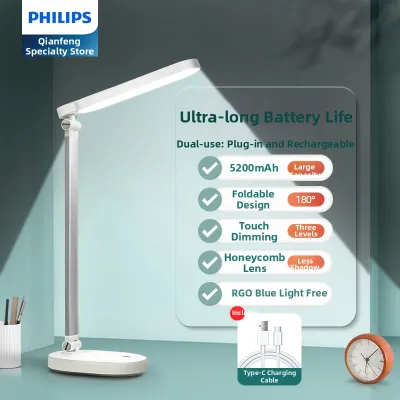
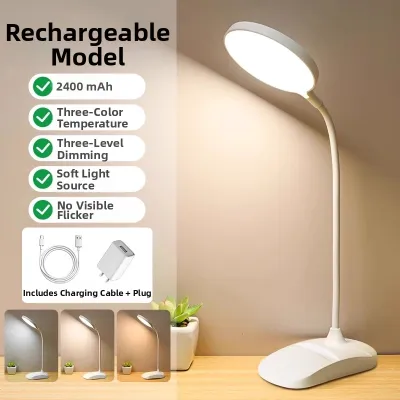
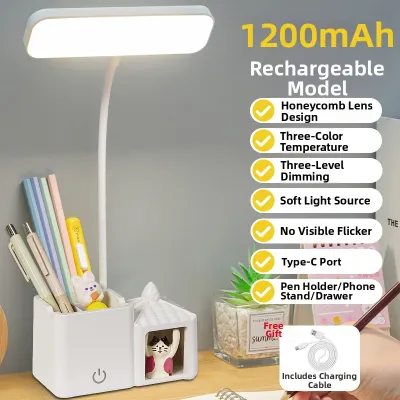
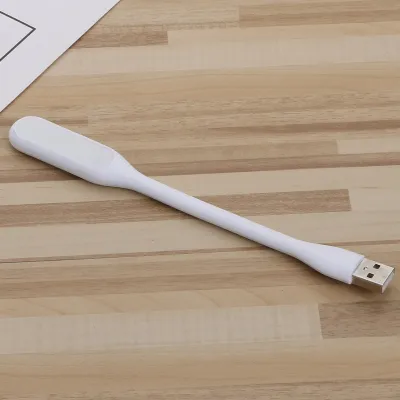
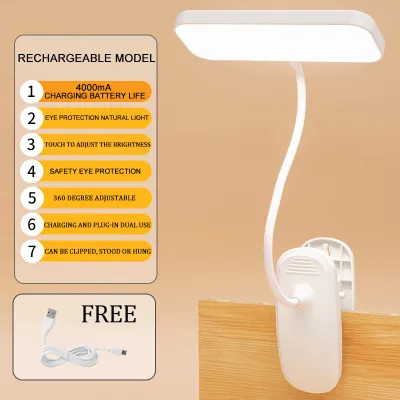
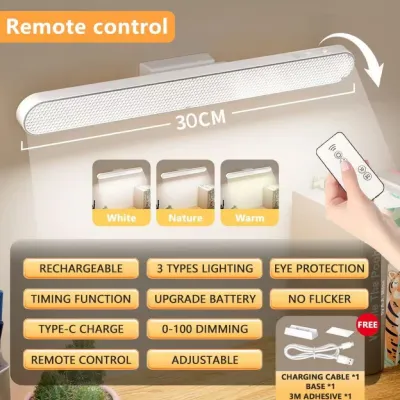

Prices are valid at publication and may change. Please refer to the product page for the latest price.

For active studying, writing, or detailed task work during the day, neutral to cool white light (4000K to 5000K) is highly recommended. This spectrum stimulates alertness, improves contrast, and makes text on a page easier to read. It suppresses the production of melatonin, the hormone responsible for sleep, helping you maintain high concentration levels during intense study sessions.
However, using excessively cool, blue-heavy light late in the evening can severely disrupt your natural circadian rhythm. Exposure to high-Kelvin light at night tricks your brain into thinking it is still daytime, making it difficult to fall asleep after you finish studying. Furthermore, intense blue light can cause visual harshness and glare, which accelerates eye fatigue when your eyes are already tired from a long day.
In the tropical climate of the Philippines, where afternoons can be hot and humid, a crisp 4000K to 5000K neutral light can also feel psychologically refreshing and clean. Conversely, during rainy evenings when you might run the air conditioner, switching to a warm 3000K setting creates a cozy, low-stress environment that helps you transition from intense focus to a restful night. To balance these competing needs, prioritize a study light lamp that features adjustable color temperature settings. Modern LED desk lamps often allow you to toggle between warm, neutral, and cool modes to match your changing daily schedule.
Understanding Brightness: Lumens, Lux, and the Need for Adjustability
When evaluating a lamp’s brightness, it is important to distinguish between lumens and lux. Lumens measure the total amount of light emitted by the bulb or LED source in all directions. Lux, on the other hand, measures illuminance, which is the actual intensity of light that falls on a specific surface, such as your textbook or notebook. For comfortable reading and writing on paper, lighting standards generally recommend an illuminance level of approximately 500 lux on your desk.
If you want to verify the exact light levels on your desk, you can download a free light meter app on your smartphone. While not as precise as professional laboratory equipment, these apps use your phone’s ambient light sensor to give you a rough estimate of the lux levels at your workspace, helping you decide whether to dim or brighten your lamp. The ideal brightness level changes significantly depending on whether you are reading physical paper or looking at a digital screen. Paper reflects light, meaning you need a brighter source (around 300 to 500 lumens) to distinguish fine print clearly without squinting. Conversely, computer screens and tablets are self-illuminated. If your desk lamp is too bright while you work on a computer, the light will reflect off the screen, creating a harsh glare. For screen-based work, a lower brightness setting of 150 to 300 lumens is usually much more comfortable.
Many consumers still rely on wattage to judge brightness, but this is an outdated approach. Wattage measures electrical power consumption, not light output. An old 60-watt incandescent bulb produces the same amount of light as a modern 8-watt LED study lamp. Relying on wattage can lead to purchasing a lamp that is either too dim or consumes unnecessary energy. Instead, always look at the lumen rating on the product packaging to determine actual brightness.
To maintain eye comfort, a study lamp must feature stepless or multi-level dimming. If you study in a room with changing natural light, you need to adjust your lamp’s brightness throughout the day. A fixed-brightness lamp can create extreme contrast against a darkening room in the evening. This contrast forces your pupils to constantly dilate and constrict as your gaze shifts between your bright desk and the dark room, leading to rapid eye strain and headaches.
Hidden Eye Strain Triggers: Why CRI and Flicker Matter
While color temperature and brightness are widely discussed, two hidden factors—Color Rendering Index (CRI) and flicker—play an equally critical role in preventing eye strain. CRI measures how accurately a light source reveals the true colors of objects compared to natural sunlight, on a scale from 0 to 100. A low CRI light makes colors look dull, gray, or distorted. For studying, a lamp with a CRI of 90 or higher is ideal. High CRI lighting enhances visual clarity and contrast, making printed text stand out sharply against the page so your eye muscles do not have to work as hard to focus.
Another common source of visual fatigue is invisible flicker. Many low-quality LED lamps flicker at a high frequency due to cheap internal drivers. While this stroboscopic effect is usually too fast for the naked eye to consciously perceive, your sensory system still detects it. The muscles in your eyes continuously adjust to the rapid changes in light intensity, which can cause severe eye strain, dry eyes, and unexplained headaches after just an hour of studying.
You can perform a quick, simple check for severe flicker using your smartphone camera. Open the camera app and point it directly at the lit lamp. If you see dark, moving horizontal bands or rapid strobing on your screen, the lamp has a high level of flicker. A high-quality, flicker-free lamp will appear completely stable and clear on your camera screen. To protect your vision, look for study lamps that are explicitly labeled as “flicker-free” or carry certifications from recognized testing bodies. High-quality lamps utilize direct current (DC) drivers that provide a constant, smooth flow of electricity to the LEDs, eliminating the rapid on-and-off cycling.
Physical design features also contribute to glare control. Even the best LED specifications can cause discomfort if the light shines directly into your eyes. Look for lamps equipped with frosted diffusers, honeycomb louvers, or deeply recessed light sources. These design elements soften the light and distribute it evenly across your workspace, preventing harsh hot spots and reflective glare off glossy paper or table surfaces.
How to Tune Your Lamp to Your Room and Study Habits
Achieving the perfect study environment requires more than just buying a high-quality lamp; you must also integrate it properly into your room. One of the most common mistakes is studying in a dark room with only the desk lamp turned on. This creates a high-contrast “spotlight” effect. To maintain ambient balance, always keep your main room lights on—even if dimmed—to soften the transition between your desk and the surrounding space.
When positioning your study light lamp, place it on the side opposite your dominant hand. If you are right-handed, place the lamp on your left side; if you are left-handed, place it on your right. This simple adjustment prevents your hand and arm from casting distracting shadows across your notebook as you write. Additionally, position the lamp head so that it is below eye level and angled slightly away from your face to ensure the light source is never in your direct line of sight.
In the Philippines, standard household electrical systems operate at 220V at 60Hz. Before purchasing or installing a study lamp, always check the product label or manual to verify voltage compatibility. If you choose a lamp fixture that uses replaceable bulbs rather than integrated LEDs, ensure the bulb you install does not exceed the fixture’s maximum wattage limit. Overloading a lamp socket can cause excessive heat buildup, damaging the fixture and posing a safety hazard. Always turn off and isolate the power supply before replacing any bulbs or adjusting fixed wiring.
Finally, look for products that carry local safety certifications, such as the Philippine Standard (PS) mark or the Import Commodity Clearance (ICC) sticker. These certifications guarantee that the lamp’s electrical components have been tested for safety and reliability, ensuring your study space remains safe and well-lit for years to come.
Frequently Asked Questions (FAQ)
Is a higher wattage always better for a study lamp?
No, a higher wattage is not necessarily better. Wattage only measures how much electricity a lamp consumes, not how much light it produces. With modern LED technology, highly efficient lamps can produce bright, high-quality light while using very little power. Instead of focusing on wattage, look at the lumen rating for brightness and the Color Rendering Index (CRI) for light quality.
Can smart bulbs be used in standard desk lamps for studying?
Yes, smart bulbs can be a convenient option for standard desk lamps, allowing you to adjust color temperature and brightness through a smartphone app. However, you must verify that the lamp fixture is compatible with the bulb’s physical dimensions and base type (typically E27). Additionally, ensure the desk lamp does not have a built-in physical dimmer switch, as dimmable fixtures can clash with the internal electronics of a smart bulb and cause flickering or damage.
How often should I take breaks when using a study light lamp?
Even with the most advanced, eye-friendly study lamp, you should still take regular visual breaks. A helpful guideline is the 20-20-20 rule: every 20 minutes, take a 20-second break and look at an object at least 20 feet (about 6 meters) away. This allows your eye muscles to relax and helps prevent digital eye strain and fatigue during long study sessions.
Community discussion
Share your experience or ask a question. Comments are reviewed before publication.