
An Akari lamp can work well for desk setups, but its suitability depends entirely on your specific daily tasks and the bulb you choose. Because the washi paper shade provides soft, diffused ambient light rather than a focused, directional beam, it excels at reducing screen glare and creating a relaxed atmosphere. However, for detailed writing, drafting, or reading small print, you may need to pair it with a supplemental task light to prevent eye strain.
In a modern workspace, lighting is not just about brightness; it is about how that light is distributed across your desk, screen, and surrounding walls. While traditional desk lamps focus a sharp beam directly onto your paperwork, paper shade lamps scatter light in all directions. This creates a soft glow that fills the room, softening harsh shadows and making your workspace feel more inviting. Deciding whether this style of illumination fits your workflow requires looking closely at your daily habits, your desk layout, and the physical environment of your study area.
Understanding How Akari Shades Distribute Light
To evaluate if an Akari lamp fits your workspace, it helps to understand the physics of diffused light versus directed task lighting. Traditional desk lamps use metal or plastic shades to funnel light downward, creating a high-contrast zone of intense brightness. In contrast, the translucent washi paper of an Akari lamp acts as a natural filter, scattering light waves in every direction. This omnidirectional distribution softens the transition between light and shadow, which can make the entire room feel more balanced.
Products mentioned in this guide
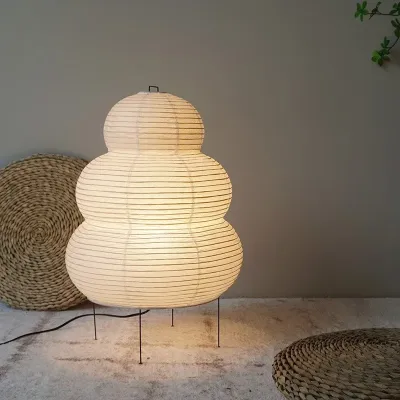
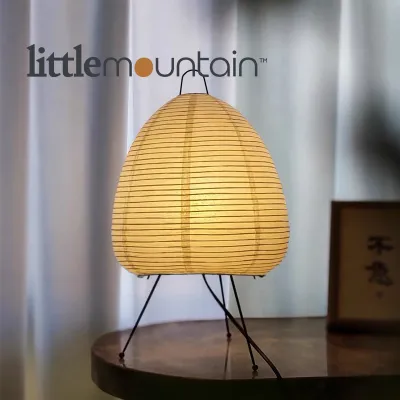
Prices are valid at publication and may change. Please refer to the product page for the latest price.
This scattering effect is highly beneficial for reducing screen glare, which is a common cause of digital eye strain. When a bright, concentrated light reflects off a computer monitor or tablet screen, it creates harsh hotspots that force your eyes to constantly adjust. The diffused glow from a paper shade minimizes these reflections, providing a gentle background illumination that balances the bright light emitted by your screens.
However, this soft distribution comes with a trade-off in raw intensity. Because the light is spread over a wide area rather than concentrated on a single spot, the actual illumination landing on your desk surface is much lower than what a dedicated task lamp provides. If your work involves high-contrast visual tasks, such as reading fine print on physical paper or sketching intricate designs, a purely diffused light source may leave your workspace feeling under-illuminated.
Diagnosing Your Daily Desk and Study Tasks
Choosing the right lighting setup begins with a clear assessment of what you actually do at your desk. If your daily routine consists almost entirely of screen-heavy work, such as typing, coding, or attending virtual meetings, an Akari lamp can be an excellent primary light source. The gentle ambient glow reduces the contrast between your bright monitor and the dark room, creating a comfortable environment that supports long hours of screen time without causing fatigue.

For those who spend significant time reading physical textbooks, writing notes by hand, or doing detailed manual work, the requirements change. These paper-based tasks demand high visual contrast to help your eyes distinguish small letters and fine lines clearly. Under a purely diffused light source, the lack of focused contrast can cause you to lean forward or squint, leading to physical discomfort and eye strain over time.
If your workspace serves a mix of both digital and physical tasks, a hybrid lighting strategy is often the most practical solution. You can position the Akari lamp on one side of your desk to provide a warm, glare-free background glow for computer work. When it is time to read or write, you can supplement this ambient light with a small, adjustable clip-on light or a slim monitor light bar that directs focused illumination exactly where your hands are working.
Choosing a Bulb That Supports Focused Work
Because the paper shade acts as a filter, the bulb you install inside your Akari lamp determines both the safety and the functional quality of your desk lighting. In the Philippines, where the standard household voltage is 220V, you must first verify that any bulb you purchase matches this voltage and uses the correct base interface, which is typically a standard E27 screw base. Always check the manufacturer’s label inside the lamp socket to confirm the maximum allowed wattage, as exceeding this limit can damage the delicate paper.
Before installing a new bulb or performing any adjustments, always isolate the power by unplugging the lamp from the wall outlet to ensure safety. Using light-emitting diode (LED) bulbs is highly recommended for paper lamps because they generate very little heat compared to traditional incandescent or halogen options. Washi paper is sensitive to prolonged heat exposure, which can cause the fibers to dry out, discolor, or even scorch over time. A low-wattage LED bulb provides ample brightness while keeping the operating temperature safe for the delicate paper shade.
The color temperature of the bulb also plays a critical role in how well you can focus. Warm white bulbs (around 2700K to 3000K) enhance the natural, earthy tones of the washi paper, creating a cozy and relaxing atmosphere that is perfect for evening reading or winding down. For active study sessions during the day, a cool white bulb (around 4000K to 5000K) offers a crisper, more energizing light that helps keep you alert, though it may alter the aesthetic appearance of the paper shade.
Finally, pay close attention to the physical dimensions of the bulb before buying. The bulb must fit comfortably through the wire support frame of the shade and remain centered without touching the paper walls. If a bulb is too large or sits off-center, it can create an unsightly bright hotspot on one side of the shade and increase the risk of heat transfer to the paper.
Checking Physical Fit and Desk Stability
Before placing a paper lamp on your desk, you must evaluate how its physical size and structure fit into your daily workspace layout. Many Akari models feature wide, sculptural shapes that require a larger footprint than slim, modern metal desk lamps. Measure your available desk surface carefully, ensuring the lamp can sit securely without blocking your computer monitors, obstructing your keyboard space, or getting in the way of your arm movements.
The lightweight construction of these lamps, which often rely on thin wire legs and bamboo ribbing, means they have a relatively high center of gravity and very little weight at the base. In an active workspace, accidental bumps from reaching for a notebook or moving a mouse can easily tip the lamp over. If you share your home with active pets or young children, or if you tend to have a cluttered desk, place the lamp in a low-traffic corner where it is less likely to be knocked down.
Cable management is another important safety consideration for lightweight lamps. Because the lamp itself weighs very little, a heavy or taut power cord can easily pull the lamp off-balance or drag it off the edge of the desk. Ensure the power cord has enough slack to reach your wall outlet or extension strip without tension, and use adhesive cable clips to secure the cord along the back of your desk to prevent accidental snags.
Maintaining the Paper Shade in an Active Workspace
Keeping a delicate paper lamp in a busy workspace requires regular, gentle maintenance to preserve both its appearance and its structural integrity. In tropical environments like the Philippines, dust can accumulate quickly, especially if you work with windows open or use a ceiling fan that circulates air. To clean the shade, use only a soft, dry microfiber cloth or a static duster, applying minimal pressure to avoid tearing, creasing, or puncturing the handmade paper.
Moisture is the greatest threat to washi paper, as high humidity or accidental liquid spills can cause the paper to sag, stain, or lose its shape. Keep your desk drinks, coffee mugs, and water bottles far away from the lamp to prevent accidental splashes. If you work in a room with high humidity or use a humidifier near your desk, ensure the mist is directed away from the paper shade to prevent the fibers from absorbing moisture.
If the paper shade does suffer a tear, becomes severely discolored, or shows signs of structural damage, avoid using household glues or wet adhesives, which can warp the paper or create permanent stains. For minor tears, specialized archival paper repair tapes can sometimes be used, but for significant damage, it is best to stop using the lamp and consult the manufacturer or a qualified lighting professional for advice on replacement shades or safe repairs.
Frequently Asked Questions (FAQ)
Using Smart LED Bulbs for Adjustable Study Lighting
Yes, smart LED bulbs are highly compatible with Akari lamps and offer excellent flexibility for a multi-use workspace. Because smart LEDs run cool, they are completely safe for the delicate washi paper shade. Using a smart bulb allows you to adjust the color temperature and brightness throughout the day, shifting from a bright, cool white light for intense morning study sessions to a soft, warm amber glow for relaxing evening reading. Before purchasing, always verify that the physical dimensions of the smart bulb—which can sometimes be larger than standard bulbs—will fit easily through the lamp’s wire support frame without touching the paper.
Evaluating Brightness for Reading Physical Books
While an Akari lamp can provide a beautiful ambient glow, its ability to support comfortable reading of physical books depends on the lumen output of the bulb you install and your individual eyesight. Because the washi paper shade diffuses and absorbs a portion of the light, the visual contrast on a printed page will be lower than what you would get from a direct, focused reading light. If you find yourself squinting or straining to read small text under the diffused light, it is highly recommended to test the setup with your actual reading materials and consider adding a small, dedicated task light to provide direct illumination on the page.
Community discussion
Share your experience or ask a question. Comments are reviewed before publication.