
A reliable gooseneck lamp is a crucial tool for a productive work-from-home (WFH) setup, especially during long hours of screen time and document review. To choose the right model, you must prioritize precise physical adjustability, customizable light quality that minimizes eye strain, and a stable, power-compatible design that fits your specific desk layout. Balancing these features ensures your workspace remains comfortable, well-lit, and free from distracting glare throughout the day.
Matching Adjustability to Your Desk and Posture
The physical mechanics of a gooseneck lamp dictate how effectively it can illuminate your workspace without getting in your way. The flexible neck must have sufficient internal tension to support the weight of the lamp head at any angle. If the neck is too weak, it will slowly droop over time, forcing you to constantly readjust it. When shopping, verify the maximum reach of the neck to ensure it can extend over your primary work area, allowing you to position the light source directly above your documents or slightly to the side of your keyboard.
Your seating posture and monitor height should also guide your choice. The lamp should ideally sit at a height where the light source can be positioned below your eye level to prevent direct glare, yet high enough to clear the top of your monitor if you need overhead illumination. If you use a dual-monitor setup or a large screen, look for a gooseneck lamp with an extended reach or a high maximum height so it does not block your view or cast awkward shadows across your screens.
Products mentioned in this guide
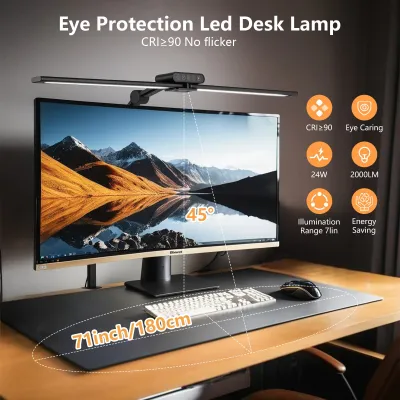
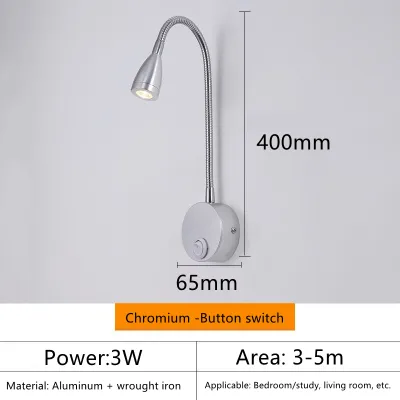
Prices are valid at publication and may change. Please refer to the product page for the latest price.
How the lamp attaches to your desk is equally important for maintaining an organized workspace. A heavy, weighted base is excellent for flat, spacious desks, but it occupies valuable real estate. If your desk is compact or cluttered, a clamp-on gooseneck lamp is a highly efficient alternative. Measure your desk’s edge thickness before purchasing, as some clamps only accommodate thin wooden panels, while others can grip thicker desks or monitor stands. Ensure the clamp has protective padding to avoid scratching your furniture.
Checking Light Quality and Eye Comfort Specifications
Working long hours under poor lighting can lead to eye fatigue, headaches, and decreased productivity. When evaluating a gooseneck lamp, look closely at the brightness controls rather than just the design. A lamp with step-less dimming or multiple brightness levels allows you to adapt the light output to the changing natural light in your room. Check the manufacturer’s stated lumen output; a range of 300 to 500 lumens is generally sufficient for detailed task work, but you may need more if your room lacks adequate ambient lighting.

Color temperature adjustment is another critical feature for WFH comfort. Look for a lamp that offers a range of color temperatures, typically measured in Kelvin (K). During the morning and afternoon, a cool white light (around 4000K to 5000K) can help keep you alert and focused. As evening approaches, transitioning to a warm white light (around 2700K to 3000K) reduces stimulation and prepares your mind for rest, which is especially important if your workspace is in your bedroom.
Do not rely solely on vague marketing terms like “eye-friendly” or “natural light.” Instead, verify the product’s technical specifications for explicit mentions of flicker-free technology and blue light mitigation. Low-quality LED lamps often exhibit a subtle, high-frequency flicker that is invisible to the naked eye but can cause severe eye strain and headaches over several hours. Check the product packaging or user manual for certifications or compliance with international lighting standards that guarantee stable, flicker-free current delivery.
Ensuring Stability and Power Compatibility
A flexible gooseneck lamp is only as good as its foundation. If you choose a model with a weighted base, the base must be heavy enough to counterbalance the lamp head when the neck is fully extended at a sharp angle. A top-heavy lamp poses a constant tipping hazard, which can damage your desk accessories or the lamp itself. If you plan to frequently adjust the angle of the light, a heavier base or a secure screw-tightened clamp is essential to keep the unit anchored.
Power compatibility is another practical consideration for a seamless WFH setup. Determine how the lamp receives power: via a standard wall adapter, a USB port connected to your computer or monitor, or a built-in rechargeable battery. USB-powered lamps offer great flexibility and reduce cable clutter on your desk, but they may provide lower maximum brightness compared to models that plug directly into a wall outlet. If you choose a battery-powered model, verify the expected runtime to ensure it can last through your longest work sessions without needing a charge.
Before finalizing your choice, measure the distance from your desk to the nearest wall outlet or power strip. Gooseneck lamps often come with relatively short power cords, sometimes measuring less than 1.5 meters. If your outlet is far away, you may need to use an extension cord, which can create safety hazards and clutter. Verifying the cord length in the product specifications beforehand helps you plan a clean, safe cable management layout.
Creating Your WFH Gooseneck Lamp Shortlist
To make a confident purchase, start by ranking your must-have features against secondary conveniences. Your primary focus should always be on core functionality: a stable base, reliable neck tension, and adjustable brightness and color temperature. Secondary features like built-in wireless charging pads, USB pass-through ports, or smart app controls are convenient but should not come at the expense of light quality or structural stability.
In the Philippines, electrical safety is a paramount concern, especially with the high humidity and occasional power fluctuations common in tropical climates. Look for lamps that carry recognized electrical safety markings, such as the Philippine Standard (PS) mark or the Import Commodity Clearance (ICC) sticker, which verify that the product has undergone rigorous safety testing. Additionally, review the manufacturer’s warranty terms; a reliable warranty of at least six months to a year provides peace of mind and indicates a higher-quality build.
Set a realistic budget in Philippine Pesos (₱) that reflects your daily usage. While budget-friendly options are widely available on online marketplaces, extremely cheap models often compromise on driver quality, leading to rapid flickering or premature failure. Allocate a reasonable budget—typically ranging from ₱800 to ₱2,500—to secure a durable, eye-safe lamp. Filter out any models that lack clear specification sheets, detailed user manuals, or clear return policies from the seller.
Frequently Asked Questions (FAQ)
How do I position a gooseneck lamp to avoid screen glare?
To prevent distracting reflections on your monitor, position the base of your gooseneck lamp slightly to the side or behind your screen rather than directly in front of it. Bend the flexible neck so the lamp head points downward, directing the light beam onto your keyboard, documents, or desk surface. This downward angle ensures the light source remains below your direct line of sight and prevents the light from bouncing off the glossy or matte surface of your monitor into your eyes.
What should I do if the flexible neck starts to droop?
If your gooseneck lamp begins to sag or fail to hold its position, first consult the manufacturer’s manual to see if the model features adjustable tension screws or collar rings near the base or head. Some models allow you to tighten these joints using basic tools. If there are no adjustable parts and the neck continues to droop under the weight of the lamp head, stop using the lamp in extreme positions to avoid sudden falls. Contact the manufacturer or seller to inquire about replacement parts or warranty coverage, as a worn-out internal spring or flexible sheath cannot be safely repaired with DIY methods.

Community discussion
Share your experience or ask a question. Comments are reviewed before publication.