
Choosing the right clip-on lamp for your study desk or work-from-home setup requires looking beyond basic aesthetics to evaluate specific technical and physical specifications. Matching brightness, color temperature, physical dimensions, and power requirements to your workspace prevents eye strain and ensures a secure, stable fit. By focusing on these key metrics, you can select a task light that integrates seamlessly into your daily routine without cluttering your desk.
Brightness and Lumens: Matching Light Output to Your Tasks
When shopping for a modern LED clip-on lamp, look at the lumen rating rather than the wattage to determine how much light the fixture actually emits. Wattage only measures power consumption, whereas lumens indicate the actual brightness of the visible light. Relying on vague marketing terms like “ultra-bright” can lead to disappointment, so checking the product specifications for the exact lumen output is essential.
For general reading and computer work, a lamp that provides adjustable brightness levels is highly beneficial. Dimmable features allow you to adapt the light output to different times of day, especially when transitioning from bright afternoon sun to late-night study sessions. In the Philippines, where natural light can shift dramatically during the rainy season, having this flexibility helps maintain a comfortable workspace.
Products mentioned in this guide
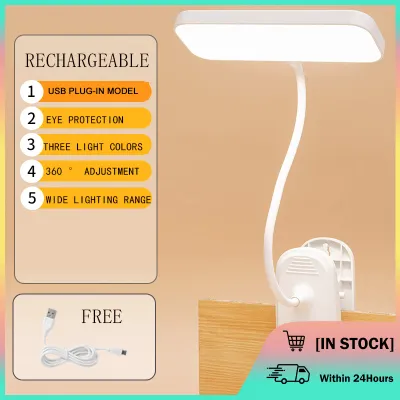
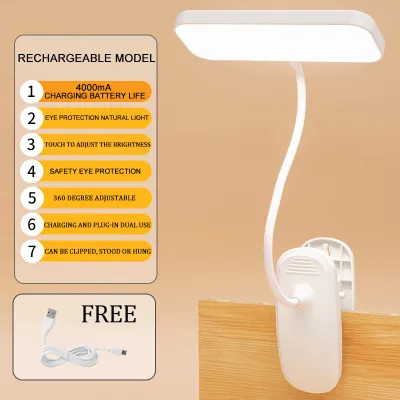
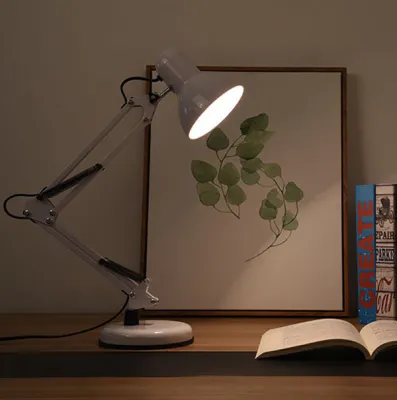

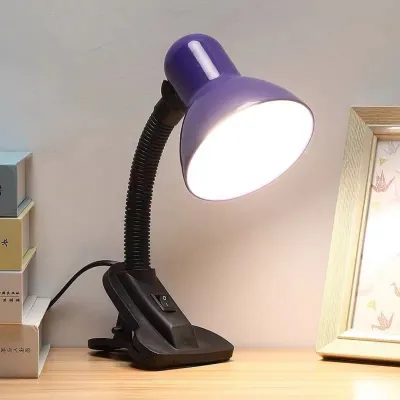
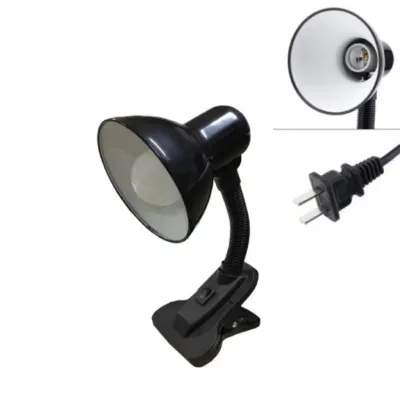
Prices are valid at publication and may change. Please refer to the product page for the latest price.
Excessively high brightness in a dark room can cause severe glare on your computer screen or paper documents, leading to visual fatigue. To prevent this, aim for a balanced contrast between your task light and the ambient room lighting. Verifying that a lamp has multiple dimming steps or a continuous dimming slider allows you to fine-tune the output to match your immediate environment. Always check the dimming method specified by the manufacturer, such as a touch-sensitive button or an inline switch.
Color Temperature: Choosing the Right Kelvin Rating for Focus
Color temperature, measured in Kelvin (K), determines whether the light emitted from your lamp appears warm and yellowish or cool and bluish. This specification directly influences your focus and comfort during long hours of working or studying. Understanding how different Kelvin ranges function helps you select a lamp that supports your daily schedule. While some users prefer a single, fixed color temperature, having adjustable options provides greater versatility for multi-purpose workspaces.

Cooler light, typically rated between 4000K and 6500K, mimics daylight and is excellent for promoting alertness, concentration, and detailed reading. Conversely, warmer light below 3000K creates a relaxing atmosphere that is ideal for winding down in the evening or reading before bed. If your study routine spans both high-focus daytime tasks and late-night reviews, look for a clip-on lamp that offers adjustable color temperature settings. This allows you to switch from cool white light during the day to a warm amber glow at night.
Before purchasing, check the product packaging or online specifications to verify if the lamp has preset color modes or a customizable spectrum. It is also important to coordinate the lamp’s color temperature with your existing room lighting. Harsh contrasts between a very blue desk light and warm yellow ceiling bulbs can strain your eyes as they constantly adjust to different light qualities. Treat perceived color temperature as a conditional preference rather than a universal performance fact.
Clip Size and Arm Reach: Verifying Physical Compatibility
A clip-on lamp is only useful if it can securely attach to your furniture and direct light exactly where you need it. Before ordering, measure the thickness of your desk, shelf, or headboard with a ruler. Compare this measurement against the manufacturer’s stated maximum clip capacity to ensure the clamp can open wide enough to fit. Never assume a universal fit, as thick table edges may exceed the opening capacity of standard clips.
The design of the grip mechanism is equally critical for stability and protecting your furniture. Look for clamps that feature non-slip rubber or foam padding on the inside of the jaws to prevent scratches on wooden or laminated surfaces. A strong spring-loaded clip offers quick installation and portability, while a screw-tightened C-clamp provides a more permanent, heavy-duty hold for thicker desks. Ensure the clamp is robust enough to support the lamp when the arm is fully extended.
Evaluate the arm length and flexibility to ensure the light head can reach over your workspace without obstructing your view. Gooseneck arms offer flexible, multi-angle positioning, while hinged joints provide structured, stable movement. Avoid assuming a universal fit; always check the physical dimensions in the product description to confirm the arm is long enough to clear your laptop screen or monitor. An inadequate reach forces you to position the clip in awkward spots, reducing its effectiveness.
Power Options and Cord Length: Planning Your Desk Layout
Your desk layout and proximity to wall outlets should dictate the power configuration of your clip-on lamp. Common options include standard AC wall plugs, USB-powered cords, and rechargeable battery-operated models. For continuous work-from-home use, a USB-powered or wall-plug model is generally more reliable than battery-operated alternatives, which require frequent recharging and may dim as the battery drains. If you choose a USB model, ensure your power source delivers the required wattage.
Measure the distance from your intended mounting spot to the nearest power source before choosing a lamp. Many USB-powered lamps come with relatively short cords, which may require an extension or a dedicated USB adapter plug. If you plan to power the lamp through your laptop or a monitor’s USB port, verify the lamp’s required voltage and amperage specifications to ensure it operates at full brightness. In the Philippines, standard household voltage is 220V, so ensure any direct wall adapter is compatible with local electrical standards.
In tropical environments like the Philippines, keeping cables organized also helps maintain airflow around your electronic devices and prevents dust accumulation. Look for lamps that include built-in cable clips, or plan to use separate ties to secure the cord along the lamp’s arm. Additionally, ensure the lamp carries appropriate electrical safety certifications, such as the Philippine Standard (PS) mark or Import Commodity Clearance (ICC) sticker, to verify it meets local safety standards. This is especially important for plug-in models to prevent electrical hazards in humid tropical conditions.
Frequently Asked Questions (FAQ)
Can I use a clip-on lamp on a glass desk?
You should check your desk manufacturer’s weight and pressure limits before attaching any clamp to a glass surface. Spring-loaded clips can exert concentrated point pressure, which poses a risk of cracking or shattering tempered glass. If you must use a clip-on lamp on a glass desk, choose a model with a screw-tightened clamp that allows you to control the pressure, and always place a thick rubber or silicone protective pad between the clamp and the glass. If the glass thickness is unknown, opting for a freestanding desk lamp is a safer alternative.
Is a gooseneck or hinged arm better for studying?
The choice depends on how often you need to adjust the light and the weight of the lamp head. A flexible gooseneck arm allows for infinite micro-adjustments and multi-angle positioning, making it highly versatile for dynamic workspaces. However, budget goosenecks may slowly droop over time if the light head is heavy. A hinged arm offers structured, stable positioning that stays locked in place, making it ideal for precise setups over a fixed study area.
Community discussion
Share your experience or ask a question. Comments are reviewed before publication.