
When preparing for long hours of reading or working, selecting the right table lamp study table setup is one of the most critical decisions you can make for your long-term eye health. Visual fatigue is not merely a temporary inconvenience; it is a direct physiological response to poor lighting design. A high-quality desk lamp must provide more than just basic illumination. It must deliver balanced brightness, accurate color representation, and physical adjustability to minimize the mechanical strain on your eyes. By understanding the key optical and ergonomic features of task lighting, you can transform your workspace into a highly productive, comfortable environment that supports extended focus.
Why Proper Lighting Matters for Extended Study and WFH Sessions
During prolonged reading or screen-based work, your eyes perform thousands of micro-adjustments every hour. The human eye relies on the pupillary light reflex to regulate the amount of light reaching the retina. When you use an inadequate light source—such as a single harsh bulb in a dark room or a lamp that creates severe contrast between your desk and the surrounding space—your pupils are forced to constantly dilate and constrict. This continuous mechanical adjustment leads to rapid pupil fatigue, which manifests as a dull ache behind the eyes, dry eyes, blurred vision, and tension headaches.
Furthermore, digital eye strain is exacerbated when a desk lamp reflects off computer screens or glossy textbooks, creating veiling glare that washes out contrast. To compensate, you might subconsciously lean forward, ruining your posture and causing neck and shoulder pain. A properly designed desk lamp mitigates these issues by bridging the contrast gap between your screen and your physical desktop. It provides localized, directional light that enhances text legibility while keeping the surrounding environment comfortably illuminated, allowing your eyes to remain relaxed even during marathon study sessions.
Products mentioned in this guide
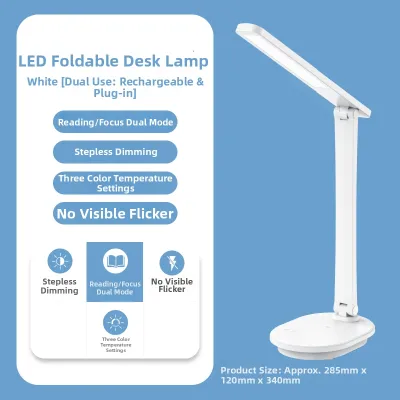
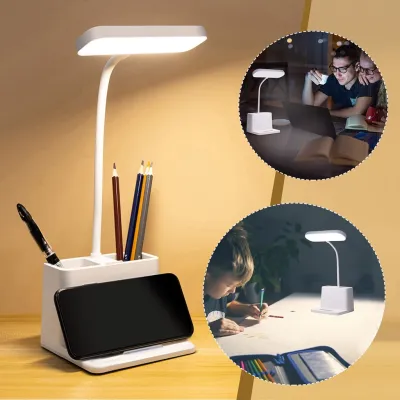
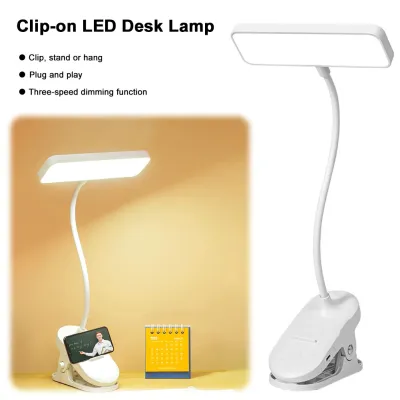
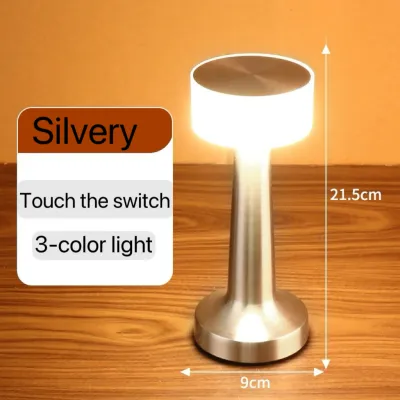
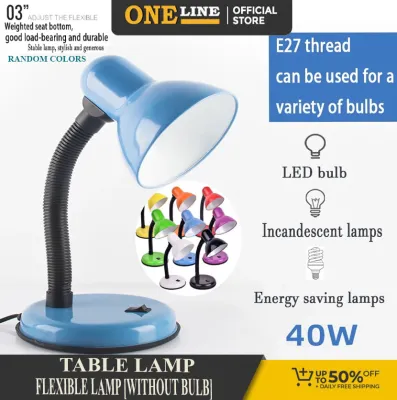
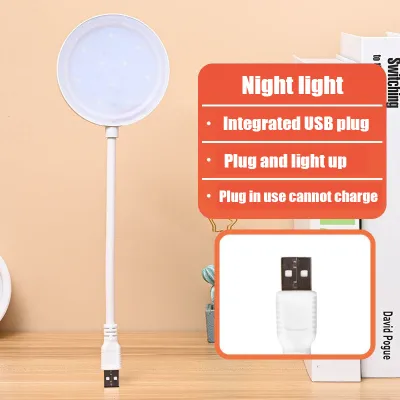
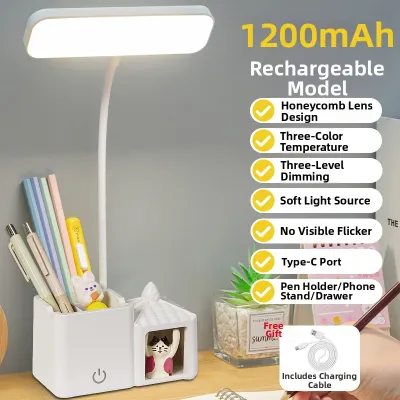
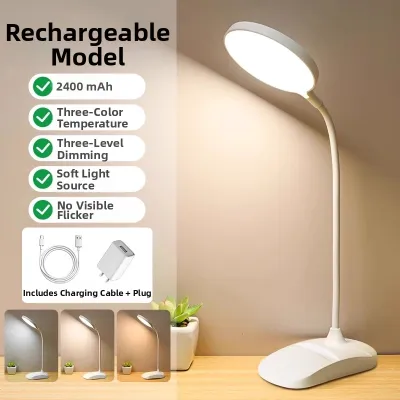
Prices are valid at publication and may change. Please refer to the product page for the latest price.
Essential Optical Features to Protect Your Eyes
To find a lamp that truly protects your vision, you must look beyond aesthetic designs and focus on the technical specifications of the light source itself. High-quality task lighting relies on four fundamental pillars of optical quality: brightness uniformity, color temperature control, color rendering accuracy, and flicker management. When evaluating potential lamps, always verify these parameters through the manufacturer’s technical data sheets or packaging labels rather than relying on vague marketing terms like “eye-safe” or “natural light.”

Brightness and Light Uniformity
Many people confuse total light output, measured in lumens, with the actual light falling on their workspace, which is measured in lux. Lumens represent the total amount of light emitted by the source in all directions, whereas lux measures the intensity of light hitting a specific surface area. For comfortable reading and writing, your desktop should ideally receive between 500 and 1000 lux of illuminance.
However, high lux alone is insufficient if the light is concentrated in a single, blinding hotspot. Light uniformity is critical. If a lamp creates a bright center but leaves the edges of your notebook in deep shadow, your eyes must adapt every time your gaze shifts. Look for manufacturers that publish polar curves or specify a wide, even light distribution pattern that covers both your primary task area and the immediate peripheral zone.
Color Temperature for Focus and Comfort
Color temperature, measured in Kelvin (K), dictates the color appearance of the light and directly influences your cognitive state and circadian rhythm. Light sources generally fall into three categories: warm white (2700K to 3000K), neutral white (3500K to 4500K), and cool white (5000K to 6500K). Warm light is inherently relaxing and excellent for casual reading, but it can induce drowsiness during intense study. Cool white light promotes high alertness and enhances contrast for fine text, but it contains a high proportion of blue light.
For long study sessions, a neutral white light of approximately 4000K strikes the ideal balance. It provides clean, crisp illumination that keeps you alert without causing excessive visual fatigue. Treat color temperature preferences as conditional choices based on your study habits rather than universal rules. If your study schedule extends into the late evening, avoid cool, blue-heavy light (above 5000K). Blue wavelengths suppress the production of melatonin, the hormone responsible for sleep regulation, which can severely disrupt your sleep cycles. Choosing a lamp with adjustable color temperature allows you to transition from a focused neutral light during the day to a soft, warm light at night.
Color Rendering Index (CRI)
The Color Rendering Index (CRI) measures how accurately a light source reveals the true colors of objects compared to natural daylight, on a scale from 0 to 100. Low-CRI light sources (typically below 80) wash out colors and make similar shades look identical. This forces your brain and eyes to work harder to distinguish between colored lines, diagrams, and text, leading to cognitive fatigue during long reading sessions.
For study tables, look for a lamp with a CRI rating of 90 (often labeled as Ra > 90) or higher. High-CRI lighting makes text pop against the page and renders diagrams with exceptional clarity. This feature is particularly vital for students and professionals in fields such as architecture, graphic design, medicine, and fashion, where accurate color identification is non-negotiable.
Flicker-Free and Blue Light Management
While you might not perceive it consciously, many low-quality LED lamps flicker at high frequencies due to cheap internal drivers. This invisible stroboscopic effect forces the extraocular muscles of your eyes to contract and relax thousands of times per minute, causing rapid fatigue, headaches, and general malaise. To avoid this, look for lamps that explicitly state “flicker-free” operation or reference compliance with IEEE 1789 standards for LED lighting. Do not rely on simple smartphone camera tests, as they are not scientifically accurate indicators of high-frequency flicker.
Additionally, verify how the lamp manages blue light emissions. High-quality lamps utilize physical diffusers, specialized phosphor coatings, or built-in optical filters to reduce harmful blue light peaks (often certified by independent bodies like TÜV Rheinland as “Low Blue Light”). These physical mitigation strategies are far more effective and comfortable than relying on yellow-tinted software filters on your screens.
Ergonomic Design and Physical Adjustability for Your Table Lamp Study Table
An optically perfect light source can still cause severe eye strain if it is housed in a poorly designed fixture. Ergonomics and physical adjustability are crucial for directing the light exactly where you need it while preventing direct glare from hitting your eyes or reflecting off your work surfaces.
Flexible Arms and Multi-Angle Heads
A static, non-adjustable lamp forces you to adapt your posture to the light, rather than adapting the light to your tasks. Look for table lamps featuring articulated arms, multi-joint tension hinges, or highly flexible silicone goosenecks. These mechanical features allow you to adjust both the height and the angle of the light head with precision.
When positioning your lamp, follow the “line of sight” rule: the physical light source should be positioned above your workspace to cast a wide pool of light, but it must remain below your direct eye level when you are seated. If the bare light source is visible in your peripheral vision, it will cause disability glare, forcing your pupils to constrict and causing immediate discomfort. Furthermore, ensure the lamp features a heavy, stable base. In the tropical climate of the Philippines, where electric fans or air conditioning units often run at high speeds, a lightweight or poorly balanced lamp can wobble or tip over when fully extended.
Anti-Glare Diffusers and Recessed Light Sources
Direct glare occurs when you look straight at a bright light source, while indirect or reflected glare occurs when light bounces off a glossy surface, such as a tablet screen, laptop monitor, or laminated textbook page. To eliminate these reflections, choose a lamp with an integrated frosted diffuser, a honeycomb louver, or asymmetric optical lenses. Asymmetric lenses are particularly effective because they project light downward at an angle, illuminating your desk surface while directing reflections away from your eyes and computer screen.
Additionally, inspect the lamp head to ensure the LED beads are deeply recessed within the housing rather than sitting flush with the rim. Recessing the light source creates a physical shield that prevents direct light from entering your eyes from the side. This is especially beneficial if you use a dual-screen setup or study with a mix of physical books and digital tablets, as it eliminates distracting reflections on your screens.
Smart and Convenience Features for Long Sessions
Modern desk lamps often incorporate smart features designed to enhance usability and support healthy study habits. While these features are secondary to optical quality, they can significantly improve your daily workflow.
Stepless dimming is a highly valuable feature, allowing you to adjust the brightness smoothly from 10% to 100% rather than relying on three or four rigid preset levels. This allows you to match the lamp’s output precisely to the ambient light in your room as natural daylight fades. Some advanced models feature built-in auto-dimming sensors that detect ambient light levels and automatically adjust the lamp’s output to maintain a constant, pre-set lux level on your desk.
Another helpful feature is an integrated study timer or pomodoro timer. These timers can be set to gently flash or dim after 45 or 50 minutes, serving as a physical reminder to stand up, stretch, and rest your eyes by looking at a distant object for a few minutes. If the lamp includes convenience features like USB charging ports, verify that the included power adapter is rated to handle both the lamp’s maximum power draw and the charging load of your devices. In the Philippines, where voltage fluctuations can occur, using an overloaded, uncertified power adapter poses a risk of overheating and premature component failure.
How to Evaluate and Test a Desk Lamp Before Buying
Before purchasing a table lamp for your study table, especially when browsing online marketplaces, use this practical checklist to ensure safety, compatibility, and performance:
- Specification Check: Verify that the lamp is compatible with the standard Philippine electrical grid of 220V at 60Hz. If you are purchasing an imported lamp, ensure it does not require a voltage converter and that the plug type matches your wall outlets (typically Type A or Type B). Look for local safety certifications, such as the Philippine Standard (PS) mark or Import Commodity Clearance (ICC) sticker, to ensure the electrical components are safe.
- Label Verification: Carefully read the product specifications. Look for explicit mentions of CRI (Ra > 90), color temperature ranges (such as 3000K–5000K), and certifications from recognized testing laboratories (such as TÜV Rheinland, UL, or CE) regarding flicker-free performance and low blue light emissions.
- Physical Inspection (if in-store): If you are buying from a physical retail store, test the mechanical joints to ensure they are stiff enough to hold their position without sagging over time. Check if the LED beads are covered by a high-quality diffuser and observe the light pattern on a flat surface to ensure there are no harsh shadows or uneven yellow rings.
- Power-Isolation and Safety Boundaries: If you experience any electrical faults, flickering due to household wiring, or damaged power cords, isolate the power immediately by unplugging the device. Consult a qualified technician rather than attempting DIY repairs on the internal circuitry.
- Return Policy: When shopping online, always check the seller's return policy. Because visual comfort is highly subjective, you may find that a lamp's minimum brightness is still too intense for your specific room, or that the color temperature feels uncomfortable in your study space. A flexible return policy allows you to test the lamp in your actual working environment risk-free.
Frequently Asked Questions (FAQ)
Are LED desk lamps always better for studying than traditional bulbs?
Modern, high-quality LED desk lamps are generally superior to traditional incandescent or halogen bulbs for long study sessions. LEDs are highly energy-efficient, emit minimal heat—which is a significant advantage in the warm, humid climate of the Philippines—and offer customizable color temperatures and dimming capabilities. However, cheap, uncertified LED lamps can suffer from severe high-frequency flicker and poor color rendering. If you are comparing a low-grade, unbranded LED lamp to a high-quality, continuous-spectrum traditional bulb, the traditional bulb may actually cause less eye strain. Always prioritize certified, reputable LED brands to ensure optimal eye protection.
How far should the table lamp be placed from my study materials?
To maximize comfort and minimize shadows, place your table lamp roughly an arm’s length away from your primary working area (about 40 to 50 centimeters). If you are right-handed, position the lamp on the left side of your desk; if you are left-handed, place it on the right. This prevents your writing hand from casting distracting shadows across your notebook or keyboard. Additionally, adjust the height of the lamp head so that it sits slightly above your forehead level, angling the light downward to illuminate your entire workspace without shining directly into your eyes or reflecting off your computer screen.
Community discussion
Share your experience or ask a question. Comments are reviewed before publication.