
To reduce eye strain during long study sessions, the most critical specifications to look for in an LED light for study table are adjustable illuminance, customizable color temperature, a high Color Rendering Index (CRI), and flicker-free operation. While many buyers focus solely on aesthetic design or wattage, these optical metrics directly determine how hard your eyes must work to resolve text and contrast. Selecting a lamp with the right balance of these features helps maintain visual comfort, especially during late-night study sessions in warm, humid tropical environments where ambient lighting conditions change.
Brightness and Illuminance: Matching Light to Your Task
Lumens measure the total light output emitted from an LED source, but lux measures the actual intensity of light hitting your study surface. For a standard study desk, you want sufficient lux on your reading material without creating blinding hot spots. Adjustable brightness is essential because your eyes require different levels of support depending on the time of day. During a bright afternoon, you might only need a subtle fill light, whereas a late-night session requires a stronger, focused beam to contrast against a dark room.
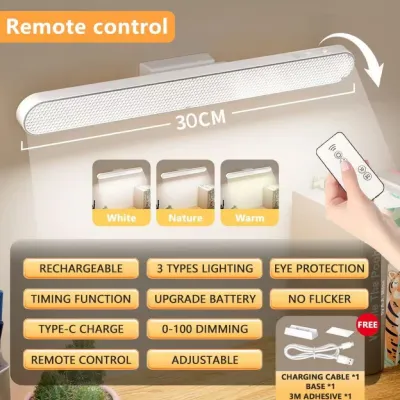
When shopping, check the product packaging or online specifications for multi-level dimming or continuous touch-control dimming. Look for labels that explicitly state the dimming method, such as step-dimming or stepless dimming, to ensure you can fine-tune the output to your comfort level. Avoid lamps that only offer a single, non-adjustable brightness setting, as they cannot adapt to changing ambient light.
Products mentioned in this guide
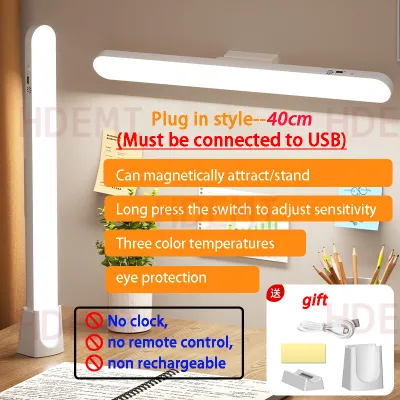

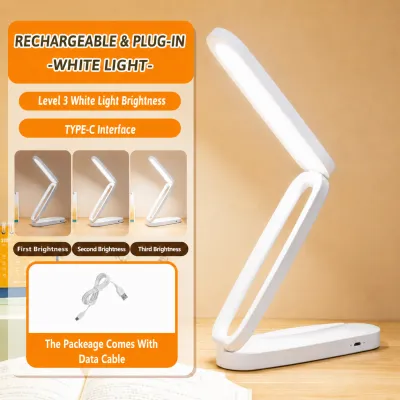
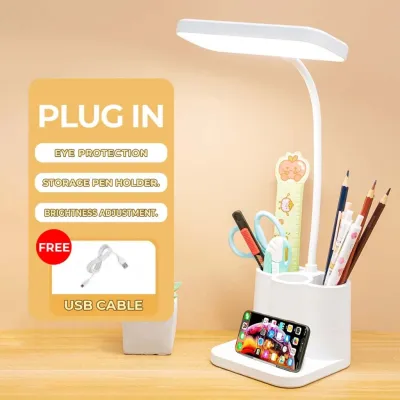
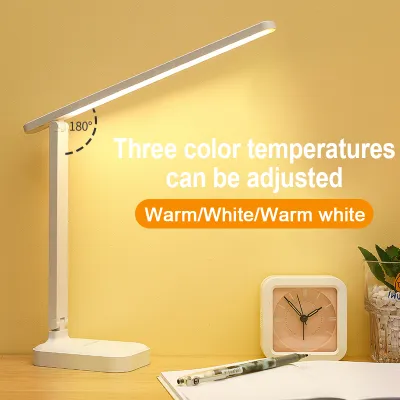
Prices are valid at publication and may change. Please refer to the product page for the latest price.
Color Temperature: Choosing the Right Kelvin for Focus and Comfort
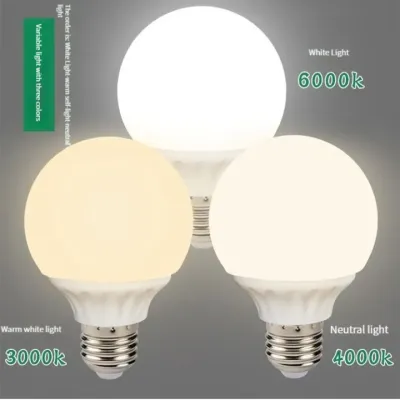
Color temperature, measured in Kelvin (K), dictates the warmth or coolness of the light. Cooler, bluish-white light (typically around 5000K to 6500K) mimics daylight and can help promote alertness and focus when reading dense, printed textbooks. Conversely, warmer, yellowish light (around 2700K to 3000K) is gentler on the eyes during late-evening sessions and helps reduce blue-light exposure before sleep.

If your study routine involves a mix of physical reading, writing, and working on digital screens, a lamp with adjustable color temperature is highly beneficial. Look for specifications that offer multiple color modes, such as warm white, cool white, and natural daylight. Verify on the product packaging how these transitions are controlled—whether through a physical button, a touch slider, or preset modes—to ensure seamless adjustments during your study sessions.
Color Rendering Index (CRI): Seeing Text and Colors Accurately
The Color Rendering Index (CRI) measures how accurately a light source reveals the true colors of objects compared to natural sunlight. Measured on a scale up to 100, a higher CRI means colors appear more vibrant and true to life, which directly improves text contrast and clarity. When reading small print or studying for hours, low CRI light can make text look muddy, forcing your eyes to strain to distinguish letters.
You can locate this value on the specification sheet or product box, often labeled as CRI or Ra. For general studying, a CRI of 80 or above is standard, but if your work involves detailed tasks like architectural drafting, graphic design, or reviewing color-coded medical diagrams, prioritizing a lamp with a CRI of 90 or higher is recommended to prevent visual fatigue.
Flicker and Glare: Identifying Hidden Causes of Visual Fatigue
Rapid, often invisible light flicker is a primary culprit behind unexplained headaches and eye strain during long study sessions. High-quality LED drivers regulate current smoothly to eliminate this rapid pulsing. When evaluating a desk lamp, look for certified flicker-free claims or compliance with international lighting standards in the product description.
Glare is another major source of visual fatigue, caused by harsh light bouncing directly off your desk or screen into your eyes. To combat this, inspect the physical design of the lamp head for built-in glare-reduction features. Frosted covers, honeycomb grids, or physical diffusers help scatter the light evenly across your workspace. If you are shopping online, look closely at user-submitted photos to see how the light reflects off glossy surfaces, or perform a quick smartphone camera test in-store: viewing the lit lamp through your phone’s camera screen can sometimes reveal harsh, moving banding patterns that indicate high flicker.
Reading the Spec Sheet: A Practical Checklist for Your Purchase
Before finalizing your purchase, compile a quick checklist of the technical specifications listed on the box or e-commerce page. Prioritize lamps that clearly state their lux levels, Kelvin range, CRI rating, and dimming capabilities rather than those relying solely on vague marketing terms.
In the Philippines, it is crucial to verify electrical compatibility before plugging in any new appliance. Ensure the lamp is rated for the local standard voltage of 220V at 60Hz, and check that the plug type matches your home’s wall outlets without requiring unstable adapters. If the product specifications are missing, contradictory, or fail to mention basic electrical safety certifications, stop and contact the manufacturer or a qualified retail representative. Avoid purchasing unbranded or uncertified electrical products, as poor internal wiring can pose safety hazards in humid tropical environments.
Frequently Asked Questions (FAQ)
Is a higher wattage always better for studying?
No, a higher wattage is not necessarily better for studying. Wattage simply measures how much electrical power the lamp consumes, not how much usable light it produces. Because modern LED technology is highly energy-efficient, a low-wattage LED can produce the same or greater brightness than an old, high-wattage incandescent bulb. When comparing study lamps, focus on the lumen and lux ratings on the product label rather than the wattage to ensure you get adequate brightness without wasting energy.
Do I need a smart lamp with app controls for eye protection?
You do not need smart app controls to protect your eyes. The core factors that reduce eye strain—such as high CRI, flicker-free drivers, and adjustable color temperatures—are purely physical and optical specifications. While smart features like app-based dimming or automated scheduling can add convenience, they do not improve the quality of the light itself. If you are on a budget, prioritizing a high-quality, non-smart lamp with excellent optical specs will protect your eyes just as effectively as a premium smart model.

Community discussion
Share your experience or ask a question. Comments are reviewed before publication.