
Quick Answer: Core Differences Between Gaming and Ambient LED Strips
When building a dedicated gaming station, choosing a standard ambient led light strip can lead to a sluggish, visually flat experience. Gaming-focused LED strips prioritize dynamic synchronization, high color saturation, and low latency over natural light accuracy. Unlike general household ambient lighting, which focuses on uniform illumination, gaming setups require hardware optimized for rapid visual transitions and localized color control.
Three decision-defining features separate gaming-grade strips from basic utility lighting: individually addressable color chips for multi-zone effects, high refresh-rate controllers for screen-syncing, and highly adjustable brightness ranges suited for bias lighting. Understanding these specifications prevents you from overpaying for commercial-grade brightness or high-accuracy white light features that offer no benefit behind a monitor.
Key Specifications That Define a Gaming LED Strip
Selecting the right hardware requires looking past marketing buzzwords and examining the actual electronic specifications of the strip. The way the LEDs are controlled, the speed at which they receive data, and their maximum light output directly dictate how immersive your gaming environment will feel during intense gameplay.
Products mentioned in this guide
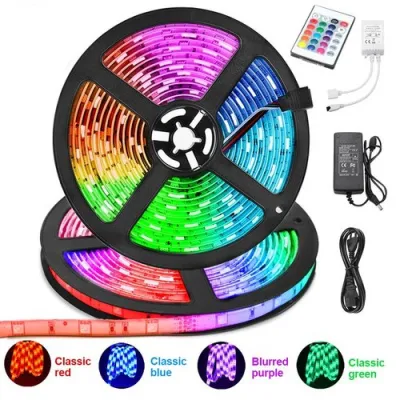
Prices are valid at publication and may change. Please refer to the product page for the latest price.

Color Depth and Addressable Chips (RGB vs. RGBIC/ARGB)
Standard RGB LED strips are wired in a parallel circuit, meaning the entire strip must display a single color at any given moment. If the controller sends a blue signal, every diode on the reel turns blue. While this is acceptable for general mood lighting, it is highly limiting for gaming setups where you want the lights to mirror dynamic on-screen action, such as a fireball moving across your monitor.
For an immersive gaming setup, you need individually addressable LED strips, commonly labeled as RGBIC or ARGB. These strips feature integrated circuit (IC) chips embedded along the flexible printed circuit board. Each chip controls a small cluster of diodes, allowing different sections of the same strip to display different colors simultaneously. This architecture enables complex multi-zone lighting, chasing patterns, and smooth transitions that match the movement of in-game environments.
To verify this capability before purchasing, check the product specifications or physical packaging. Look specifically for terms like “IC,” “Dreamcolor,” “Addressable,” “WS2812B,” or “5V ARGB.” If a product is labeled simply as “RGB” and does not mention independent control or addressable zones, it will only be capable of single-color transitions across the entire length of the strip.
Refresh Rate and Screen Sync Latency
Screen-syncing software captures the colors on your monitor and projects them onto the wall behind your desk. This process requires a continuous stream of data to be sent from your computer or sync box to the LED controller. If the controller has a low processing speed, you will experience a noticeable visual lag where the lights behind your screen trail behind the action, breaking the immersion during fast-paced games.
The refresh rate of an LED strip’s controller determines how many times per second it can update the color of the diodes. High-performance gaming setups require low-latency controllers that can process color changes in real time. When latency is high, a sudden flash or explosion on screen will be met with a delayed burst of light on the wall, which can cause visual fatigue and distraction.
When shopping for a sync-capable setup, look for controllers that explicitly state software compatibility with established gaming ecosystems or list high-speed USB or Wi-Fi data transfer rates. Avoid generic smart strips that rely solely on cloud-based processing or slow Bluetooth connections for real-time syncing, as these protocols introduce too much latency for active gaming.
Brightness and Bias Lighting Requirements
In a dark gaming room, the stark contrast between a bright monitor and a pitch-black wall can cause significant eye strain and headaches. Placing LED strips directly behind the monitor screen creates “bias lighting,” which raises the ambient light level in your immediate field of view. This reduces eye fatigue and improves the perceived contrast and black levels of your display.
For effective bias lighting, high brightness is actually counterproductive. If the LED strip is too bright, it will cause glare, wash out the monitor screen, and create distracting reflections. Instead, look for strips that offer a wide dimming range, allowing you to lower the intensity to a comfortable level—typically between 10% and 30% of maximum output—during dark, atmospheric gaming sessions.
Avoid commercial-grade high-lumen strips, such as those designed for architectural signage. These strips often generate excessive light that cannot be dimmed low enough for comfortable close-range viewing. A highly adjustable, lower-lumen strip ensures you can fine-tune the ambient glow to match your monitor’s brightness perfectly.
Specs You Can Safely Deprioritize for a Gaming Setup
Many premium LED strips carry high price tags due to features designed for professional architectural, photography, or outdoor applications. When building an indoor gaming setup, you can save money by ignoring these unnecessary specifications.
First, you can safely ignore a high Color Rendering Index (CRI). CRI measures how accurately a light source reveals the true colors of physical objects compared to natural sunlight. While a high CRI of 90 or above is essential for photography studios, makeup vanities, or art galleries, it is irrelevant for a gaming room. Gaming lighting is about saturated, stylized RGB colors rather than reproducing natural daylight, making standard CRI ratings perfectly adequate.
Second, avoid paying a premium for extreme waterproof ratings like IP67 or IP68. For an indoor desk or the back of a monitor, an IP20 (non-waterproof) or IP65 (splash-resistant with a thin silicone coating) rating is more than sufficient. Fully waterproof IP68 strips are encased in thick silicone sleeves, which makes them heavy, difficult to bend around tight monitor corners, and unnecessarily expensive.
Finally, dedicated tunable white temperature (CCT) is rarely needed for gaming. Some advanced strips include dedicated warm white and cool white diodes (RGBW or RGBWW) to provide high-quality white task lighting. However, dedicated gaming strips often sacrifice these extra white diodes to focus on better color mixing and addressable zones. If you occasionally need pure white task lighting, it is far better to source that light from a dedicated, adjustable desk lamp or monitor light bar.
Power, Voltage, and Heat Management for Long Sessions
Running LED strips for extended gaming sessions requires careful attention to electrical and thermal management. Ensuring your setup is properly powered and cooled prevents flickering, premature diode failure, and potential safety hazards.
The input voltage of your LED strip determines how it handles power distribution. Low-voltage 5V USB strips are highly popular because they can plug directly into a PC USB port or a monitor’s service port. However, 5V systems suffer from rapid voltage drop, meaning the light will become dimmer and lose color accuracy if the strip exceeds two to three meters. For larger setups, such as lighting the perimeter of a desk, choose 12V or 24V strips. These require a dedicated external power adapter but maintain consistent brightness and color across longer runs.
When using an external power adapter, you must size it correctly to handle the electrical load. Calculate the total wattage of your strip by multiplying the wattage per meter by the total length. Always choose a power supply rated for at least 20% more than this maximum draw. This safety margin prevents the power brick from running at its absolute limit, which can lead to overheating, electrical humming, or flickering during bright white or multi-color scenes.
Because the Philippines uses a 220V electrical standard, always verify that any imported or third-party power adapter supports an input range of 100V to 240V. Connecting a 110V-only adapter to a local outlet will result in immediate equipment damage and potential electrical hazards. Look for certified safety markings on the adapter casing before plugging it in.
Finally, manage the heat generated during long gaming sessions. In warm, humid tropical environments, the heat generated by high-density addressable strips can cause the adhesive backing to degrade, leading to the strip peeling off your monitor or desk. If you are running high-wattage strips continuously, mounting them inside slim aluminum channels acts as a heat sink to dissipate warmth, protecting both the LEDs and the adhesive for long-term durability.
Frequently Asked Questions (FAQ)
Can I use standard smart LED strips for screen syncing?
Standard smart LED strips that rely on basic Wi-Fi or Bluetooth connections generally lack the processing speed and direct data pathways required for real-time screen syncing. Because they often route signals through cloud servers or use slow wireless protocols, they introduce noticeable visual lag. Additionally, non-addressable smart strips can only change the entire strip to a single color at once, preventing them from matching different zones of your monitor screen. For responsive syncing, you need strips with dedicated local controllers or direct USB connections designed specifically for gaming software.
Do I need a separate hub or controller for ARGB strips?
If you are using 5V ARGB strips designed for PC components, they typically feature a standard 3-pin connector that plugs directly into your computer motherboard’s ARGB header. In this setup, your motherboard acts as the controller, and you can sync the lights using your PC’s native RGB software without any extra hardware. However, if you are installing standalone RGBIC strips around your desk or room, they will require their own proprietary inline controller and power adapter, which are usually included in the retail package and controlled via a mobile app or dedicated desktop software.
Community discussion
Share your experience or ask a question. Comments are reviewed before publication.